Giao diện XStore

No products in the cart.

Tối đa 22%
  • Đầu đĩa Android cho Audi Q7 (2006–2015)
  • 03 6
  • 10 1
  • 09 1
  • 02 5
  • 06 3

Đầu đĩa Android cho Audi Q7 (2006–2015), màn hình 10,25 inch, hỗ trợ CarPlay

Thương hiệu:

Từ: $325.00

Miễn thuế Chỉ dành cho EU và Hoa Kỳ
Chi tiết
Được bảo mật bởi PayPal
Dịch vụ DDP đã thanh toán thuế

Chúng tôi sẽ lo liệu tất cả các khoản thuế GTGT và thuế nhập khẩu. Số tiền tiết kiệm ước tính: $120–$280.

Hoa Kỳ (48 bang)ÁoBỉBulgariaCroatiaSípCộng hòa SécĐan MạchEstoniaPhần LanPhápĐứcHy LạpHungaryIrelandÝLatviaLitvaLuxembourgMaltaHà LanBa LanBồ Đào NhaRomaniaSlovakiaSloveniaTây Ban NhaThụy Điển
hoặc

Bạn có thắc mắc gì không?

Hãy cứ thoải mái Liên hệ với chúng tôi

Thanh toán an toàn qua PayPal Thanh toán an toàn bằng thẻ Visa Thanh toán an toàn bằng thẻ MasterCard Thanh toán an toàn với JCB Thanh toán an toàn bằng thẻ American Express Thanh toán an toàn với Alipay Thanh toán an toàn với Google Pay Thanh toán an toàn với Klarna Thanh toán an toàn với DISCOVER Thanh toán an toàn với Apple Pay
Đảm bảo quy trình thanh toán an toàn và bảo mật
Chính sách bảo vệ người mua của iKAGOO

Chính sách bảo vệ giao dịch cho sản phẩm này

Kiểm tra tính tương thích, thanh toán an toàn, theo dõi quá trình giao hàng và dịch vụ hỗ trợ sau bán hàng chu đáo.

Điều kiện đủ điều kiện, thời hạn báo cáo và các biện pháp khắc phục phụ thuộc vào chính sách iKAGOO hiện hành và kết quả xem xét từng trường hợp cụ thể.

Xem các chính sách bảo vệ

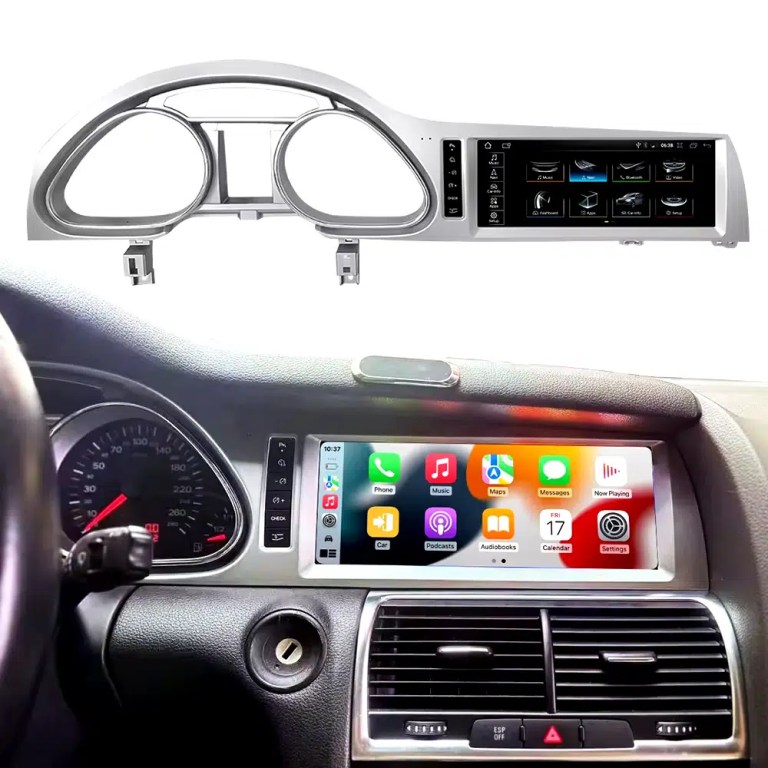
Installed Result First: Audi Q7 Android Head Unit That Still Looks Built Into the Dashboard

This is the first image buyers should see. It shows the actual Q7 cockpit result: the 10.25-inch Android screen, Audi dashboard trim, original gauge area and CarPlay-style interface working together instead of looking like a loose aftermarket tablet.

Audi Q7 Android head unit 2006 2015 installed dashboard CarPlay view

Check Dashboard, CD Panel, MMI and MOST Audio Before Ordering

The Audi Q7 Android head unit must be matched to the actual Q7 4L dashboard, not only the model year. Q7 vehicles can use different CD panels, MMI systems, Bose amplifiers, MOST fiber-optic audio routes and LHD/RHD frames.

Four Checks That Prevent the Wrong Order

  • Dashboard route: 2005–2009 and 2010–2015 Q7 layouts can differ.
  • CD / MMI panel: check card-slot layout, button layout and original control panel.
  • Audio system: Bose, external amplifier or MOST fiber optic may require a decoder.
  • Steering side: LHD and RHD frames must be confirmed before shipment.

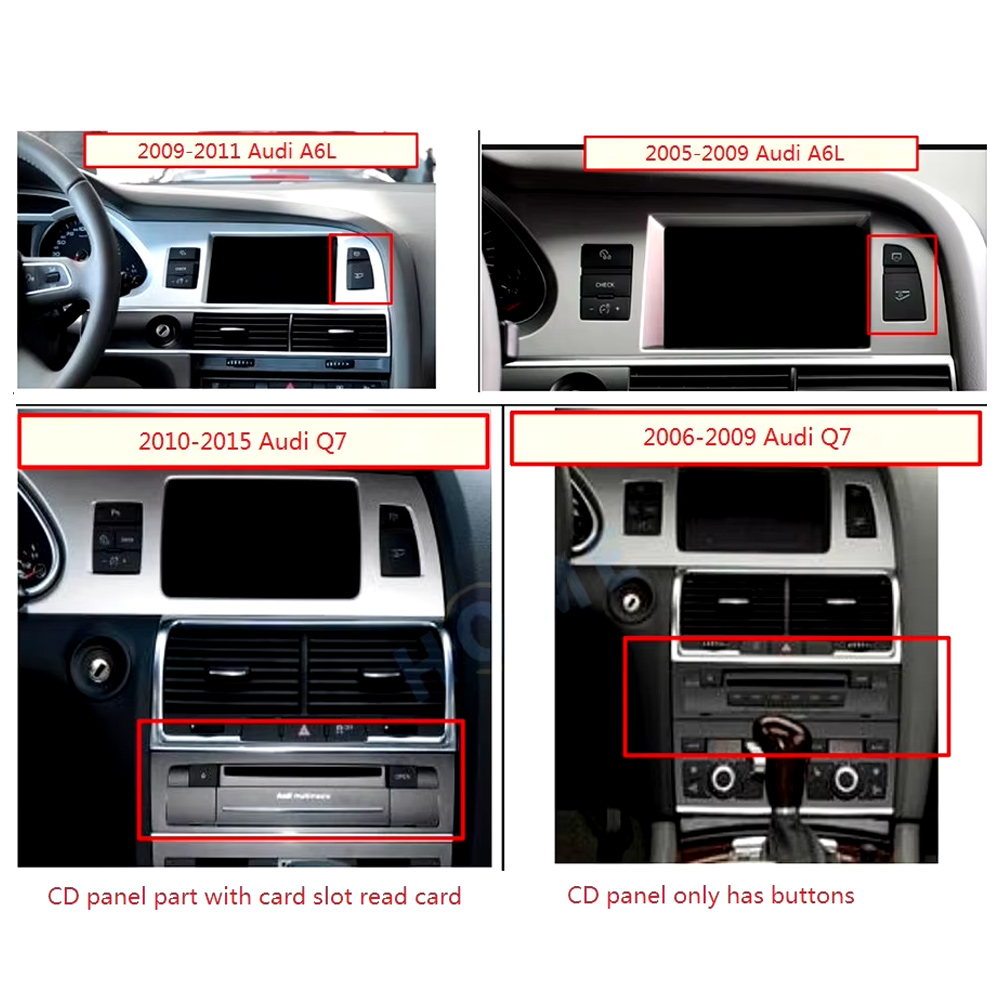
Use This Dashboard Reference Before You Buy

This image belongs near the top because it reduces wrong orders. The original dashboard and CD-panel layout decide the correct screen, frame and integration route.

Audi Q7 2005 2009 2010 2015 dashboard CD panel compatibility comparison
Audi Q7 4L · 2006–2015 · 10.25-inch Android upgrade
Audi Q7 Android Head Unit for CarPlay, Android Auto, MMI and DSP Upgrade

This iKAGOO Audi Q7 Android head unit upgrades selected Audi Q7 4L vehicles with a vehicle-specific 10.25-inch Android screen, wireless CarPlay, Android Auto, GPS navigation, WiFi / 4G, Bluetooth, DSP audio and supported original Audi system switching.

10.25-inch display CarPlay không dây Android Auto DSP audio WiFi / 4G MMI check

Choose this upgrade if your original Audi Q7 screen feels outdated but you still want the interior to look factory-style. iKAGOO checks your model year, dashboard frame, MMI system, LHD/RHD position, amplifier, MOST fiber optic requirement and connector photos before shipment.

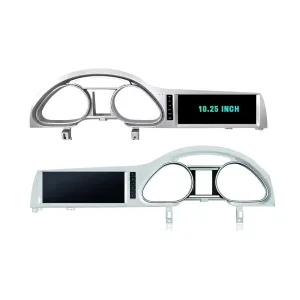
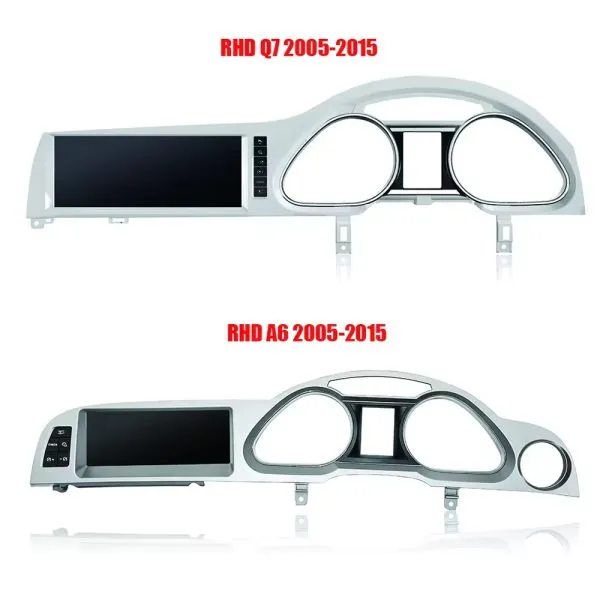
Confirm the 10.25-Inch Q7 Frame Shape

The product frame view helps you compare the left-hand and right-hand display routes before your installer removes the original dashboard parts.

Audi Q7 Android head unit 10.25 inch LHD RHD frame product view

Trả lời nhanh

This iKAGOO upgrade is a vehicle-specific Audi Q7 Android head unit for selected Audi Q7 4L vehicles in the 2006–2015 range. It upgrades the original screen area with a 10.25-inch Android display route and adds wireless CarPlay, Android Auto, GPS navigation, Bluetooth, WiFi / 4G, DSP audio and app support where the selected hardware version supports these functions. It is not a universal Audi screen. The correct version depends on the dashboard frame, CD / MMI panel, LHD/RHD layout, original amplifier, MOST fiber-optic route, camera system and connector layout. Some 2010–2015 vehicles may need a fiber-optic decoder, especially when Bose or an external amplifier is used.

Why This Audi Q7 Android Head Unit Makes Sense

Modern Screen Without Ruining the Q7 Interior

The 10.25-inch display gives the first-generation Q7 a newer cockpit feel while staying inside the original dashboard structure.

CarPlay và Android Auto không dây

Use phone maps, calls, music, messages and voice assistant functions through a larger in-dash screen instead of relying only on the old MMI display.

MMI, Audio and Camera Matching

Q7 upgrades fail when audio, MMI or camera routes are guessed. This page puts Bose, MOST, MMI and decoder checks at the front.

Original Audi Functions Supported

Original System Retention

  • Supported original Audi menu access can be retained through the matched integration route.
  • Original steering-wheel controls can work through the matched CAN decoder where the vehicle configuration supports them.
  • Original parking information and original rear camera may be retained when the correct video interface or decoder is prepared.
  • Original speaker and amplifier output depends on the verified audio system and adapter requirement.

Android Daily-Use Functions

  • Wireless Apple CarPlay and Android Auto support phone maps, calls, music and supported app interfaces.
  • WiFi and optional 4G support online maps, app downloads and network-based functions where local service allows it.
  • Bluetooth, music, video, maps, messaging and phone-call functions are available on supported configurations.
  • DSP and equalizer functions are available where the selected motherboard and hardware version support them.

Confirm Your Audi Q7 4L Version Before We Prepare the Head Unit

Audi Q7 4L vehicles can use different dashboard frames, MMI panels, CD layouts, Bose amplifiers, MOST fiber-optic audio routes, camera systems and LHD/RHD interiors. iKAGOO checks your photos before shipment so the correct Audi Q7 Android head unit, frame, harness and decoder route can be prepared.

Lắp đặt

Audi Q7 4L 2006–2015

Made for selected Audi Q7 4L vehicles. Some 2005–2009 and 2010–2015 dashboard routes must be checked by photo before shipment.

MMI Panel

MMI / CD Panel Must Match

The original CD panel, card-slot layout and MMI control area decide the correct screen frame and system-switching route.

Audio Risk

Bose / MOST Fiber Optic Check

This is the key Q7 risk. Bose, external amplifier or MOST fiber optic may require a decoder to keep original speaker output working.

Layout

LHD / RHD + Camera Route

Left-hand-drive, right-hand-drive, original rear camera and 360 camera routes must be confirmed before the order is prepared.

Before shipment, send us: dashboard photo · original screen photo · CD/MMI panel photo · amplifier/Bose information · LHD/RHD · camera details

Help iKAGOO Prepare the Correct Version Before Shipment

Vehicle Information Needed

  • Exact vehicle year and market region.
  • Left-hand drive or right-hand drive.
  • Original dashboard and screen photo.
  • Original CD / MMI control-panel photo.
  • Factory amplifier information: Bose, external amplifier or standard audio.
  • Photo of original connectors if requested.
  • Whether the vehicle has MOST fiber optic, original rear camera or 360 camera.
  • Preferred hardware version: 2+32GB, 4+64GB or 8+256GB.

Why These Details Matter

These details help iKAGOO prepare the correct screen frame, Android unit, wiring harness, CAN decoder, audio adapter, fiber-optic decoder and camera route. They also reduce the risk of no sound, no original menu, wrong frame, wrong LHD/RHD layout or unsupported camera input after installation.

Bose, MOST Fiber Optic and Audio Decoder Warning

This is the most important technical risk on many Audi Q7 4L Android upgrades. If the car uses an external amplifier and MOST fiber-optic audio network, the screen may power on but the speakers may have no sound unless the correct decoder route is prepared.

When a Decoder May Be Needed

  • The vehicle uses Bose or an external factory amplifier.
  • An orange fiber-optic cable is present in the original audio system.
  • The original amplifier communicates through the MOST network.
  • The Android screen operates but the original speakers have no sound.
  • The compatibility review confirms a fiber-optic audio route.

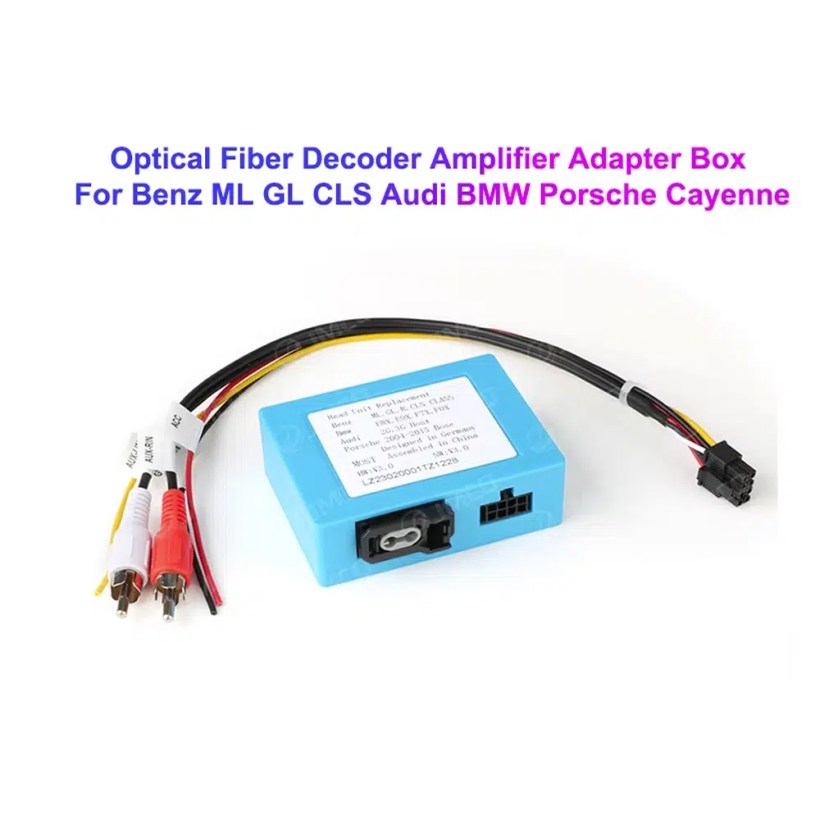
Decoder Example

This image shows the type of fiber-optic decoder commonly used in luxury vehicle audio integration. The required decoder must match the original Audi audio system and connector route.

Audi Q7 MOST optical fiber decoder amplifier adapter box

Key Product Specifications

Loại sản phẩmAudi Q7 Android head unit / Android stereo / Android screen upgrade.
Phụ kiện chínhAudi Q7 4L 2006–2015, subject to dashboard and system verification.
Kích thước màn hình10.25 inch vehicle-specific display.
Hệ thốngAndroid platform. Current page contains Android 13 attribute data and Android 16 description text, so final OS should follow the confirmed selected version.
MotherboardTSK / TSK8259 / TSK8667 according to selected hardware version.
Memory options2GB+32GB / 4GB+64GB / 8GB+256GB routes shown in current variation.
Bộ xử lý8-core CPU route according to selected motherboard.
Smartphone integrationWireless Apple CarPlay and Android Auto on supported firmware and compatible phones.
Điều hướngGPS / Glonass navigation support with compatible online or offline map apps.
BluetoothBT 4.0 / BT 5.0 according to selected hardware route.
MạngWiFi / optional 4G support where selected hardware and local network conditions allow it.
AudioDSP and equalizer functions where selected hardware supports them.
CameraRear camera AHD / CVBS and 360 camera routes require version and vehicle confirmation.
Package dataListed weight 3.5 kg; listed dimensions 85 × 35 × 25 cm.

Hardware Platform and Configuration Difference

G5 / TSK8259 Direction

Usually used for the basic hardware route. Current page information lists Android platform data, 8-core CPU route, Bluetooth 4.x direction and supported CarPlay / Android Auto depending on firmware and selected version.

  • 2GB + 32GB route on current variation.
  • Wireless CarPlay / Android Auto on supported firmware.
  • WiFi and optional compatible 4G where hardware supports it.
  • Camera and CAN integration must still match the vehicle.

G6 / TSK8667 Direction

Used for stronger hardware routes such as 4GB + 64GB and 8GB + 256GB options. Suitable for buyers who want smoother Android operation, better storage and stronger daily-use performance.

  • 4GB + 64GB or 8GB + 256GB route.
  • Bluetooth 5.0 direction where selected hardware supports it.
  • DSP support depends on selected hardware.
  • Recommended for long-term ownership and heavier app use.

The product title, variation name, checkout option and delivered hardware should use the same memory and motherboard specification. Do not combine specifications from different hardware versions.

Choose the Right Hardware Version

Basic

2GB + 32GB

Suitable for basic CarPlay, Android Auto, Bluetooth and navigation use. Choose this only if your expectations are simple and you do not plan heavy app use.

  • Basic app use
  • Lower cost route
  • Best for light daily use
Balanced

4GB + 64GB

A more balanced route for buyers who want better app switching, navigation and daily media use without jumping to the top version.

  • Better memory balance
  • Good daily usability
  • Recommended over basic version
Khuyến nghị

8GB + 256GB

Recommended for buyers who want the strongest current option shown on the page, larger storage and better long-term Android usability.

  • Highest listed storage route
  • Better for multitasking
  • Best long-term choice
  • Confirm motherboard before shipment

iKAGOO Compatibility and Installation Process

STEP 01

Đánh giá xe

Submit the year, dashboard photos, steering position and original audio-system details.

STEP 02

So khớp cấu hình

iKAGOO checks the frame, harness, CAN decoder, amplifier and fiber-optic requirements.

STEP 03

Pre-Shipment Setup

The Android unit and matching accessories are prepared for the confirmed vehicle configuration.

STEP 04

Hỗ trợ cài đặt

Guidance is available for wiring, configuration and supported-function testing.

Tại sao các chủ sở hữu lại chọn iKAGOO

Vehicle-Specific Preparation

iKAGOO checks your Audi Q7 year, dashboard photos, MMI system, steering side and audio system before shipment so the correct version can be prepared.

MMI and Audio Matching

The correct CAN decoder, amplifier route and fiber-optic requirement matter more than buying a screen by size alone.

Tích phân hàm ban đầu

The upgrade is prepared to retain supported original menus, steering-wheel controls, original camera and vehicle information where the matched route allows it.

Factory Wiring Protection

The matched harness route is designed to avoid unnecessary cutting of the original wiring when the vehicle and harness match.

Installation and Setup Support

If your installer needs help identifying the MMI type, fiber-optic route or function test result, iKAGOO can provide order-based support.

12-Month Bảo hành phần cứng

Eligible hardware issues are handled under the iKAGOO 12-month limited warranty, with after-sales support for diagnosis and suitable solutions.

iKAGOO Purchase Assessment for This Audi Q7 Android Head Unit

Giá trị nâng cấp

Sự cần thiết phải nâng cấp iKAGOO

89/100

Strong Upgrade Case. The first-generation Audi Q7 interior benefits clearly from a modern 10.25-inch Android screen, wireless smartphone integration, navigation and improved media usability.

  • Visible dashboard modernization
  • CarPlay và Android Auto không dây
  • Navigation, apps and DSP value
Based on the iKAGOO Upgrade Necessity Standard
Factory Retention

Original Vehicle Compatibility

84/100

Good compatibility route when the correct dashboard frame, MMI route, CAN decoder, amplifier adapter and fiber-optic requirement are verified before shipment.

A score of 84/100 does not mean that 16% of factory functions are lost. It means this product requires stricter checking because Audi Q7 4L audio and MMI configurations vary.

Based on the Factory Function Retention Standard
Install Level

Mức độ khó khi cài đặt

Cấp độ 3

Advanced DIY. Suitable for experienced DIY installers or an automotive electronics technician. Audi Q7 MMI, MOST fiber optic, amplifier and camera routes must be checked carefully before final reassembly.

Based on the Car Electronics Installation Difficulty Guide

Keep the Old MMI, Add a Box or Upgrade with iKAGOO?

Keep Original

Factory MMI Only

Best only if you are satisfied with the old screen size, old interface and limited smartphone integration.

  • No upgrade cost
  • Old interface remains
  • Limited app experience
Basic Add-On

CarPlay-Only Module

Useful if you only need phone projection, but it does not give the Q7 a new Android display or modern interface layout.

  • Limited visual change
  • No full Android system
  • Depends on original screen condition
Generic Screen

Universal Android Screen

May be cheaper, but Audi Q7 dashboard frame, MMI, Bose, MOST fiber and camera integration can become the real risk.

  • Fitment uncertainty
  • May look aftermarket
  • Higher audio risk
Khuyến nghị

iKAGOO Audi Q7 Android Head Unit

Best for owners who want a vehicle-specific 10.25-inch screen, CarPlay, Android Auto, navigation, DSP and configuration review before shipment.

  • 10.25-inch Q7-specific frame
  • Wireless CP & AA
  • MMI system switching
  • Fiber-optic decoder check
  • Vehicle-specific preparation

Purchase Conclusion

If you want your Audi Q7 4L to feel modern without making the dashboard look cheap or creating MMI/audio problems, this iKAGOO Android head unit is the stronger route than a generic screen or a small add-on box.

Product Photos and What They Help You Decide

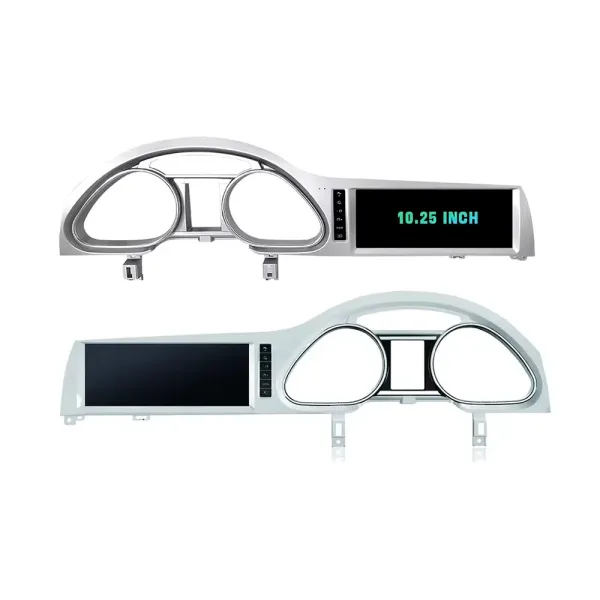
Confirm LHD and RHD Product Frame Routes

This image helps you understand that Q7 frame orientation matters. Do not order without confirming steering side and dashboard layout.

Audi Q7 Android head unit RHD and LHD frame route product comparison

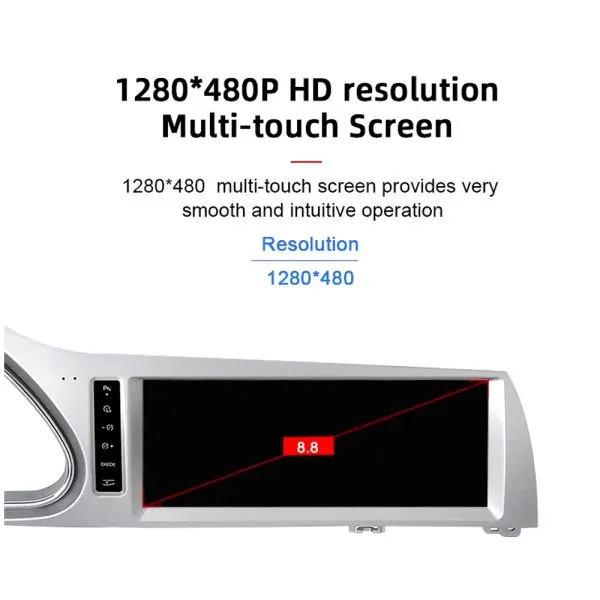
Understand the Screen Display Area

The screen reference explains the display route and reminds buyers that the confirmed order specification takes priority over general promotional images.

Audi Q7 Android head unit screen display area reference

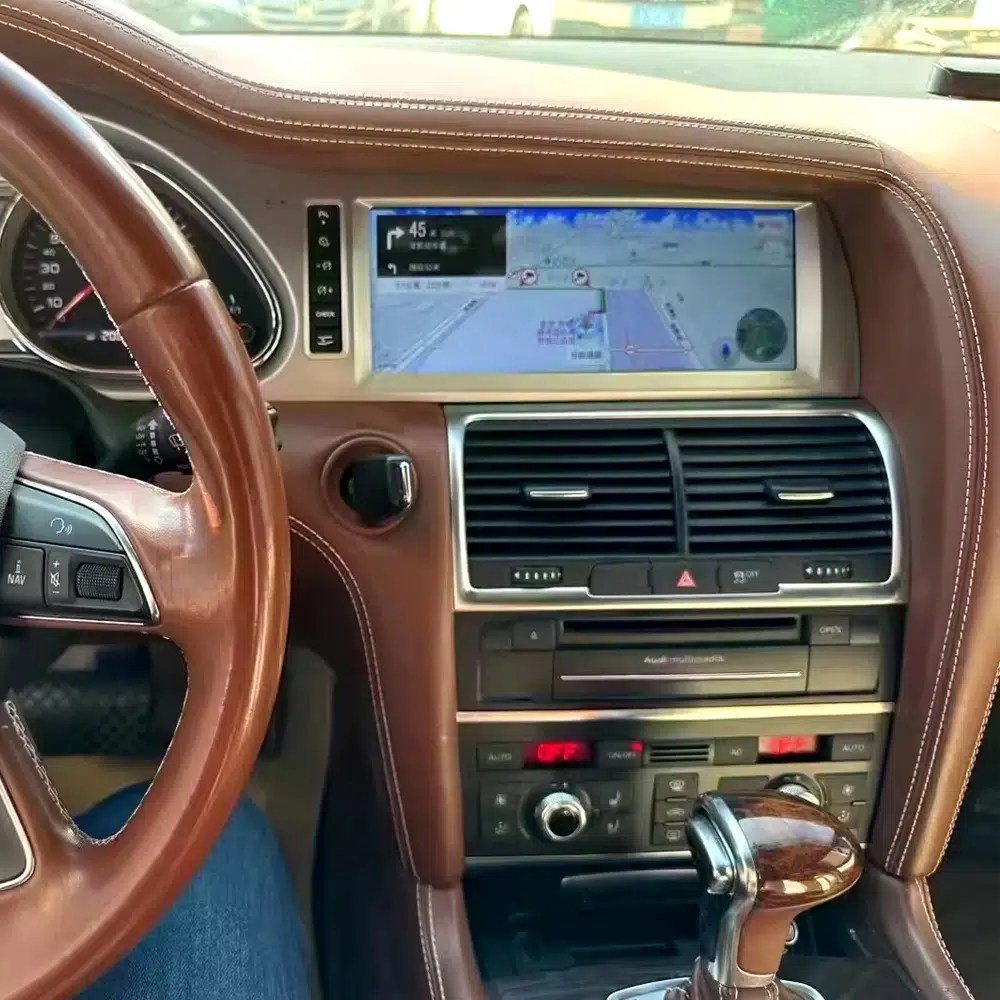
See Navigation Working in a Real Audi Q7 Interior

This installed navigation view helps you judge the screen position, driver visibility and how the display looks inside a used Q7 cabin.

Audi Q7 Android navigation screen installed in vehicle dashboard

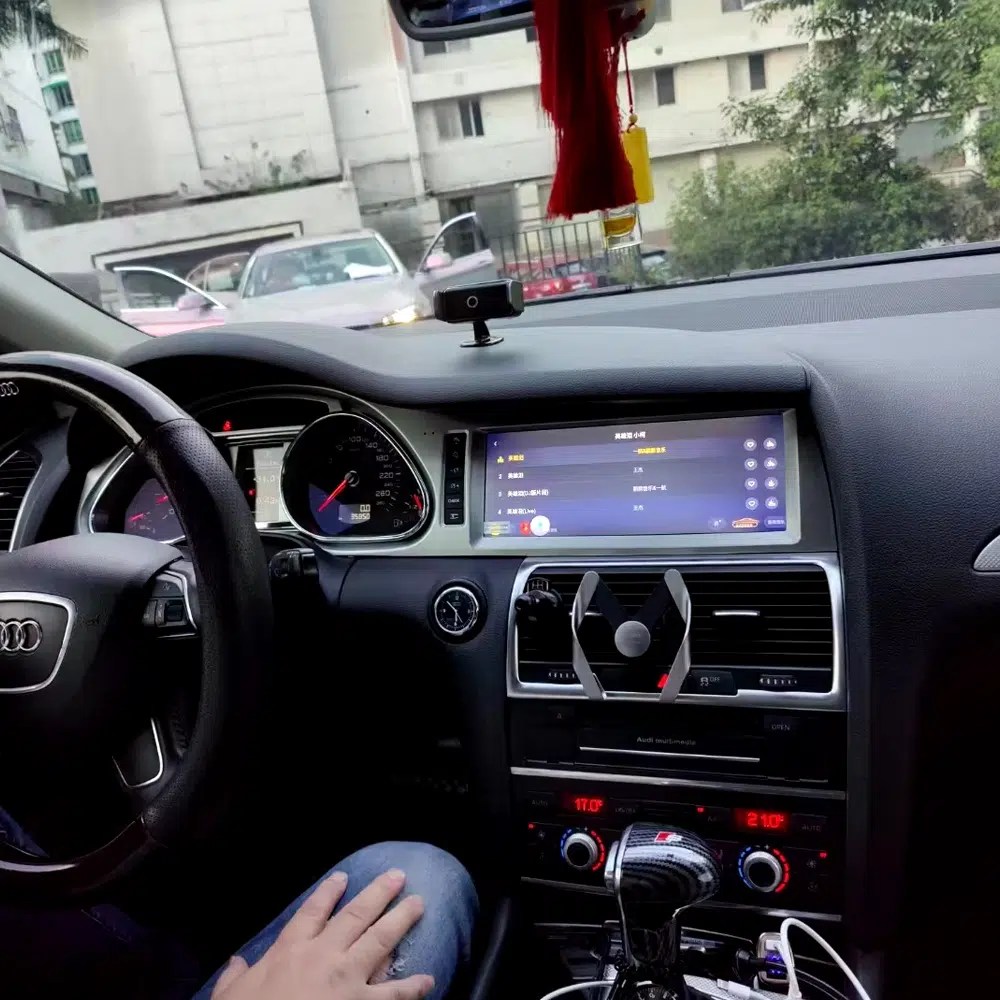
Review Another Real Installation Interface

This cabin photo gives another practical reference for screen angle, dashboard integration and menu readability after installation.

Audi Q7 Android head unit installed original dashboard interface view

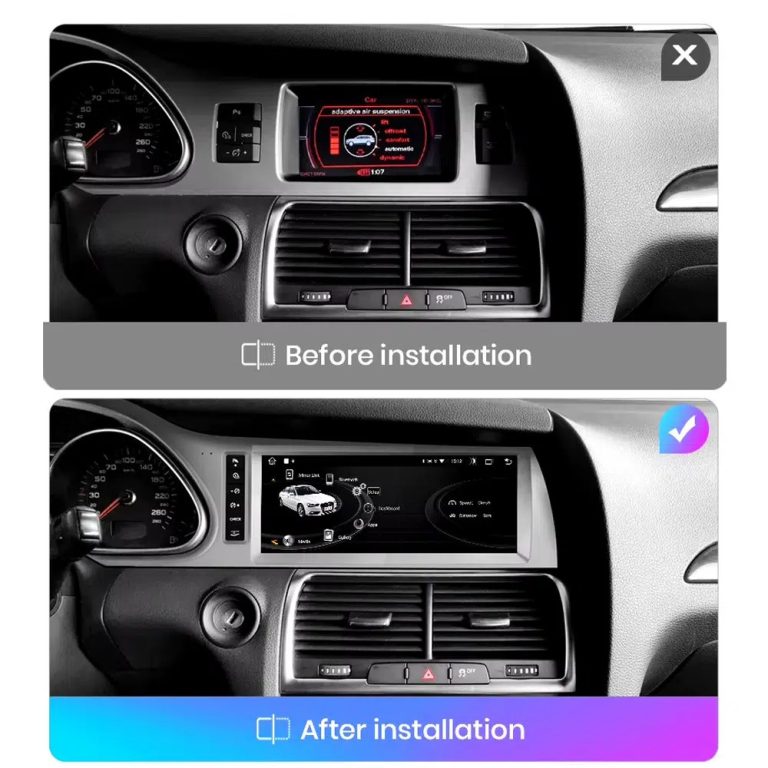
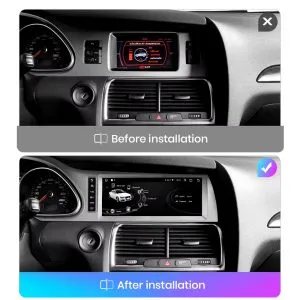
Compare the Old Screen Before and After the Upgrade

The before-and-after image shows the main visual upgrade: the old small screen area becomes a wider Android interface with a cleaner modern layout.

Audi Q7 original screen before and Android screen after installation comparison

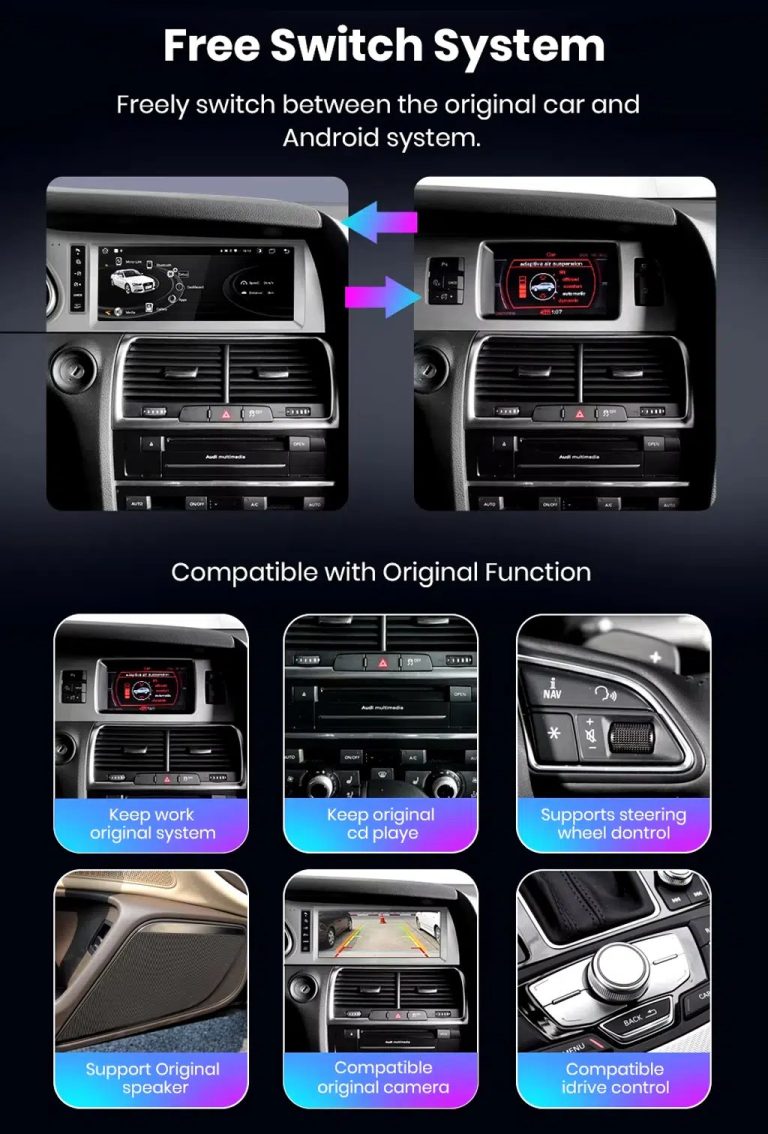
Switch Between Android and Original Audi System

Original-system switching is important for Q7 owners because it helps retain access to supported Audi menus while adding modern Android functions.

Audi Q7 Android system and original vehicle system switching functions

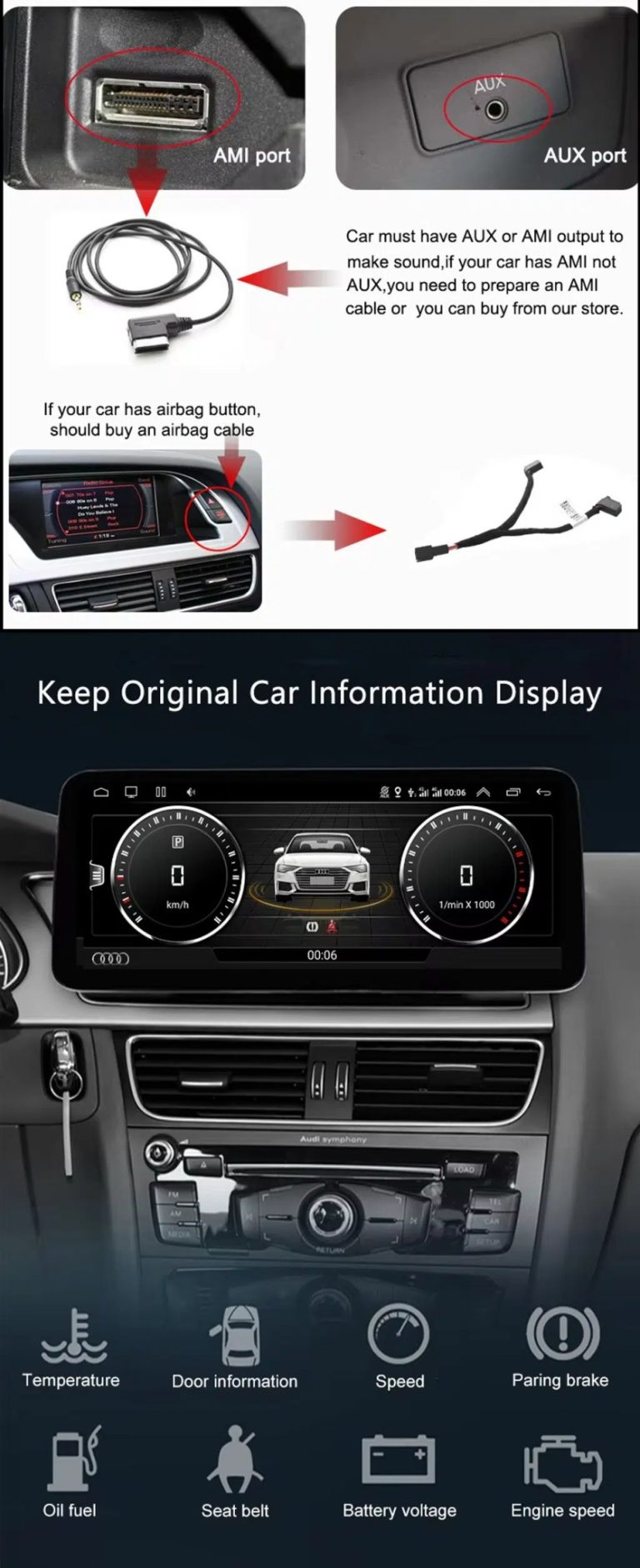
Check AUX, AMI and Original Vehicle Information

Some Audi Q7 configurations need the correct AUX, AMI or adapter route for sound and original data display. This should be checked before installation.

Audi Q7 Android head unit AUX AMI cable and original vehicle information display

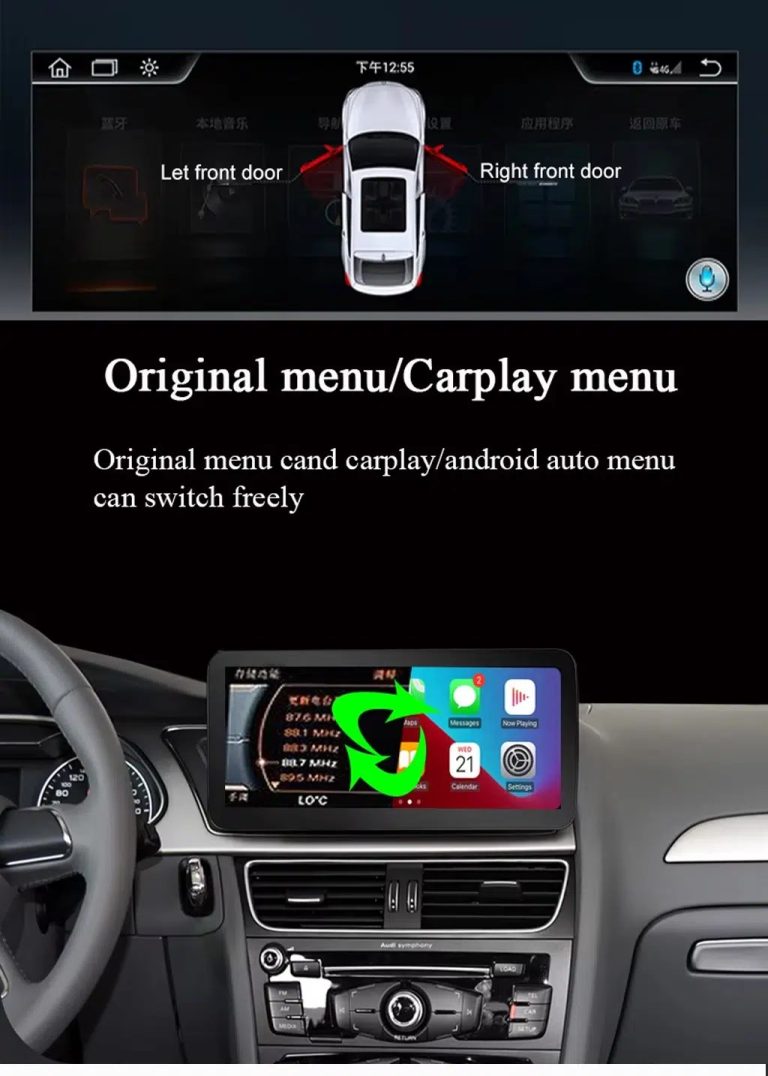
Use Original Menu and CarPlay Menu Switching

This visual explains how the owner can move between the supported original Audi interface and modern CarPlay / Android Auto style display.

Audi Q7 Android head unit original menu CarPlay menu switching

Use Music, Bluetooth, Maps and Steering-Wheel Controls

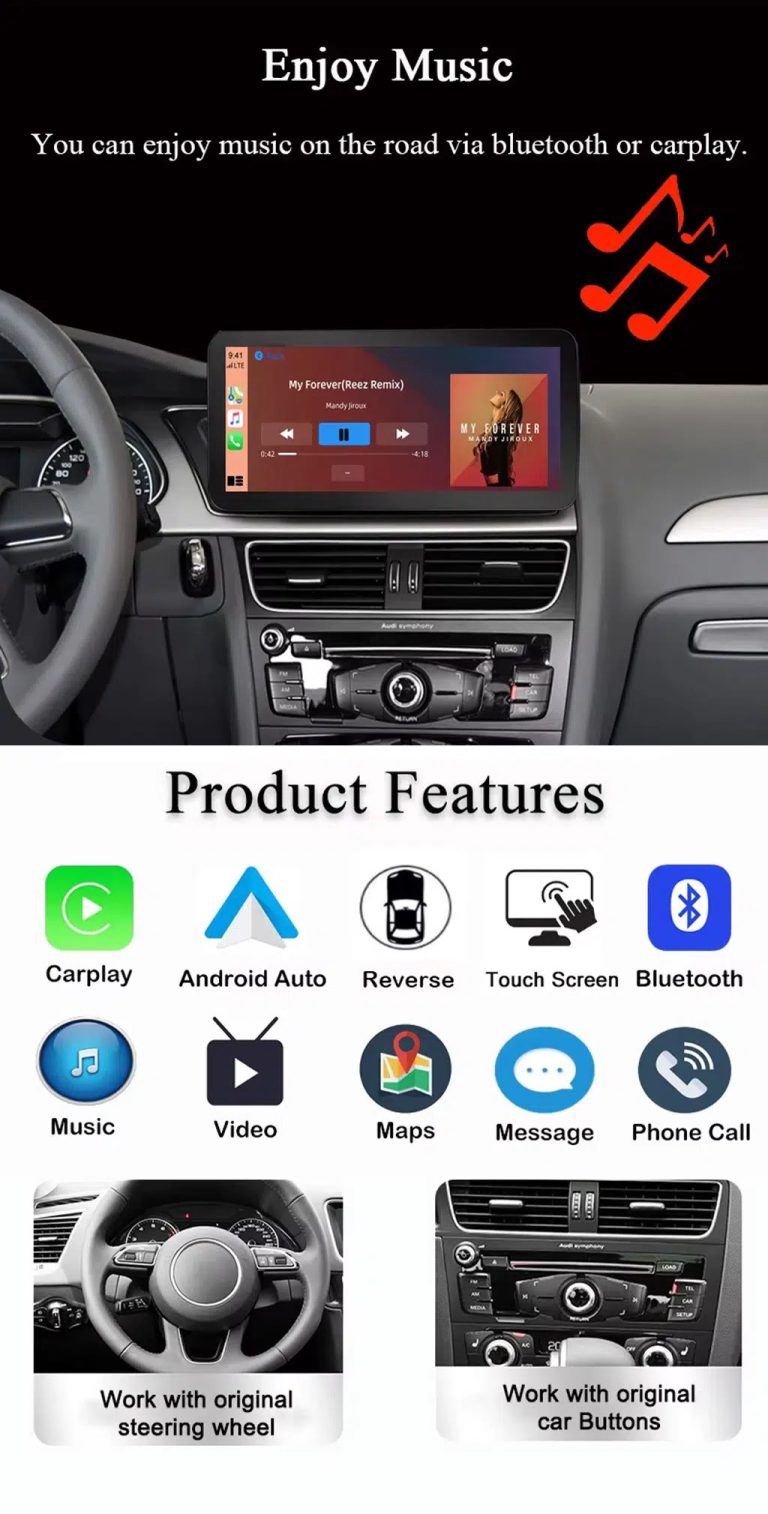
The function overview shows why the upgrade is useful every day: calls, music, maps, Bluetooth, touch operation and supported steering-wheel controls.

Audi Q7 Android head unit music Bluetooth maps CarPlay steering wheel features

Show Wireless CarPlay and Original System Value Together

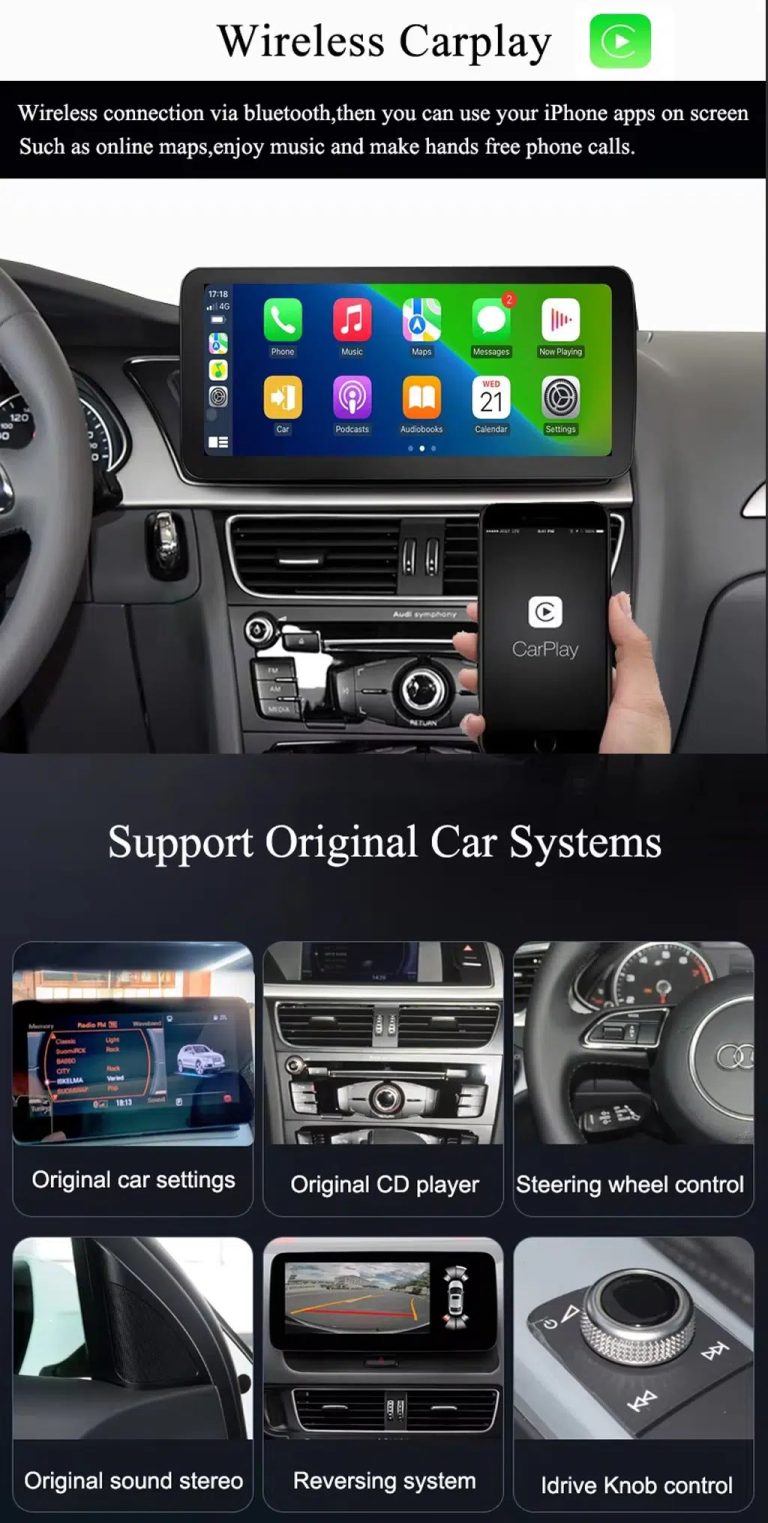
This image is useful because it combines wireless CarPlay with original car system retention, helping buyers understand that this upgrade is more than a simple screen swap.

Audi Q7 Android head unit wireless CarPlay and original system support

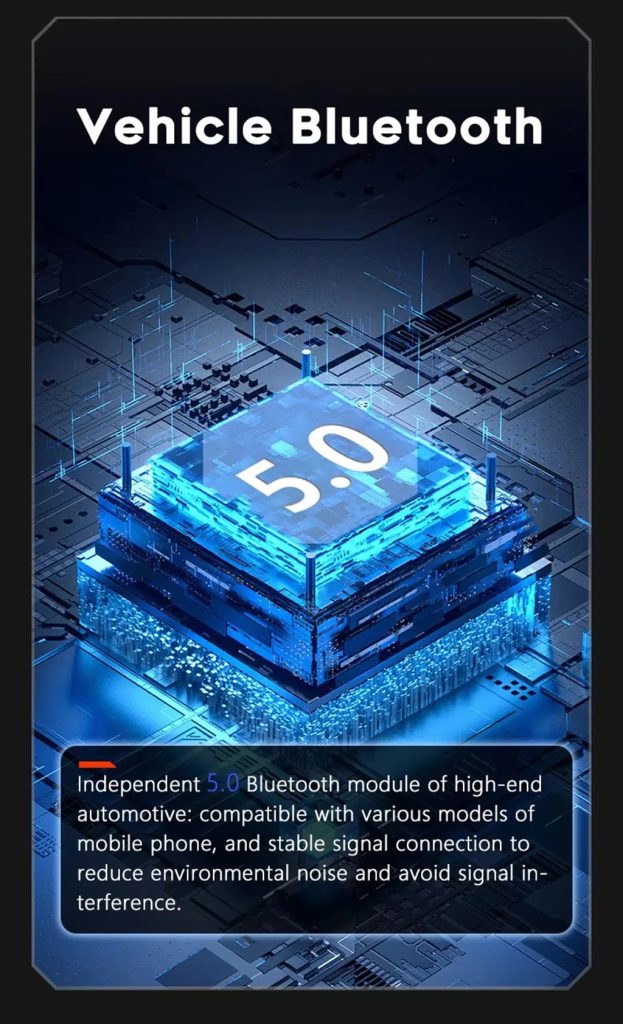
Improve Bluetooth Stability Where Supported

Bluetooth version depends on selected hardware, but the upgrade direction supports clearer phone and media connection than relying only on older factory behavior.

Audi Q7 Android head unit Bluetooth 5 feature reference

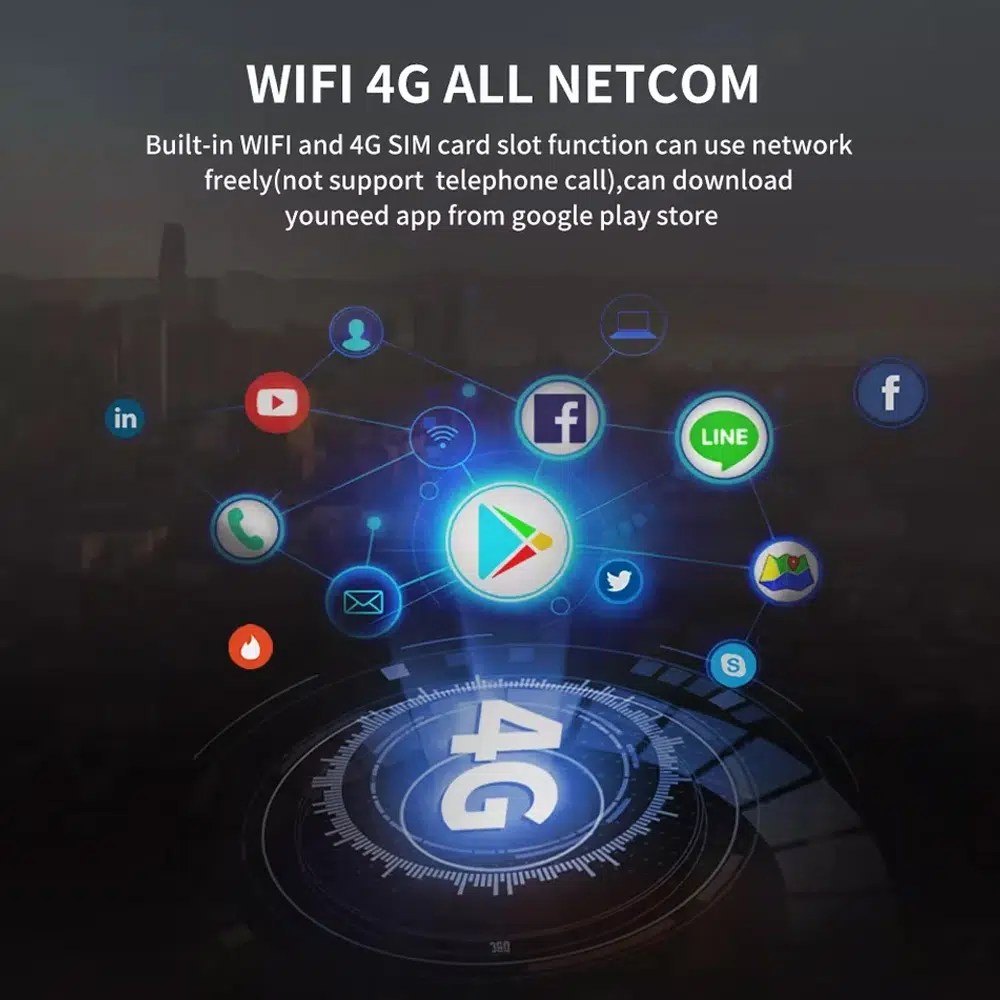
Use WiFi and 4G for Apps and Online Navigation

WiFi and compatible 4G support online maps, app downloads and connected Android functions where local network and selected hardware allow it.

Audi Q7 Android head unit WiFi 4G Google Play app connection

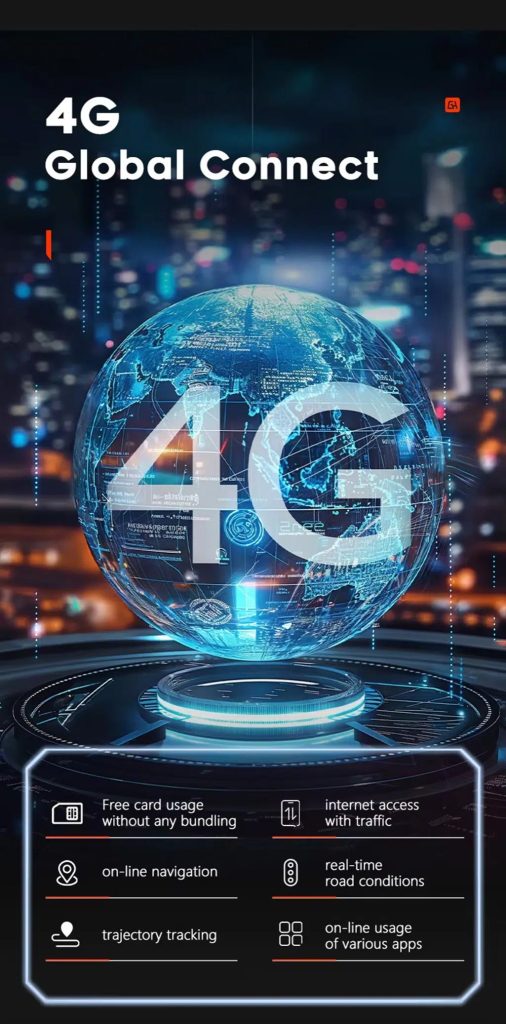
Use 4G Global Connect Where Available

This image supports the network-use value of the Android head unit: online navigation, traffic information and app access depend on active network service.

Audi Q7 Android head unit 4G global connect online navigation traffic apps

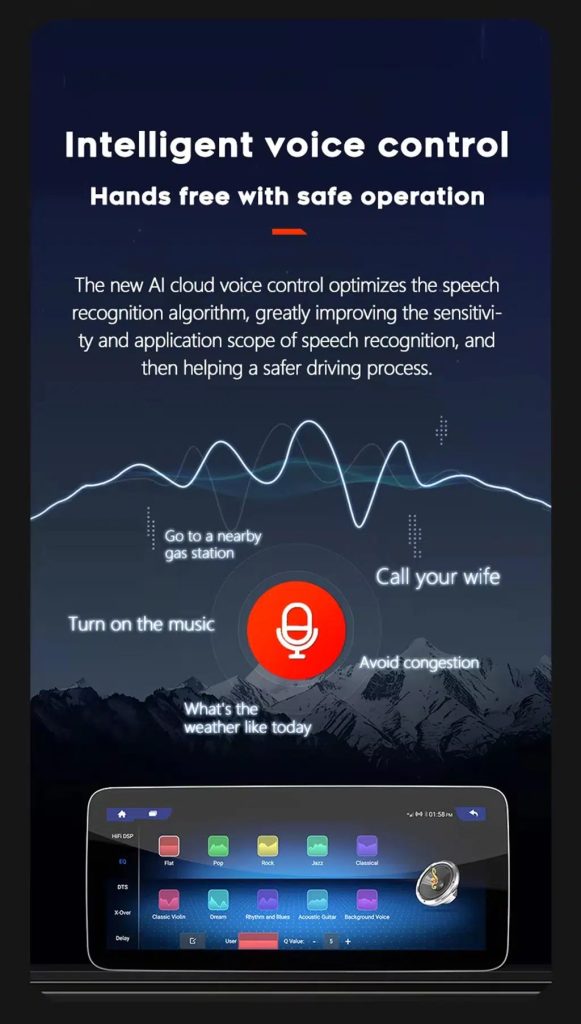
Use Voice Control With Compatible Apps

Voice control can make navigation, music and calls easier, but actual recognition depends on app, microphone, language, internet connection and phone compatibility.

Audi Q7 Android head unit intelligent voice control function

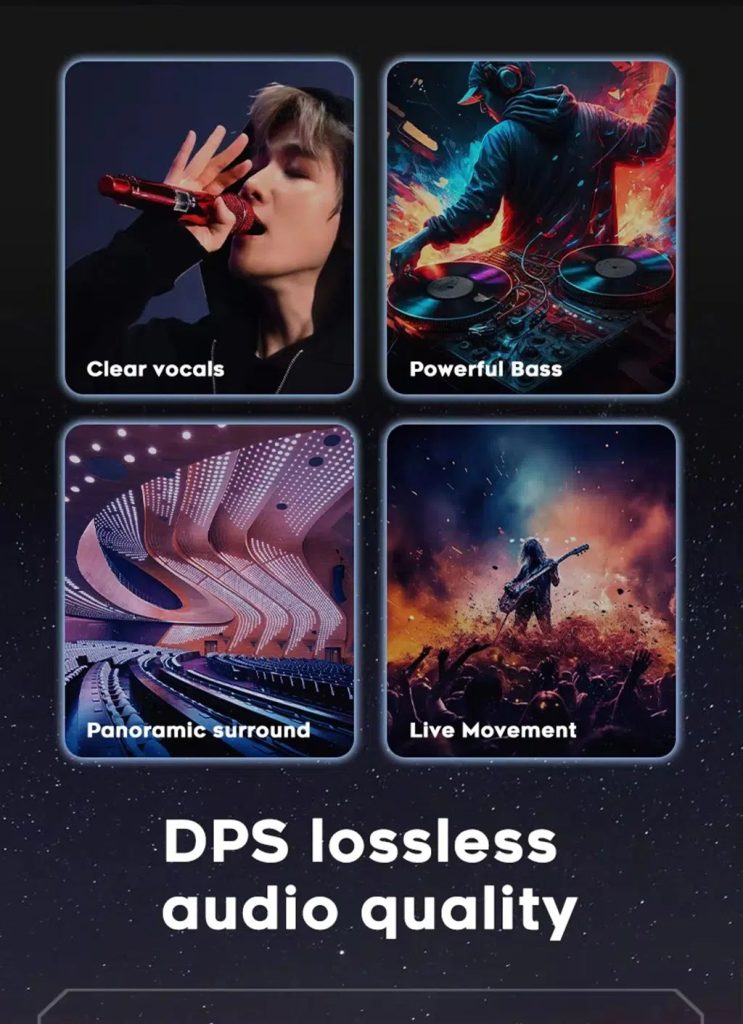
Improve Audio With DSP Where Supported

DSP helps tune vocals, bass, surround feeling and live-movement sound effects when the selected hardware version includes the supported DSP route.

Audi Q7 Android head unit DSP lossless audio quality feature

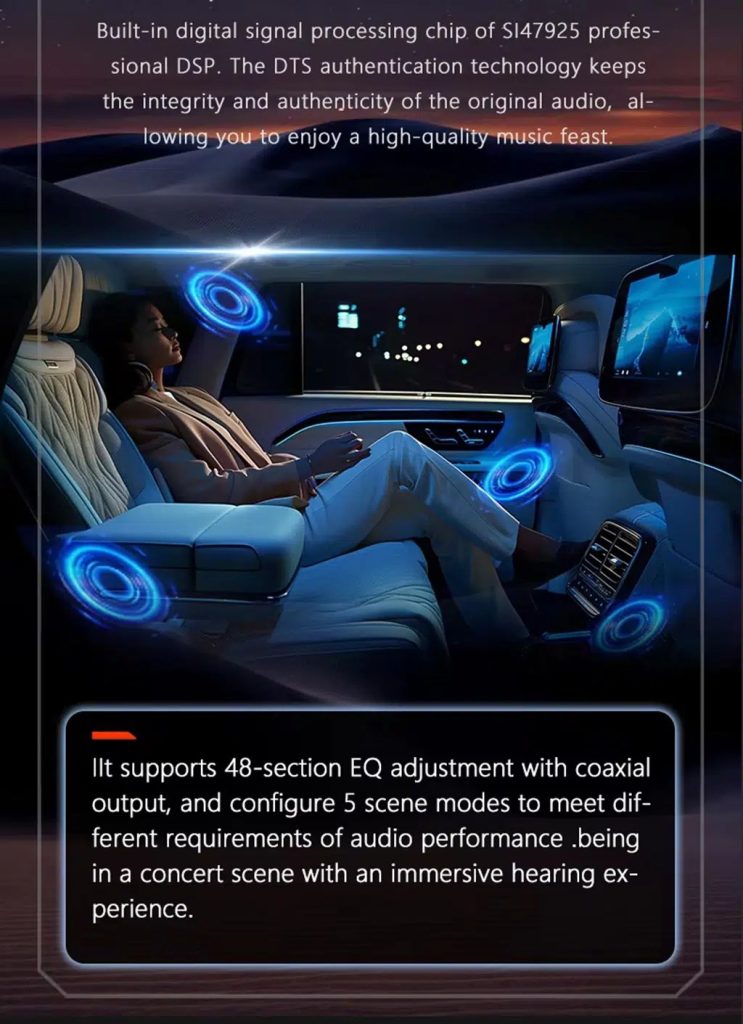
Review Multimedia and DSP Function Reference

This additional media image supports the buyer’s understanding of the audio and entertainment function direction before choosing the hardware version.

Audi Q7 Android head unit DSP and multimedia function illustration

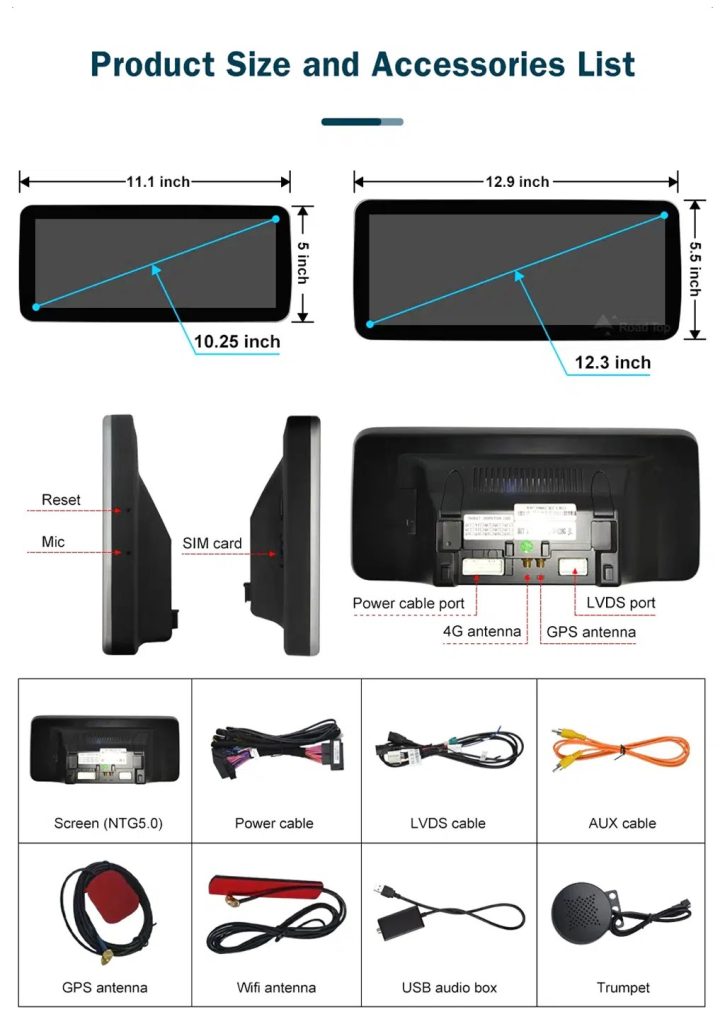
Check Product Size, Rear Ports and Accessories

This accessory image helps the installer understand screen size, rear connection area, LVDS, power cable, AUX cable, GPS antenna, WiFi antenna, USB audio box and other included parts.

Audi Q7 Android head unit product size ports and accessories list

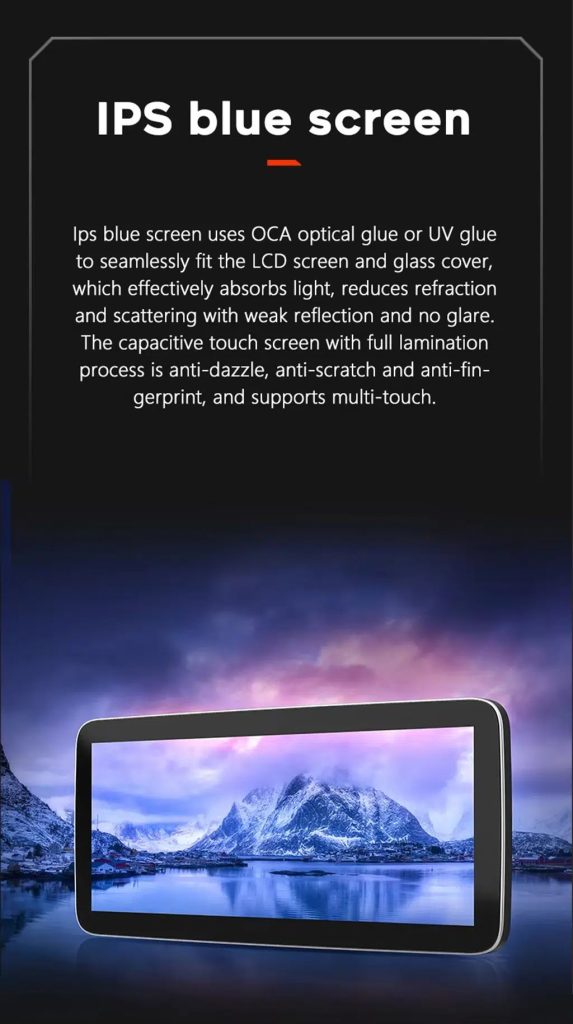
Understand the IPS Blue Screen Advantage

The IPS blue screen and capacitive touch direction helps the display feel clearer, smoother and more comfortable for daily dashboard use.

Audi Q7 Android head unit IPS blue screen capacitive touch display

Review the Product Gallery Before-and-After Reference

This gallery image gives another quick reference for the original Q7 display before installation and the wider Android interface after installation.

Audi Q7 Android head unit product gallery before after reference

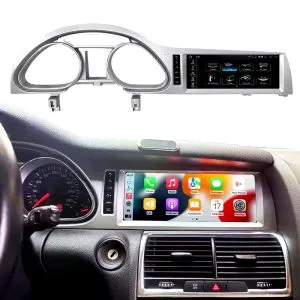
Confirm Another Installed Dashboard Angle

This gallery view shows the unit installed in the Q7 dashboard with a modern interface, helping buyers compare the final visual balance.

Audi Q7 Android head unit installed dashboard gallery reference

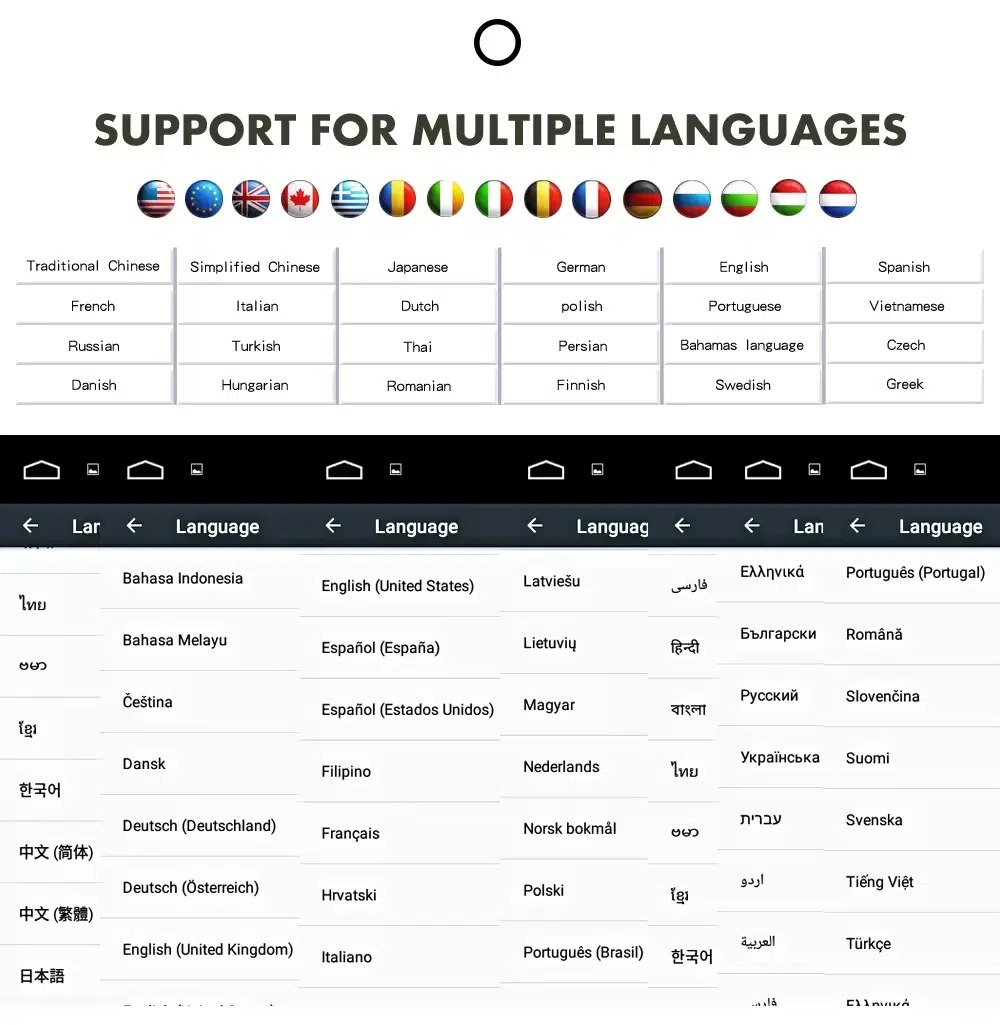
Confirm Multilingual Interface Support

Multiple language support helps international owners and installers use the Android interface in a familiar language. Final availability depends on firmware and app settings.

Audi Q7 Android head unit multiple language interface support
Tiếng AnhTiếng ĐứcTiếng PhápTiếng Tây Ban NhaTiếng ÝTiếng Bồ Đào NhaTiếng Hà LanTiếng NgaTiếng Ả RậpTiếng NhậtTiếng Trung

Installation Route for the Audi Q7 Android Head Unit

Main Work Required

  • Confirm dashboard year route, CD panel, MMI system and steering side before shipment.
  • Check whether the car has Bose, external amplifier or MOST fiber optic.
  • Remove the original screen area and required dashboard trim carefully.
  • Connect the matched power harness, CAN decoder, LVDS/video route and audio adapter.
  • Install fiber-optic decoder when confirmed necessary.
  • Connect GPS, USB, camera, microphone and 4G/WiFi accessories according to selected configuration.
  • Power on before final reassembly.
  • Test original menu switching, CarPlay, Android Auto, audio, steering-wheel controls, cameras, Bluetooth, GPS and sleep/wake behavior.

Recommended Installer

This is Level 3 — Advanced DIY. It is suitable for experienced DIY installers or an automotive electronics technician familiar with Audi MMI, dashboard trim, CANBUS, factory amplifiers and MOST fiber-optic systems.

Do not treat “plug-and-play” as “no configuration.” A plug-and-play harness only works correctly when the vehicle system and required adapters are matched first.

What Is Normally Included

Android Display

Vehicle-specific display assembly with the selected Android hardware configuration.

Wiring Harness

Power, signal and integration wiring selected according to the confirmed vehicle.

CAN Decoder

Compatible decoder for supported steering controls and vehicle-information integration.

GPS Antenna

External GPS antenna for supported Android navigation functions.

USB Connections

USB extension inputs for compatible media, accessories and software updates.

Optional Adapters

Fiber-optic decoder, camera interface, AMI cable or other adapters when confirmed as necessary.

Package contents vary by selected version and confirmed vehicle configuration. The final order details should be checked before dispatch.

Stop Installation and Contact iKAGOO If This Happens

  • The screen frame does not match the dashboard opening.
  • The connector shape or pin layout clearly does not match the supplied harness.
  • The car has Bose / MOST fiber optic but no confirmed decoder route.
  • No sound comes from the speakers after power-on testing.
  • The original MMI menu cannot be accessed after connection.
  • A fiber-optic cable is bent sharply, crushed or left disconnected.
  • A connector pin is bent, loose or damaged.
  • A fuse blows repeatedly.
  • You smell abnormal heat, burning or smoke.
  • The installation would require cutting the main factory wiring harness.

Vận chuyển, Bảo hành và Dịch vụ hậu mãi

Chuẩn bị đơn hàng

Normal order preparation is usually 1–3 business days after your vehicle configuration has been checked.

Theo dõi vận chuyển quốc tế

International delivery is tracked. Estimated delivery time depends on destination, customs clearance and the shipping method selected at checkout.

12-Month Bảo hành phần cứng

Eligible hardware issues are handled under the iKAGOO limited warranty. Damage from incorrect wiring, misuse, water ingress or unauthorized modification is not normally covered.

Vehicle-specific products require correct information before shipment. If iKAGOO confirmed compatibility before purchase, your information was accurate, and no reasonable installation solution is available after supported troubleshooting, the current published return and refund policy applies.

Audi Q7 Android Head Unit FAQ

Is this Audi Q7 Android head unit for every Q7 from 2006 to 2015?

No, not automatically. Compatibility depends on dashboard structure, CD/MMI panel, steering side, amplifier, MOST fiber optic, camera system and connector layout. Vehicle photos must be checked before shipment.

Does this product support 2005 Audi Q7?

Yes, some product routes show 2005–2009 compatibility, but the main product title uses 2006–2015. Send dashboard and CD panel photos before ordering if your vehicle is 2005 or market-year unclear.

Thiết bị này có hỗ trợ CarPlay và Android Auto không dây không?

Yes, supported configurations provide wireless Apple CarPlay and Android Auto for compatible smartphones. Connection behavior depends on the phone, firmware and selected hardware version.

Will the original Audi MMI menu still work?

Yes, supported original Audi menu access can be retained through the matched system-switching route, but the original MMI system and connector route must be confirmed first.

Will Bose or the factory amplifier still work?

Yes, it can work when the correct audio route is prepared. Some Bose, external amplifier or MOST fiber-optic systems may require a compatible decoder.

Does every Audi Q7 need a fiber optic box?

No, not every vehicle needs one. The requirement depends on the original amplifier and MOST fiber-optic audio configuration, not only the model year.

Can the original rear camera be retained?

Yes, retention may be possible with the correct video interface or decoder. The original camera format must be checked before ordering.

Does it work with LHD and RHD vehicles?

Yes, compatible routes may be available for both steering positions, but the frame and button orientation must be confirmed from dashboard photographs.

Việc cài đặt có hỗ trợ cắm là chạy không?

Yes, the matched harness is designed for clean connection, but installation is still Level 3 — Advanced DIY because Audi MMI, amplifier, MOST fiber optic, camera and CANBUS functions must be checked and tested carefully.

Trước khi đặt hàng, tôi cần gửi những gì?

Yes, send your vehicle year, LHD/RHD position, original dashboard photo, original screen photo, CD/MMI panel photo, amplifier details, connector photos if requested, and whether you need Bose/MOST, rear camera or 360 camera support.

Make Your Audi Q7 4L Feel Modern Again

Choose the Audi Q7 Android head unit if you want a 10.25-inch factory-style screen, wireless CarPlay, Android Auto, navigation, DSP audio and a configuration review for your Q7 dashboard, MMI and audio system.

Đánh giá

Chưa có đánh giá nào.

Hãy là người đầu tiên đánh giá “Audi Q7 Android Head Unit 2006–2015 10.25″ CarPlay”

Your email address will not be published. Required fields are marked

Bạn phải đăng nhập để có thể thêm ảnh vào bài đánh giá của mình.

Chính sách vận chuyển, bảo hành, đổi trả và hỗ trợ khách hàng của iKAGOO
Dịch vụ hỗ trợ khách hàng iKAGOO

Vận chuyển, Bảo hành & Trả hàng

Thông tin rõ ràng về quy trình xử lý đơn hàng, giao hàng quốc tế, các sản phẩm dành riêng cho từng loại xe, hỗ trợ bảo hành, chính sách đổi trả và các lô hàng bị hư hỏng.

Xử lý đơn hàng Thông thường mất từ 1 đến 3 ngày làm việc trước khi giao hàng.
Giao hàng quốc tế Thông thường từ 5 đến 20 ngày làm việc kể từ khi gửi hàng, tùy thuộc vào điểm đến.
Bảo hành phần cứng Bảo hành có thời hạn 12 tháng đối với các lỗi sản xuất đủ điều kiện.
Hỗ trợ dành riêng cho từng loại xe Chúng tôi cung cấp dịch vụ hỗ trợ về khả năng tương thích, đấu dây và cấu hình.

Câu hỏi thường gặp

Các câu trả lời này cung cấp một bản tóm tắt thực tế. Các trang chính sách đầy đủ được liên kết dưới đây áp dụng cho tất cả các đơn hàng.

01

Hàng được vận chuyển từ đâu và thời gian giao hàng là bao lâu?

Hầu hết các đơn hàng iKAGOO đều được gửi đi từ kho phân phối của chúng tôi tại Trung Quốc sau khi cấu hình sản phẩm và thông tin xe đã được kiểm tra. Quá trình xử lý đơn hàng thông thường mất khoảng 1–3 ngày làm việc.

Thời gian giao hàng dự kiến sau khi hàng được gửi đi là:

  • Hoa Kỳ và Canada: khoảng 5–9 ngày làm việc
  • Liên minh châu Âu: khoảng 7–15 ngày làm việc
  • Vương quốc Anh và Úc: khoảng 7–10 ngày làm việc
  • Các khu vực khác được hỗ trợ: khoảng 7–20 ngày làm việc

Thời gian giao hàng dự kiến có thể bị ảnh hưởng bởi thủ tục thông quan, các ngày lễ tại địa phương, việc giao hàng đến các khu vực xa xôi, điều kiện thời tiết hoặc sự chậm trễ từ phía đơn vị vận chuyển.

02

Tôi có phải nộp thuế nhập khẩu, thuế GTGT hay các khoản phí hải quan không?

Dịch vụ vận chuyển quốc tế tiêu chuẩn thường không bao gồm thuế VAT tại nước nhập khẩu, thuế nhập khẩu, phí đại lý hải quan hoặc phí thông quan.

Đối với các điểm đến thuộc Liên minh Châu Âu đáp ứng điều kiện, một tùy chọn Dịch vụ vận chuyển DDP có thể áp dụng. Các khoản phí liên quan đến nhập khẩu chỉ được tính vào khi khách hàng chọn điều kiện DDP tại bước thanh toán hoặc được iKAGOO xác nhận bằng văn bản trước khi giao hàng.

Khi không chọn tùy chọn DDP, người nhận sẽ phải chịu trách nhiệm thanh toán mọi khoản phí do cơ quan hải quan địa phương hoặc đơn vị vận chuyển thu.

03

Tôi có thể yêu cầu dịch vụ vận chuyển nhanh không?

Dịch vụ vận chuyển nhanh hoặc ưu tiên có thể được áp dụng cho một số sản phẩm và điểm đến nhất định. Tình trạng sẵn có, đơn vị vận chuyển và chi phí bổ sung sẽ được xác nhận trước khi gửi hàng.

Tùy thuộc vào điểm đến và loại sản phẩm, iKAGOO có thể sử dụng các đơn vị vận chuyển như DHL, FedEx, UPS, EMS, 4PX hoặc một nhà cung cấp dịch vụ logistics có chức năng theo dõi khác.

04

Làm thế nào để tôi có thể theo dõi đơn hàng của mình?

Sau khi đơn hàng đã được giao đi, mã theo dõi hoặc liên kết theo dõi thường sẽ được gửi đến địa chỉ email đã được sử dụng khi đặt hàng.

Các thông tin cập nhật về quá trình theo dõi có thể mất vài ngày làm việc mới hiển thị, trong khi bưu kiện đang được chuyển giao giữa các đơn vị vận chuyển quốc tế và nội địa.

05

Chính sách đổi trả và hoàn tiền của iKAGOO là gì?

Việc có đủ điều kiện đổi trả hay không phụ thuộc vào lý do đổi trả, tình trạng sản phẩm, tình trạng lắp đặt, bằng chứng được cung cấp và việc yêu cầu đổi trả đã được iKAGOO chấp thuận hay chưa.

Đối với trường hợp trả hàng không do lỗi sản phẩm, sản phẩm thông thường phải chưa qua sử dụng, chưa được cài đặt, vẫn còn đầy đủ và phù hợp để bán lại. Khách hàng thường phải chịu chi phí vận chuyển trả hàng đã được chấp thuận.

Phí vận chuyển ban đầu, phí DDP, thuế GTGT, thuế hải quan và các chi phí logistics khác thường không được hoàn lại, trừ khi luật pháp hiện hành quy định hoặc được iKAGOO xác nhận khác đi.

Không được gửi trả sản phẩm trước khi nhận được địa chỉ nhận hàng đã được phê duyệt và hướng dẫn trả hàng từ iKAGOO.

06

Nếu iKAGOO xác nhận sản phẩm tương thích nhưng không thể cài đặt được thì sao?

Chính sách bảo hành bổ sung có thể được áp dụng trong trường hợp iKAGOO đã xác nhận tính tương thích trước khi mua hàng, khách hàng cung cấp thông tin chính xác về xe và khách hàng hợp tác thực hiện các bước lắp đặt và chẩn đoán hợp lý.

Nếu iKAGOO xác nhận rằng không có giải pháp kỹ thuật hợp lý nào khả thi, và vấn đề được báo cáo trong vòng 7 ngày kể từ ngày giao hàng, , khách hàng có thể đủ điều kiện để được hoàn lại tiền mua sản phẩm mà không cần phải trả lại sản phẩm.

Chi phí vận chuyển ban đầu, DDP, thuế GTGT, thuế hải quan và các khoản phí khác của bên thứ ba không được bao gồm trong khoản hoàn tiền giá sản phẩm này.

07

iKAGOO cung cấp chế độ bảo hành như thế nào?

Các sản phẩm iKAGOO đủ điều kiện bao gồm: Bảo hành phần cứng có thời hạn 12 tháng bao gồm các lỗi sản xuất đã được xác minh và các sự cố phần cứng đủ điều kiện trong điều kiện sử dụng bình thường.

Tùy thuộc vào vấn đề cụ thể, giải pháp có thể bao gồm chẩn đoán từ xa, hỗ trợ cài đặt, cung cấp linh kiện thay thế, sửa chữa, đổi sản phẩm, hoàn tiền một phần hoặc hoàn tiền toàn bộ.

Bảo hành thường không áp dụng cho các hư hỏng do đấu dây không đúng cách, sửa đổi trái phép, hư hỏng do tai nạn, nước xâm nhập, va đập, sử dụng sai mục đích, điện áp không phù hợp, lỗi lắp đặt hoặc thiết bị của bên thứ ba không tương thích.

08

Việc mở sản phẩm có tự động làm mất hiệu lực bảo hành không?

Việc kiểm tra hoặc đánh giá bởi bên thứ ba sẽ không tự động làm mất hiệu lực toàn bộ chính sách bảo hành. Tuy nhiên, những hư hỏng do sửa chữa trái phép, thay thế linh kiện, sửa đổi không đúng cách, hỏng mạch điện hoặc lắp ráp lại không đúng cách sẽ không được bảo hành.

Vui lòng liên hệ với iKAGOO trước khi tháo dỡ hoặc sửa chữa sản phẩm để được hướng dẫn quy trình chẩn đoán chính xác.

09

Nếu đơn hàng của tôi bị hư hỏng hoặc thiếu phụ kiện thì sao?

Liên hệ với iKAGOO trong vòng 7 ngày kể từ ngày giao hàng và giữ lại bao bì gốc, nhãn vận chuyển, các phụ kiện và sản phẩm.

Vui lòng cung cấp các bức ảnh hoặc video rõ nét thể hiện:

  • Thùng carton vận chuyển bên ngoài và nhãn vận chuyển
  • Bất kỳ hư hỏng nào có thể nhìn thấy trên bao bì
  • Sản phẩm và khu vực bị ảnh hưởng
  • Tất cả các phụ kiện và dây cáp đã nhận được

Sau khi xác minh, iKAGOO có thể sắp xếp việc gửi bổ sung các bộ phận còn thiếu, đổi hàng, sửa chữa, hoàn tiền hoặc đưa ra một giải pháp hợp lý khác tùy theo từng trường hợp cụ thể.

10

Nếu tôi đặt nhầm sản phẩm thì phải làm thế nào?

Vui lòng liên hệ với iKAGOO trước khi cài đặt hoặc sử dụng sản phẩm. Yêu cầu đổi hoặc trả hàng có thể được chấp thuận nếu sản phẩm vẫn chưa được sử dụng, chưa được cài đặt, còn nguyên vẹn và phù hợp để bán lại.

Thông thường, khách hàng phải chịu chi phí vận chuyển và bất kỳ khoản chênh lệch giá nào trong trường hợp chọn nhầm sản phẩm, mẫu xe, năm sản xuất hoặc cấu hình nhà máy.

Nhãn vận chuyển trả hàng trả trước miễn phí sẽ không được cung cấp tự động.

11

Tôi có thể sửa đổi hoặc hủy đơn hàng sau khi thanh toán không?

Hãy liên hệ với iKAGOO càng sớm càng tốt, tốt nhất là trong vòng 12 giờ sau khi đặt hàng, khi yêu cầu thay đổi địa chỉ, cấu hình xe hoặc sản phẩm.

Việc thay đổi hoặc hủy bỏ sẽ không có hiệu lực cho đến khi được iKAGOO xác nhận. Các sản phẩm dành riêng cho từng loại xe có thể được đưa vào giai đoạn mua sắm, lập trình, thử nghiệm, cấu hình hoặc chuẩn bị theo yêu cầu ngay sau khi thanh toán.

Một khi quá trình chuẩn bị hoặc vận chuyển đã bắt đầu, việc hủy đơn hàng có thể không được chấp nhận, hoặc các chi phí hợp lý đã phát sinh có thể sẽ bị khấu trừ.

12

Gói sản phẩm bao gồm những gì?

Nội dung hộp sản phẩm có thể khác nhau tùy theo sản phẩm, mẫu xe, hệ thống tiêu chuẩn của nhà sản xuất và cấu hình đã chọn.

Tùy thuộc vào sản phẩm, gói sản phẩm có thể bao gồm thiết bị chính, bộ dây điện dành riêng cho từng loại xe, giao diện CANBUS, bộ chuyển đổi, cáp USB, ăng-ten, micrô, bộ phụ kiện lắp đặt và các phụ kiện lắp đặt khác.

Vui lòng tham khảo trang sản phẩm tương ứng, hình ảnh bao bì và thư xác nhận đơn hàng để biết chi tiết các thành phần đi kèm.

13

Làm thế nào để liên hệ với bộ phận hỗ trợ của iKAGOO?

Bạn có thể liên hệ với iKAGOO qua biểu mẫu liên hệ, email, WhatsApp hoặc các kênh hỗ trợ trên trang web. Thời gian phản hồi thông thường là trong vòng 24 giờ làm việc.

Để được hỗ trợ kỹ thuật nhanh hơn, vui lòng cung cấp số đơn hàng, mẫu xe và năm sản xuất, hình ảnh hệ thống nguyên bản, hình ảnh sản phẩm và một đoạn video rõ nét ghi lại sự cố.

Truy cập: Liên hệ và Hỗ trợ iKAGOO

14

Việc thanh toán có an toàn không, và có các phương án trả góp không?

Các giao dịch thanh toán được xử lý thông qua các phương thức thanh toán an toàn được hiển thị trong quá trình thanh toán. Các tùy chọn thẻ, ví điện tử và trả góp có sẵn có thể khác nhau tùy theo quốc gia, loại tiền tệ, nhà cung cấp dịch vụ thanh toán và điều kiện đủ điều kiện của khách hàng.

Bất kỳ dịch vụ thanh toán trả góp nào, bao gồm các tùy chọn do PayPal hoặc nhà cung cấp khác cung cấp, đều phải tuân theo các quy định về tính khả dụng theo khu vực và quy trình phê duyệt của nhà cung cấp đó.


Đọc toàn bộ các chính sách của iKAGOO

Vui lòng xem kỹ toàn bộ nội dung chính sách trước khi đặt hàng, đặc biệt là đối với các sản phẩm dành riêng cho từng loại xe, các quy định về thuế quốc tế và các trường hợp trả hàng liên quan đến việc lắp đặt.
Phần Câu hỏi thường gặp (FAQ) này là một hướng dẫn đơn giản dành cho khách hàng. Trong trường hợp có sự khác biệt về nội dung, các trang chính sách đầy đủ đã được công bố, thư xác nhận đơn hàng và luật bảo vệ người tiêu dùng hiện hành sẽ được ưu tiên áp dụng.

Đầu đĩa Android cho Audi Q7 (2006–2015) Audi Q7 Android Head Unit 2006...

Từ: $325.00

Chọn