Installed Result First: 8.8-Inch Audi A4 A5 Android Radio Upgrade
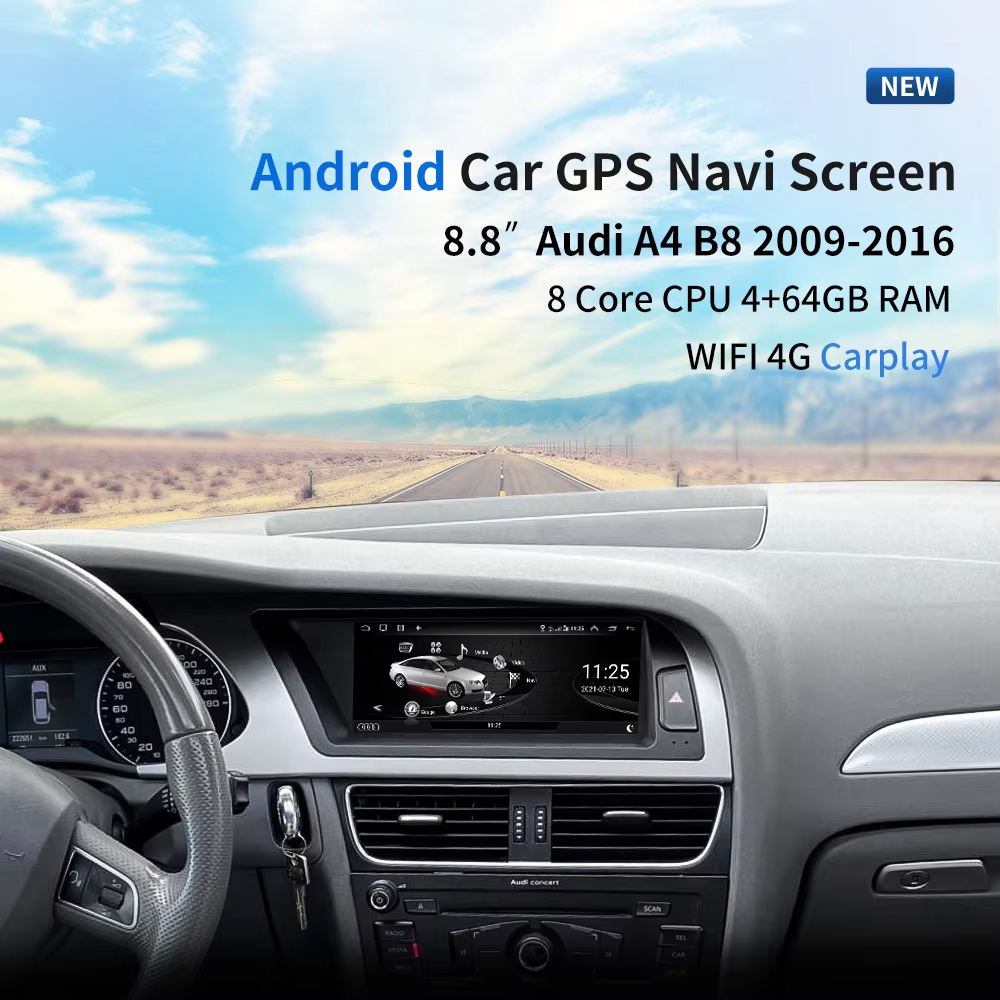
This should be the first image because it shows the real value immediately: the 8.8-inch screen installed inside an Audi dashboard, with the original cockpit shape still looking clean and integrated.
Choose Year, High / Low Configuration and LHD / RHD Before Ordering
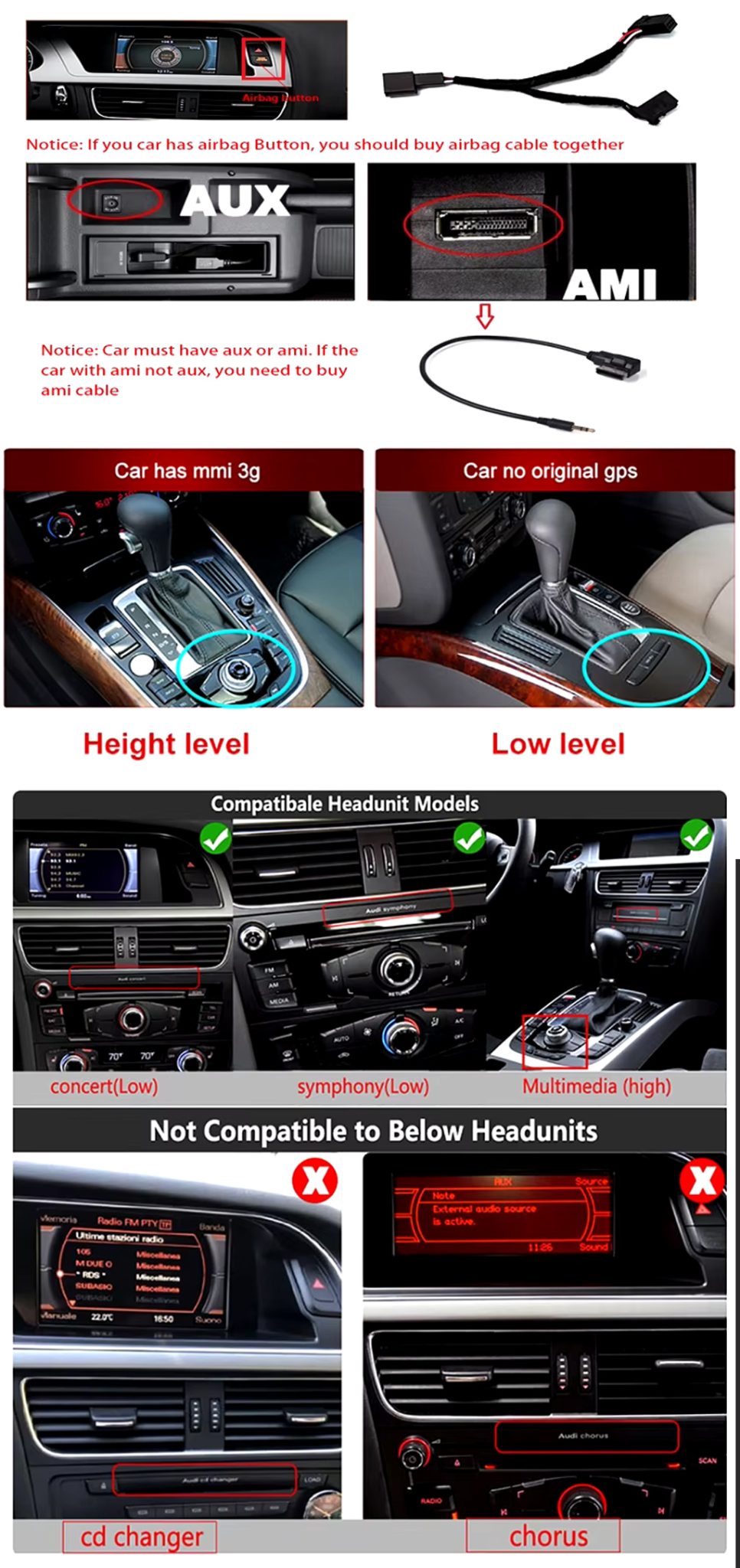
This product is not selected by “Audi A4” or “Audi A5” name alone. Your year range, factory head unit type, AUX/AMI condition, airbag button position, LHD/RHD layout and memory version must be checked before shipment.
Three Checks That Prevent Wrong Orders
- Year: choose 2009–2012 or 2013–2016 according to your dashboard and product option.
- Factory system: choose high configuration or low configuration according to your original MMI / Concert / Symphony / Multimedia setup.
- Steering side: confirm left-hand drive or right-hand drive before shipment.
- AUX / AMI: confirm whether your vehicle has AUX or AMI. Some setups may require the correct AMI cable route.
High / Low System and Cable Compatibility Check
This visual helps the buyer understand that the original Audi head unit and connector route matter. It should appear early because it reduces wrong orders and installation confusion.
This iKAGOO Audi A4 A5 Android Radio upgrades selected 2009–2016 Audi A4, A4L and A5 vehicles with an 8.8-inch Android 13 display, wireless CarPlay, Android Auto, WiFi / 4G, GPS navigation, DSP audio and original-system switching.
Choose this upgrade if your original Audi screen feels small, dated or limited, but you still want the dashboard to look like it belongs in the car. iKAGOO checks your year, factory head unit, high/low configuration, LHD/RHD position and connector route before shipment.
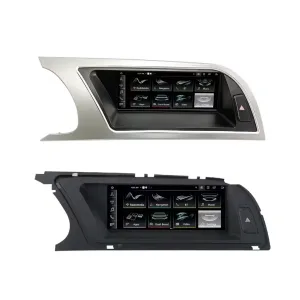
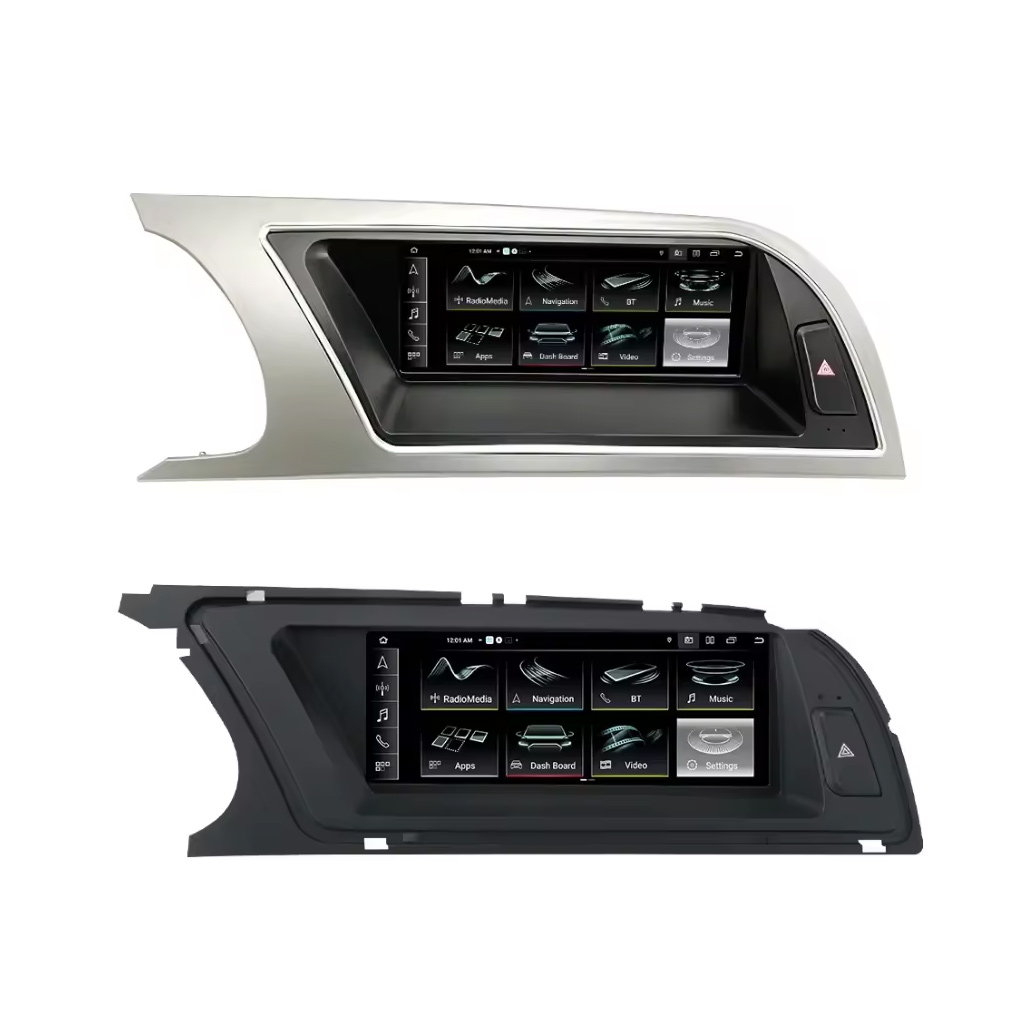
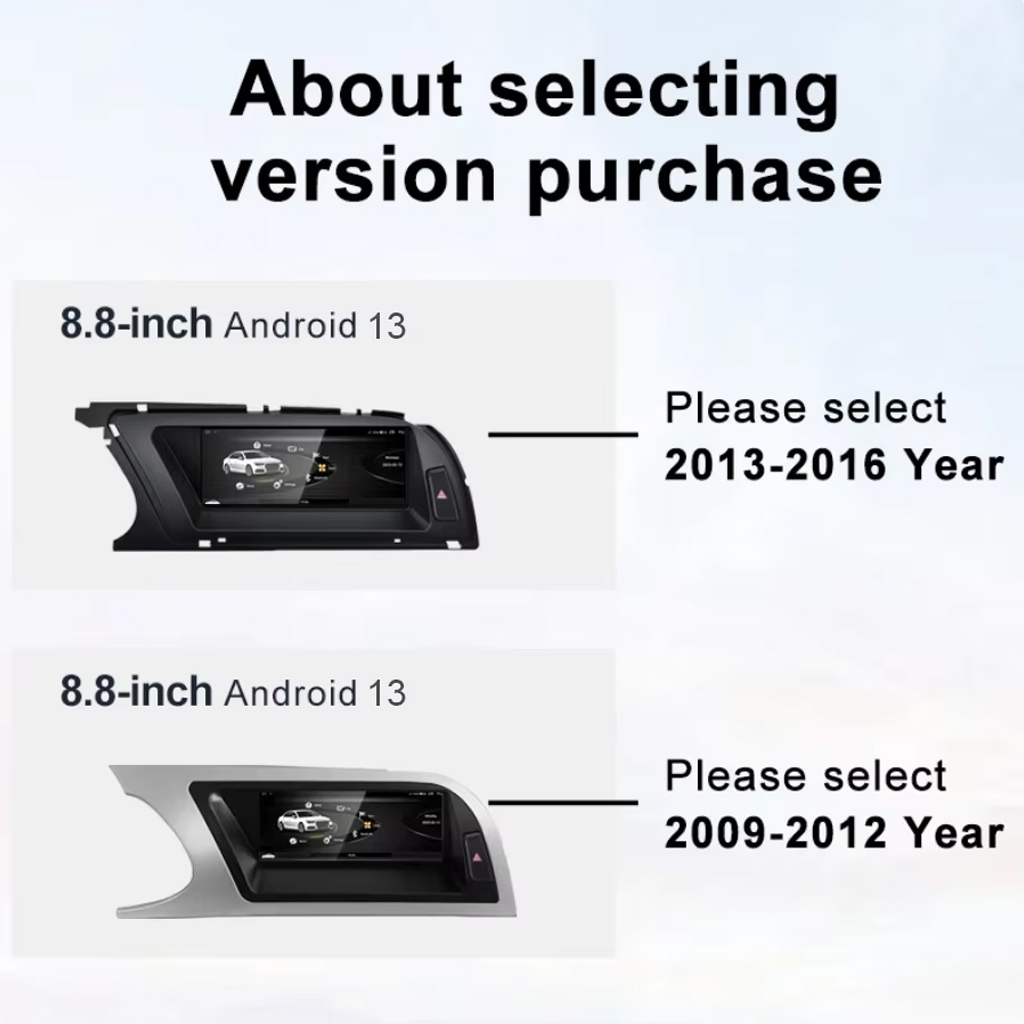
See the Two Main Panel Directions
The LHD/RHD visual helps you compare dashboard trim shape and screen position before choosing the correct version.
Trả lời nhanh
This iKAGOO upgrade is a vehicle-specific Audi A4 A5 Android Radio for selected 2009–2016 Audi A4, A4L and A5 vehicles. It upgrades the original screen area with an 8.8-inch Android 13 display while keeping an Audi-style dashboard fit. Supported functions can include wireless CarPlay, Android Auto, GPS navigation, WiFi / 4G, Bluetooth, DSP 32-band EQ, original-system switching, rear camera input, 360 panorama route and original control retention where the matched version supports it. Before shipment, iKAGOO checks your model year, high or low factory configuration, steering side, AUX/AMI condition, original head unit and connector photos. It is suitable for owners who want a cleaner factory-style upgrade instead of a universal floating screen.
Why This Upgrade Makes Sense for Audi A4, A4L and A5 Owners
Factory-Style 8.8-Inch Fit
The screen sits inside the original Audi dashboard area, giving the car a more modern interface without making the cabin look like a universal aftermarket tablet install.
CarPlay và Android Auto không dây
Use phone maps, calls, music and supported apps through a larger in-dash screen instead of relying on the older factory interface.
DSP Audio and Navigation Value
DSP 32-band EQ, GPS / Glonass navigation, Bluetooth and WiFi / 4G make this a daily-use upgrade, not only a visual change.
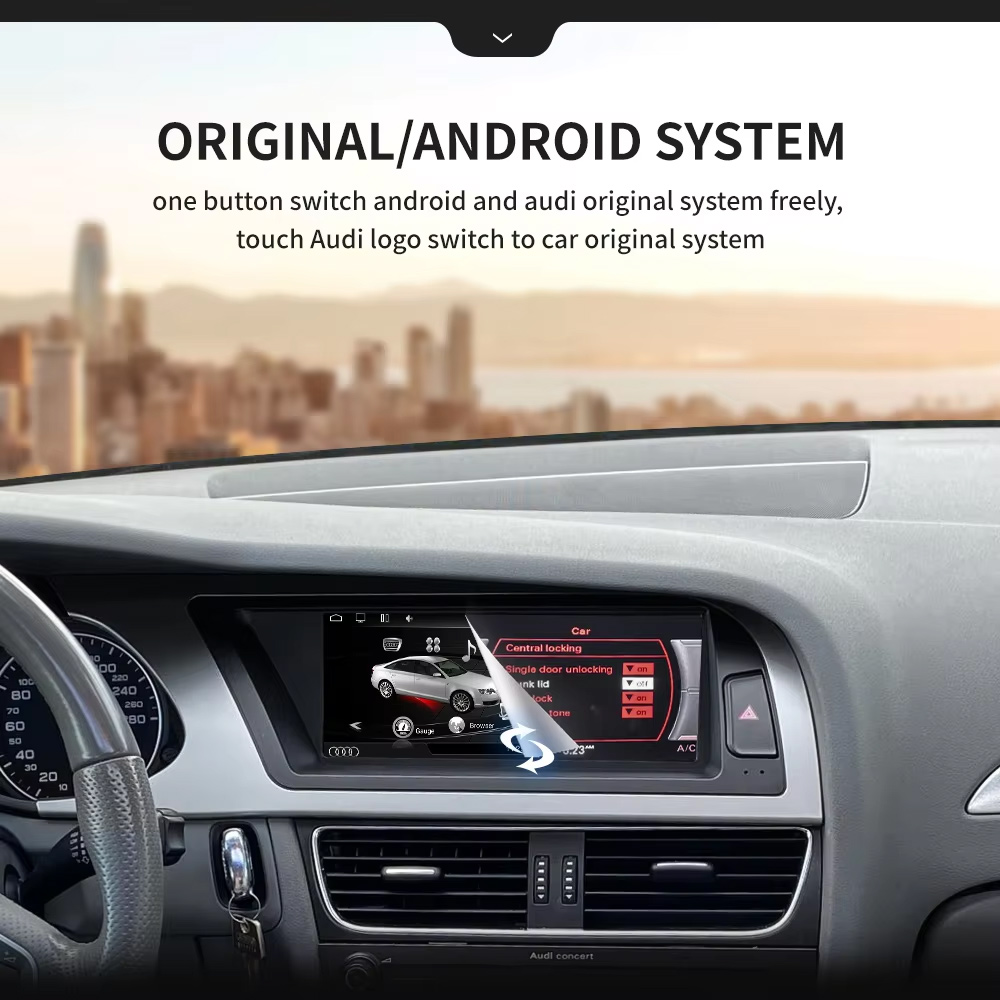
Hỗ trợ các chức năng gốc của xe
Original Audi System Retention
- Original / Android system switching is supported through the matched route.
- Supported original radio, Bluetooth, radar reversing and vehicle settings can continue to work where the factory system and selected version support them.
- Original sound route can be retained when the correct AUX / AMI / wiring path is prepared.
- Steering-wheel controls and MMI-related interaction depend on the matched factory configuration and harness route.
Android Daily-Use Functions
- Wireless CarPlay and Android Auto support phone maps, calls, music and voice control.
- WiFi and 4G support app use and online navigation where the selected hardware and SIM/network conditions allow it.
- Rear camera, AHD / CVBS and 360 panorama routes are supported where the selected version and vehicle setup match.
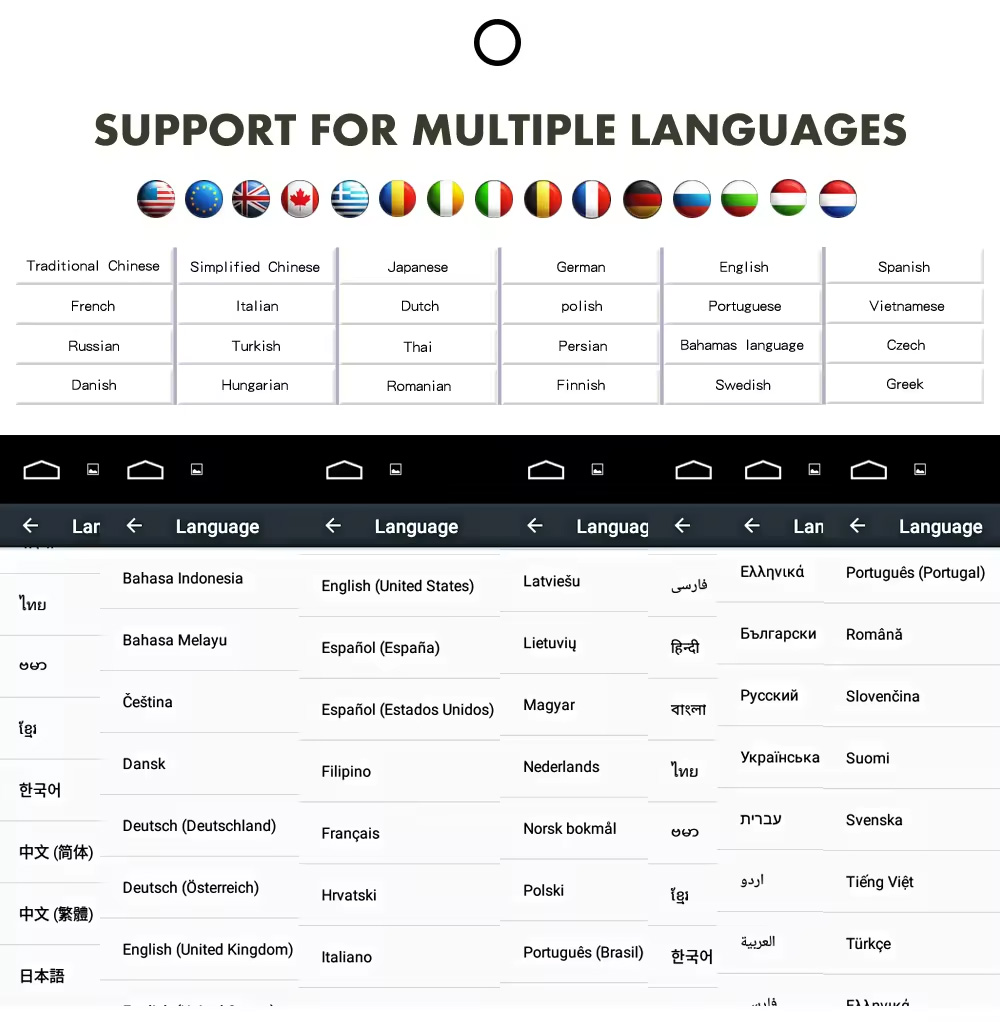
- Multiple language interface support helps international buyers use the system in their preferred language.
Audi Fitment and Configuration Check
This product is mainly positioned for Audi A4, Audi A4L and Audi A5 2009–2016. The correct version is selected by vehicle year, dashboard layout, factory head unit type, high or low configuration, LHD/RHD position, AUX/AMI condition and connector photos—not only the model badge.
Hãy giúp iKAGOO chuẩn bị đúng phiên bản trước khi giao hàng
Cần cung cấp thông tin về phương tiện
- Exact vehicle: Audi A4, A4L or A5.
- Model year: 2009–2012 or 2013–2016.
- Lái bên trái hay lái bên phải.
- Factory head unit photo: Concert, Symphony, Multimedia, high or low configuration.
- Original screen and dashboard photo.
- AUX / AMI condition and whether an AMI cable is needed.
- Whether rear camera, 360 panorama, DVR, DSP or CarPlay is important for your setup.
Tại sao những chi tiết này lại quan trọng
These details help iKAGOO prepare the correct Audi panel, Android unit, wiring harness, AMI/AUX route, CANBUS interface and camera/audio route. They reduce the risk of choosing the wrong year version or ordering a product that does not match your factory head unit.
Thông số kỹ thuật chính của sản phẩm
Chọn phiên bản phù hợp
2GB + 32GB
Suitable for basic CarPlay, Android Auto, Bluetooth and navigation use. Choose this only if your expectations are simple.
- Basic daily use
- Lower cost route
- Good for light apps
4GB + 64GB
A more balanced choice for buyers who want smoother app switching, navigation and media playback.
- Tính tiện dụng hàng ngày được cải thiện
- More storage
- Good for normal app use
8GB + 128GB DSP CarPlay
Recommended for buyers who want stronger performance, more storage, DSP audio and the best long-term experience from this product page.
- Best performance route
- DSP audio advantage
- Wireless CarPlay focus
- Recommended for long-term owners
Tại sao các chủ sở hữu lại chọn iKAGOO
Chuẩn bị dành riêng cho từng loại xe
iKAGOO checks your Audi model, year, high/low configuration, steering side and dashboard photos before shipment so the product is prepared around your vehicle.
Harness and System Matching
The correct wiring harness, AMI/AUX route, CANBUS and factory-system match matter more than simply buying an 8.8-inch screen.
Tích phân hàm ban đầu
The upgrade is prepared to retain supported original audio, radio, Bluetooth, vehicle settings and reversing function where the matched version allows it.
Bảo vệ hệ thống dây điện trong nhà máy
The matched connection route is designed to avoid intentionally cutting the main factory wiring when the vehicle and harness match.
Hỗ trợ cài đặt và thiết lập
If your installer needs help identifying the factory head unit, cable route or function test result, iKAGOO can provide order-based support.
12-Month Bảo hành phần cứng
Các sự cố phần cứng thuộc diện bảo hành sẽ được xử lý theo chính sách bảo hành có giới hạn 12 tháng của iKAGOO, kèm theo dịch vụ hậu mãi bao gồm chẩn đoán và đề xuất các giải pháp phù hợp.
iKAGOO Purchase Assessment for This Audi Android Radio
Sự cần thiết phải nâng cấp iKAGOO
88/100Strong Upgrade Case. The Audi A4/A5 2009–2016 cabin benefits clearly from a modern Android screen, wireless phone projection, navigation and DSP audio.
- Visible dashboard modernization
- Tích hợp điện thoại không dây
- Better navigation and app use
Khả năng tương thích với xe nguyên bản
86/100Strong compatibility route when the correct year, high/low configuration, AUX/AMI route, harness and CANBUS setup are prepared before shipment.
Điểm số 86/100 không có nghĩa là 14% chức năng gốc của nhà sản xuất bị mất. Điều đó có nghĩa là kết quả được đánh giá dựa trên tính liên tục của chức năng, hệ thống điều khiển, dữ liệu xe, sự phù hợp về mặt vật lý và sự tích hợp trong quá trình lắp đặt.
Dựa trên Tiêu chuẩn duy trì chức năng nhà máyMức độ khó khi cài đặt
Cấp độ 3Advanced DIY. Suitable for experienced DIY installers or an automotive electronics installer. It requires dashboard trim removal, matched harness connection, CANBUS setup, AUX/AMI route checking and full function testing.
Dựa trên Hướng dẫn mức độ khó lắp đặt thiết bị điện tử ô tôKeep the Old Screen, Add a Box or Upgrade with iKAGOO?
Factory Screen Only
Best only if you are satisfied with the old screen size, old interface and limited phone integration.
- Không có chi phí nâng cấp
- Giao diện cũ vẫn còn
- Limited app experience
CarPlay-Only Box
Useful if you only need phone projection, but it does not give the dashboard a new Android system or new display hardware.
- Limited display change
- Không có hệ điều hành Android đầy đủ
- Tùy thuộc vào tình trạng màn hình xuất xưởng
Màn hình Android đa năng
May be cheaper, but dashboard fit, high/low configuration and AUX/AMI route can become the real risk.
- Sự không chắc chắn về khả năng lắp đặt
- Có thể trông giống phụ tùng độ
- Nguy cơ về hệ thống dây điện cao hơn
iKAGOO Audi A4 A5 Android Radio
Best for owners who want an 8.8-inch factory-style display, Android system, wireless phone projection, DSP audio and version checking before shipment.
- 8.8-inch Audi-style fit
- Android 13 route
- Wireless CarPlay / Android Auto
- Bộ cân bằng âm thanh DSP 32 dải tần
- Các bước chuẩn bị dành riêng cho từng loại xe
Kết luận về việc mua hàng
If you want your Audi A4, A4L or A5 to feel modern without making the dashboard look cheap, this iKAGOO Android radio is the stronger route than a generic screen or a small CarPlay-only box.
Hình ảnh sản phẩm và vai trò của chúng trong việc giúp bạn đưa ra quyết định
Compare the 2009–2012 and 2013–2016 Version Route
This version-selection image helps you choose the correct year range before ordering. It should be checked before you select memory or optional features.
Review Both Dashboard Trim Directions
This second trim view helps confirm whether your dashboard matches the silver or black panel direction before shipment.
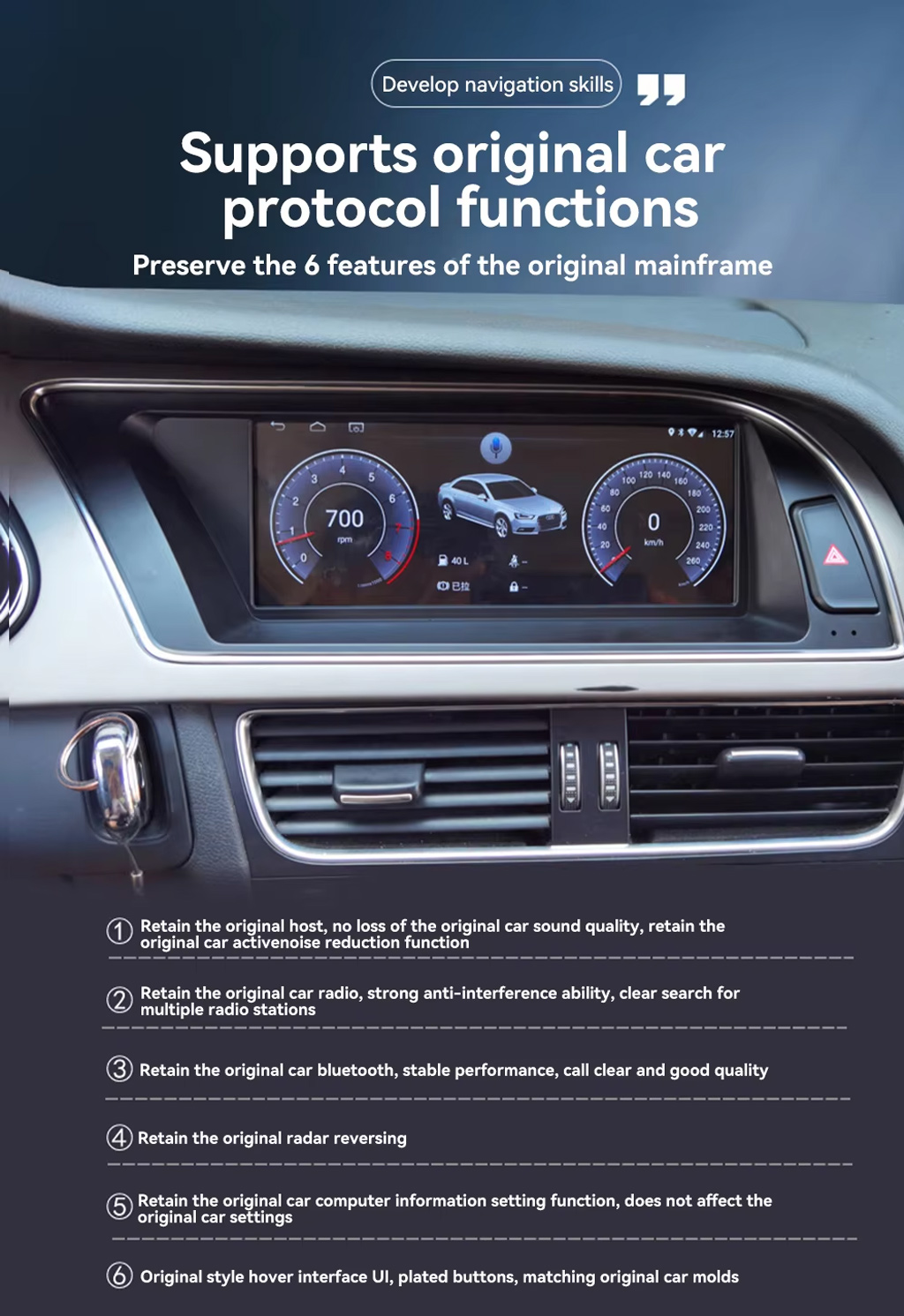
Preserve Original Audi Protocol Functions
This product route is valuable because it does not only add Android. It is designed to retain supported original host, radio, Bluetooth, reversing radar, vehicle settings and original-style interface behavior where matched correctly.
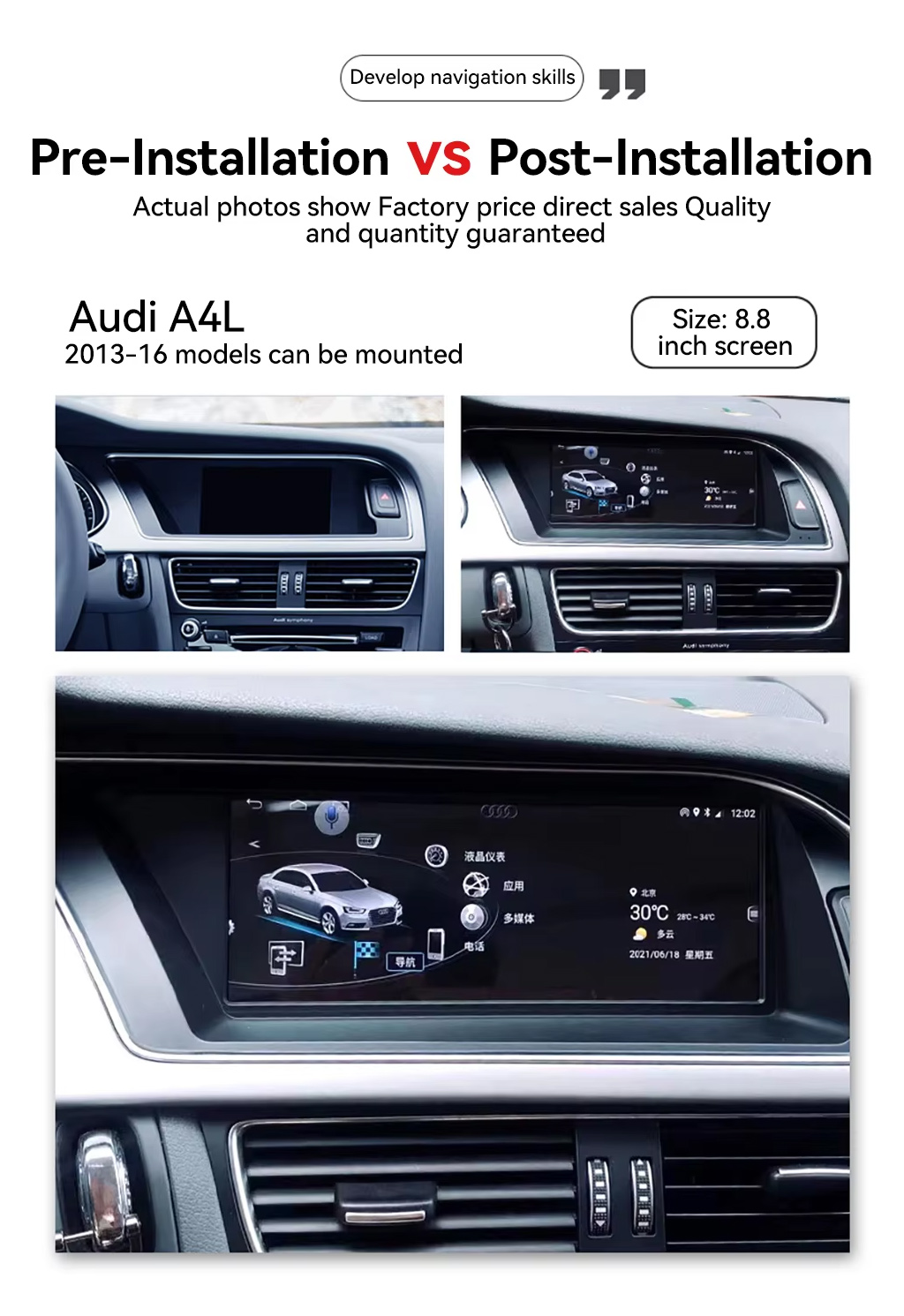
See the Before and After Upgrade Result
The before-and-after view shows the main daily-use improvement: the old blank or small-screen area becomes a wider Android display with a more modern interface.
Use Original and Android System Switching
One-button switching between Android and the Audi original system helps you keep familiar factory settings while adding modern app and phone functions.
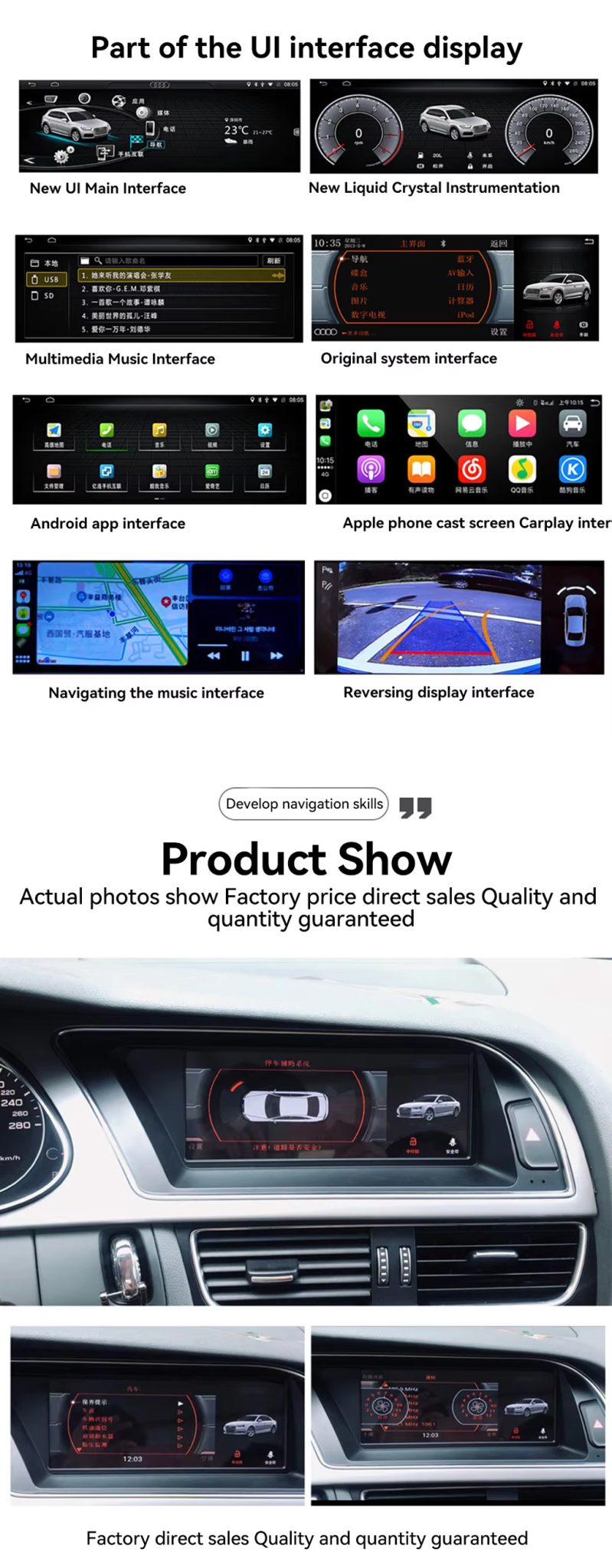
Check the UI, CarPlay, Navigation and Reversing Display
The UI display panel shows the key buyer benefits together: Android home interface, factory system interface, CarPlay screen, navigation and reversing display route.
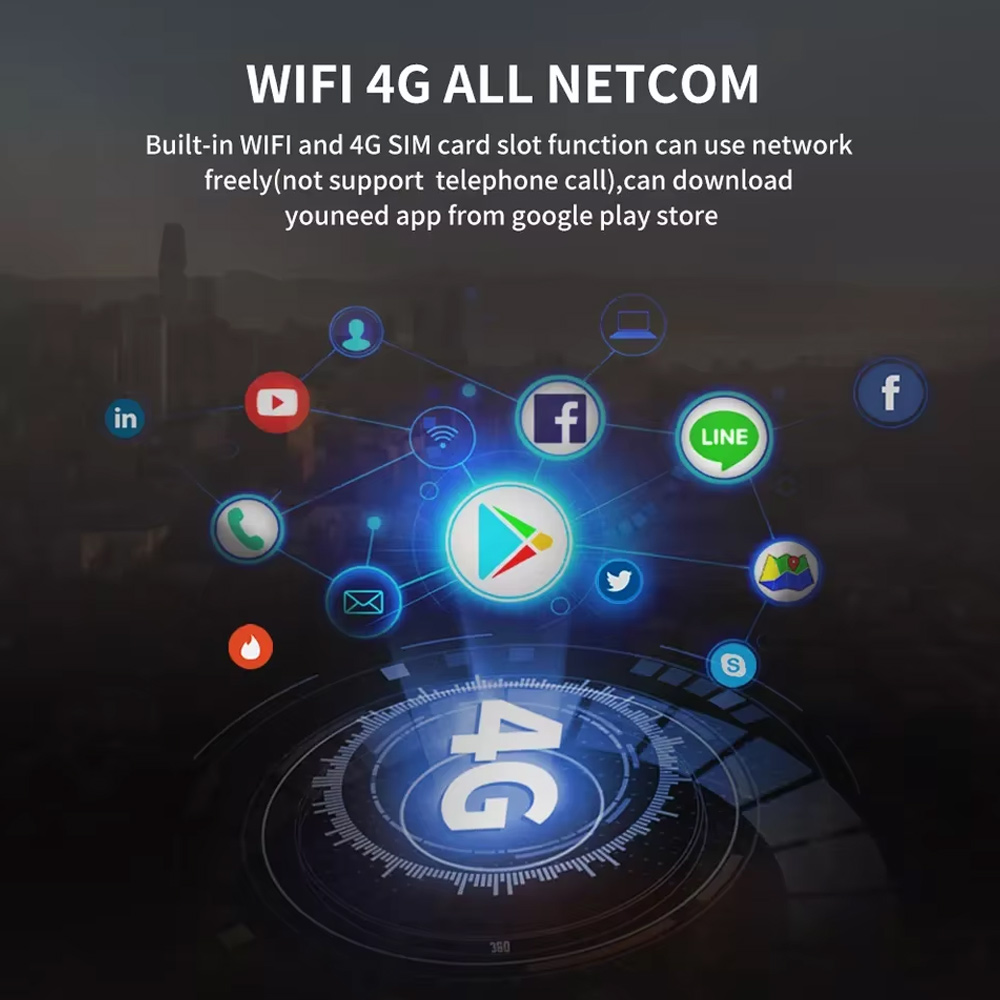
Use WiFi and 4G for Online Apps
WiFi and 4G support make the Android radio more useful for online maps, music apps and Google Play app downloads where local network conditions allow it.
Confirm Multilingual Interface Support
Multiple language support is useful for international buyers and installers who need the system interface in English, German, French, Spanish, Arabic and other supported languages.
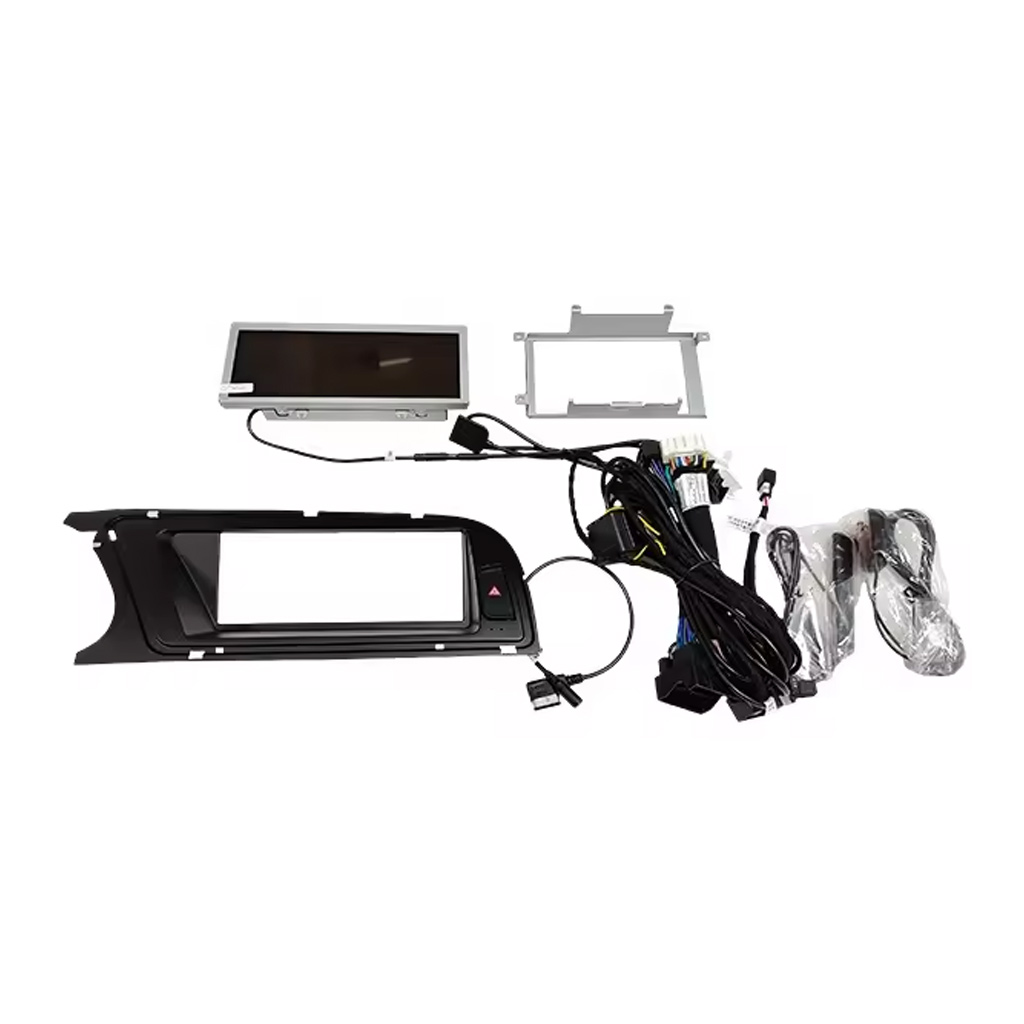
Check the Device, Frame, Harness and Accessories
The accessory image matters because correct wiring and included cables decide whether the installation can preserve the original vehicle functions cleanly.
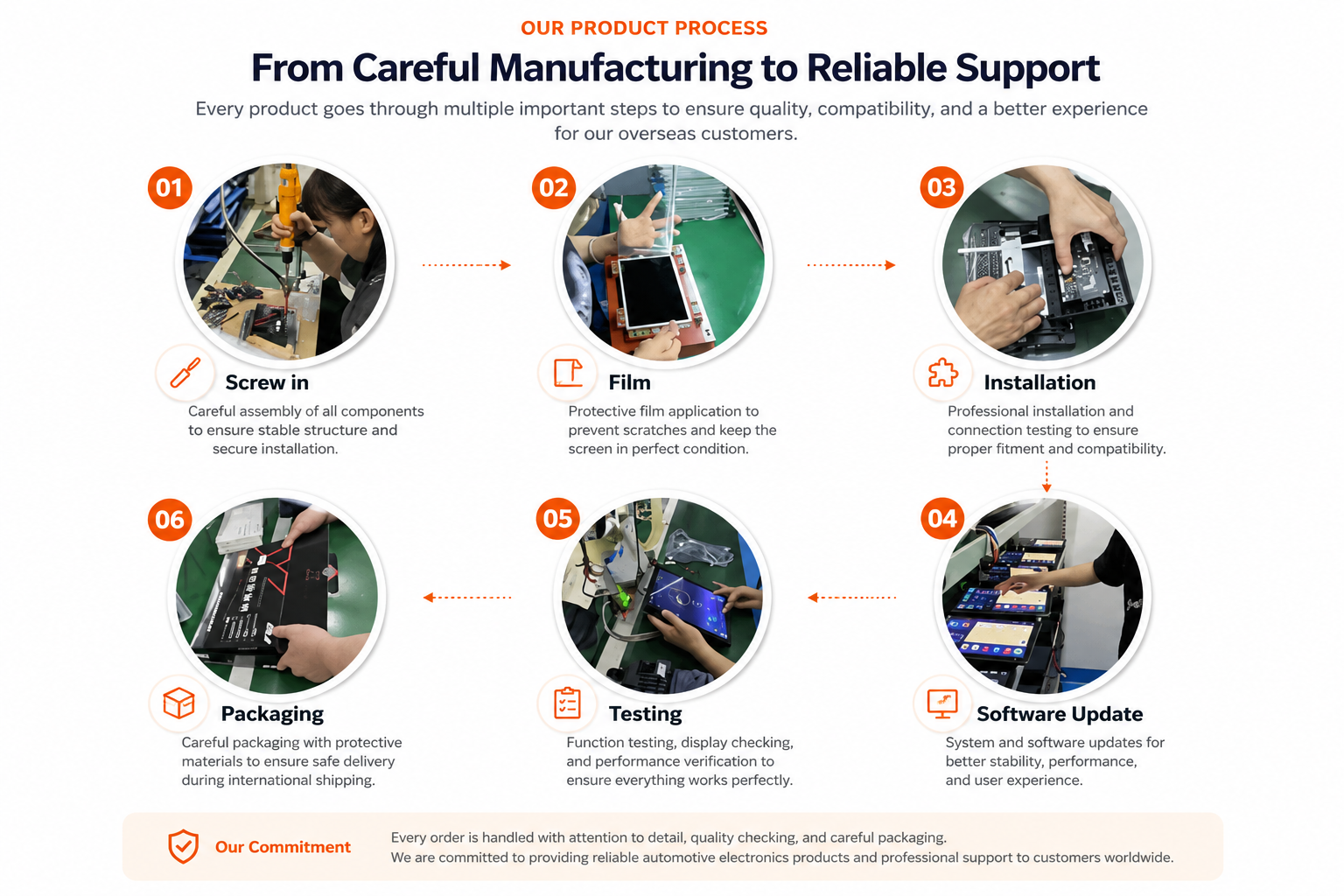
Understand iKAGOO Preparation Before Shipment
Vehicle-specific Android units need careful assembly, screen protection, function testing, software update checks and safe packaging before international delivery.
Installation Route for the Audi A4 A5 Android Radio
Các công việc chính cần thực hiện
- Confirm 2009–2012 or 2013–2016 version before shipment.
- Confirm high or low factory configuration and original head unit type.
- Remove the original screen area and required dashboard trim carefully.
- Connect the matched power harness, CANBUS interface and AUX / AMI route.
- Connect USB, GPS, camera, 4G antenna and audio routes according to selected configuration.
- Hãy bật nguồn cho thiết bị trước khi tiến hành lắp ráp lại lần cuối.
- Test original system switching, CarPlay, Android Auto, audio, radio, Bluetooth, camera input and sleep/wake behavior.
Trình cài đặt được khuyến nghị
This is Level 3 — Advanced DIY. It is suitable for experienced DIY installers or an automotive electronics installer who can remove Audi dashboard trim carefully, identify factory connectors correctly and complete a structured function test.
Do not treat “plug-and-play” as “no dashboard work.” The original screen and trim still need to be removed, connected, configured and tested correctly.
Nếu gặp trường hợp này, hãy dừng quá trình cài đặt và liên hệ với iKAGOO
- Rõ ràng là hình dạng đầu nối hoặc cách bố trí chân cắm không khớp với bộ dây cáp đi kèm.
- The car has a factory head unit route listed as not compatible.
- AUX / AMI audio route cannot be identified.
- Một chân cắm bị cong, lỏng hoặc hỏng.
- Lộ trình lắp đặt dây nịt không phù hợp với hướng dẫn được cung cấp.
- Bạn ngửi thấy mùi nhiệt bất thường, mùi cháy hoặc mùi khói.
- Một cầu chì bị cháy liên tục.
- Không thể xác định chắc chắn nguồn điện hay cực âm.
- Việc lắp đặt sẽ đòi hỏi phải cắt cụm dây điện chính của nhà máy.
- Các chức năng camera, âm thanh, điều khiển trên vô-lăng, hệ thống CANBUS hoặc hành vi chuyển sang chế độ ngủ/thức dậy có biểu hiện bất thường và không thể giải thích được trong quá trình thử nghiệm.
Vận chuyển, Bảo hành và Dịch vụ hậu mãi
Chuẩn bị đơn hàng
Thông thường, thời gian chuẩn bị đơn hàng là 1–3 ngày làm việc sau khi cấu hình xe của quý khách đã được kiểm tra.
Theo dõi vận chuyển quốc tế
Giao hàng quốc tế được theo dõi. Thời gian giao hàng dự kiến phụ thuộc vào điểm đến, thủ tục thông quan và phương thức vận chuyển được chọn tại bước thanh toán.
12-Month Bảo hành phần cứng
Các sự cố phần cứng thuộc diện bảo hành sẽ được xử lý theo chính sách bảo hành có giới hạn của iKAGOO. Các hư hỏng do đấu dây không đúng cách, sử dụng sai mục đích, nước xâm nhập hoặc sửa đổi trái phép thường không được bảo hành.
Các sản phẩm dành riêng cho từng loại xe cần có thông tin chính xác trước khi giao hàng. Nếu iKAGOO đã xác nhận tính tương thích trước khi mua hàng, thông tin của quý khách là chính xác và không có giải pháp lắp đặt hợp lý nào sau khi đã thực hiện các bước khắc phục sự cố được hỗ trợ, thì chính sách đổi trả và hoàn tiền hiện hành sẽ được áp dụng.
Audi A4 A5 Android Radio FAQ
Is this Audi A4 A5 Android Radio for 2009–2016 vehicles?
Yes, this product is positioned for selected Audi A4, A4L and A5 2009–2016 vehicles. Please choose the correct 2009–2012 or 2013–2016 version before shipment.
Do I need to choose high configuration or low configuration?
Yes, this is required. Your original Audi head unit type, dashboard layout, AUX/AMI condition and factory system decide which configuration route should be prepared.
Thiết bị này có hỗ trợ CarPlay và Android Auto không dây không?
Yes, wireless CarPlay and Android Auto are supported where the selected version and phone setup support the function.
Does it keep the original Audi system?
Yes, supported original-system switching is available where the correct version and wiring route are prepared. You can use Android functions and return to the Audi original system interface.
Does it support DSP audio?
Yes, DSP 32-band EQ is supported on the DSP version. Choose the DSP CarPlay route if audio tuning is important to you.
Does it support rear camera or 360 camera?
Yes, rear camera AHD/CVBS and 360 panorama routes are supported where the selected version, camera hardware and vehicle wiring support them.
Does it work with LHD and RHD vehicles?
Yes, LHD and RHD routes can be prepared, but you must provide your steering position and dashboard photos before shipment.
Việc cài đặt có hỗ trợ cắm là chạy không?
Yes, the matched route is designed for clean connection, but installation is still Level 3 — Advanced DIY because dashboard trim, wiring, CANBUS, AUX/AMI and full function testing must be handled carefully.
Trước khi đặt hàng, tôi cần gửi những gì?
Yes, send your vehicle model, year, steering side, original dashboard photo, factory head unit photo, AUX/AMI condition, and whether you need CarPlay, DSP, rear camera, 360 panorama or DVR functions.
Make Your Audi A4, A4L or A5 Feel Modern Again
Choose the Audi A4 A5 Android Radio if you want an 8.8-inch factory-style screen, wireless CarPlay, Android Auto, DSP audio, navigation, WiFi / 4G and version-specific preparation for your vehicle.


Jordan Miles –
Được lắp trên chiếc A4 2013 của tôi. Màn hình 8.8″ lắp vừa khít và trông như nguyên bản. CarPlay không dây kết nối trong vài giây và các nút điều khiển MMI vẫn hoạt động. Bao bì từ Sky Universe rất chắc chắn.
Derek Harrington –
Complete game-changer for my 2011 Audi A5! The old Symphony radio with that tiny non-touch screen was driving me crazy. This Android unit breathes new life into the car. Seamlessly switches between the stock Audi interface and the Android system. Wireless Apple CarPlay connects automatically within seconds of starting the engine. Sound quality via AUX is excellent.