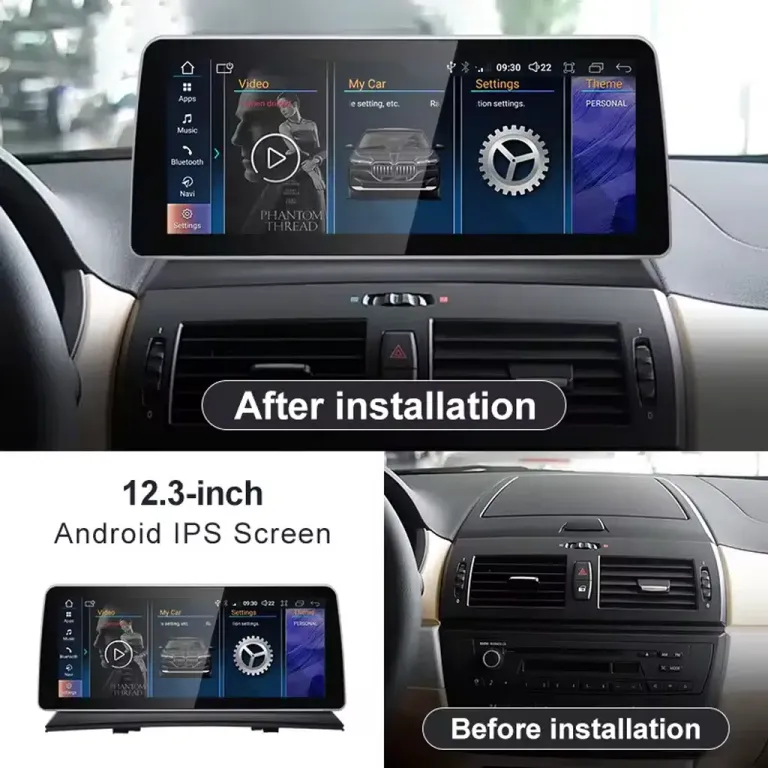
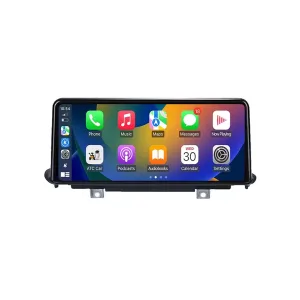
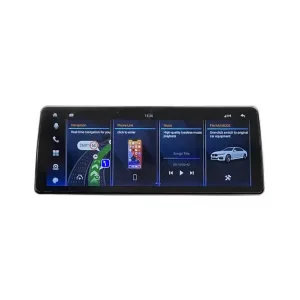
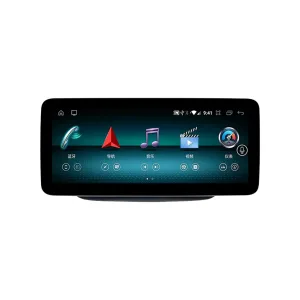
Xem trước sự thay đổi của bảng điều khiển trước khi bạn quyết định
Một màn hình Android (Android Head Unit) cho BMW X3 E83 mang lại cho bảng điều khiển cũ một giao diện hàng ngày rộng hơn, dễ dàng hơn cho điều hướng, cuộc gọi, âm nhạc và tích hợp màn hình riêng cho xe. Giá trị không chỉ là màn hình lớn hơn; đó là một nâng cấp khoang nội thất gọn gàng hơn, giữ nguyên bố cục bảng điều khiển BMW dễ nhận biết.
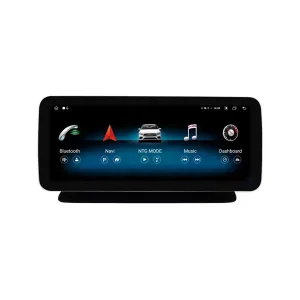
Đầu Android BMW X3 E83 cho CIC/CCC, CarPlay và Android Auto
Bản nâng cấp này được thiết kế cho chủ xe BMW X3 E83 muốn kết nối điện thoại hiện đại mà không biến khoang cabin thành một chiếc máy tính bảng đại trà. Bạn có thể chọn màn hình 10.25 inch hoặc 12.3 inch, chọn đúng tùy chọn hệ thống CCC hoặc CIC, và để iKAGOO chuẩn bị màn hình, dây cáp và giao diện xe tương ứng trước khi giao hàng.
Đầu Android BMW X3 E83 này là gì?
Đầu Android Head Unit cho BMW X3 E83 là một bản nâng cấp màn hình và hệ thống thông tin giải trí dành riêng cho từng xe, cho cấu hình BMW X3 E83 2006–2011 được liệt kê. Nó nâng cấp trải nghiệm màn hình gốc, radio hoặc khu vực lưu trữ cũ với màn hình lớn hơn 10.25 inch hoặc 12.3 inch, hỗ trợ CarPlay, Android Auto, định vị GPS, Bluetooth, Wi-Fi và ứng dụng Android tùy thuộc vào cấu hình đã chọn. Các chức năng gốc được hỗ trợ như điều khiển trên vô lăng, đường truyền âm thanh gốc, giao tiếp giao diện xe, hỗ trợ đỗ xe hoặc đầu vào camera vẫn tiếp tục hoạt động khi chọn đúng phiên bản và lắp đặt chính xác. Trước khi giao hàng, iKAGOO kiểm tra năm sản xuất, bố cục bảng điều khiển, vị trí LHD/RHD, lựa chọn hệ thống gốc và ảnh đầu nối của bạn. Điều này giúp chúng tôi chuẩn bị đúng màn hình, bộ dây điện và giao diện xe cho đơn hàng của bạn thay vì yêu cầu bạn chỉ chọn theo ảnh sản phẩm.
Những điều bạn cần biết trước khi đặt hàng
Sự phù hợp lắp đặt không chỉ dựa trên huy hiệu xe
Xe của bạn có thể được gọi là BMW X3 ở mọi thị trường, nhưng bản nâng cấp chính xác vẫn phụ thuộc vào thế hệ E83, năm sản xuất, bố cục bảng điều khiển, hệ thống CCC/CIC và loại đầu nối. iKAGOO kiểm tra những chi tiết đó trước khi chuẩn bị đơn hàng.
Các chức năng gốc được bảo toàn ở những nơi được hỗ trợ
Các điều khiển trên vô lăng, đường truyền âm thanh, đầu vào camera và tín hiệu giao diện xe được hỗ trợ sẽ được giữ lại sau khi kết nối và cấu hình chính xác. Các hệ thống âm thanh đặc biệt hoặc các sửa đổi hậu mãi trước đó nên được báo cáo trước khi giao hàng.
Đây không phải là màn hình đa năng ngẫu nhiên
Bản nâng cấp màn hình Android BMW X3 E83 này sử dụng màn hình, bộ dây điện và chuẩn bị giao diện dành riêng cho từng xe. Mục tiêu là một bản nâng cấp bảng điều khiển phong cách BMW gọn gàng hơn, không phải một màn hình chung chung với độ tương thích không rõ ràng.
Không cố ý cắt dây điện nguyên bản được hỗ trợ
Phương pháp lắp đặt tiêu chuẩn sử dụng bộ dây kết nối tương thích và giao diện xe. Nếu hình dạng đầu nối không khớp hoặc công việc yêu cầu phải cắt dây nối chính nguyên bản, hãy tạm dừng việc lắp đặt và liên hệ iKAGOO.
Tại sao bản nâng cấp này cải thiện việc lái xe hàng ngày
CarPlay và Android Auto hiện đại
CarPlay và Android Auto không dây mang đến cho bạn cách sử dụng định vị, cuộc gọi, nhạc và điều khiển bằng giọng nói hiện đại hơn. Đối với chiếc X3 E83 cũ hơn, đây là bản nâng cấp sử dụng hàng ngày giúp Waze, Google Maps, Apple Maps, Spotify và cuộc gọi dễ thao tác hơn từ bảng điều khiển.
Lựa chọn màn hình 10.25 inch hoặc 12.3 inch
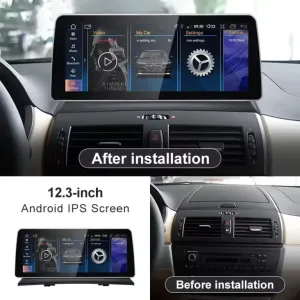
Tùy chọn 10.25 inch giữ cho việc nâng cấp kín đáo hơn, trong khi tùy chọn 12.3 inch mang lại bề mặt hiển thị hiện đại rộng hơn. Hãy lựa chọn dựa trên sở thích bảng điều khiển, tầm nhìn khi lái xe và mức độ bạn muốn khoang xe cảm thấy mới mẻ hơn.
CCC/CIC System Matching
BMW X3 E83 screen upgrades depend heavily on the original system and connector style. iKAGOO asks for the CCC or CIC selection and can use dashboard and connector photos to reduce wrong-version risk before shipment.
Cleaner BMW Cabin Integration
The upgrade direction is restrained and BMW-compatible: a wide screen, clean interface and practical phone connectivity. It improves the old interior without using a flashy universal-tablet look that fights the E83 dashboard design.
Giữ nguyên các chức năng gốc sau khi ghép nối chính xác
With the correct vehicle version, matched harness and proper configuration, the BMW X3 E83 Android Head Unit is designed to keep the original functions that matter for daily use.
Các nút điều khiển trên vô-lăng
Supported steering-wheel buttons continue to work after the vehicle interface is connected and configured correctly, so common operation still feels familiar.
Đường dẫn âm thanh nguyên bản
The system is prepared around the matched BMW audio connection path. Tell iKAGOO before shipment if your X3 has a special audio system or previous aftermarket wiring.
Factory Camera or Parking Display
Camera and parking support depend on your original vehicle configuration and connection type. Send clear photos so the correct setup can be prepared before dispatch.
CANBUS and Vehicle Interface
The matched vehicle interface helps supported vehicle signals communicate with the Android head unit after installation, including control and configuration functions where supported.
Special Configuration Note
Non-standard cameras, previous aftermarket modifications, uncommon regional audio systems or damaged factory connectors may require additional connection instructions. Provide the requested vehicle information when ordering so iKAGOO can prepare the correct version.
Current Product Images and Buying Details
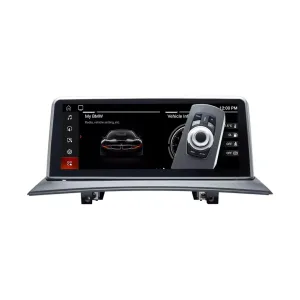
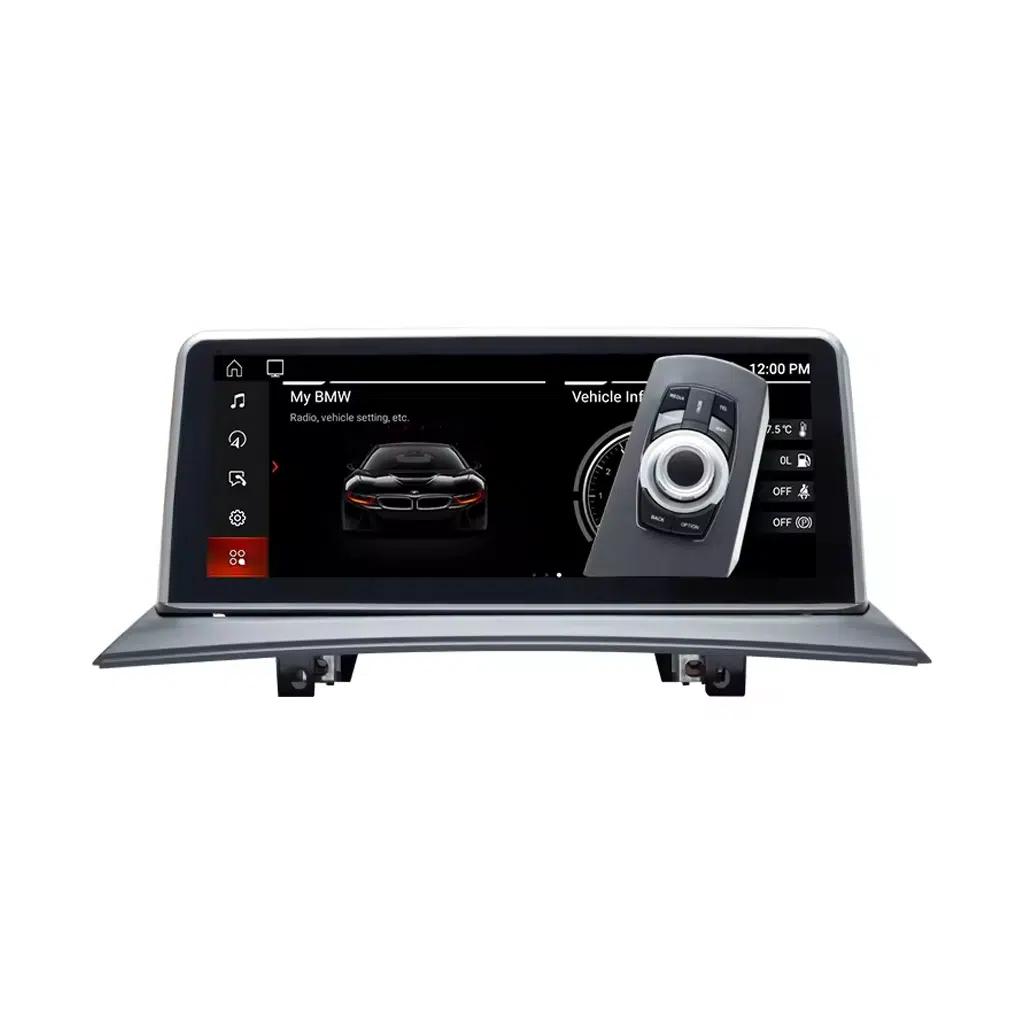
BMW-Style Front Display for a Cleaner Upgrade
The front display gives your older X3 a more modern interface for maps, media and phone functions while keeping the dashboard design controlled and familiar.
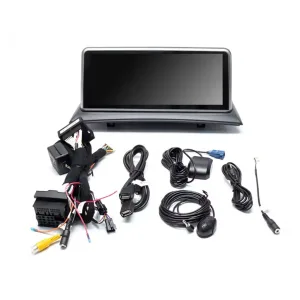
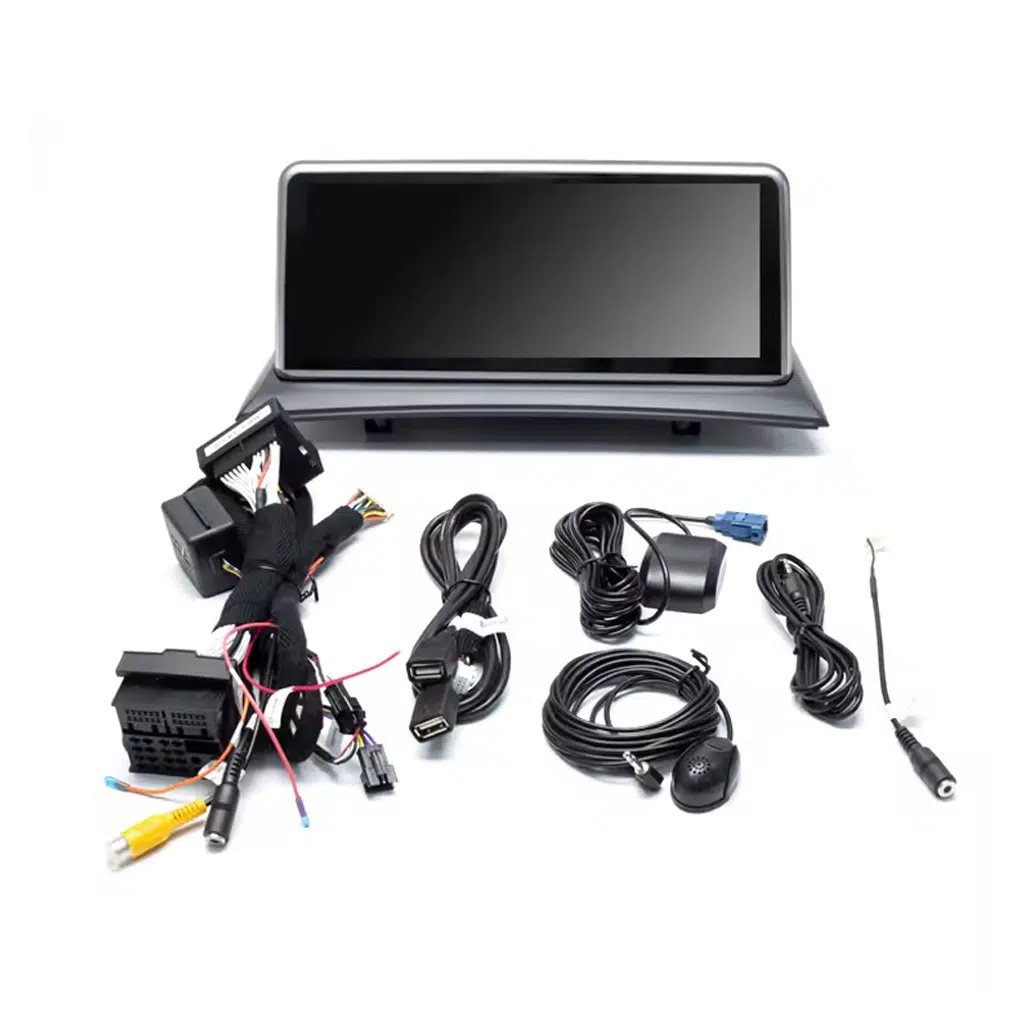
Matched Harness and Accessories Reduce Wrong-Connection Risk
The included wiring and accessories help the screen connect through a vehicle-specific approach instead of forcing a universal wiring method.
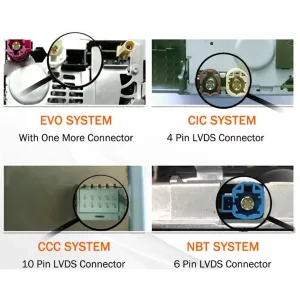
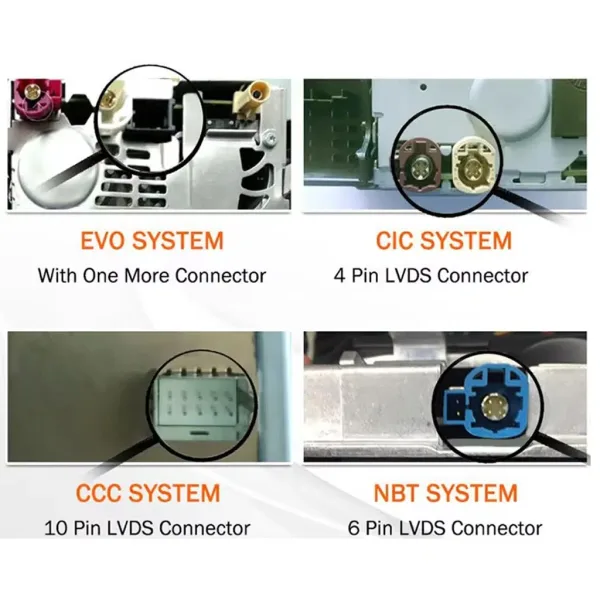
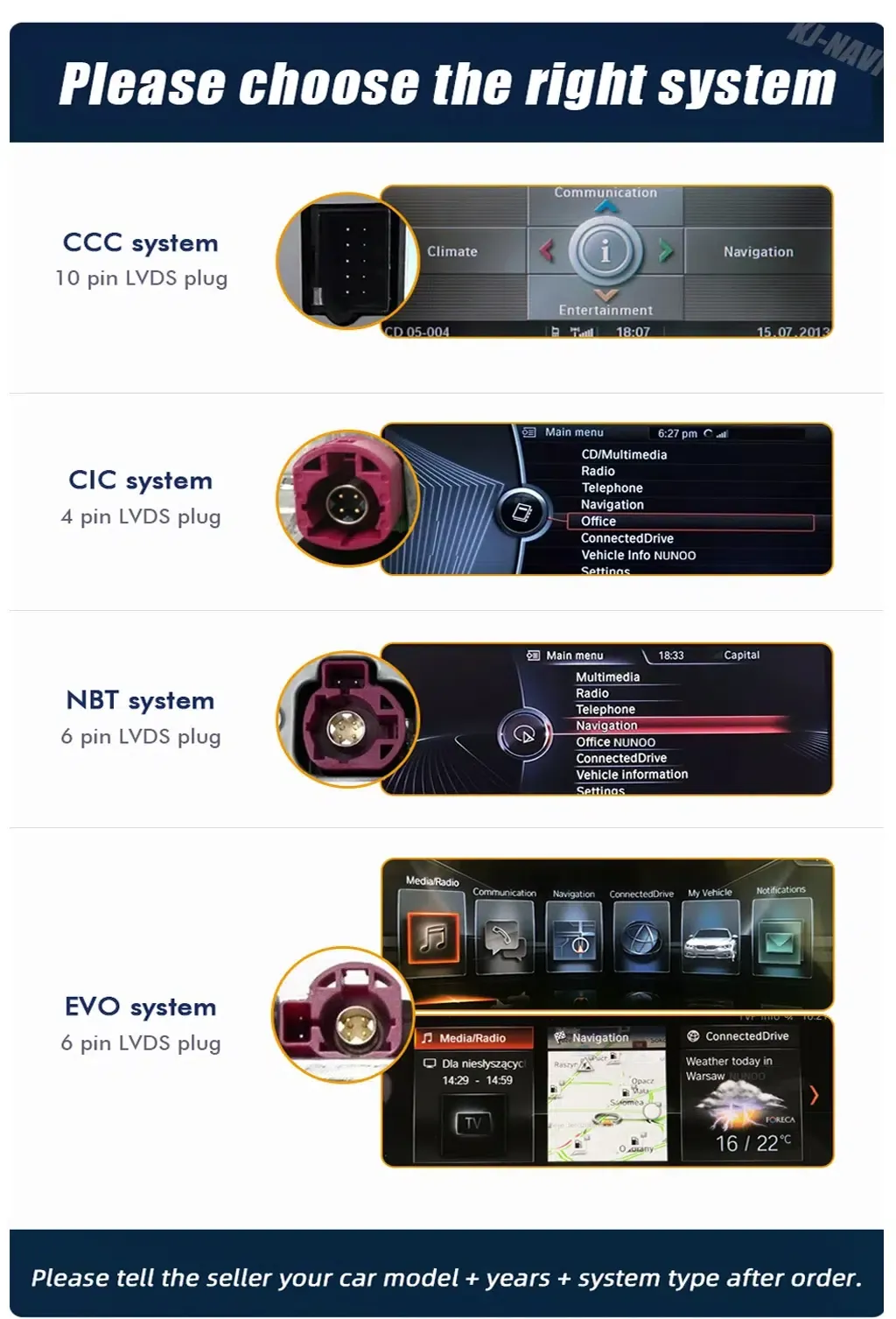
Connector Identification Helps You Avoid the Wrong Version
BMW systems can look similar from the driver seat. Connector photos help iKAGOO confirm the correct CCC or CIC preparation before shipment.
Choose CCC or CIC with Real System Evidence
This product page uses CCC and CIC selections. Send a clear photo of your original system and connector area so the correct screen and wiring set can be prepared.
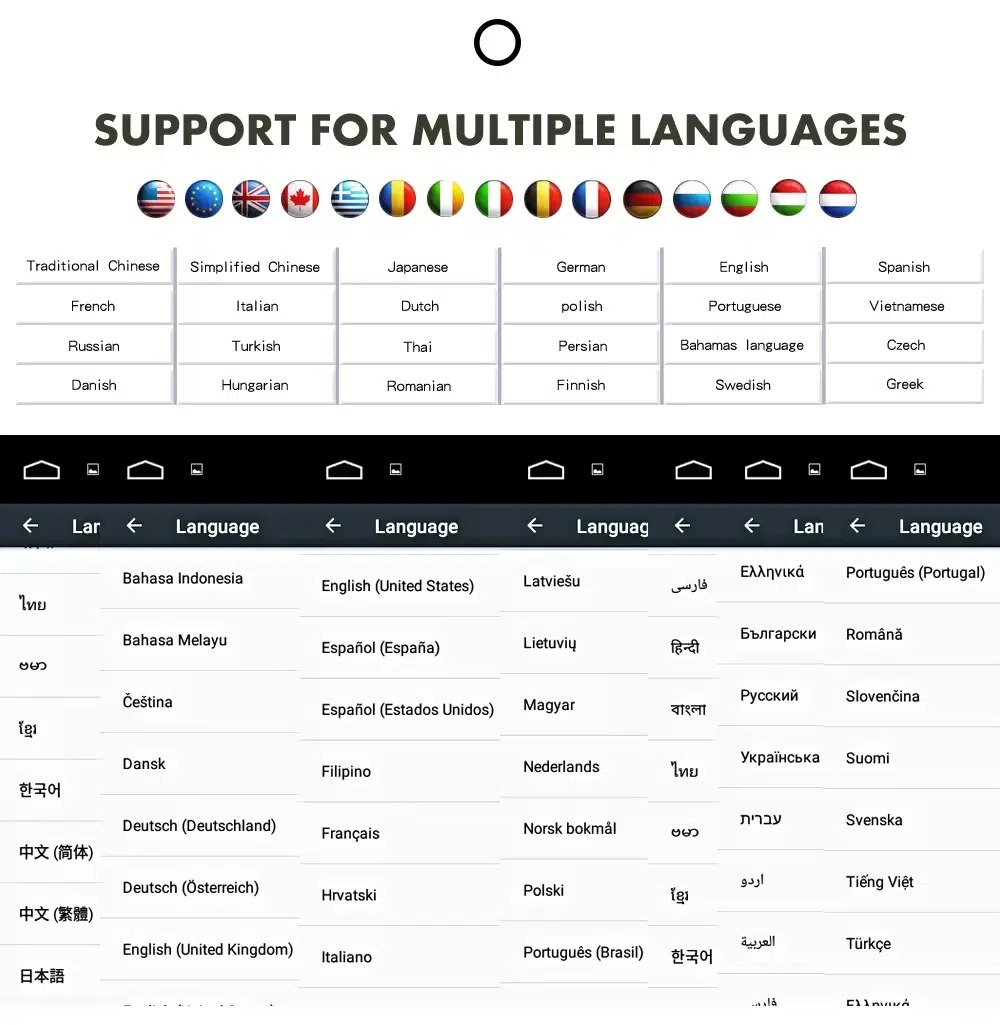
Multilingual Interface for International Owners
The Android interface supports multiple languages, helping owners in the United States, Europe, the United Kingdom, Australia, New Zealand and other markets use system menus more comfortably.
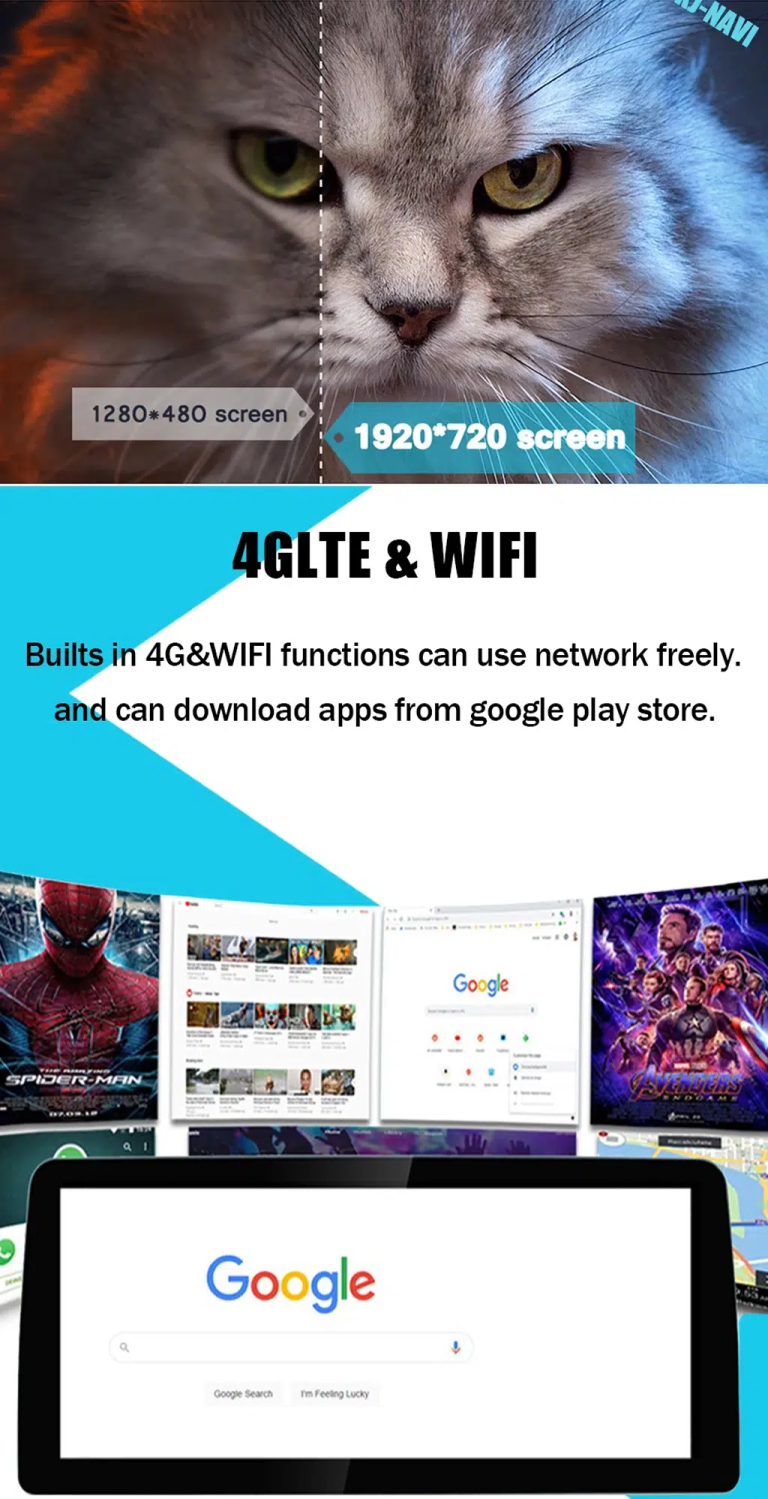
Wi-Fi and 4G Support by Configuration
Selected configurations support Wi-Fi and 4G functions, giving you more flexible app, navigation and media use when the correct version is selected.
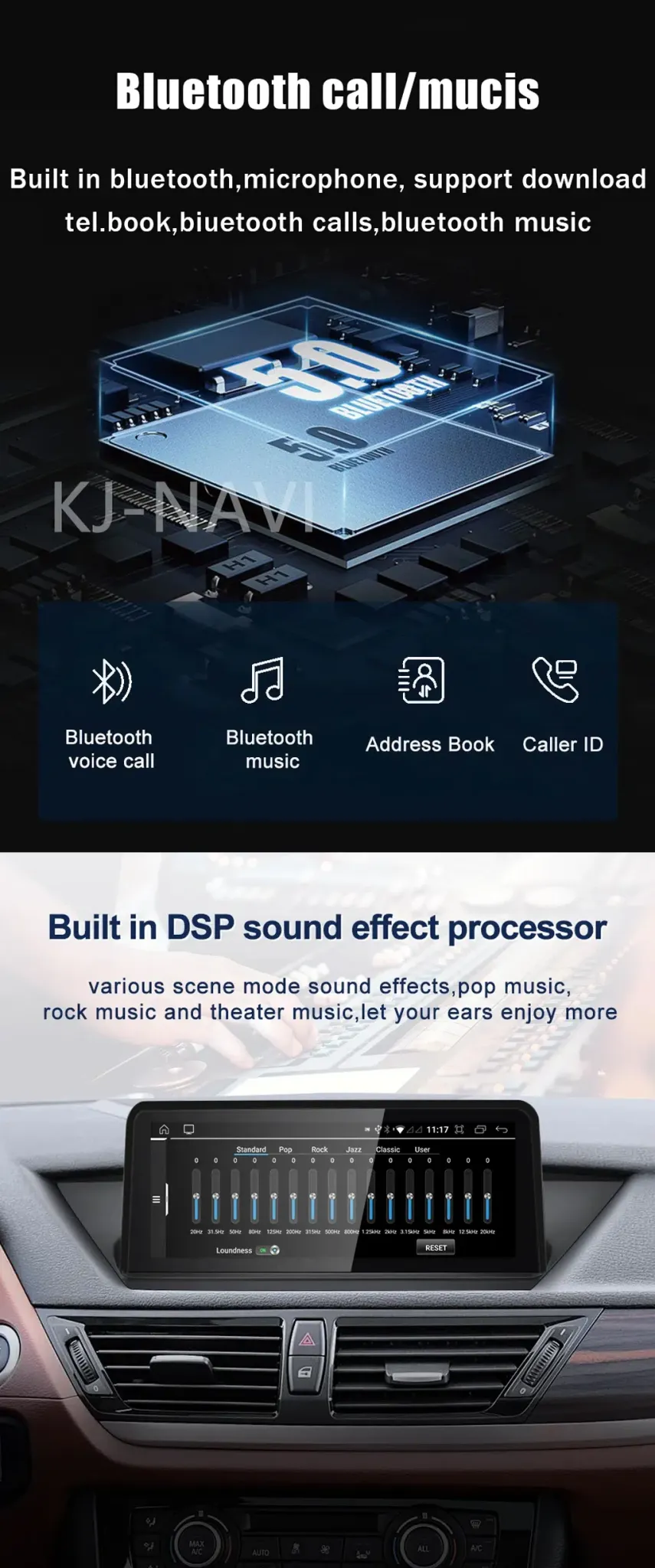
Bluetooth and DSP Support for Better Daily Audio Use
Bluetooth calling, Bluetooth music and DSP support on selected configurations help modernize daily audio use without relying only on the old factory interface.
Confirm the Correct Version Before Shipment
Send your model year, LHD/RHD position, dashboard photo, factory system photo and connector photos. iKAGOO uses these details to prepare the correct BMW X3 E83 Android Head Unit version, including screen, wiring harness and vehicle interface.
More Useful Than Only Keeping the Old System Alive
Điều hướng hàng ngày hiệu quả hơn
The old X3 E83 interface was not designed around modern phone navigation. This upgrade gives you a larger screen surface for CarPlay, Android Auto and Android navigation use.
Cleaner Phone Integration
You can manage calls, music and voice functions from a more current dashboard interface instead of relying on outdated factory logic or a phone mount alone.
Giá trị sở hữu dài hạn
For owners keeping the X3 E83, a proper Android head unit upgrade adds daily convenience that a used OEM replacement cannot provide.
Lower Wrong-Version Risk
iKAGOO prepares the order around your actual system and vehicle information, which is more reliable than choosing only by model name or product photo.
Vehicle-Specific Preparation Matters More Than a Low Listing Price
Chuẩn bị cấu hình dành riêng cho từng loại xe
iKAGOO checks your vehicle details before shipment. This reduces the risk of choosing a screen that looks similar but does not match your system or connector layout.
Correct Screen, Harness and Interface Matching
The screen size, wiring harness and vehicle interface are prepared according to your selected CCC or CIC configuration. This is the part that many generic listings do not explain clearly.
Original Vehicle Function Integration
Supported steering-wheel controls, audio path, parking support and camera input are considered during preparation. The goal is to modernize daily use while protecting the functions you still need.
Bảo vệ hệ thống dây điện trong nhà máy
The standard approach avoids intentional cutting of supported factory wiring. If the connector or harness does not match, the correct action is to pause and confirm before forcing the installation.
Hỗ trợ cài đặt và cấu hình
iKAGOO can help with wiring questions, system selection, function testing and setup issues after delivery. This matters when your vehicle has special audio, camera or previous aftermarket modifications.
12-Month Bảo hành phần cứng
Eligible hardware issues are covered under iKAGOO’s 12-month limited hardware warranty. Review the published policy for coverage conditions, exclusions and support process.
Thông tin cần thiết trước khi giao hàng
Vehicle Details
- BMW X3 E83 model year shown on your registration.
- Vị trí lái bên trái hoặc bên phải.
- Country or region where the vehicle is used.
- Any previous aftermarket radio, screen or camera modification.
Photos to Send
- Full dashboard photo from the driver seat.
- Factory screen or storage-box area photo.
- Factory system menu photo if available.
- Connector photos when you are unsure between CCC and CIC.
Tại sao những chi tiết này lại quan trọng
BMW X3 E83 vehicles can differ by system, connector, screen area, audio path and previous modifications. These details help iKAGOO prepare the correct BMW X3 E83 Android Head Unit version before shipment, instead of sending a generic screen and leaving the installer to solve fitment later.
Three Standards for This Upgrade
Sự cần thiết phải nâng cấp iKAGOO
This score means the upgrade has strong daily-use value for owners who want modern phone connectivity, navigation and a cleaner screen experience in an older X3 E83.
- Old factory navigation and phone integration feel dated.
- CarPlay and Android Auto add real daily driving value.
- 10.25-inch and 12.3-inch choices give visible cabin improvement.
- Useful for long-term owners who want more than an OEM repair.
Khả năng tương thích với các dòng xe của iKAGOO Original
A score of 90/100 does not mean that 10% of factory functions are lost. It means the upgrade has strong original-function continuity when the correct version is selected and installed correctly.
Mức độ dễ cài đặt của iKAGOO
This BMW X3 E83 Android Head Unit is suitable for experienced DIY installers or an automotive electronics installer. It requires careful trim removal, matched wiring connection, CCC/CIC system selection, CANBUS or vehicle-interface configuration and full function testing.
- No intentional cutting of supported factory wiring during standard installation.
- Test steering-wheel controls, audio, camera, parking display and sleep behavior before final assembly.
- Pause the installation if connectors do not match or previous wiring modifications are found.
Choose the Option That Actually Solves the Old X3 Problem
Giữ nguyên hệ thống nguyên bản
Lowest change, but old navigation, limited phone integration and aging display usability remain. This works only if you are satisfied with the original experience.
Used OEM Unit
May preserve factory appearance, but it does not add modern CarPlay, Android Auto or app-based navigation. It also depends on finding the correct used part.
Mô-đun chỉ hỗ trợ CarPlay
Useful for simple phone mirroring, but less flexible than a full Android screen upgrade when you also want Android apps, larger display choice and broader media use.
Màn hình Android chung
Can be cheaper, but fitment, wiring, system choice, audio path and support may be unclear. Small connector differences can decide whether the installation works cleanly.
iKAGOO BMW X3 E83 Android Head Unit
This is the stronger option for buyers who want CarPlay, Android Auto, screen-size choice, CCC/CIC selection, vehicle-specific preparation and practical support after delivery.
BMW X3 E83 Names, Years and Factory System Differences
This vehicle is generally sold globally as BMW X3, but the correct product version is not decided by badge name alone. iKAGOO prepares the correct version according to the vehicle generation, model year, dashboard layout, factory CCC/CIC system and connector configuration.
Cấu hình sản phẩm hiện tại
What the Installation Set Is Prepared to Support
Core Hardware
The package is prepared around the selected screen size and system option. The main display, screen panel and vehicle-specific connection set are matched according to order configuration.
Wiring and Interface
Matched wiring harnesses and the required vehicle interface help the Android head unit communicate with supported BMW X3 E83 functions after correct installation.
Common Accessories
Depending on configuration, the set may include USB cable, GPS antenna, microphone, camera or AUX-related connection accessories and installation wiring.
Before Final Assembly
Test audio, CarPlay, Android Auto, steering-wheel controls, reverse camera or parking display, Wi-Fi, Bluetooth and sleep behavior before closing the dashboard trim.
Level 3 — Advanced DIY Installation Process
Main Work Steps
- Remove dashboard trim carefully.
- Remove the factory screen, radio or storage-box area as applicable.
- Kết nối dây nối tương thích và giao diện xe.
- Route GPS, USB and microphone cables where needed.
- Connect camera, audio and auxiliary inputs when applicable.
- Configure the correct CCC or CIC system option.
- Test steering-wheel controls, audio, camera, parking display and sleep behavior.
Dừng lại và Liên hệ iKAGOO Nếu
- Hình dạng của đầu nối rõ ràng là không khớp.
- Pins are bent, damaged or loose.
- The harness does not match the instructions.
- Bạn nhận thấy có hiện tượng nóng bất thường, mùi lạ hoặc khói.
- Một cầu chì liên tục bị cháy.
- Không thể xác định được nguồn điện hay cực âm.
- The job would require cutting the factory main harness.
- Camera, CANBUS, audio or amplifier behavior is abnormal and cannot be explained.
Practical Support After You Order
Xử lý đơn hàng
Vehicle-specific preparation normally takes 1–3 business days before dispatch. This preparation step helps reduce wrong-version risk before the product leaves the warehouse.
Theo dõi vận chuyển quốc tế
Orders are shipped with tracking. Delivery time depends on destination, carrier, customs processing and selected shipping method.
12-Month Bảo hành phần cứng
Eligible manufacturing defects and hardware failures are covered under the published iKAGOO warranty policy. Warranty handling depends on the issue, evidence and policy terms.
Hỗ trợ cài đặt và cấu hình
Support can help with configuration, wiring questions, function testing and practical installation issues. Provide order number, vehicle details, photos and a clear issue video when requesting help.
BMW X3 E83 Android Head Unit FAQ
Will this BMW X3 E83 Android Head Unit fit my exact model year?
Còn tùy. This product is listed for BMW X3 E83 2006–2011. Because production year, registration year and regional configuration can differ, send your dashboard photo, factory system photo and connector information before shipment.
How do I choose between CCC and CIC?
Còn tùy. Choose the option that matches your original BMW system and connector type. If you are unsure, send photos of the original screen/menu and connector area so iKAGOO can help identify the correct direction.
Thiết bị này có hỗ trợ Apple CarPlay và Android Auto không?
Đúng vậy. This upgrade is designed to support CarPlay and Android Auto according to the selected configuration. These functions are the main reason many X3 E83 owners choose this upgrade instead of only repairing the old factory screen.
Các nút điều khiển trên vô lăng nguyên bản của tôi có còn hoạt động không?
Yes, when correctly matched and installed. Supported steering-wheel controls continue to work through the matched vehicle interface. Function testing should be completed before final dashboard reassembly.
Camera nguyên bản của xe hoặc cảm biến đỗ xe có tiếp tục hoạt động không?
Còn tùy. Camera and parking display support depend on your original configuration and connection type. Send vehicle photos and tell iKAGOO whether your car has factory camera, PDC or an aftermarket camera before shipment.
Tôi có cần phải cắt dây điện nguyên bản không?
No, not in the standard supported installation approach. The matched harness is designed to connect without intentionally cutting supported factory wiring. If cutting the factory main harness seems necessary, stop and contact iKAGOO first.
Sản phẩm này có phù hợp để tự lắp đặt không?
Còn tùy. The iKAGOO Installation Ease Level is Level 3 — Advanced DIY. It is suitable for experienced DIY installers or an automotive electronics installer who can remove trim carefully, connect the correct harness and test all functions.
Trước khi giao hàng, tôi cần gửi những gì?
Send clear vehicle information. Include model year, LHD/RHD position, dashboard photo, factory system photo, connector photo, screen or storage-box area photo and whether the car has factory camera, PDC or special audio equipment.
Nếu xe của tôi được trang bị hệ thống âm thanh nguyên bản đặc biệt thì sao?
Còn tùy. Special audio systems may need additional connection instructions or configuration. Tell iKAGOO your audio setup before shipment so the correct interface guidance can be prepared.
Tại sao nên mua sản phẩm của iKAGOO thay vì một sản phẩm không thương hiệu có giá rẻ hơn?
Because fitment matters. A lower-priced generic screen may not clearly match your dashboard, CCC/CIC system, connector, audio path or support needs. iKAGOO focuses on preparing the correct BMW X3 E83 Android Head Unit version before shipment and supporting the setup after delivery.
Nếu đầu nối hoặc hệ thống nhà máy của tôi khác thì sẽ ra sao?
Stop before forcing the installation. Do not cut, repin or force connectors. Take clear photos of the connector, harness and dashboard area, then contact iKAGOO so the situation can be checked before damage happens.
Helpful Pages Before You Order
Use these pages to understand iKAGOO’s upgrade standards, compatibility process and after-sales policy before placing an order for a vehicle-specific Android head unit.
Ready to Upgrade Your BMW X3 E83?
Choose the correct screen size, memory option and CCC/CIC system selection. If you are not sure, send your vehicle photos first so iKAGOO can help reduce wrong-version risk before shipment.


Mark Daniels –
My 2008 X3 didn’t have navigation, just the storage bin on the dash. I was nervous about cutting the dashboard to fit the iDrive controller, but the included template made it foolproof. The screen sits perfectly where the bin used to be. It completely modernizes the interior. Wireless CarPlay connects instantly. If you have the base model without a screen, this is the best upgrade you can do.