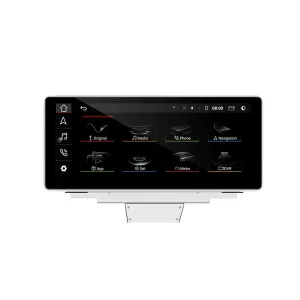
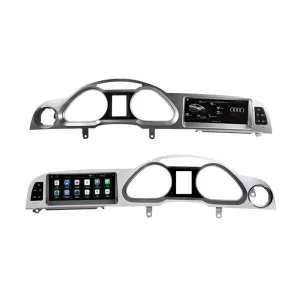
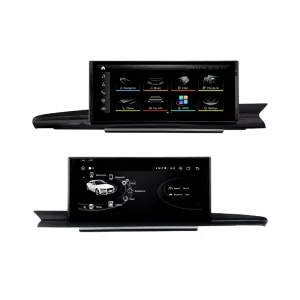
Audi Q5 CarPlay Screen for CarPlay, Android Auto and factory-style control
Cái Audi Q5 CarPlay Screen upgrades your Q5 infotainment experience with wireless CarPlay, Android Auto, DSP audio control, 4G/WiFi connectivity, camera support and a vehicle-specific screen prepared according to your factory system.

The system firmware version may be updated according to the current hardware batch and supported software release. iKAGOO checks your vehicle details before shipment to prepare the correct screen, harness and vehicle interface.
Bản nâng cấp iKAGOO này dành riêng cho từng loại xe Audi Q5 CarPlay Screen for supported Audi Q5 configurations, especially 2009–2017 Audi Q5 8R and confirmed 2018–2020 vehicle-system versions. It upgrades the factory infotainment experience with wireless CarPlay, Android Auto, GPS navigation, WiFi/4G, DSP sound tuning and camera support. Supported original functions such as steering-wheel controls, original Audi menu access, factory buttons, compatible camera input and factory audio connection continue to work after correct installation and configuration. Before shipment, iKAGOO checks whether your vehicle uses Concert, Symphony, Multimedia/MMI 3G or another factory system so the correct version can be prepared. The system firmware is prepared according to the current hardware batch and supported software release, so the product title does not lock the upgrade to one Android version.
Audi Q5 CarPlay Screen upgrade, hardware and factory-system details
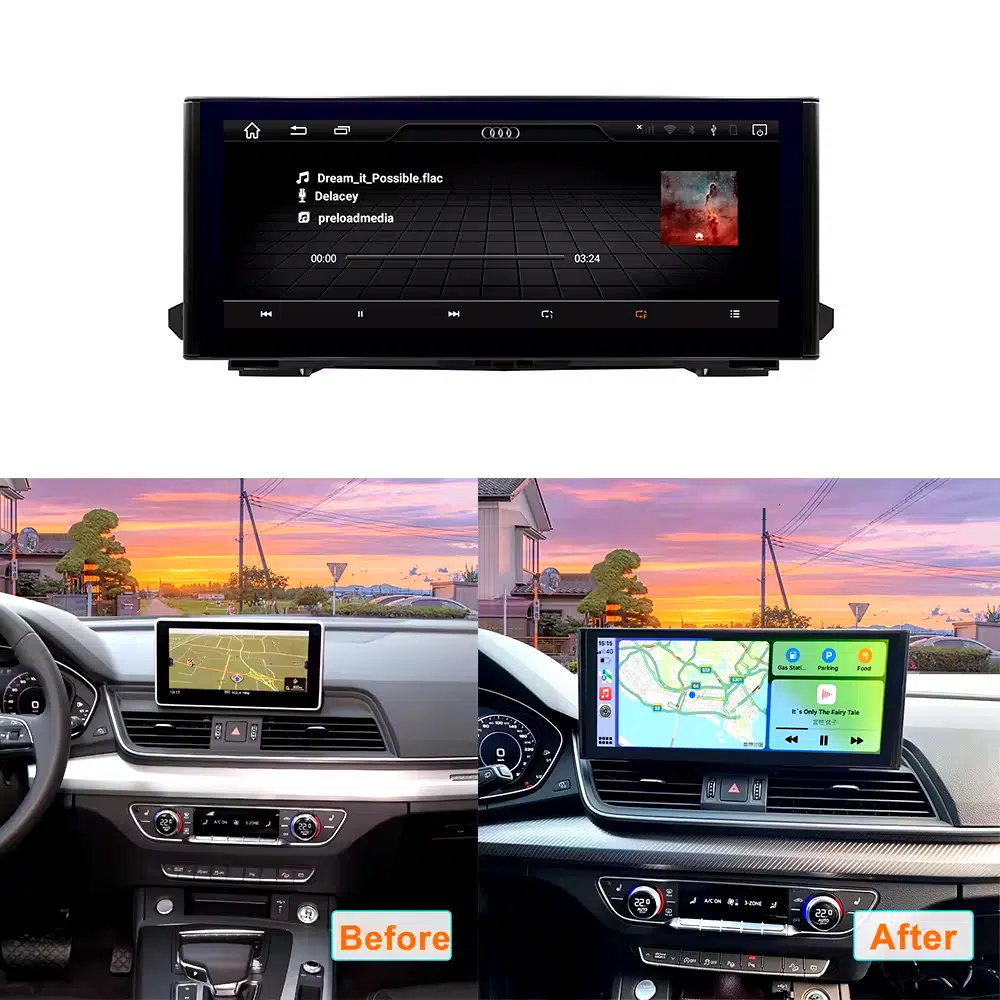
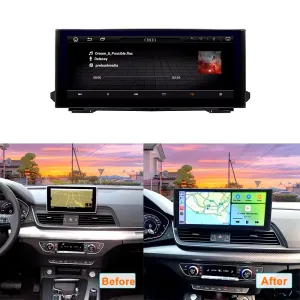
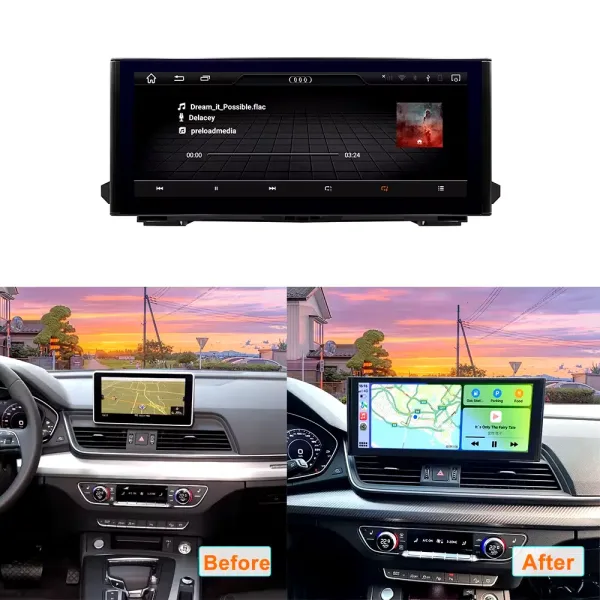
Before and after screen upgrade for the Q5 cabin
The upgrade replaces the older screen experience with a wider modern display that makes maps, music and phone functions easier to use every day.
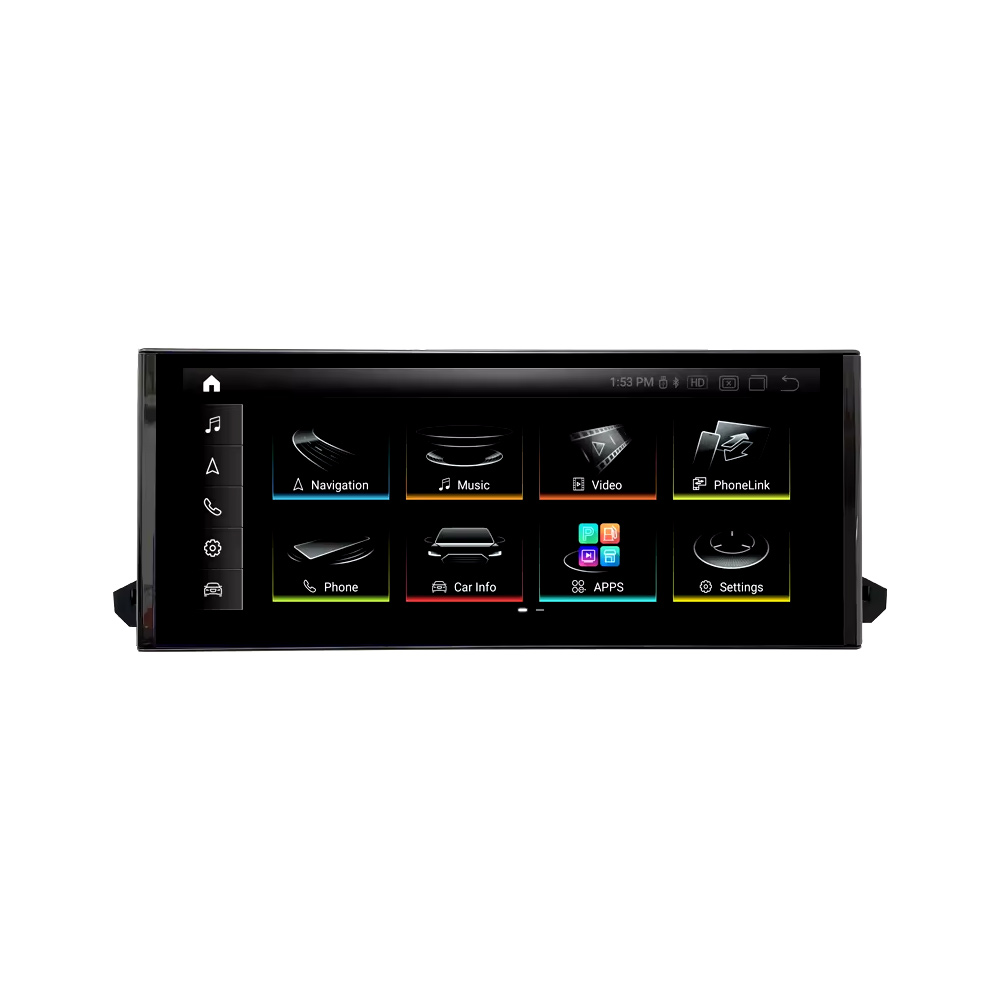
Clean front display with CarPlay-ready interface
The front screen gives your Q5 a modern CarPlay and Android Auto control surface while keeping a restrained Audi-style dashboard look.
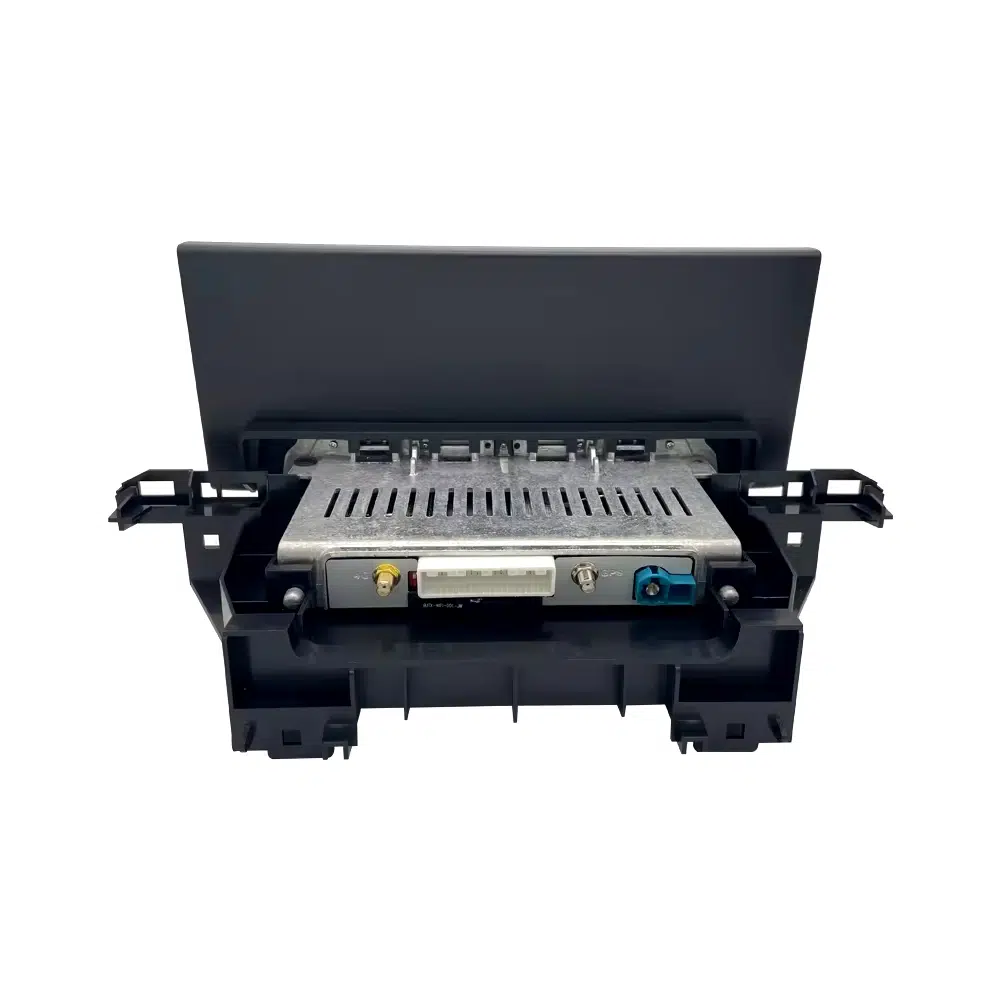
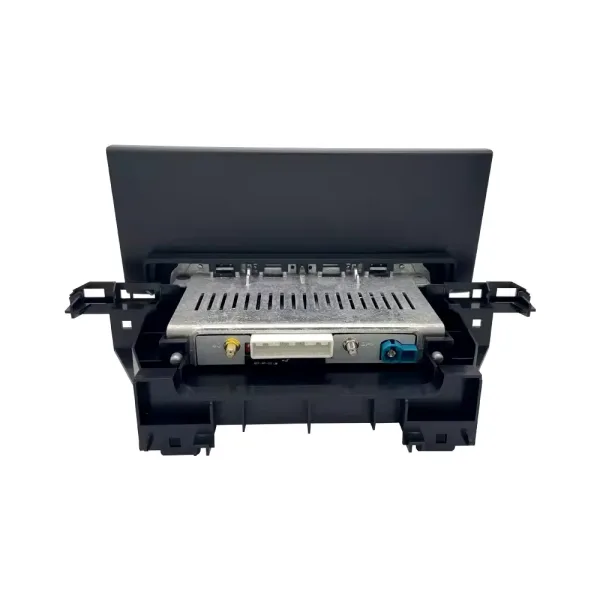
Rear ports and vehicle-specific hardware
The rear hardware layout matters because power, LVDS, antenna and vehicle-interface connections must match the correct Q5 factory system.
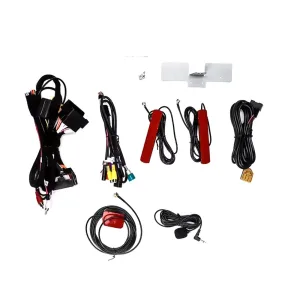
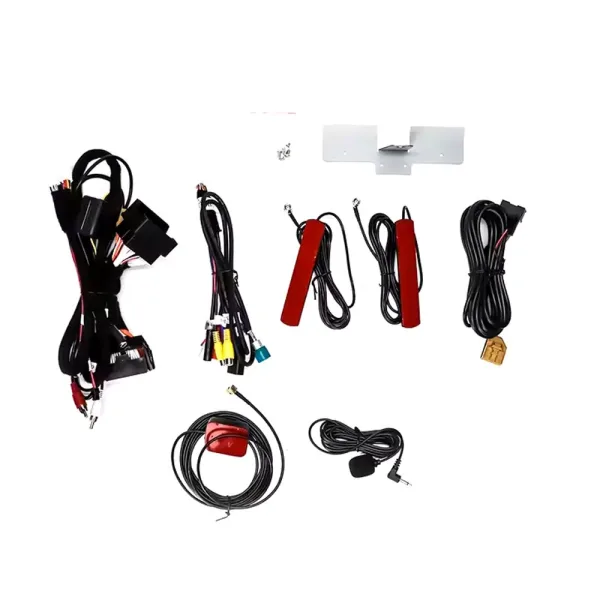
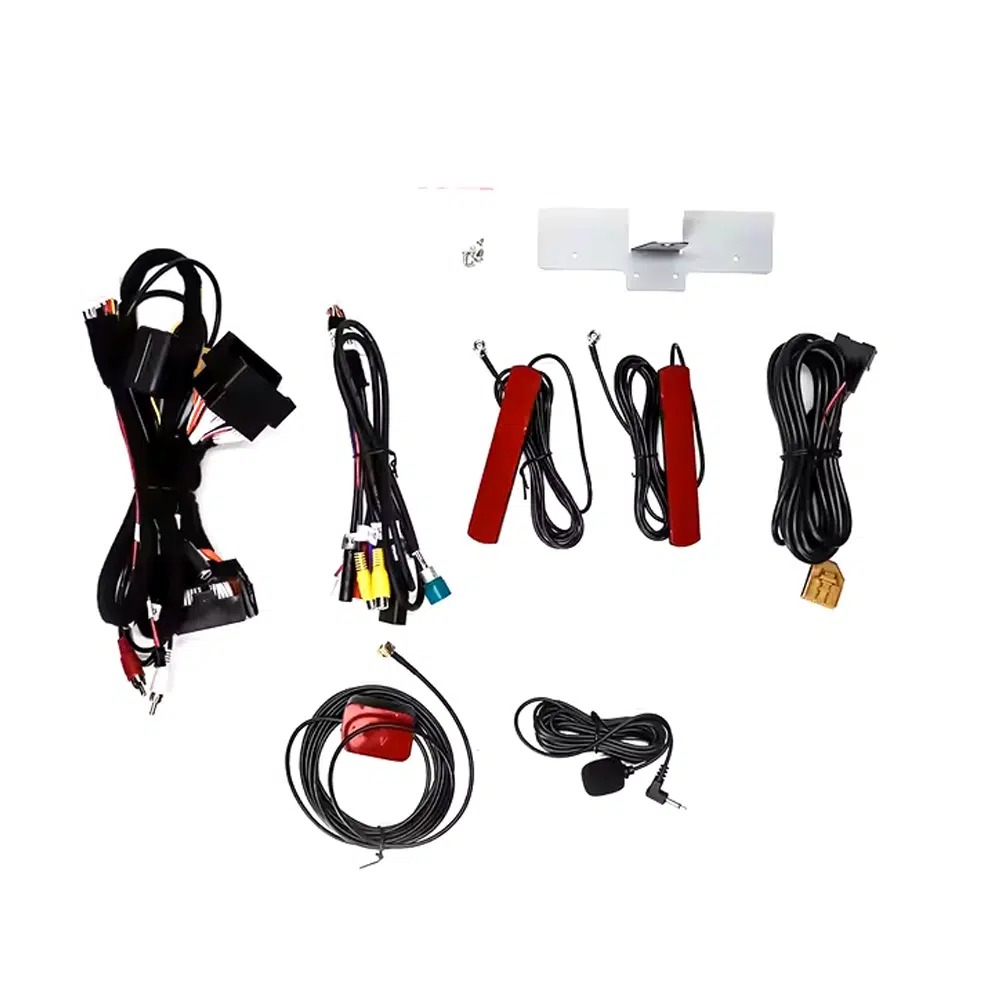
Harness, antennas and connection accessories
The wiring kit helps connect the screen, factory interface, GPS, WiFi, microphone and camera functions without intentionally cutting supported factory wiring.
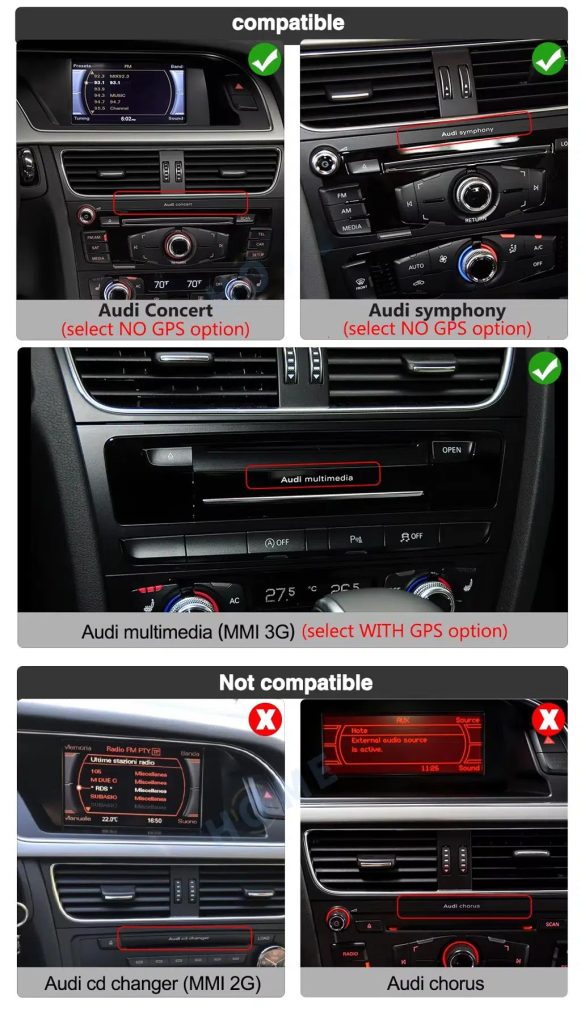
Choose the correct Audi factory radio type
Q5 owners often have different factory systems such as Concert, Symphony or Multimedia/MMI 3G. Send a dashboard photo before ordering so iKAGOO can prepare the correct version instead of relying only on the model name.
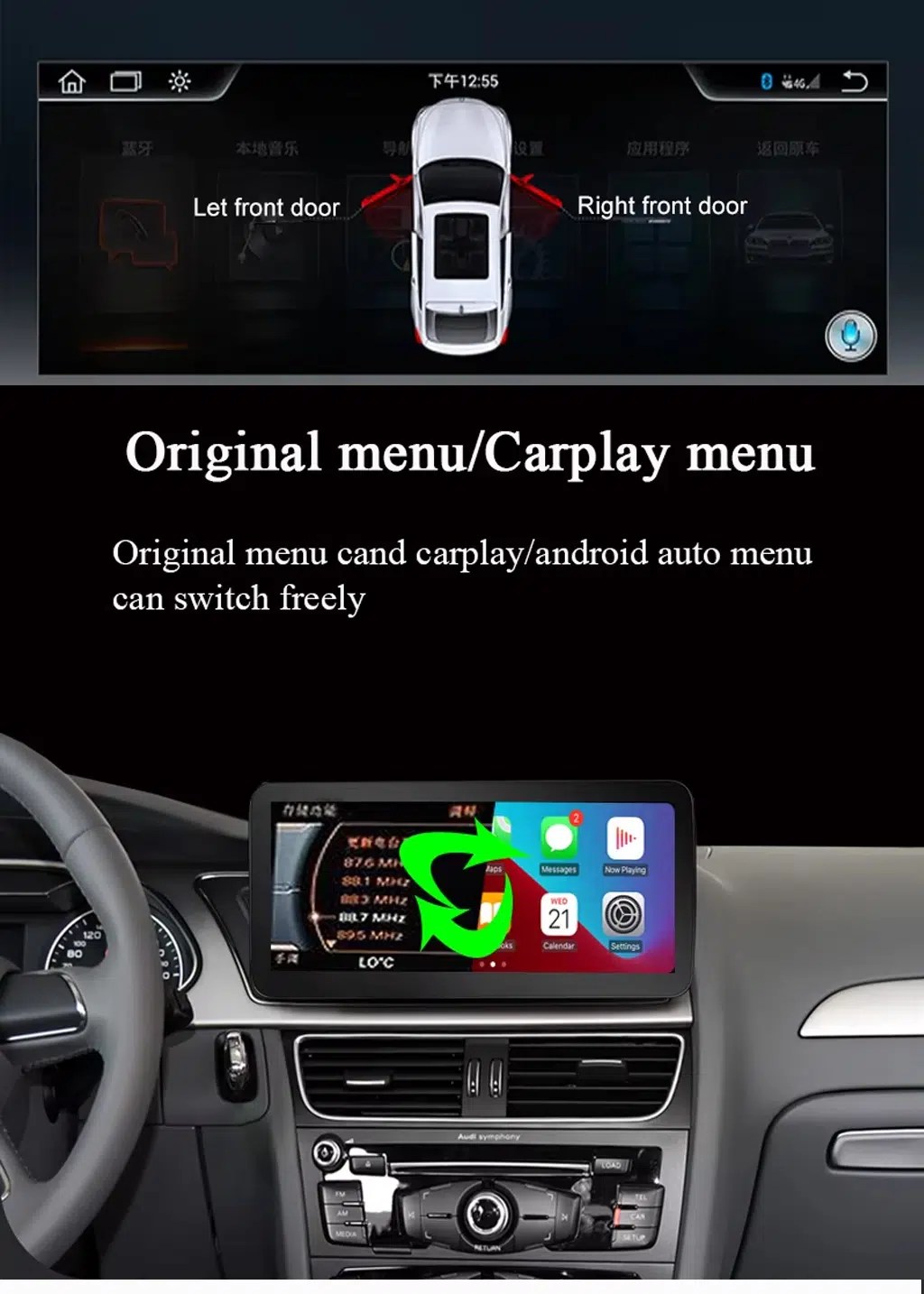
Original Audi menu and CarPlay menu switching
You can use CarPlay or Android Auto while still keeping access to supported original Audi menu functions after correct installation and configuration.
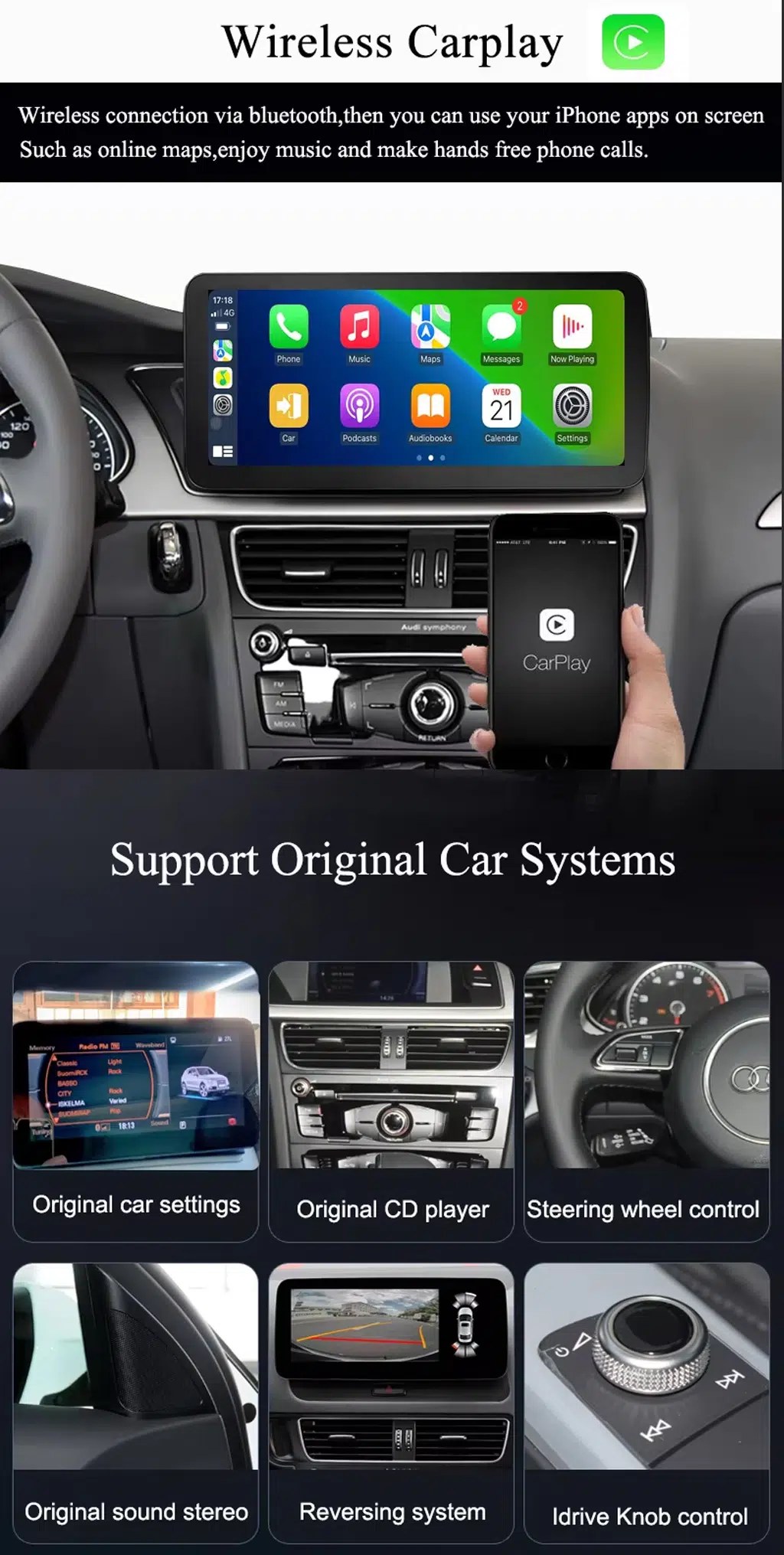
Wireless CarPlay with factory-function retention
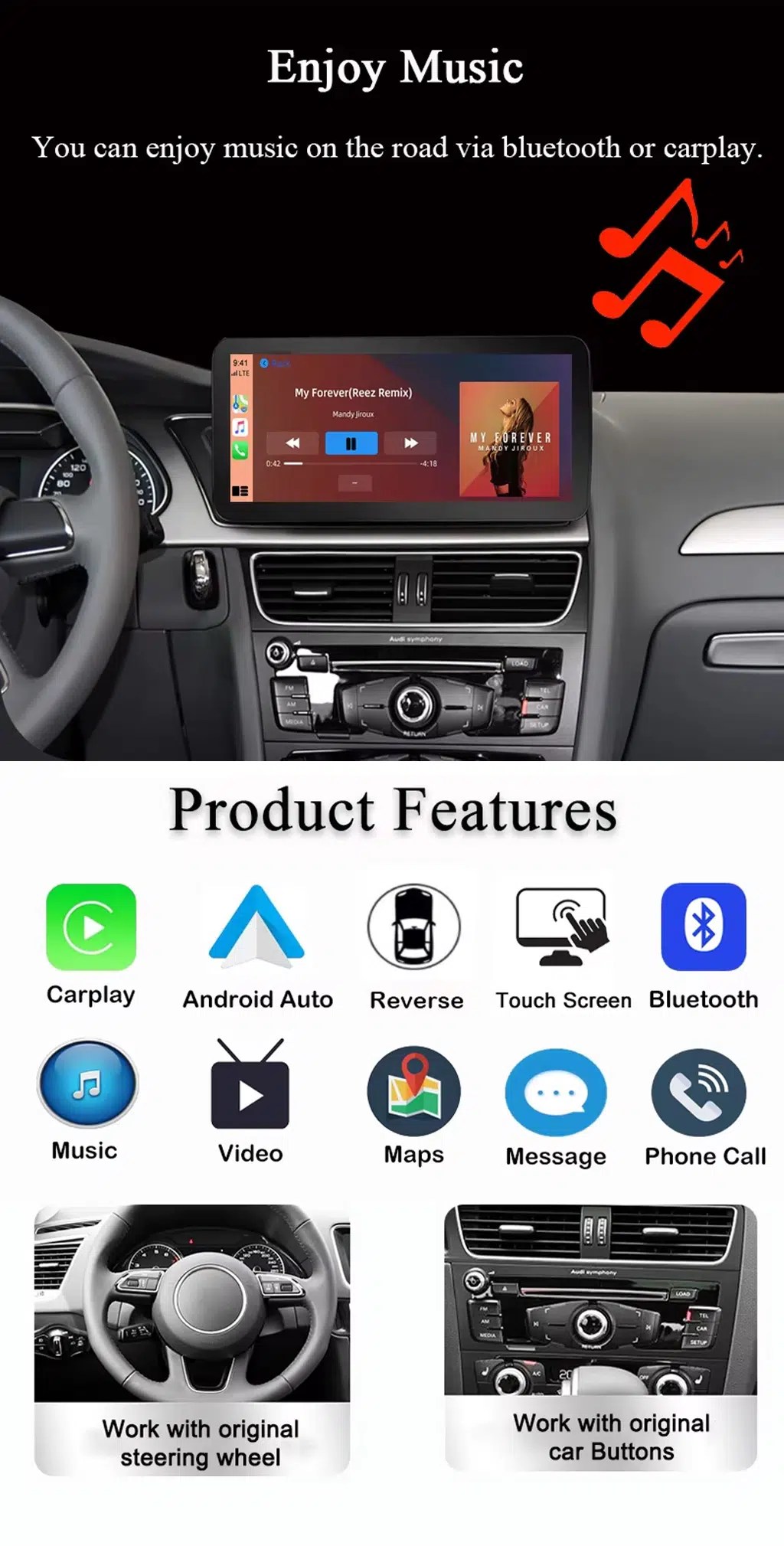
Wireless CarPlay gives your Q5 modern phone projection while supported original settings, CD player functions, steering-wheel controls, reverse display and knob control remain part of the experience.
Music, maps and everyday phone functions
The screen brings CarPlay, Android Auto, Bluetooth, maps, messages, video and phone calls into one easier daily-use interface.
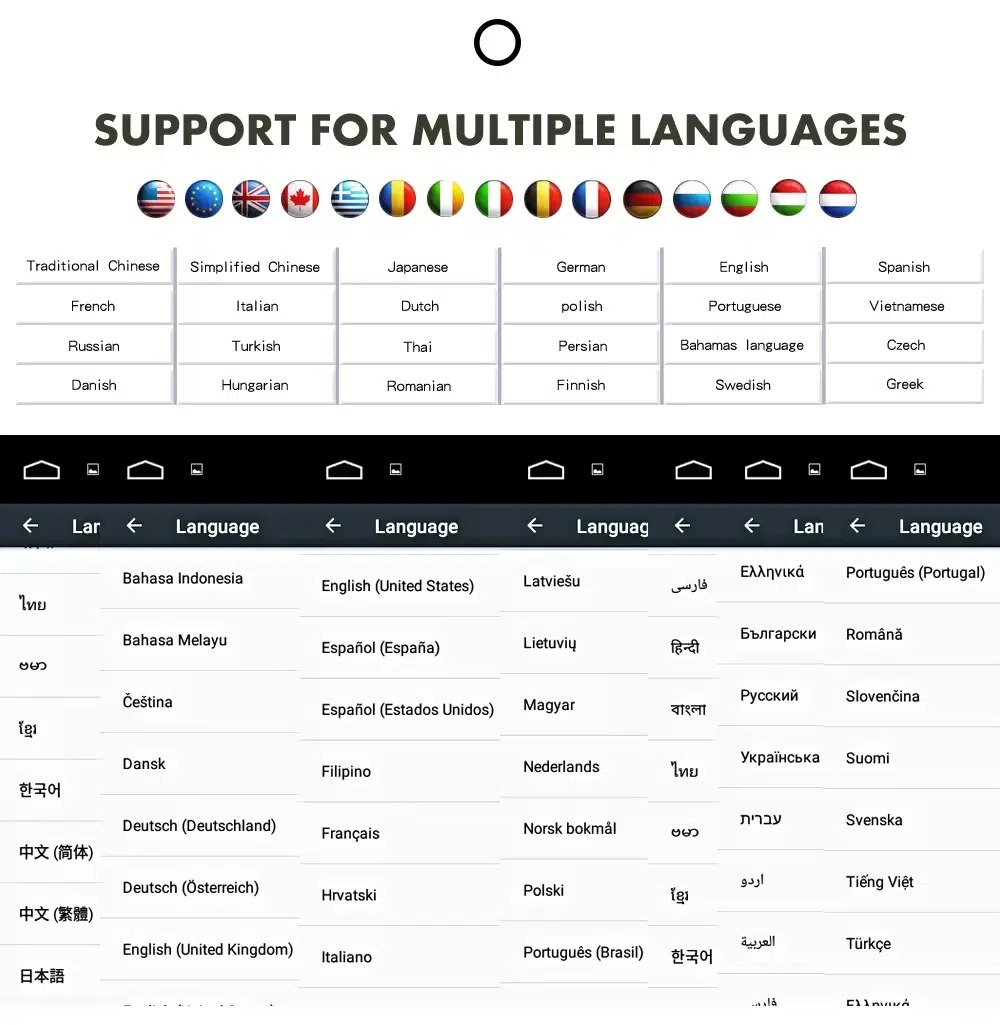
Multilingual interface for global use
The system supports multiple interface languages, helping owners in the US, UK, EU, Australia, New Zealand and other regions use the screen more comfortably.
Accessory set for the installation plan
The supplied cables and antennas help your installer complete power, LVDS, AUX, GPS, WiFi, USB audio and microphone connections correctly.
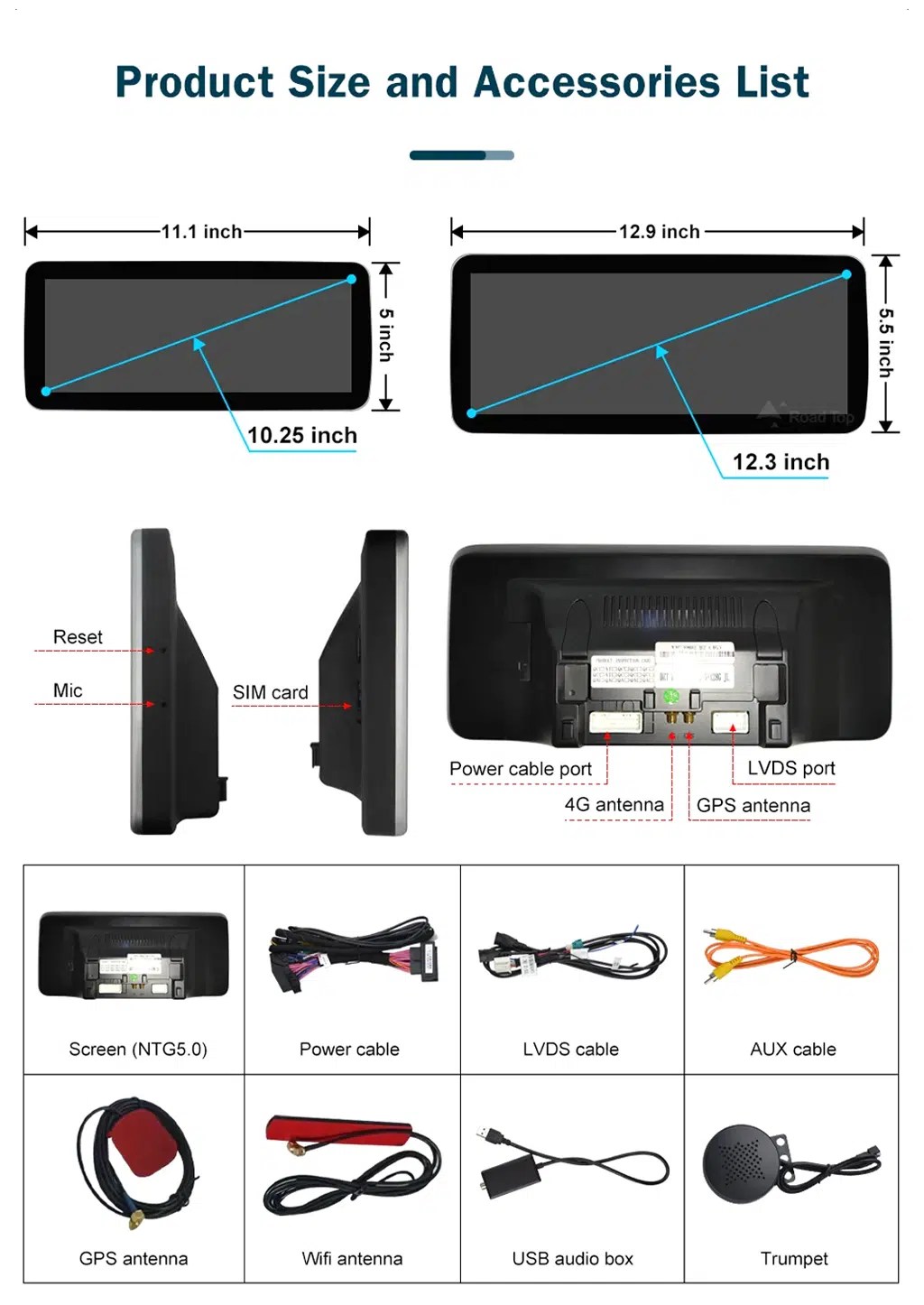
Screen size, rear ports and accessory layout
This layout helps you understand the screen body, rear ports and included accessories before installation, including power cable, LVDS cable, AUX cable, GPS antenna, WiFi antenna, USB audio box and microphone.
Audi Q5 CarPlay Screen upgrade for daily driving
Tích hợp điện thoại hiện đại
Wireless CarPlay and Android Auto make maps, calls, music and messages easier to use than the older factory screen workflow.
Full screen upgrade, not only a module
This is a full Audi Q5 screen upgrade with memory options, GPS, WiFi/4G, Bluetooth, DSP and camera support—not just a hidden CarPlay interface box.
Firmware prepared by current batch
The system version may be updated according to the current hardware batch and supported software release, so you are not buying a title locked to an outdated Android number.
Prepared by factory system
Your Q5 may use Concert, Symphony, Multimedia/MMI 3G or another configuration. iKAGOO checks your dashboard and radio type before shipment.
Factory control continuity
Supported original menu switching, steering-wheel controls, factory buttons, compatible camera input and audio connection remain usable after correct setup.
Kiểm soát âm thanh DSP
Bộ cân bằng âm thanh 32 dải tần DSP cho phép kiểm soát âm thanh phát ra tốt hơn so với các cài đặt âm thanh mặc định của nhà sản xuất.
Giữ nguyên hệ thống điều khiển của Audi khi nâng cấp màn hình
Các chức năng gốc được hỗ trợ
- Chức năng chuyển đổi menu gốc của Audi sẽ được hỗ trợ sau khi đã cấu hình đúng cách.
- Các nút điều khiển trên vô-lăng nguyên bản vẫn hoạt động bình thường thông qua giao diện tương thích với xe.
- Factory buttons and compatible knob/controller operation are retained where supported by the original system.
- Hỗ trợ màn hình camera lùi nguyên bản tương thích, đầu vào AHD và đầu vào camera CVBS.
- Kết nối hệ thống âm thanh nguyên bản của nhà máy và loa nguyên bản vẫn được hỗ trợ thông qua hệ thống dây dẫn và giao diện tương thích.
- Hệ thống giao tiếp CANBUS trên xe được hỗ trợ cho các dữ liệu xe tương thích và các chức năng đỗ xe.
What may need confirmation
Factory amplifier, Bang & Olufsen audio, non-standard cameras, previous aftermarket modifications, RHD dashboard layouts and uncommon regional configurations may require additional connection instructions. Send your vehicle photos before shipment so iKAGOO can prepare the correct version.
Audi Q5 Android Auto screen specifications
| Loại sản phẩm | Vehicle-specific Audi Q5 CarPlay Screen / Android head unit / Android car stereo |
|---|---|
| Mã sản phẩm | BBA-119 |
| Vehicle Options | 2009–2017 High Configuration, 2009–2017 Low Configuration, 2018–2020 configured versions |
| Hệ thống | Hệ thống iKAGOO dựa trên nền tảng Android. Phiên bản firmware cụ thể có thể được cập nhật tùy theo lô phần cứng hiện tại và phiên bản phần mềm được hỗ trợ. |
| Bo mạch chủ | Các tùy chọn nền tảng TSK8259 / TSK8667 |
| Bộ xử lý | 8 Core CPU; platform comparison lists Octa-core Cortex-A53 and CA75 + CA55 options |
| Các tùy chọn bộ nhớ | 4+64GB and 8+128GB DSP CarPlay as current selectable options; platform information also lists 2+32GB, 4+64GB, 6+128GB and 8+128GB |
| CarPlay / Android Auto | Hỗ trợ CarPlay không dây và Android Auto không dây |
| Điều hướng | GPS / Glonass; Hỗ trợ GPS và Beidou được liệt kê trong bảng so sánh nền tảng |
| Mạng | Hỗ trợ WiFi / 4G; WiFi 2,4 GHz / 5 GHz được liệt kê trong bảng so sánh nền tảng |
| Bluetooth | BT 4.0 / BT 5.0 tùy theo cấu hình |
| DSP | Bộ cân bằng âm thanh 32 dải tần DSP; khả năng hỗ trợ DSP tích hợp phụ thuộc vào nền tảng đã chọn và cấu hình bộ nhớ |
| Hỗ trợ máy ảnh | 360 Panorama, AHD rear view camera and CVBS rear view camera support where configured |
| Chức năng DVR | Hỗ trợ đầu ghi hình (DVR) USB phía trước/phía sau độ phân giải 1080P |
| Chức năng radio | FM/AM/RDS hoặc FM/RDS tùy theo cấu hình |
| Kích thước / Trọng lượng gói hàng | 40 × 24 × 20 cm; 4,2 kg |
Choose the correct Audi Q5 CarPlay Screen version
2009–2017 High Configuration
Select this only after confirming your original factory system, screen, buttons, camera and amplifier setup. High configuration usually needs a different vehicle-interface plan than low configuration.
2009–2017 Low Configuration
For lower factory-system versions, iKAGOO checks the radio faceplate, screen layout and connector photos before preparing the harness.
2018–2020 Configured Version
2018–2020 vehicles must be confirmed by dashboard and factory system photos. Do not select only by the badge name or market name.
4+64GB or 8+128GB DSP CarPlay
Choose 4+64GB for basic CarPlay, Android Auto, maps and music. Choose 8+128GB DSP CarPlay for smoother app use, more storage and stronger audio tuning.
Prepared for your Q5, not just shipped from a shelf
Các bước chuẩn bị dành riêng cho từng loại xe
iKAGOO checks your Audi Q5 model year, factory radio type, dashboard layout, LHD/RHD position and connector photos before shipment.
Kết hợp đúng màn hình và bộ dây cáp
Màn hình, bộ dây điện và bộ giao tiếp với xe được chuẩn bị dựa trên thông tin đặt hàng thực tế của quý khách nhằm giảm thiểu rủi ro giao nhầm phiên bản.
Current supported firmware
The supported software version is prepared according to the hardware batch, so the product is not presented as a fixed Android-version-only purchase.
Tích phân hàm ban đầu
The upgrade is planned around supported original Audi controls, original menu access, camera input and audio connection.
Bảo vệ hệ thống dây điện trong nhà máy
Phương pháp nối dây tương thích được thiết kế để thực hiện kết nối mà không cần phải cắt các dây điện nguyên bản được hỗ trợ.
Bảo hành phần cứng trong 12 tháng
Gói mua hàng của quý khách bao gồm dịch vụ bảo hành phần cứng trong 12 tháng cho các lỗi sản phẩm thuộc phạm vi bảo hành, cùng với dịch vụ vận chuyển quốc tế có theo dõi.
Ba bước kiểm tra thực tế trước khi nâng cấp
Sự cần thiết phải nâng cấp iKAGOO
Kết quả: Có lý do thuyết phục để nâng cấp.
This upgrade has high daily-use value for Q5 owners who want modern maps, wireless CarPlay, Android Auto, connected apps and a larger screen instead of only repairing the old factory unit.
Xem Tiêu chuẩn về mức độ cần thiết của việc nâng cấpKhả năng tương thích với các dòng xe của iKAGOO Original
Kết quả: Tích hợp hàng ngày gần như đạt tiêu chuẩn OEM khi phiên bản phù hợp đã được chuẩn bị và cài đặt.
Điểm số 88/100 không có nghĩa là 12% chức năng gốc bị mất. Điểm số này phản ánh tính liên tục của các chức năng gốc, tính liên tục của hệ thống điều khiển ban đầu, sự tích hợp giao diện xe, sự tương thích về kiến trúc vật lý và sự tích hợp trong quá trình lắp đặt.
Xem Tiêu chuẩn tương thíchMức độ khó khi cài đặt iKAGOO
Kết quả: Cấp độ 3 — Tự làm nâng cao.
Sản phẩm này phù hợp với những người có kinh nghiệm tự lắp đặt hoặc thợ lắp đặt điện tử ô tô. Quá trình lắp đặt đòi hỏi phải tháo rời bảng điều khiển một cách cẩn thận, kết nối dây điện phù hợp, đi dây ăng-ten/USB, thiết lập CANBUS và kiểm tra toàn bộ chức năng.
Xem Tiêu chuẩn về mức độ khó lắp đặtCarPlay module, factory repair, or full Audi Q5 Android head unit?
Keep old factory unit
Yêu cầu ít công sức nhất, nhưng trải nghiệm điều hướng và sử dụng điện thoại hàng ngày vẫn còn lạc hậu.
Repair or used factory radio
Tính năng này hữu ích để khôi phục lại chế độ hoạt động ban đầu, nhưng không thực sự mang lại trải nghiệm màn hình CarPlay hay Android Auto hiện đại.
Giao diện chỉ hỗ trợ CarPlay
Good if you only want phone projection, but it usually keeps the old screen size and does not give you a full display upgrade.
iKAGOO Audi Q5 CarPlay Screen
Best fit when you want a larger screen, wireless CarPlay, Android Auto, GPS, 4G/WiFi, DSP and retained original control integration.
Kết luận về việc mua hàng: Choose this iKAGOO upgrade if your goal is not only adding CarPlay, but making your Audi Q5 feel modern again while keeping supported factory functions usable.
Help iKAGOO prepare the correct Audi Q5 screen version
Vui lòng cung cấp
- Năm sản xuất của xe và khu vực thị trường.
- Vị trí lái bên trái hoặc bên phải.
- Ảnh bảng điều khiển hiển thị màn hình và bảng điều khiển ban đầu.
- Factory radio type: Concert, Symphony, Multimedia/MMI 3G or other.
- Hình ảnh các đầu nối nếu thiết bị cũ đã được tháo ra.
- Whether your vehicle has factory amplifier, Bang & Olufsen, factory reverse camera or parking radar.
- Xe có từng được độ lại hay không.
Vì sao điều này quan trọng
Audi Q5 vehicles are sold under different regional names and may use different factory systems, dashboards and connector structures. iKAGOO prepares the correct version according to vehicle generation, model year, dashboard layout, factory radio and connector configuration—not only the badge name.
Điều này giúp chúng tôi chuẩn bị màn hình, bộ dây điện, giao diện CANBUS, phần mềm hệ thống tương thích và sơ đồ kết nối xe phù hợp cho đơn hàng của quý khách.
Audi Q5 8R, SQ5 and 2018–2020 compatibility notes
This product page should be positioned for Audi Q5 buyers, not as a Q5L-only product for the Chinese market. For most US, UK, EU, Australian and New Zealand buyers, the primary model name is Audi Q5, and 2009–2017 vehicles are commonly searched as Audi Q5 8R.
The 2018–2020 option must be confirmed by dashboard photos, factory system photos and connector information before shipment. Do not assume that every 2018–2020 Audi Q5, every China-market Q5L or every regional dashboard uses the same hardware.
Installation work required for this Audi Q5 screen
Các bước cài đặt tiêu biểu
- Remove the relevant dashboard trim and original screen/control area carefully.
- Kết nối bộ dây nguồn phù hợp, cáp LVDS và bộ giao diện xe.
- Cáp kết nối ăng-ten GPS, ăng-ten WiFi/4G, cáp USB và micrô (nếu có).
- Connect camera input and audio output according to your Q5 configuration.
- Cài đặt giao thức CANBUS và các thiết lập màn hình.
- Kiểm tra các nút điều khiển trên vô-lăng, chức năng chuyển đổi menu gốc, hệ thống âm thanh, camera lùi, Bluetooth, CarPlay và Android Auto trước khi lắp ráp lại.
Hãy dừng quá trình cài đặt và liên hệ với iKAGOO nếu
- Đầu nối không khớp với bộ dây cáp đi kèm.
- Các chân cắm bị cong, hư hỏng hoặc không rõ ràng.
- Việc đi dây không phù hợp với bản vẽ hướng dẫn.
- Bạn nhận thấy có hiện tượng nóng bất thường, mùi lạ hoặc khói.
- Một cầu chì bị cháy liên tục.
- Không thể xác định được nguồn điện hay cực âm.
- Có người đề nghị cắt cụm dây điện chính của nhà máy.
- Hệ thống CANBUS, camera, bộ khuếch đại hoặc hệ thống âm thanh hoạt động bất thường và không thể giải thích được.
Hỗ trợ sau khi quý khách đặt hàng
Vận chuyển quốc tế có theo dõi
Các đơn hàng được vận chuyển kèm theo mã theo dõi. Thời gian giao hàng thông thường tùy thuộc vào từng khu vực và điều kiện của đơn vị vận chuyển.
Bảo hành phần cứng trong 12 tháng
Các lỗi phần cứng được bảo hành sẽ được hỗ trợ theo các điều khoản bảo hành của iKAGOO. Các hư hỏng do lắp đặt, sử dụng sai cách hoặc các thay đổi không được hỗ trợ sẽ không được coi là lỗi sản phẩm.
Hỗ trợ cài đặt
iKAGOO có thể hỗ trợ giải đáp các thắc mắc liên quan đến kết nối, camera, CANBUS, âm thanh và cài đặt sau khi giao hàng.
Để biết chi tiết đầy đủ về chính sách, vui lòng tham khảo các trang về vận chuyển, bảo hành và đổi trả hiện hành của iKAGOO trước khi đặt hàng.
Audi Q5 CarPlay Screen FAQ
Will this Audi Q5 CarPlay Screen fit my exact vehicle?
Answer: Yes, if your vehicle matches one of the supported configurations and the correct version is prepared. iKAGOO checks your model year, factory radio type, dashboard layout, LHD/RHD position and connector photos before shipment.
Why should this page use Audi Q5 instead of Audi Q5L?
Answer: Because Audi Q5 is the correct primary name for US, UK, EU, Australian and New Zealand buyers. Q5L is mainly a China-market long-wheelbase name, so iKAGOO uses Audi Q5, Audi Q5 8R and Audi SQ5 language for clearer international search and ordering.
Tại sao tiêu đề lại không đề cập đến một phiên bản Android cụ thể?
Trả lời: Bởi vì phần mềm hệ thống có thể thay đổi tùy theo lô phần cứng và phiên bản phần mềm được hỗ trợ. The title focuses on the stable buyer keyword, Audi Q5 CarPlay Screen, while iKAGOO prepares the current supported system version before shipment.
Đây là bản nâng cấp toàn màn hình hay chỉ là mô-đun CarPlay?
Answer: This is a full screen upgrade, not only a hidden CarPlay interface module. It supports wireless CarPlay and Android Auto, but it also includes memory options, GPS, WiFi/4G, Bluetooth, DSP and camera support.
How do I know if my Q5 is High Configuration or Low Configuration?
Answer: Send your dashboard and factory radio photos before shipment. The screen version depends on whether your vehicle uses Concert, Symphony, Multimedia/MMI 3G or another original system, not only the model year.
Sau khi cài đặt, menu gốc của Audi có còn hoạt động không?
Trả lời: Có, chức năng chuyển đổi menu gốc của Audi vẫn được duy trì sau khi cài đặt và cấu hình đúng cách. Điều này cho phép bạn sử dụng CarPlay hoặc Android Auto đồng thời vẫn có thể truy cập các chức năng được hỗ trợ của hệ thống nguyên bản.
Các nút điều khiển trên vô-lăng và các nút gốc của xe có còn hoạt động không?
Trả lời: Có, các nút điều khiển trên vô-lăng được hỗ trợ và các nút gốc vẫn tiếp tục hoạt động thông qua giao thức CANBUS tương thích và giao diện kết nối với xe. Hành vi của chức năng có thể khác nhau tùy theo hệ thống nhà máy, khu vực và các sửa đổi trước đó.
Nó có hỗ trợ camera lùi nguyên bản hay camera lùi khi đỗ xe không?
Answer: Yes, compatible factory reverse-camera input, AHD camera input and CVBS camera input are supported. If your Audi Q5 has a factory camera, aftermarket camera, parking radar or special camera interface, send photos before shipment so iKAGOO can prepare the correct connection plan.
Does it work with Bang & Olufsen or a factory amplifier?
Answer: It may be supported when the correct interface and wiring plan are prepared. Please tell iKAGOO whether your Q5 has factory amplifier or Bang & Olufsen audio before shipment.
Tôi có cần phải cắt dây điện gốc của Audi không?
Trả lời: Không cần phải cắt cố ý bất kỳ dây điện nào của nhà máy được hỗ trợ. Việc nâng cấp sử dụng bộ dây điện và giao diện xe tương thích. Nếu kỹ thuật viên lắp đặt cho biết phải cắt bộ dây điện chính của nhà máy, hãy dừng việc lắp đặt và liên hệ với iKAGOO trước.
Can this work on right-hand-drive Audi Q5 models?
Trả lời: Có thể hỗ trợ được, nhưng phải xác nhận là xe lái bên phải (RHD) trước khi giao hàng. Vui lòng cung cấp thông tin về khu vực thị trường, ảnh chụp bảng điều khiển và ảnh chụp hệ thống ban đầu để iKAGOO có thể chuẩn bị cấu hình màn hình và hệ thống dây điện phù hợp.
Is every 2018–2020 Audi Q5 supported?
Answer: Not automatically. The product page includes a 2018–2020 option, but iKAGOO must confirm your actual dashboard, factory system and connectors before preparing that version.
Who should install this Audi Q5 screen?
Trả lời: Nên nhờ đến một thợ lắp đặt tự làm có kinh nghiệm hoặc thợ lắp đặt thiết bị điện tử ô tô. Đây là một quá trình lắp đặt cấp độ 3 vì nó yêu cầu tháo rời bảng điều khiển, kết nối cụm dây điện, đi dây ăng-ten và cổng USB, thiết lập hệ thống CANBUS, kiểm tra camera/âm thanh và kiểm tra toàn bộ chức năng trước khi lắp ráp lại.
Make your Audi Q5 feel modern again
Choose your memory and vehicle-system configuration above. If you are unsure, send your Audi Q5 year, dashboard photo, factory radio photo, LHD/RHD information, camera and amplifier details before shipment so iKAGOO can prepare the correct version.


Evan Carter –
Đã lắp đặt thiết bị này trên Q5L 2015 của tôi. Vừa khít OEM hoàn hảo — không cần cắt gọt hay chỉnh sửa gì. Giao diện Android mượt mà và CarPlay kết nối không dây ổn định mỗi lần. Chất lượng âm thanh với DSP là một cải thiện lớn so với nguyên bản.
Harrison Sterling –
Complete life-saver for my 2013 Audi Q5 with the basic Concert radio! The tiny stock display was an absolute joke. This 10.25-inch touchscreen completely brought the interior into the modern era. Wireless Apple CarPlay connects flawlessly within 5 seconds of turning the key. I was worried about audio quality since my car lacks MMI, but routing the music through the factory AUX line sounds incredibly crisp with absolutely zero background alternator whine. Highly recommended!