


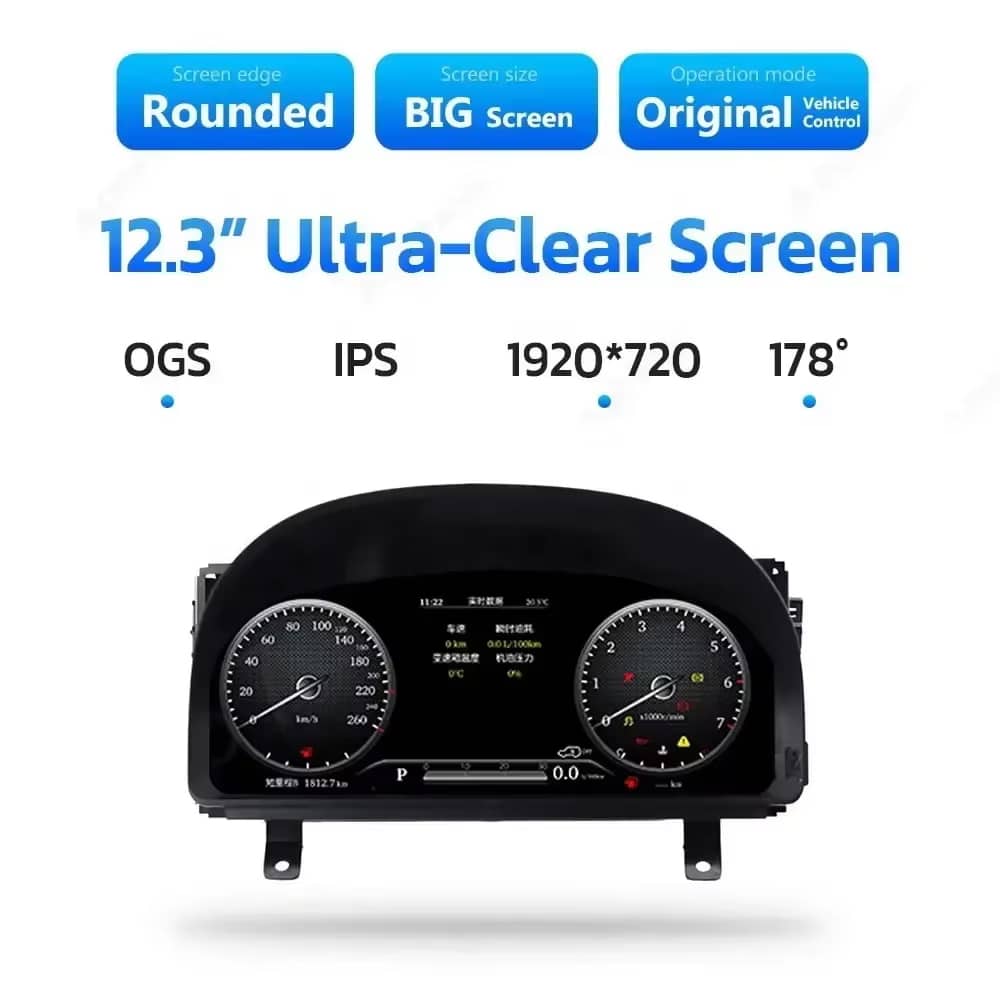
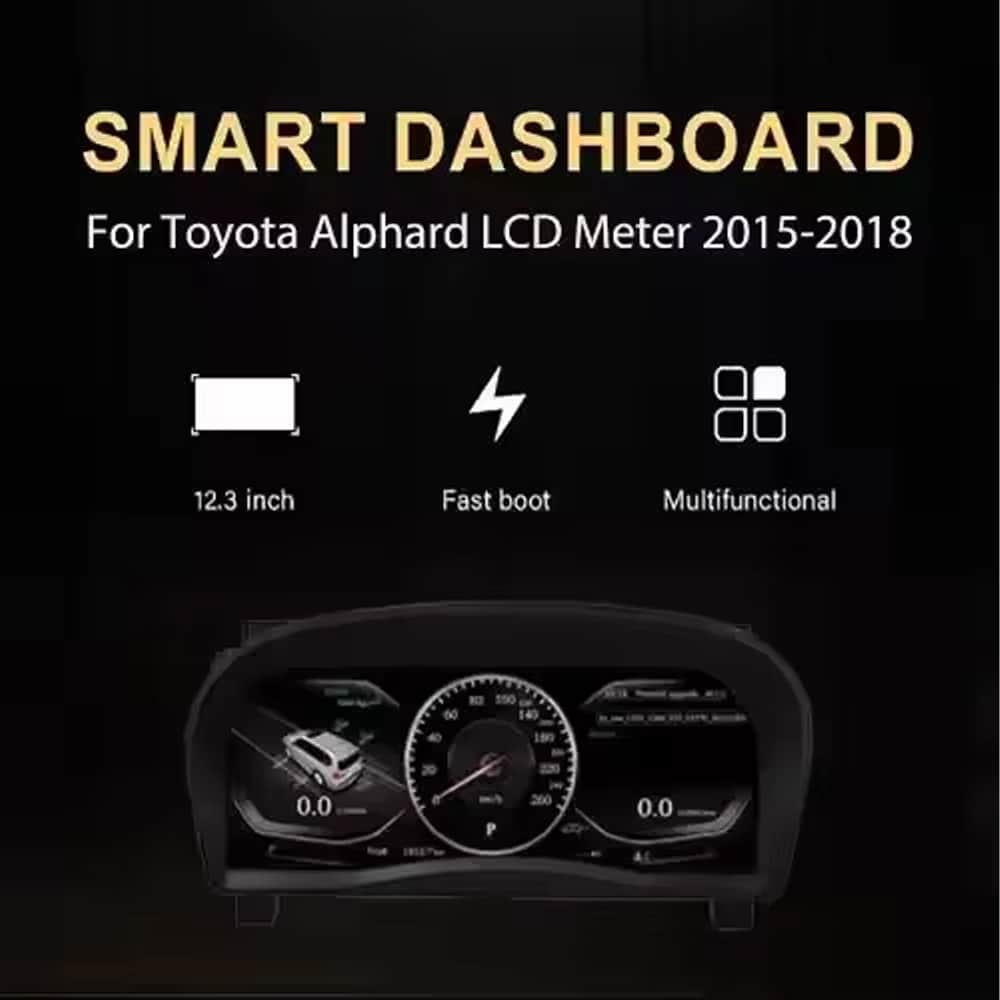
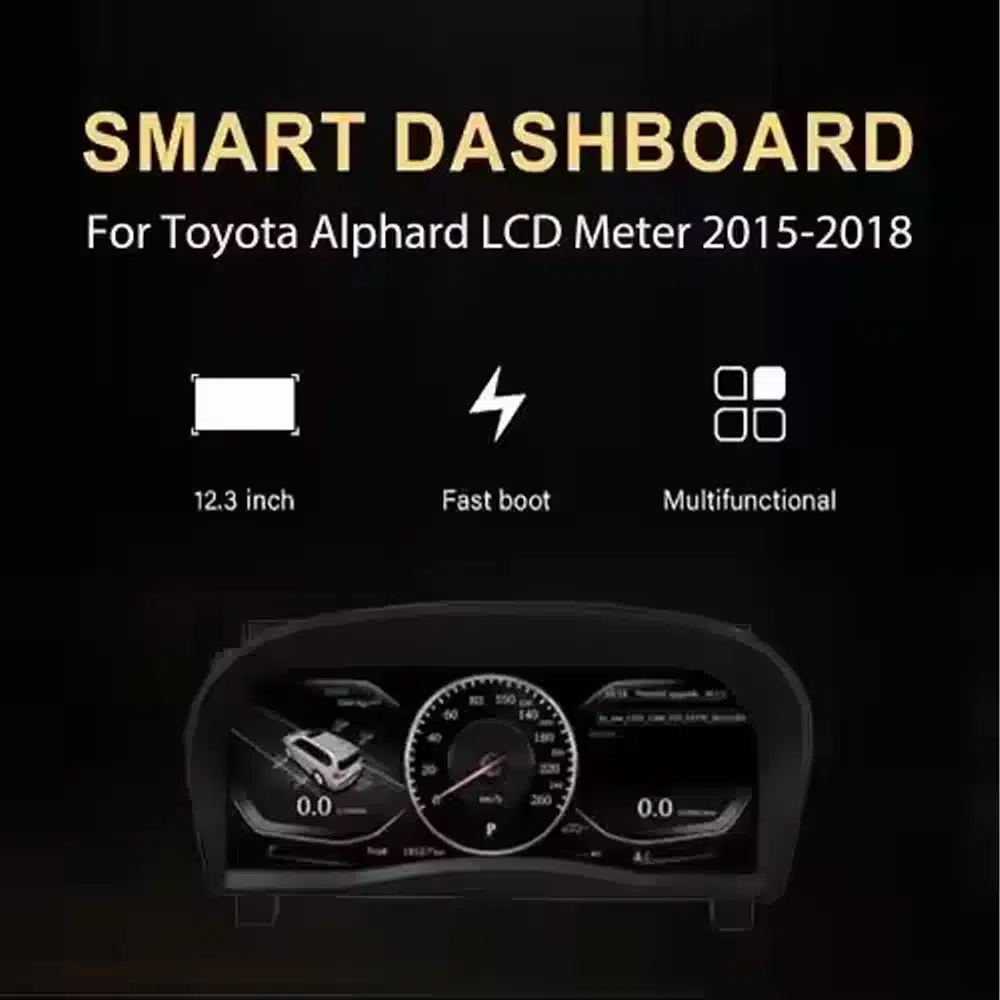
Màn hình 12.3 inch rõ nét
Màn hình rộng 1920×720 giúp hiển thị tốc độ, vòng tua máy, số và thông tin xe dễ nhìn hơn từ vị trí người lái.

| Cân nặng | 6 kg |
|---|---|
| Kích thước | 48 × 38 × 28 cm |
| Xe hỗ trợ | Alphard 20 Series(2008-2019) |
| Khả năng tương thích của sản phẩm | Cắm là chạy |
| Nguồn gốc sản phẩm | Không phải sản phẩm chính hãng |


$995.00 Giá gốc là: $995.00.$785.00Giá hiện tại là: $785.00.

Chúng tôi sẽ chịu trách nhiệm thanh toán thuế GTGT và thuế nhập khẩu áp dụng đối với các đơn hàng đủ điều kiện từ EU và Hoa Kỳ. Số tiền tiết kiệm ước tính: $120–$280 .
Phí vận chuyển được tính riêng. Chi phí vận chuyển chính xác được tính dựa trên địa điểm nhận hàng và sẽ được hiển thị trong giỏ hàng của bạn trước khi thanh toán.
Phí vận chuyển cuối cùng được xác nhận dựa trên địa chỉ giao hàng của bạn tại bước thanh toán.
Kiểm tra khả năng tương thích, bảo vệ khả năng tương thích toàn diện, bảo hành phần cứng 12 tháng và hỗ trợ liên tục sau khi cài đặt.
 Chính sách bảo vệ hoàn tiền đầy đủ
Đảm bảo tính tương thích
Đã xác nhận là không tương thích với xe của bạn? Bạn sẽ được hoàn lại toàn bộ số tiền.
→
Chính sách bảo vệ hoàn tiền đầy đủ
Đảm bảo tính tương thích
Đã xác nhận là không tương thích với xe của bạn? Bạn sẽ được hoàn lại toàn bộ số tiền.
→
 12-Month Bảo hành phần cứng
Sản phẩm được bảo hành phần cứng trong 12 tháng đầu tiên.
→
Dịch vụ hỗ trợ sau bán hàng dài hạn
Hướng dẫn sử dụng phần mềm, hỗ trợ linh kiện và điều phối việc sửa chữa luôn được liên kết với đơn hàng ban đầu của quý khách.
→
12-Month Bảo hành phần cứng
Sản phẩm được bảo hành phần cứng trong 12 tháng đầu tiên.
→
Dịch vụ hỗ trợ sau bán hàng dài hạn
Hướng dẫn sử dụng phần mềm, hỗ trợ linh kiện và điều phối việc sửa chữa luôn được liên kết với đơn hàng ban đầu của quý khách.
→
Mục tiêu của chúng tôi là đảm bảo đơn hàng của bạn chính xác trước khi rời khỏi chúng tôi. Chúng tôi kiểm tra tính tương thích, chuẩn bị cấu hình chính xác và chỉ liên hệ với bạn nếu có điều gì cần xác nhận.

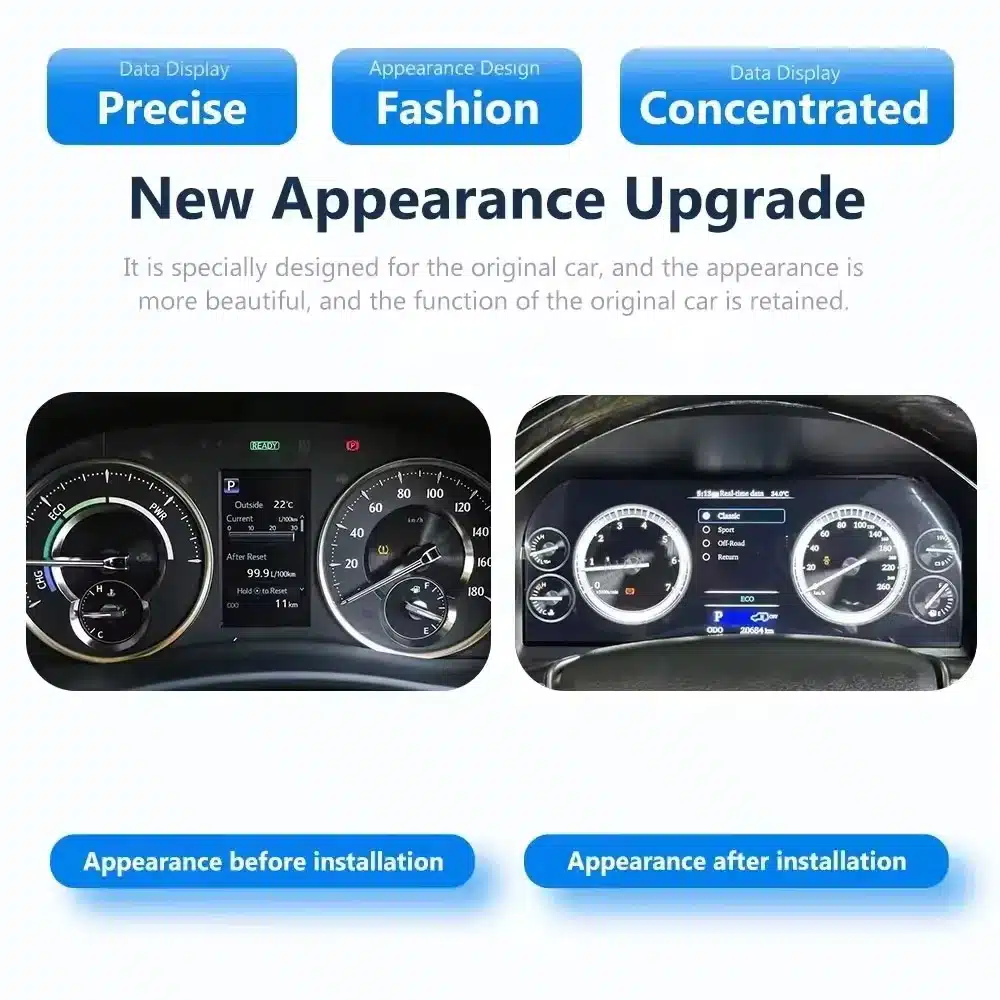
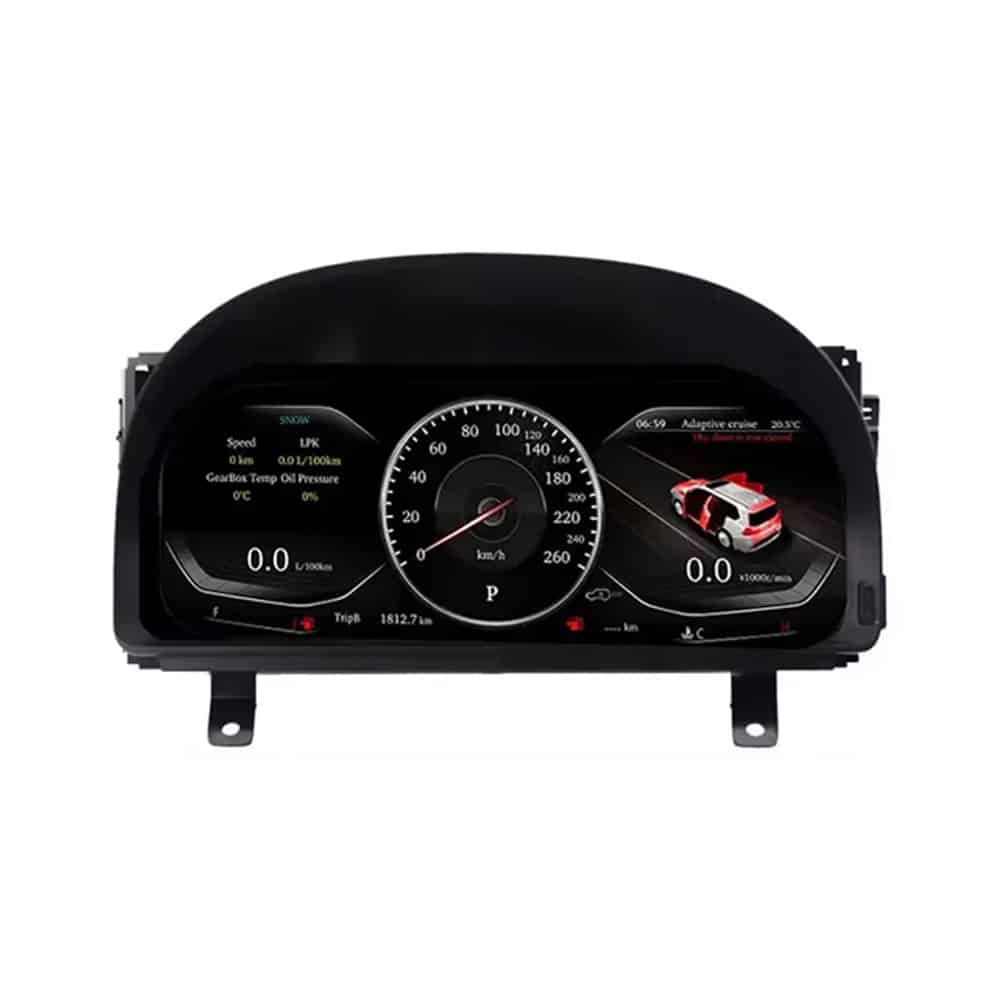
Cái Cụm đồng hồ kỹ thuật số Toyota Alphard 20 Series thay thế cụm đồng hồ nguyên bản bằng màn hình LCD Linux 12.3 inch, 1920×720. Nó mang đến cho bạn góc nhìn kỹ thuật số rõ ràng hơn về tốc độ, vòng tua máy, vị trí số, thông tin nhiên liệu, nhiệt độ, quãng đường và các cảnh báo xe được hỗ trợ, đồng thời giữ cho bố cục bảng điều khiển tích hợp với xe.
Đây là bản nâng cấp cụm đồng hồ hoàn chỉnh, không phải radio Android hay mô-đun chỉ dành riêng cho CarPlay. iKAGOO kiểm tra năm đời xe, ảnh bảng điều khiển, thông số thị trường, vị trí tay lái và cấu hình đầu nối nguyên bản trước khi vận chuyển để có thể chuẩn bị đúng cụm đồng hồ và dây điện tương thích cho đơn hàng của bạn.
Sản phẩm này là cụm đồng hồ tốc độ LCD toàn phần dành riêng cho dòng xe Toyota Alphard 20, thường được liên kết với bảng táp-lô thế hệ thứ hai được giới thiệu từ 2008 cho đến khi chuyển sang mẫu 2015. Sản phẩm thay thế cụm đồng hồ nguyên bản và hiển thị các thông tin vận hành và xe được hỗ trợ thông qua bố cục kỹ thuật số hiện đại.
Các năm đăng ký có thể chồng chéo giữa các thị trường. Gửi iKAGOO một bức ảnh rõ ràng về cụm đồng hồ và bảng táp-lô hiện tại của bạn trước khi giao hàng. Khách hàng sử dụng bảng táp-lô 2015–2019 đời sau nên sử dụng phiên bản cụm đồng hồ thế hệ mới riêng được hiển thị ở phía dưới trang này.
Giá trị không chỉ giới hạn ở màn hình lớn hơn. Bản nâng cấp này thay đổi thông tin bạn nhìn thấy mỗi khi lái xe và mang lại cho khoang lái Alphard đời cũ một giao diện kỹ thuật số gọn gàng, sạch sẽ hơn.
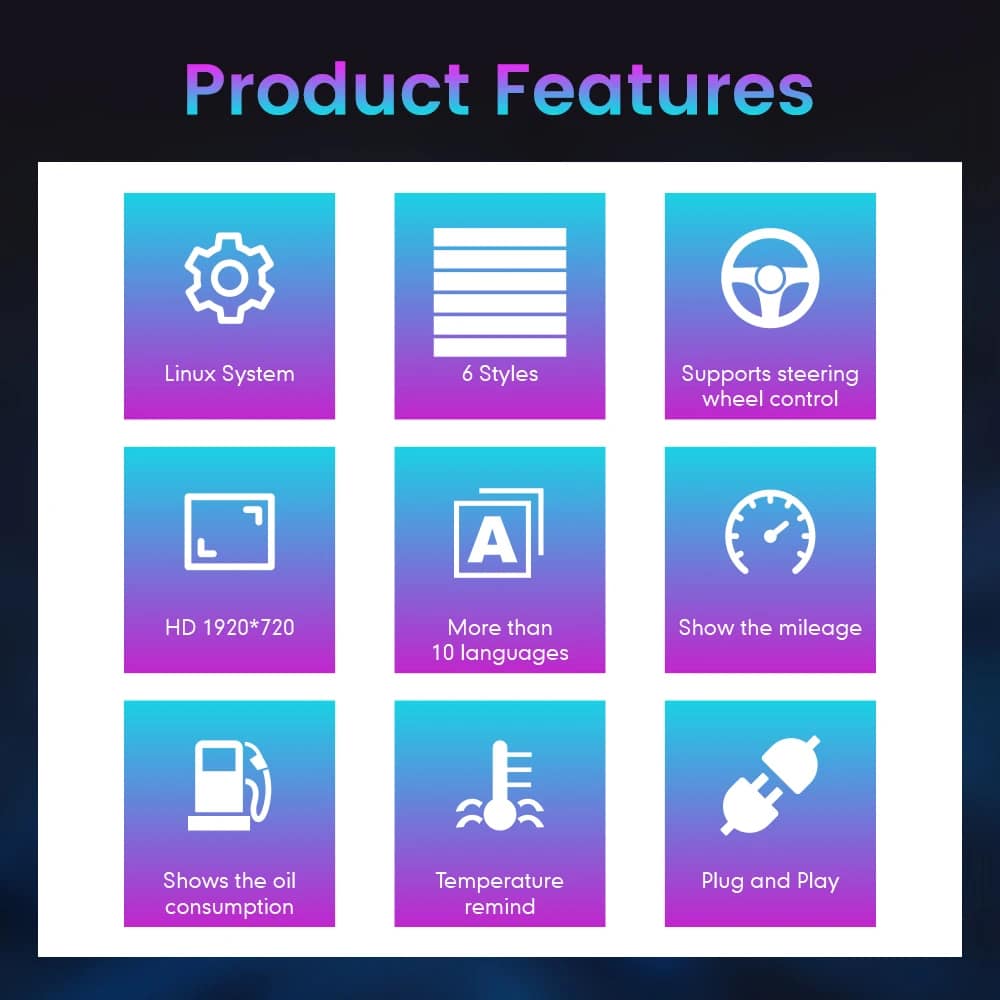
Màn hình rộng 1920×720 giúp hiển thị tốc độ, vòng tua máy, số và thông tin xe dễ nhìn hơn từ vị trí người lái.
Chọn từ nhiều chủ đề và bố cục đồng hồ khác nhau. Bộ chủ đề cụ thể phụ thuộc vào phiên bản cụm đồng hồ được chuẩn bị cho xe của bạn.
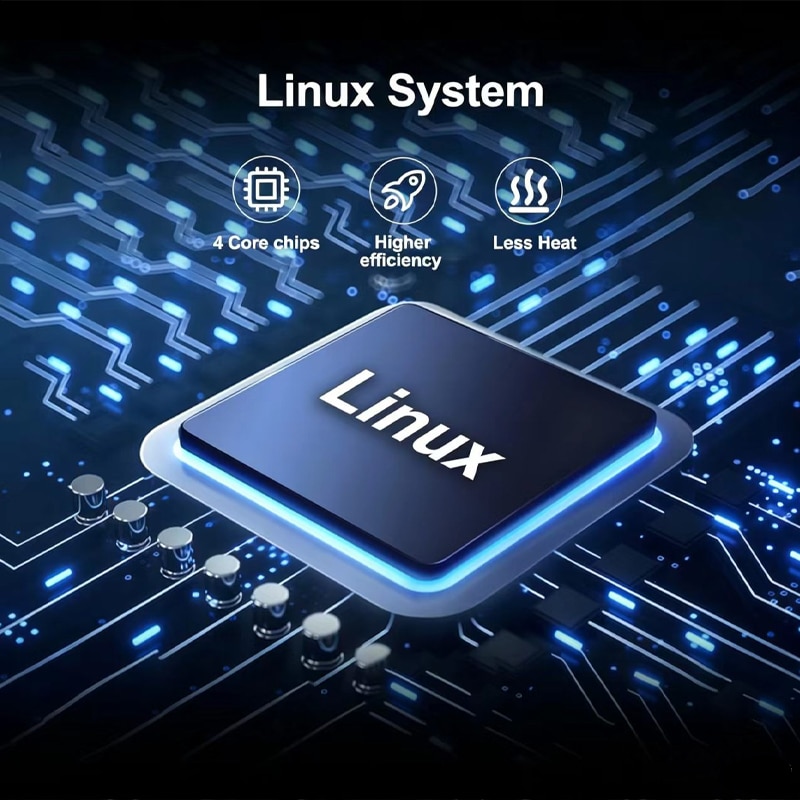
Cụm đồng hồ sử dụng hệ thống thiết bị Linux chuyên dụng được thiết kế để khởi động nhanh và truy cập trực tiếp thông tin lái xe.
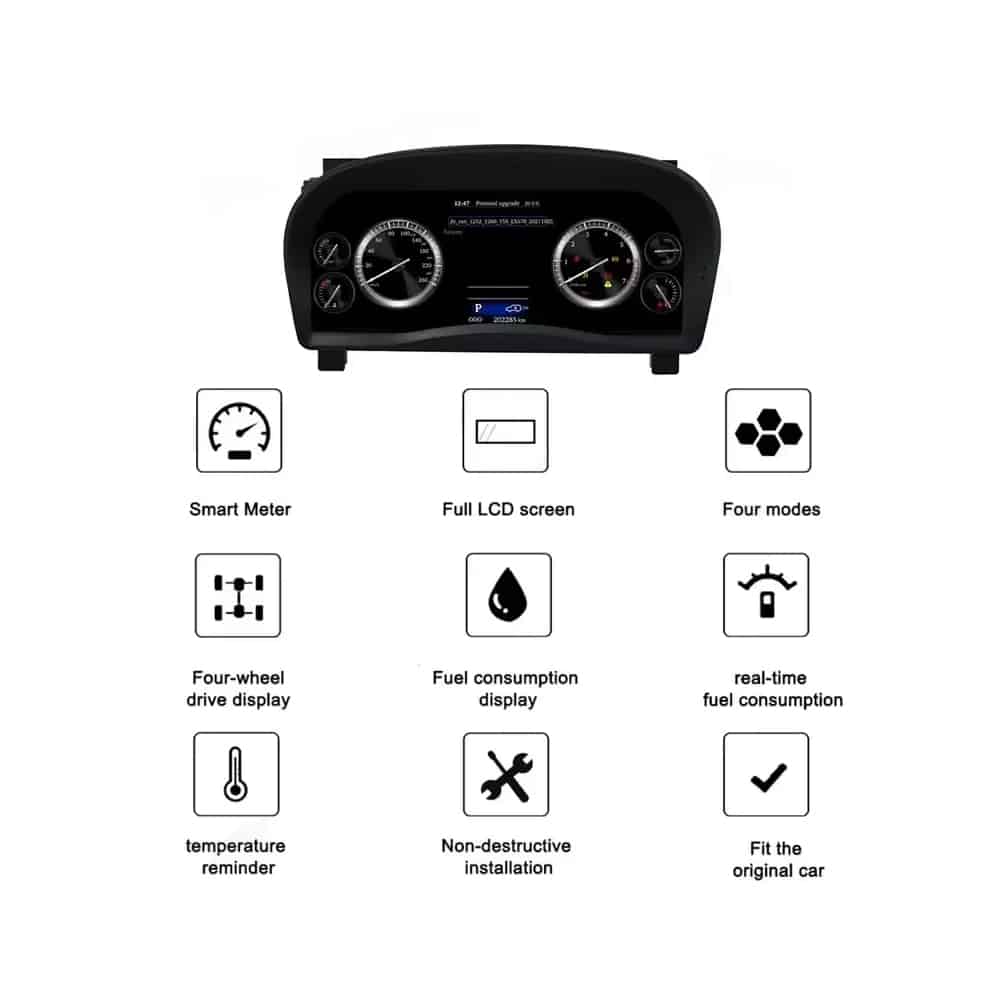
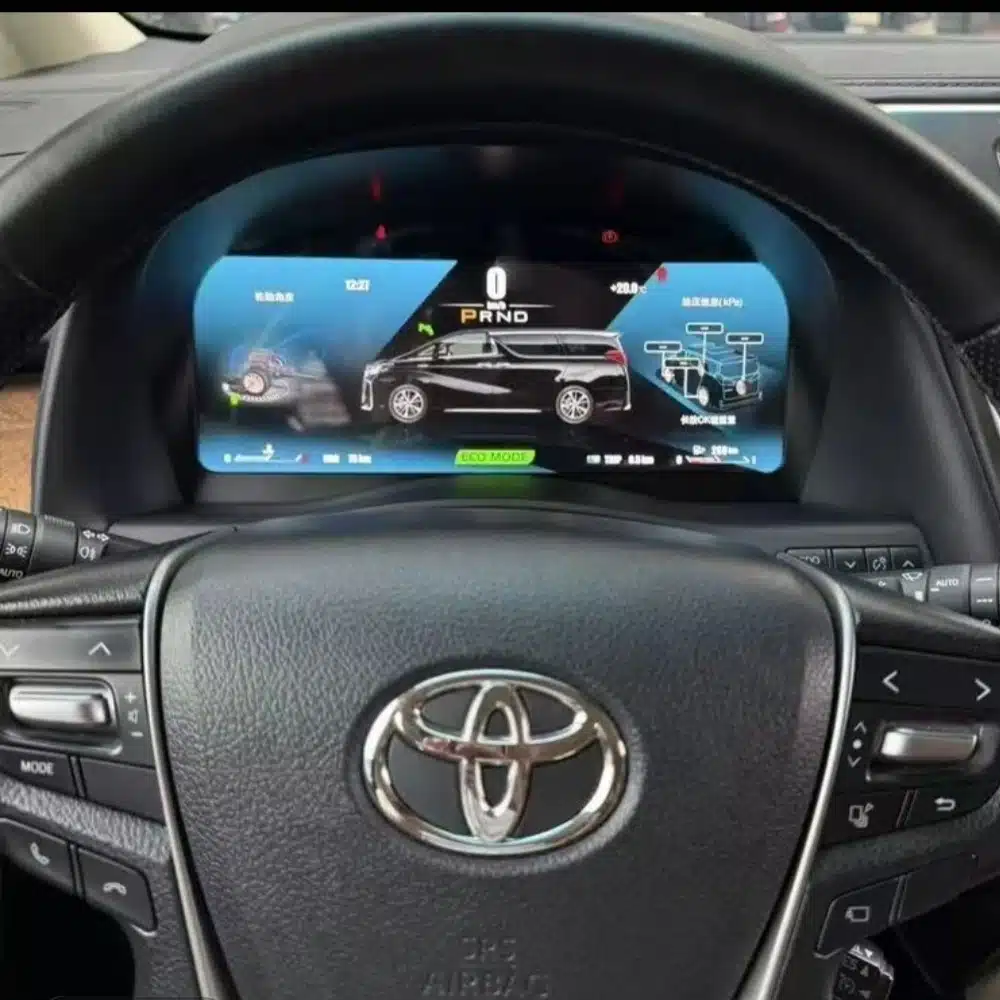
Các thông tin được hỗ trợ như tốc độ, vòng tua máy, số, nhiên liệu, nhiệt độ, quãng đường, mức tiêu thụ và cảnh báo tiếp tục được hiển thị.
MPH hoặc KM/H, ngôn ngữ giao diện và chi tiết xe theo khu vực có thể được kiểm tra như một phần của quá trình chuẩn bị đơn hàng của bạn.
iKAGOO chuẩn bị cụm đồng hồ và bố trí dây điện phù hợp theo thông tin xe bạn cung cấp.
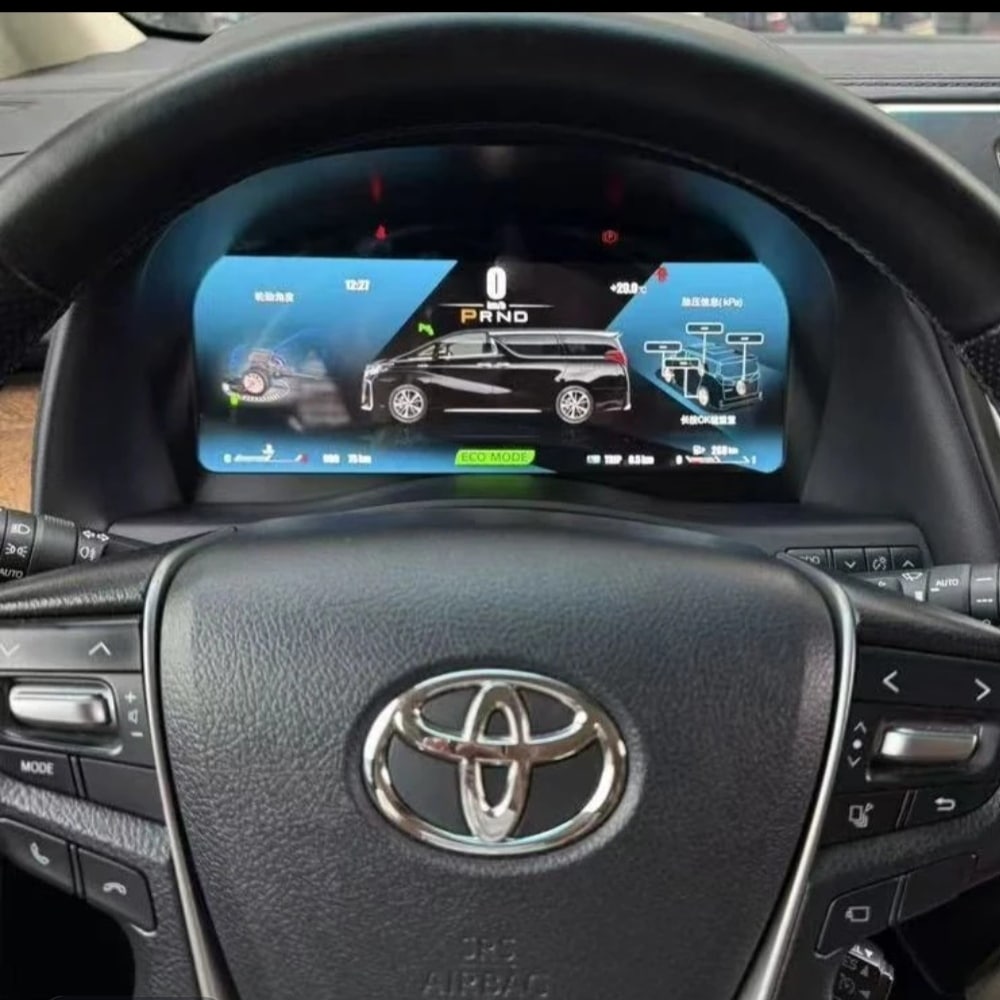
Với phiên bản Alphard chính xác, dây điện phù hợp và lắp đặt đúng cách, cụm đồng hồ được thiết kế để tiếp tục hiển thị thông tin lái xe gốc mà bạn tin cậy.
Thông tin tốc độ xe và tốc độ động cơ gốc được hỗ trợ.
Thông tin vị trí số được hỗ trợ tiếp tục hiển thị trên màn hình kỹ thuật số.
Mức nhiên liệu, nhiệt độ nước làm mát và các thông tin liên quan của xe vẫn khả dụng.
Thông tin đồng hồ đo quãng đường và chuyến đi được hỗ trợ thông qua cấu hình cụm đồng hồ đã chuẩn bị.
Các chỉ báo cảnh báo được hỗ trợ và thông tin trạng thái xe tiếp tục được hiển thị.
Các trang tiêu thụ nhiên liệu và thông tin lái xe được hỗ trợ vẫn có sẵn.
Các điều khiển thiết bị trên vô lăng gốc vẫn được hỗ trợ nếu được trang bị.
Thông tin về năng lượng hybrid hoặc dẫn động bốn bánh được hỗ trợ khi có sẵn từ cấu hình xe nguyên bản.
Bộ dây nối phù hợp được thiết kế để kết nối mà không cố ý cắt hệ thống dây điện chính của xe nguyên bản được hỗ trợ.
Những hình ảnh này cho thấy cụm đồng hồ vật lý, vỏ phía sau, cấu trúc màn hình và phần cứng kết nối được cung cấp cho việc nâng cấp.
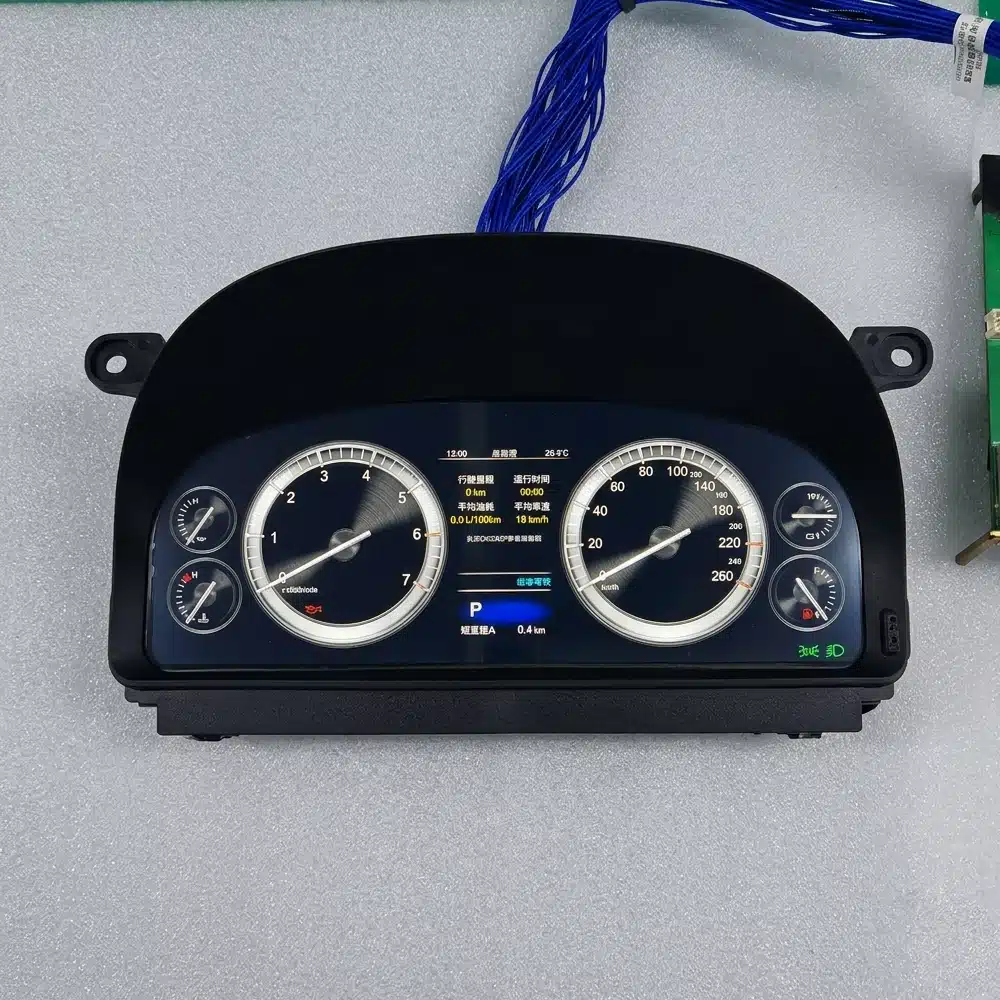
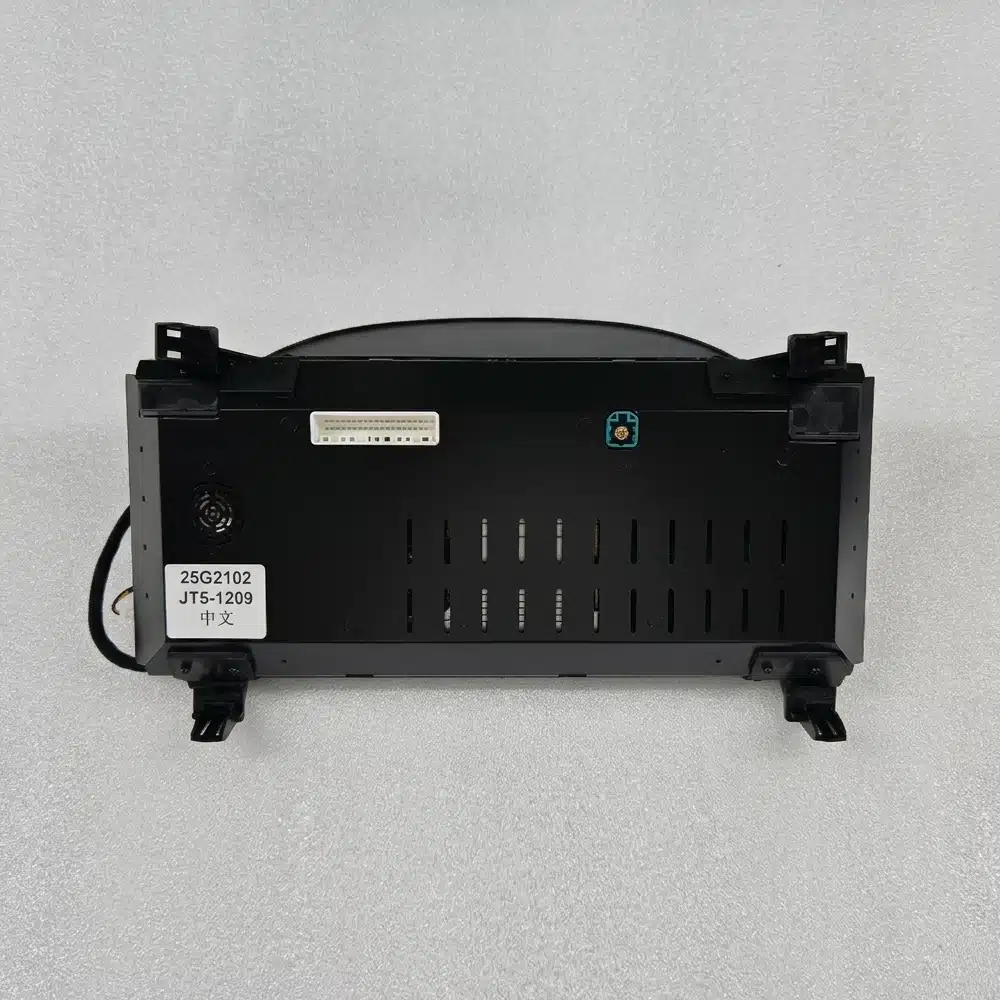
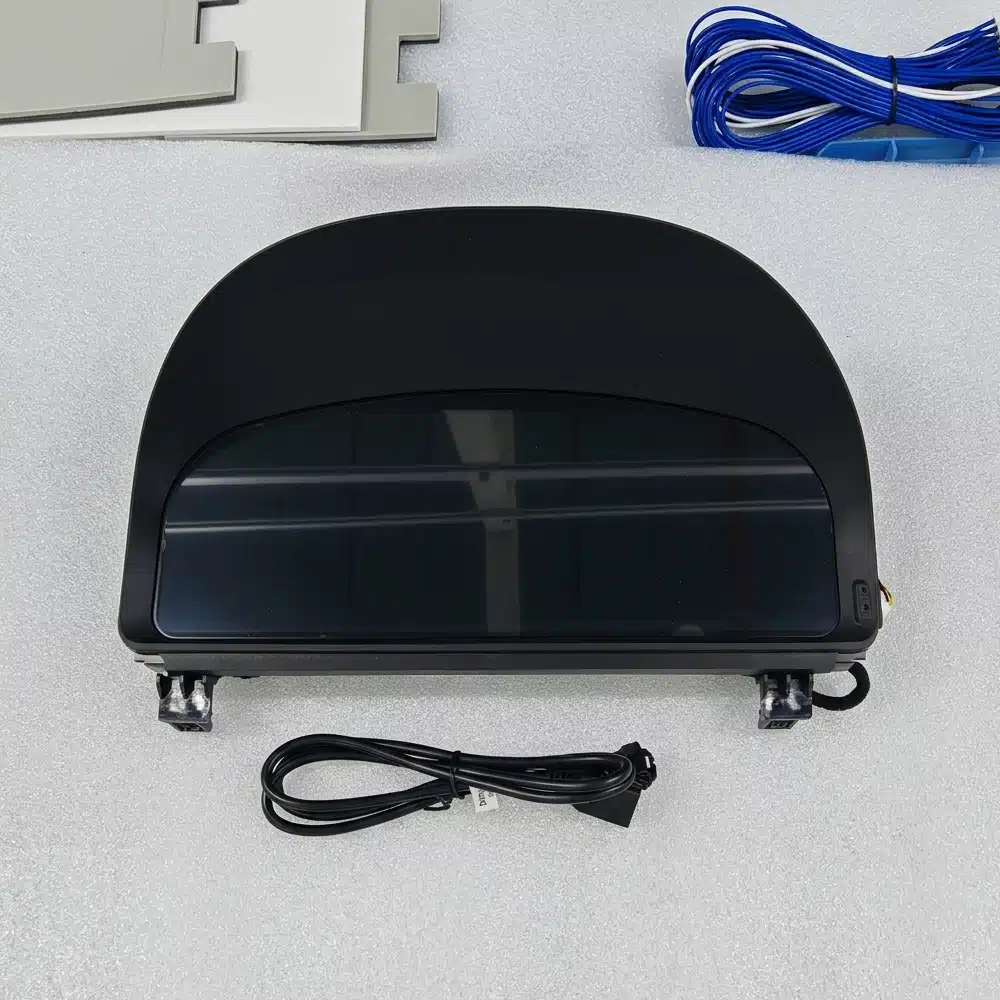
Cụm đồng hồ được xây dựng dựa trên hệ thống Linux chuyên dụng thay vì nền tảng giải trí Android đa năng. Điều này giữ trọng tâm vào dữ liệu lái xe, bố cục đồng hồ và truy cập nhanh vào thông tin thiết yếu.
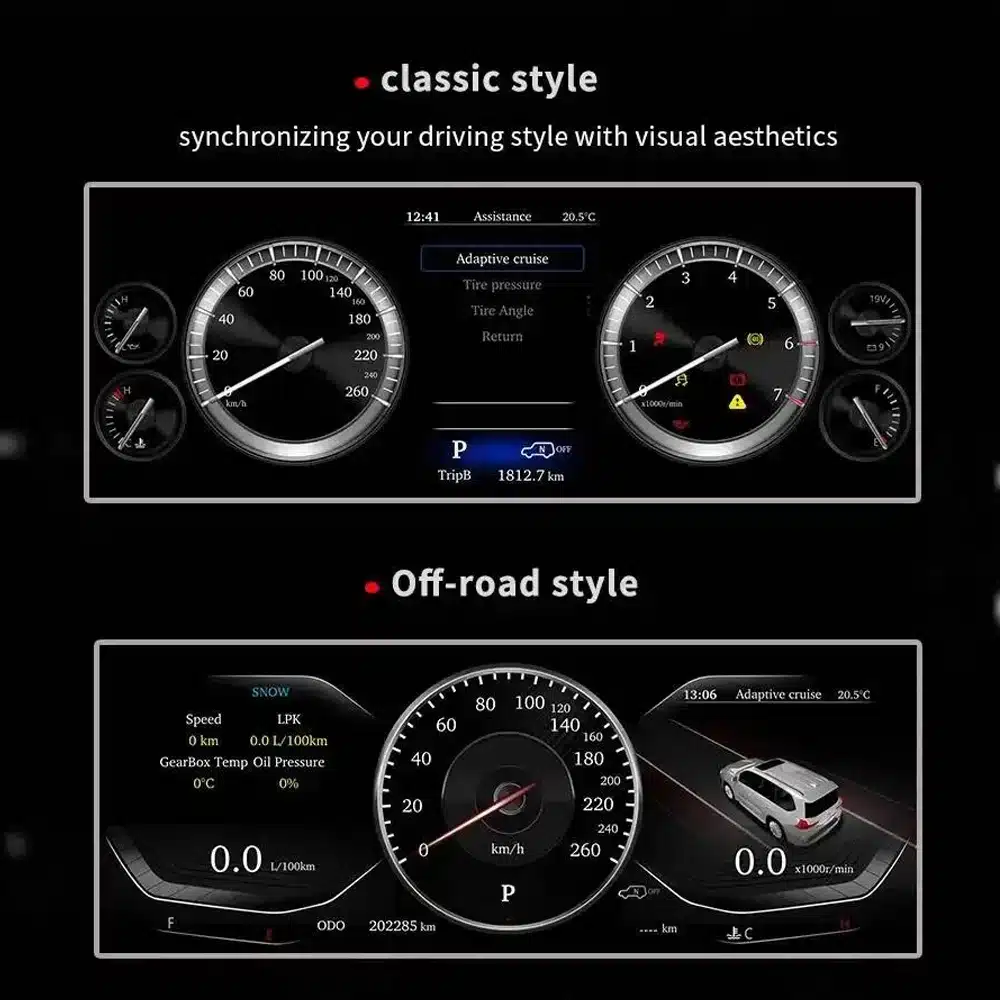

Cụm đồng hồ nằm ngay trước mặt bạn mỗi khi lái xe. Màn hình rộng hơn và bố cục được chỉnh sửa hiển thị trong mọi hành trình, không chỉ khi sử dụng một ứng dụng cụ thể.
Đối với xe nhập khẩu, bộ chuyển đổi MPH nhỏ có thể giải quyết một vấn đề. Cụm đồng hồ kỹ thuật số đầy đủ có thể kết hợp chuẩn bị đơn vị với nâng cấp hình ảnh và thông tin rộng hơn.
Sửa chữa cụm đồng hồ gốc khôi phục trải nghiệm ban đầu. Sản phẩm này dành cho những chủ xe cũng muốn có màn hình điều khiển hiện đại và bố cục có thể lựa chọn.
Nếu bạn dự định giữ chiếc Alphard của mình, việc nâng cấp giao diện người lái có thể khiến xe cảm giác hiện đại hơn mà không làm thay đổi sự thoải mái và không gian mà bạn đã trân trọng.
Những đánh giá này giúp bạn hiểu được giá trị thực tế, sự tích hợp trên xe và công việc lắp đặt trước khi đặt hàng.
Đây là một nâng cấp mạnh mẽ cho những chủ sở hữu muốn có màn hình lái hiện đại hơn, thông tin hàng ngày rõ ràng hơn và diện mạo bảng điều khiển kỹ thuật số hoàn chỉnh.
When the correct 20 Series version is prepared, the cluster is designed to integrate supported speed, RPM, gear, fuel, temperature, mileage, consumption, warning and steering-control information into the new digital display.
Installation requires careful removal of the original instrument assembly, correct wiring identification, vehicle-data testing and verification of mileage, warning indicators and power behavior.
Mức độ cài đặt cao hơn phản ánh mức độ công việc chuyên môn cần thiết. Điều này không có nghĩa là chất lượng sản phẩm thấp hơn, khả năng tương thích kém hơn hay giá trị nâng cấp thấp hơn.
Alphard registration years can overlap between regions. The dashboard shape and original instrument assembly are more reliable than the registration year alone.
This page is intended for the second-generation Alphard dashboard commonly associated with approximately 2008–2015 vehicles. Provide a clear front photo of your original cluster and dashboard so iKAGOO can confirm the correct housing and connection version.
Vehicles using the later third-generation dashboard require the separate 2015–2019 cluster product. Do not select only by registration year.

| Loại sản phẩm | Full LCD digital instrument cluster |
|---|---|
| Primary Vehicle Application | Toyota Alphard 20 Series / AH20, subject to dashboard and connector confirmation |
| General Model Period | Approximately 2008–2015 second-generation dashboard; registration years may vary by market |
| Kích thước màn hình | 12,3 inch |
| Nghị quyết | 1920 × 720 |
| Display Construction | OGS IPS |
| Góc nhìn | Up to 178° reference |
| Hệ điều hành | Dedicated Linux instrument system |
| Processing Platform | Four-core platform |
| Chủ đề hiển thị | Multiple themes and layouts; exact set depends on the prepared version |
| Thông tin lái xe | Speed, RPM, gear, fuel, temperature, mileage, trip and supported consumption data |
| Tình trạng xe | Supported warning indicators and vehicle-status information |
| Đơn vị | MPH or KM/H preparation/configuration subject to vehicle version |
| Ngôn ngữ | Multilingual interface; confirm the required language before shipment |
| Tương tác vô lăng | Supported original instrument-control buttons where equipped |
| Dây điện | Matched plug-in wiring arrangement prepared for the confirmed vehicle version |
| Mã sản phẩm | FD-132 |
| Listed Product Weight | 6 kg |
| Kích thước gói hàng được liệt kê | 48 × 38 × 28 cm |
The current purchase area uses one ordering route. The physical cluster and connection arrangement are prepared according to the vehicle information you provide rather than by inventing unsupported online variations.
| Tùy chọn | Điểm mạnh của sản phẩm | Những điều cần lưu ý |
|---|---|---|
| Sửa chữa cụm đồng hồ gốc | Restores the original display and factory appearance. | It does not provide the wider digital interface or selectable modern layouts. |
| Used original cluster | Maintains the original Toyota design. | Version, mileage, coding, age and previous vehicle data may need attention. |
| Small MPH converter or HUD | A simpler solution when the only goal is seeing MPH. | It remains an additional display and does not modernize the complete instrument area. |
| Mô-đun chỉ hỗ trợ CarPlay | Adds phone navigation, music and calling to the entertainment system. | It does not replace the driver’s instrument cluster. |
| Cụm đồng hồ kỹ thuật số iKAGOO | Upgrades the complete driver display with a wide LCD layout and supported original vehicle information. | Correct generation selection and professional installation are required. |
Based on the product hardware shown on this page, the order is centered on the complete instrument-cluster assembly and the applicable connection hardware. Exact package contents are confirmed for the vehicle version prepared for shipment.
The complete screen and housing assembly prepared for the confirmed dashboard version.
Applicable power, data and vehicle-interface connections selected for the confirmed configuration.
Version, regional display requirements and provided vehicle details are checked before shipment.
Use an installer experienced with instrument clusters, vehicle data systems and interior trim. Record the original mileage and photograph all original settings before removing the factory cluster.
Compare the vehicle, original dashboard, cluster shape, steering position and connectors with the order information.
Photograph the current odometer, warning-light state, units and original instrument operation before disassembly.
Protect the dashboard and trim, disconnect the vehicle battery as appropriate and remove the original assembly carefully.
Do not connect by force. Confirm that connector shape, pin arrangement, interface labels and wiring match the prepared instructions.
Install the matched wiring, power the cluster and apply the applicable vehicle, language and unit settings.
Check speed, RPM, gear, fuel, temperature, mileage, steering controls and warning indicators before refitting all trim.
Switch the vehicle off, confirm normal cluster shutdown and verify that the vehicle enters its normal sleep state.
Refit all trim only after the display, data, warnings, controls and power behavior have been checked successfully.
Pausing at this stage protects the vehicle and the product. Send clear connector photos and a short video to iKAGOO so the correct connection guidance can be provided.
iKAGOO checks the supplied model, year, dashboard, instrument and regional information before shipment.
Orders are shipped with tracking. Processing begins after payment and the required vehicle information are received.
Eligible hardware faults are handled under the current iKAGOO warranty terms from the confirmed delivery date.
Connection, configuration and troubleshooting support is available when the installer provides clear photos and test information.
iKAGOO assists with reasonable setup and function checks according to the confirmed vehicle configuration.
If iKAGOO confirmed compatibility from accurate information and no reasonable installation solution is available after troubleshooting, the current refund policy applies.
This page is intended for the Alphard 20 Series dashboard. Registration years can overlap with later models, so iKAGOO checks your current cluster photo, dashboard, steering position, drivetrain and connector configuration before shipment.
Provide the model, registration year, clear front photo of the original cluster, wide dashboard photo, LHD/RHD, petrol or hybrid configuration, required MPH/KM/H, language and a photo of the current odometer.
It is a complete full-LCD instrument-cluster replacement. It is not an Android head unit, car radio or CarPlay-only module.
MPH or KM/H requirements can be checked during order preparation. Tell iKAGOO which unit you need and provide your vehicle’s market specification.
Photograph and record the original odometer before removing the factory cluster. Mileage handling can depend on the vehicle and cluster version, so confirm the required process with iKAGOO and your installer before installation. The owner and installer remain responsible for complying with local mileage-disclosure laws.
Supported original steering-wheel instrument controls continue to work through the prepared vehicle interface where the vehicle is equipped with those controls.
Supported warning indicators and vehicle-status information continue to be displayed after correct connection and configuration. The installer should test every warning state before completing the dashboard reassembly.
Applicable hybrid-energy and four-wheel-drive information can be displayed when the original vehicle provides the required data and the correct version is prepared. Include the drivetrain information with your order.
The matched harness is designed to connect without intentionally cutting the supported factory main wiring. Stop installation and contact iKAGOO if cutting or forcing an incompatible connector appears necessary.
Professional installation is recommended. The work involves instrument removal, trim protection, connector verification, data testing, mileage handling and vehicle sleep testing.
The product supports multiple themes and layouts. Media from different prepared versions shows different theme counts, so the exact theme set is confirmed according to the software version supplied with your order.
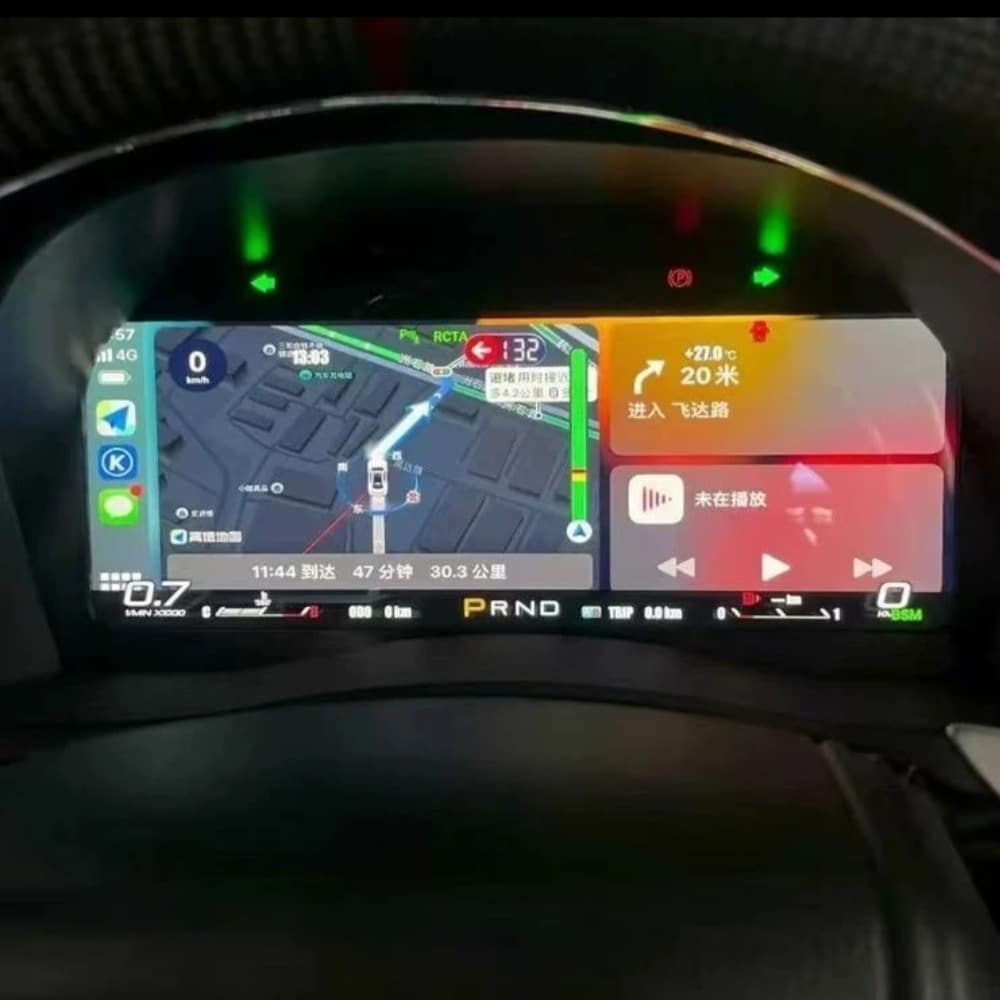
The standard product described here is a dedicated Linux instrument cluster, not a general Android entertainment device. Any navigation, media or phone-projection display shown in reference media depends on the specific external source and prepared interface and should be confirmed before ordering.
The package is centered on the LCD instrument-cluster assembly and the applicable connection hardware prepared for the confirmed vehicle version. Exact supplied items are confirmed with the order.
The product is covered by the current iKAGOO 12-month hardware warranty from the confirmed delivery date. Eligibility, return shipping, repair and replacement handling follow the current published warranty policy.
Provide accurate vehicle information before purchase and cooperate with installation troubleshooting. If iKAGOO confirmed compatibility from accurate information and no reasonable installation solution remains after troubleshooting, the case is handled under the current iKAGOO refund policy. Incorrect information, undisclosed modifications and vehicle-specific limitations are not promoted as unconditional return-and-refund cases.
Choose the current purchase option, provide your vehicle and dashboard information, and let iKAGOO prepare the applicable cluster, display configuration and connection arrangement for your order.
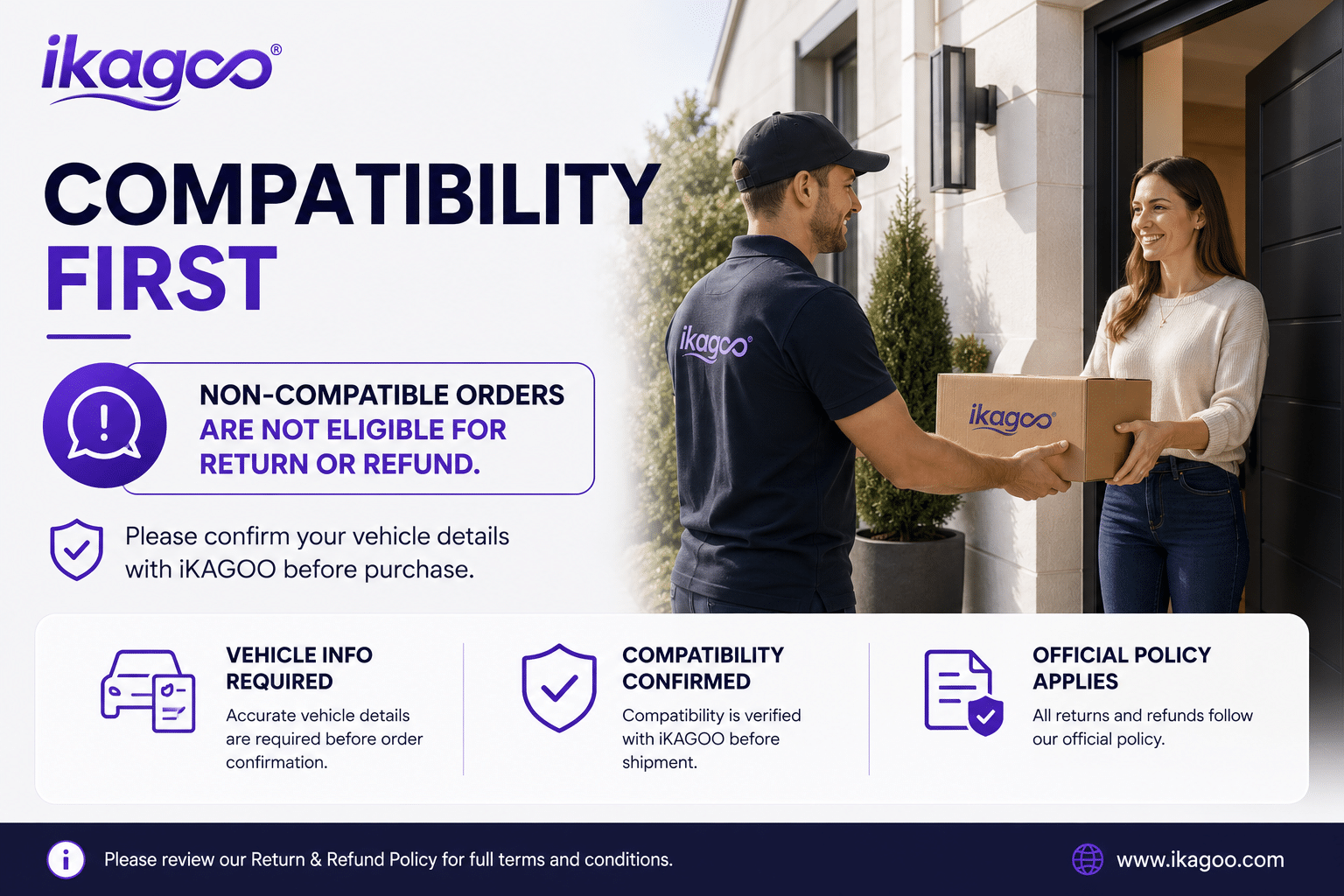

Thông tin rõ ràng về khả năng tương thích xe, chuẩn bị đơn hàng, giao hàng quốc tế, bảo hành, trả hàng và hỗ trợ sau bán hàng.
Điện tử đặc thù cho xe yêu cầu đúng phiên bản, hệ thống dây điện và cấu hình. Quy trình của chúng tôi được thiết kế để giảm các vấn đề tương thích và lắp đặt có thể tránh được.
Thông tin về mẫu xe, năm sản xuất, hệ thống gốc và cấu hình liên quan có thể được xem xét trước khi mua để giảm rủi ro chọn sai phiên bản.
Trước khi giao hàng, đơn hàng được kiểm tra với thông tin xe đã xác nhận để chuẩn bị phiên bản, cấu hình và các thành phần cụ thể cho xe cần thiết.
Mục tiêu của chúng tôi là đảm bảo đơn hàng của bạn chính xác trước khi rời khỏi chúng tôi. Chúng tôi xác minh tính tương thích, chuẩn bị cấu hình chính xác và liên hệ với bạn chỉ khi có điều gì đó vẫn cần xác nhận.
Tóm tắt thực tế về các điều khoản chính áp dụng cho các đơn hàng iKAGOO dành riêng cho xe.
Hầu hết các đơn hàng iKAGOO được gửi từ kho hàng của chúng tôi tại Trung Quốc sau khi cấu hình sản phẩm và thông tin xe đã được kiểm tra.
Thời gian xử lý đơn hàng bình thường khoảng 1–3 ngày làm việc. Thời gian giao hàng dự kiến sau khi gửi hàng thường là:
Việc thông quan, ngày lễ, thời tiết, sự chậm trễ của hãng vận chuyển và giao hàng đến khu vực xa có thể ảnh hưởng đến các ước tính này.
Vận chuyển quốc tế tiêu chuẩn thường không bao gồm VAT của nước đến, thuế nhập khẩu, phí môi giới hoặc phí thông quan.
Đối với các điểm đến đủ điều kiện trong Liên minh Châu Âu, Vận chuyển DDP có thể khả dụng. Các khoản phí liên quan đến nhập khẩu chỉ được bao gồm khi DDP được chọn tại bước thanh toán hoặc được iKAGOO xác nhận bằng văn bản trước khi gửi hàng.
Khi DDP không được chọn, các khoản phí do hải quan địa phương hoặc đơn vị vận chuyển thu thường là trách nhiệm của người nhận.
Vận chuyển nhanh hoặc giao nhanh có thể khả dụng cho các sản phẩm và điểm đến được chọn. Tình trạng sẵn có, đơn vị vận chuyển và mọi chi phí bổ sung được xác nhận trước khi gửi hàng.
Tùy thuộc vào tuyến đường và loại sản phẩm, iKAGOO có thể sử dụng DHL, FedEx, UPS, EMS, 4PX hoặc một nhà cung cấp dịch vụ logistics có theo dõi khác.
Sau khi gửi hàng, mã theo dõi hoặc liên kết theo dõi thường được gửi đến địa chỉ email được sử dụng cho đơn hàng. Các cập nhật theo dõi có thể mất vài ngày làm việc để xuất hiện trong quá trình chuyển giao giữa các đơn vị vận chuyển quốc tế.
Khả năng được trả hàng phụ thuộc vào lý do trả hàng, tình trạng sản phẩm, trạng thái lắp đặt, bằng chứng hỗ trợ và liệu việc trả hàng đã được iKAGOO phê duyệt hay chưa.
Đối với trường hợp trả hàng không do lỗi được phê duyệt, sản phẩm thường phải còn chưa sử dụng, chưa lắp đặt, đầy đủ và có thể bán lại. Khách hàng thường chịu phí vận chuyển trả hàng đã được phê duyệt.
Phí vận chuyển gốc, DDP, VAT, thuế hải quan và các chi phí logistics khác thường không được hoàn lại trừ khi pháp luật yêu cầu hoặc được iKAGOO xác nhận khác.
Không gửi trả sản phẩm trước khi nhận được địa chỉ trả hàng đã được phê duyệt và hướng dẫn trả hàng từ iKAGOO.
Có thể có thêm biện pháp bảo vệ khi iKAGOO đã xem xét tính tương thích của xe, khách hàng cung cấp thông tin xe chính xác và đã hoàn thành các bước lắp đặt và chẩn đoán hợp lý.
Nếu iKAGOO xác nhận rằng không có giải pháp kỹ thuật hợp lý nào và sự cố được báo cáo trong vòng 7 ngày kể từ ngày giao hàng, khách hàng có thể đủ điều kiện được hoàn lại giá sản phẩm mà không cần phải trả lại sản phẩm.
Phí vận chuyển ban đầu, DDP, VAT, thuế hải quan và các khoản phí của bên thứ ba khác không được bao gồm trong khoản hoàn lại giá sản phẩm này.
Các sản phẩm đủ điều kiện bao gồm một Bảo hành phần cứng có thời hạn 12 tháng bao gồm các lỗi sản xuất đã được xác minh và các hư hỏng phần cứng đủ điều kiện trong điều kiện sử dụng bình thường.
Tùy thuộc vào vấn đề đã được xác minh, hỗ trợ có thể bao gồm chẩn đoán từ xa, trợ giúp cấu hình, phụ tùng thay thế, sửa chữa, thay thế, hoàn tiền một phần hoặc hoàn tiền toàn bộ.
Việc kiểm tra hoặc kiểm định bởi bên thứ ba không tự động hủy bỏ toàn bộ bảo hành. Tuy nhiên, hư hỏng do sửa chữa trái phép, thay đổi sai quy cách, đứt mạch, lắp ráp không đúng cách, đấu dây sai, va đập, nước xâm nhập hoặc sử dụng sai mục đích thường không được bảo hành.
Liên hệ iKAGOO trước khi tháo rời, sửa đổi hoặc sửa chữa sản phẩm để có thể cung cấp quy trình chẩn đoán chính xác.
Liên hệ với iKAGOO trong vòng 7 ngày kể từ ngày giao hàng và giữ nguyên bao bì gốc, nhãn vận chuyển, phụ kiện và sản phẩm.
Vui lòng cung cấp các bức ảnh hoặc video rõ nét thể hiện:
Sau khi xác minh, iKAGOO có thể sắp xếp gửi bổ sung phần còn thiếu, thay thế, sửa chữa, hoàn tiền hoặc một giải pháp hợp lý khác.
Hãy liên hệ với iKAGOO càng sớm càng tốt và trước khi lắp đặt. Để thay đổi địa chỉ, cấu hình xe hoặc sản phẩm, vui lòng liên hệ với chúng tôi trong thời gian tốt nhất là trong vòng 12 giờ sau khi đặt hàng.
Việc đổi hoặc trả hàng có thể được chấp thuận khi sản phẩm chọn sai vẫn chưa qua sử dụng, chưa lắp đặt, còn nguyên vẹn và phù hợp để bán lại. Khách hàng thường chịu trách nhiệm về chi phí vận chuyển liên quan và chênh lệch giá.
Các sản phẩm dành riêng cho xe có thể bắt đầu quá trình mua sắm, lập trình, kiểm tra hoặc cấu hình ngay sau khi thanh toán. Khi việc chuẩn bị hoặc vận chuyển đã bắt đầu, việc hủy đơn có thể không còn khả thi, hoặc các chi phí hợp lý đã phát sinh có thể bị khấu trừ.
Nội dung gói sản phẩm thay đổi tùy theo sản phẩm, mẫu xe, hệ thống nguyên bản và cấu hình đã chọn.
Tùy thuộc vào sản phẩm, gói sản phẩm có thể bao gồm thiết bị chính dây điện chuyên dụng cho xe, giao diện CANBUS, bộ chuyển đổi, cáp USB, ăng-ten, micro, phần cứng lắp đặt hoặc các phụ kiện lắp đặt cần thiết khác.
Vui lòng tham khảo hình ảnh sản phẩm, thông số kỹ thuật và xác nhận đơn hàng để biết nội dung chính xác của đơn hàng.
Bạn có thể liên hệ với iKAGOO qua biểu mẫu liên hệ trên trang web, WhatsApp hoặc các kênh hỗ trợ khả dụng khác. Thời gian phản hồi thông thường là trong vòng 24 giờ làm việc.
Để chẩn đoán kỹ thuật nhanh hơn, hãy cung cấp số đơn hàng, mẫu xe và năm sản xuất, hình ảnh hệ thống nguyên bản liên quan, hình ảnh sản phẩm và video rõ ràng cho thấy sự cố.
Thanh toán được xử lý thông qua các phương thức thanh toán an toàn hiển thị khi thanh toán.
Các tùy chọn thẻ, ví và trả góp hiện có có thể thay đổi tùy theo quốc gia, loại tiền tệ, nhà cung cấp thanh toán và điều kiện của khách hàng.
Các dịch vụ trả góp, bao gồm các tùy chọn do PayPal hoặc nhà cung cấp thanh toán khác cung cấp, vẫn phụ thuộc vào tính khả dụng theo khu vực và các yêu cầu phê duyệt của nhà cung cấp đó.
Phần này là hướng dẫn khách hàng đơn giản hóa. Các trang chính sách được công bố đầy đủ, xác nhận đơn hàng và luật bảo vệ người tiêu dùng hiện hành sẽ được ưu tiên nếu có bất kỳ sự khác biệt nào về từ ngữ.
$995.00 Giá gốc là: $995.00.$785.00Giá hiện tại là: $785.00.
Phí vận chuyển cuối cùng được xác nhận dựa trên địa chỉ giao hàng của bạn tại bước thanh toán.

Chọn sản phẩm bạn định mua. Chúng tôi chỉ hiển thị các thông tin cần thiết cho sản phẩm đó.
Chúng tôi sẽ xem xét các chi tiết và gửi phiên bản sản phẩm được đề xuất đến email của quý khách.
Chúng tôi sử dụng cookie thiết yếu để giữ cho trang web an toàn và hoạt động bình thường. Với sự đồng ý của bạn, chúng tôi cũng có thể sử dụng cookie phân tích để cải thiện trải nghiệm duyệt web. Xem Chính sách bảo mật.




Daniel Navarro –
Đã lắp đặt trong chiếc Alphard của tôi từ 2010. Nhiên liệu, số km và cảnh báo đều hiển thị rõ ràng.