


Hướng dẫn nâng cấp BMW X3 F25 2011–2017: Bạn nên nâng cấp màn hình, cụm đồng hồ kỹ thuật số hay cả hai?
Hướng dẫn nâng cấp BMW X3 F25: Màn hình, Đồng hồ kỹ thuật số hay cả hai?
Nếu chiếc F25 của bạn vẫn lái theo cách bạn muốn, một màn hình cũ hay bảng đồng hồ analog không phải là lý do chính đáng để thay thế toàn bộ chiếc BMW. Quyết định hữu ích đơn giản hơn: bộ phận nào của khoang nội thất khiến xe trông cũ hơn mỗi lần bạn sử dụng?
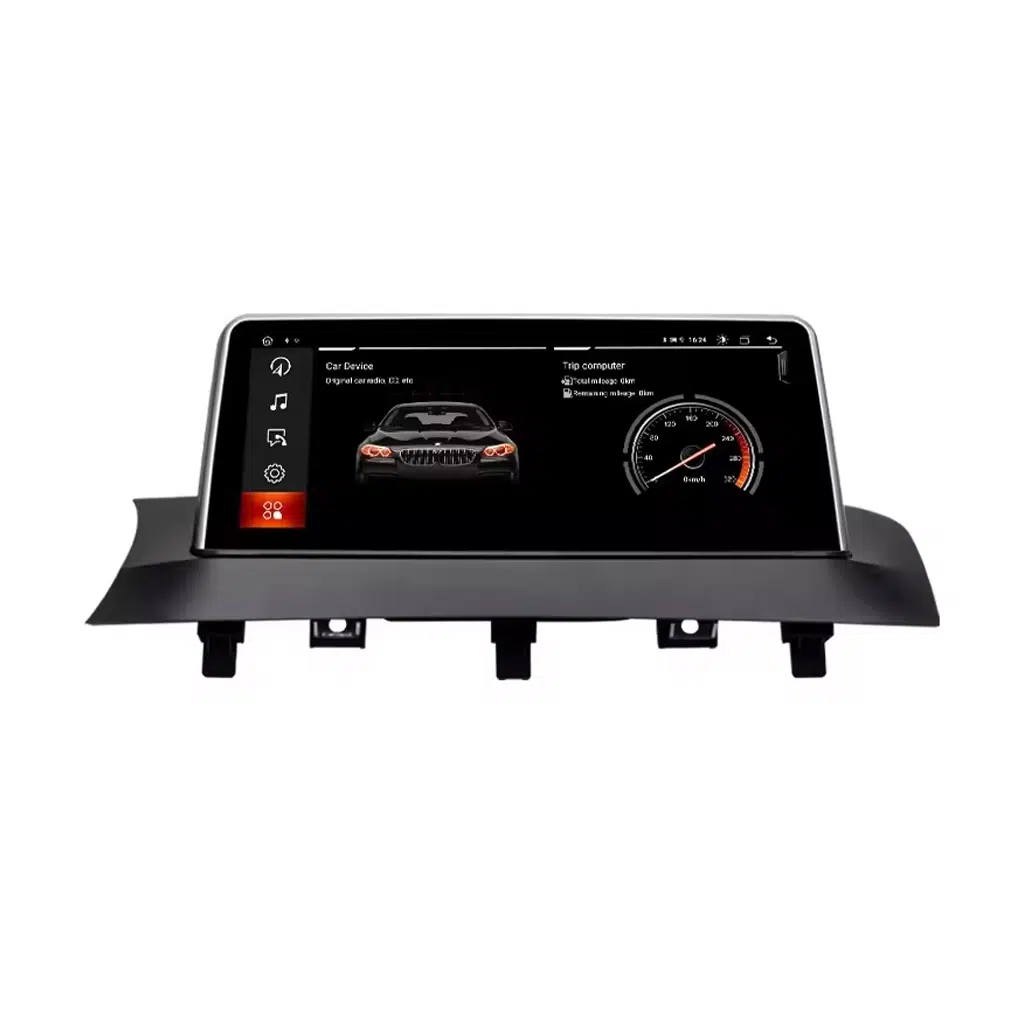
Nếu việc dẫn đường, sử dụng điện thoại và màn hình trung tâm là điều gây khó chịu, hãy bắt đầu với màn hình Android. Nếu hệ thống trung tâm chấp nhận được nhưng tầm nhìn qua vô lăng có vẻ lỗi thời, hãy bắt đầu với đồng hồ kỹ thuật số. Nếu cả hai khu vực đều làm bạn khó chịu và bạn dự định giữ chiếc X3, nâng cấp cả hai có thể tạo ra một khoang lái hiện đại đồng bộ hơn.
Hướng dẫn nâng cấp BMW X3 F25: Bạn nên nâng cấp gì trước?
Món đồ đầu tiên nên mua không được quyết định bởi sản phẩm nào có danh sách tính năng dài nhất. Nó được quyết định bởi bộ phận nào của chiếc BMW khiến bạn chú ý vì lý do sai mỗi lần bạn lái xe.
Chọn lộ trình này nếu nỗi khó chịu hàng ngày của bạn là giao diện iDrive cũ, tích hợp điện thoại hạn chế, màn hình gốc nhỏ hoặc phụ thuộc vào điện thoại riêng để dẫn đường.
- Apple CarPlay không dây
- Android Auto
- Chức năng dẫn đường và media Android
- Giữ nguyên các điều khiển gốc trên lộ trình phù hợp
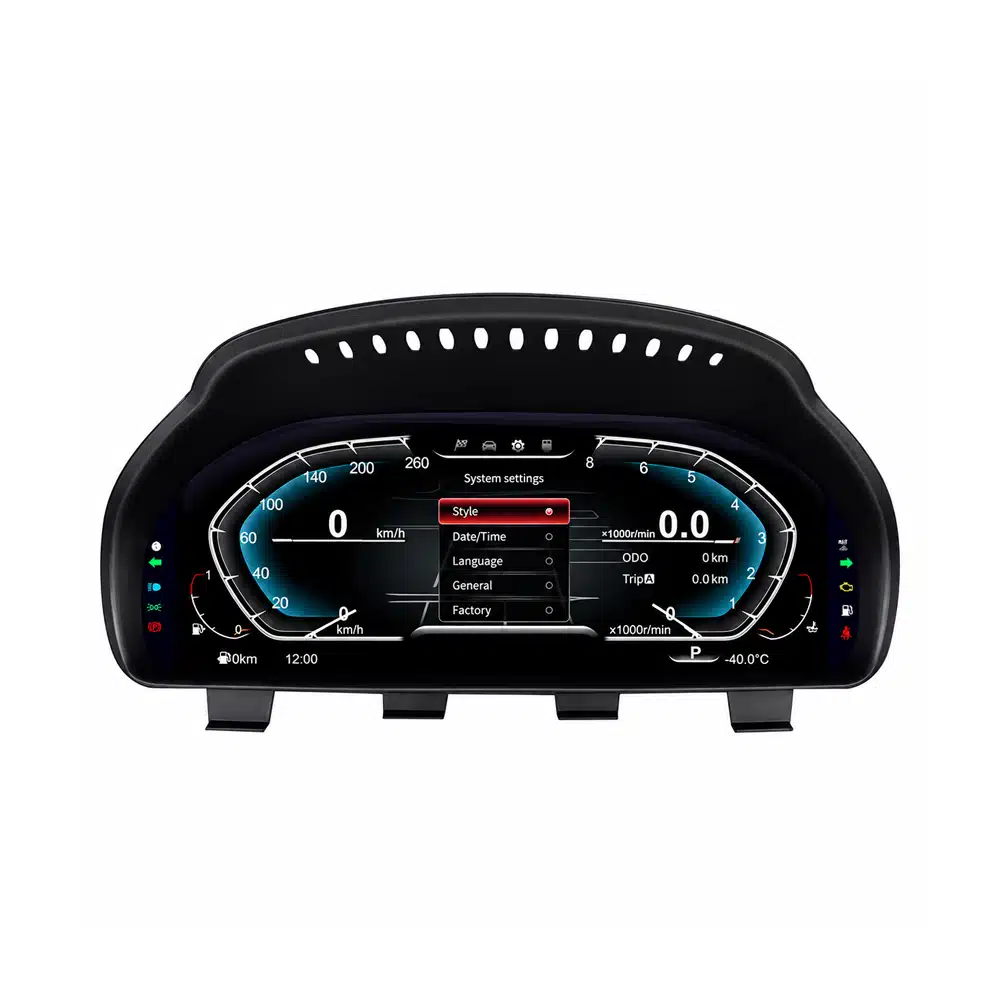
Chọn lộ trình này khi khoảng trống thị giác chính nằm ngay sau vô lăng. Cụm 12.3 inch hiện đại hóa khu vực thông tin mà bạn nhìn vào mỗi chuyến đi.
- Màn hình IPS 12.3 inch 1920×720
- Apple CarPlay và Android Auto
- Nhiều chủ đề đồng hồ kỹ thuật số
- Hỗ trợ thông tin lái xe nguyên bản của BMW
Lợi ích của việc làm cả hai không chỉ đơn thuần là có hai màn hình. Đó là sự nhất quán về thị giác: trung tâm bảng điều khiển và tầm nhìn của người lái không còn trông như thuộc về hai thời đại khác nhau.
- Tích hợp điện thoại hiện đại trong màn hình trung tâm
- Buồng lái kỹ thuật số hiện đại hướng tới người lái
- Một chiếc xe với một lịch sử hỗ trợ
- Một nâng cấp sở hữu lâu dài mạnh mẽ hơn
Hướng Dẫn Nâng Cấp BMW X3 F25: Tên Model 2011–2017 trên khắp Hoa Kỳ, Châu Âu, Vương Quốc Anh và các Thị Trường Khác
Mã nhận dạng quan trọng cho bài viết này là Thế hệ BMW X3 F25. Huy hiệu động cơ và hệ truyền động khác nhau tùy theo quốc gia và năm sản xuất. Một huy hiệu như xDrive28i hoặc xDrive20d không thay thế nhu cầu xác nhận cấu hình màn hình và thiết bị điện tử nguyên bản.
| Thị Trường / Tên Tìm Kiếm Phổ Biến | Thế hệ | Các Huy Hiệu F25 Phổ Biến | Các Năm Liên Quan đến Hướng Dẫn Này | Điều Quan Trọng cho Việc Nâng Cấp |
|---|---|---|---|---|
|
Hoa Kỳ / Canada BMW X3 / BMW X3 SAV |
F25 | xDrive28i, xDrive35i, sau đó là sDrive28i và xDrive28d tùy theo năm sản xuất | 2011–2017 | Xác nhận khung gầm F25 và hệ thống màn hình CIC/NBT nguyên bản. |
|
Vương Quốc Anh / Châu Âu BMW X3 |
F25 | sDrive18d, xDrive20d, xDrive30d, xDrive35d, sDrive20i, xDrive20i, xDrive28i, xDrive35i depending on country and year | 2011–2017 | Engine badge is secondary; original infotainment and vehicle configuration are the key checks. |
|
Australia / New Zealand / Middle East / Asia BMW X3 |
F25 | Local petrol and diesel sDrive / xDrive variants from the same F25 family | 2011–2017 | Confirm F25 generation, steering position and original screen/cluster before dispatch. |
BMW X3 F25 Upgrade Guide: When the Center Screen Is the Part You Notice First
You may still like the seating position, steering, practicality and way the F25 drives. Then you start a journey and the age gap becomes obvious: the phone handles maps, music and calls while the factory display contributes less and less.
A modern center display changes the routine rather than simply changing the appearance. Wireless CarPlay or Android Auto brings the functions you already use into the dashboard, while the Android system provides a larger modern interface for navigation and media.
The reason to buy is not “a larger screen.” The reason is that the BMW becomes easier to use every single day without replacing the vehicle you already know.
Yes. The current iKAGOO F25 Android-screen route supports wireless Apple CarPlay and Android Auto after the original BMW system is matched correctly.
This route makes the most sense when the problem you want to solve is phone integration, navigation and center-display usability.
It is the stronger route when you want more than phone projection and the original center display itself is part of what makes the car feel dated.
A full Android head unit changes the size and presentation of the interface as well as adding modern phone integration. A simple adapter may be enough when you are completely satisfied with the original screen.
BMW X3 F25 Upgrade Guide: When the Instrument Cluster Is What Makes the Cockpit Feel Old
That is a different purchase reason from replacing the center screen. The instrument cluster sits in your direct field of view, so changing it alters the part of the cockpit you naturally see throughout every journey.
The current iKAGOO F25 cluster uses a 12.3-inch 1920×720 IPS display, supports Apple CarPlay and Android Auto, provides multiple instrument themes and retains supported original BMW driving information.
You do not have to replace the center display simply because you want a more modern digital driving experience. If the instrument area is the problem, solve that area first.

Yes, when the analog instrument area is the part of the cabin that now feels older than the rest of the BMW.
The upgrade affects the visual area you see on every drive rather than adding a feature you only use occasionally.
Yes. The current iKAGOO BMW X3 F25 Digital Cluster supports both Apple CarPlay and Android Auto.
This is useful for owners who want a modern driver-facing digital experience without necessarily replacing the center infotainment screen at the same time.
BMW X3 F25 Upgrade Guide: When Upgrading Both Screens Makes More Sense
Doing both is not necessary for every owner. It becomes more compelling when you expect to keep the F25 for several more years and both the center display and analog driver display now make the cabin feel older than the rest of the vehicle.
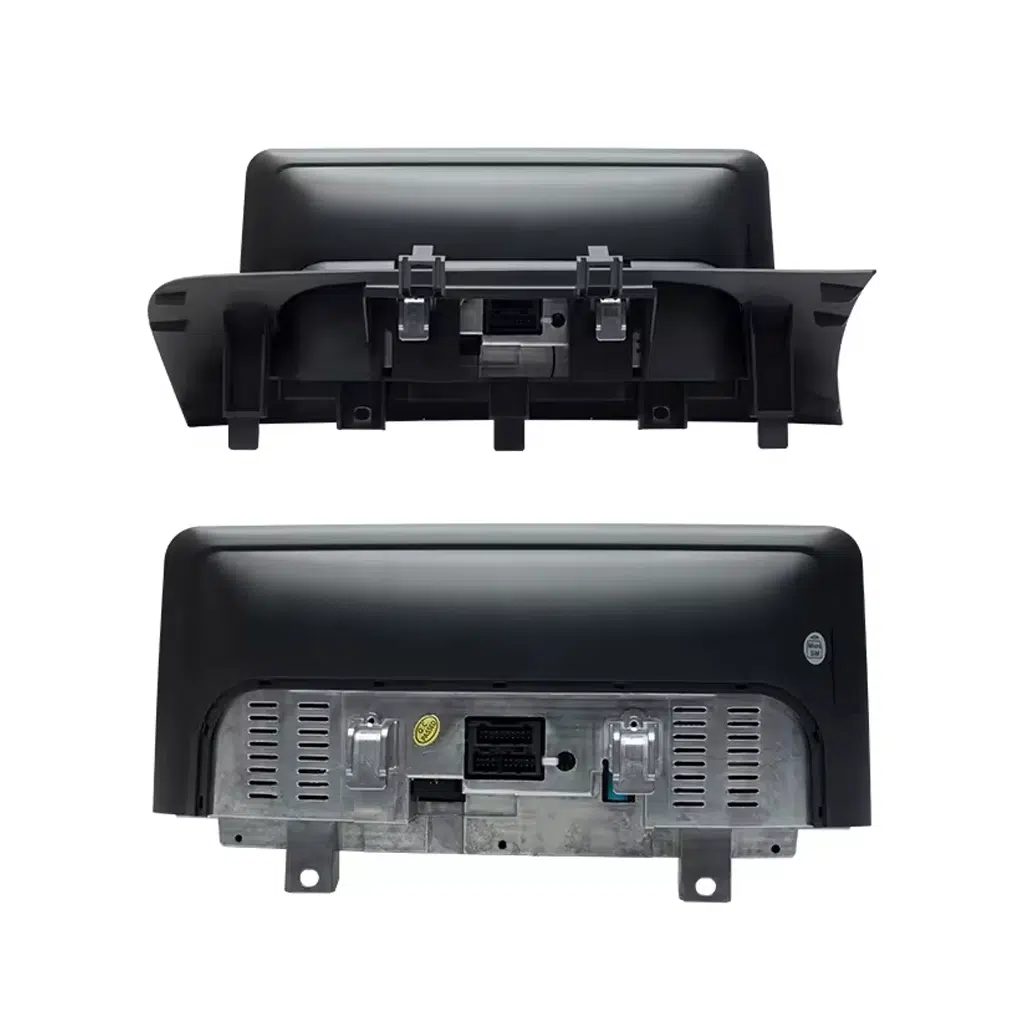
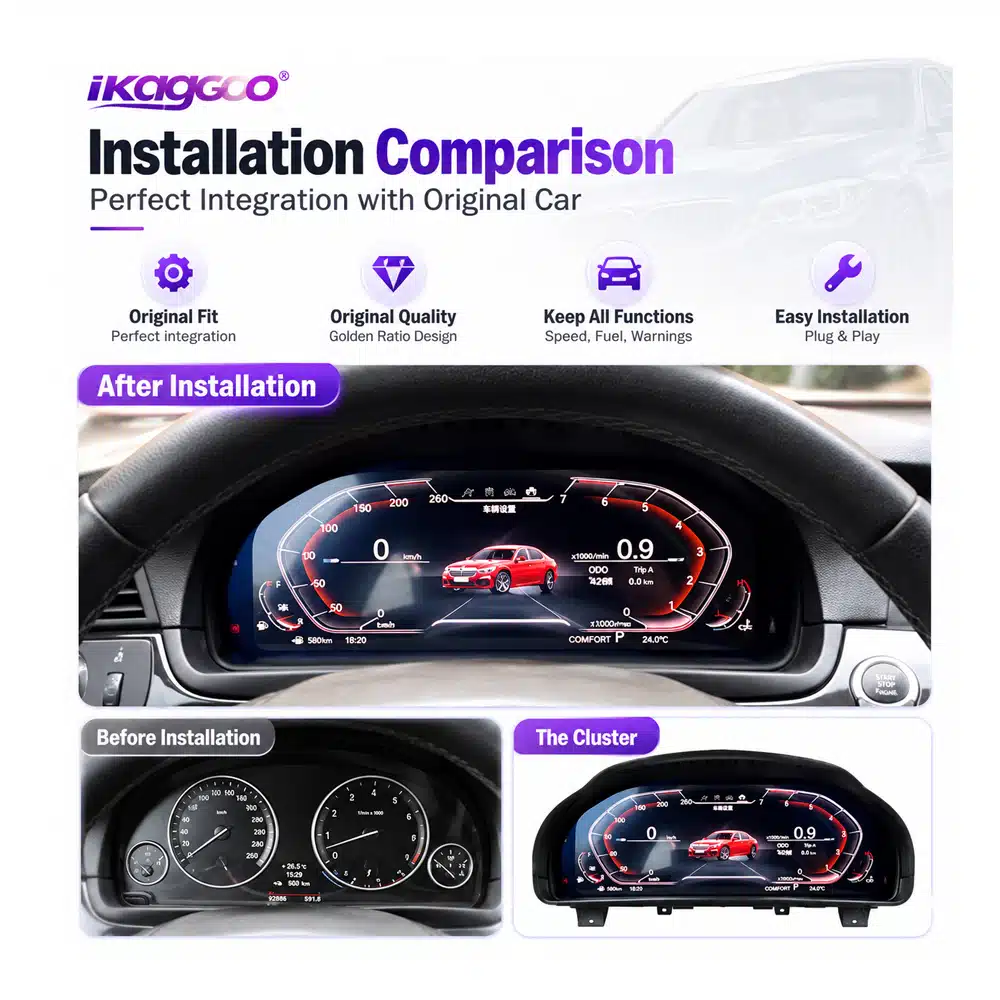
If only one side of the cockpit is modernized, the other can become more noticeable. When both areas already bother you, upgrading the center display and cluster can make the dashboard feel like one coherent interior again.
This is particularly relevant for an owner who bought a good used F25, knows the vehicle is mechanically worth keeping and wants to improve the parts experienced on every journey.
BMW X3 F25 Upgrade Guide: What Should You Change First After Buying a Used X3?
Start with the Android screen. It changes navigation, phone integration, music and the interface you interact with during normal driving.
Start with the digital cluster. It changes the visual area directly in front of you without requiring you to replace a center screen you still like.
Upgrade in stages or complete both areas. The right order is the one that solves your biggest current frustration first.
BMW X3 F25 Upgrade Guide: Four Risks to Solve Before You Spend the Money
A low advertised product price is not automatically the lowest final cost if fitment, customs charges, installation support and future repair options are still unknown.
Confirm the year, F25 platform and original CIC/NBT or instrument configuration before shipment.
For eligible destinations, select the DDP tax-included shipping route when it is available at checkout.
Product identification and vehicle information stay connected to the original order.
The support relationship does not simply disappear when the 12-month hardware period ends.
BMW X3 F25 Upgrade Guide: How DDP Shipping Can Remove the Customs Surprise
You have already decided to spend money improving the BMW. The last thing you want is a courier message after shipment asking for another unexpected import payment before delivery.
For an eligible DDP route that is expressly selected or confirmed before shipment, the supported import duties and applicable tax/VAT covered by that route are included in the agreed shipping arrangement.
This gives the buyer a clearer idea of the real landed cost instead of comparing only the product price and leaving customs as an unknown amount at the destination.
DDP applies only when the tax-included option is clearly offered and selected at checkout or confirmed by iKAGOO before shipment.
If DDP is not expressly selected or confirmed, standard-shipping import charges remain the customer's responsibility.
DDP availability can depend on destination, order value, package size and available logistics route.
BMW X3 F25 Upgrade Guide: What Happens If the Screen or Cluster Has a Problem Years Later?
No responsible automotive-electronics seller can promise that hardware will never fail. The more important question is whether your original product can still be identified and whether there is still a practical route to software help, parts or an upgrade later.
Eligible products use iKAGOO's current 12-month limited commercial hardware warranty, subject to the warranty terms.
Original purchasers of eligible products receive remote software troubleshooting, recovery guidance and compatible available software support.
iKAGOO helps assess compatible parts, repair routes or newer compatible solutions. Parts, shipping and physical repair may be chargeable.
If a screen stops working two years later, the first question should not automatically be “Where can I buy another complete unit?” The original order can be used to identify the supplied version and help determine whether the issue is software, wiring, display hardware, mainboard hardware or another part of the system.
If a compatible part is needed several years later, iKAGOO's parts-and-upgrade support route can be used to assess available replacement, repair or newer compatible solutions rather than forcing the customer to start again with an unknown product.
BMW X3 F25 Upgrade Guide: Buying for a Family Member, Client or Customer
You do not need to personally identify every BMW electronic option. Start with the exact year and send clear photos of the original screen, dashboard or instrument cluster.
Tell iKAGOO whether the owner mainly wants CarPlay, a larger center display, a digital instrument panel or a complete cockpit upgrade.
Workshops care about more than whether the display powers on. Original controls, camera route, system configuration and complete function testing should be considered before the dashboard is fully reassembled.
Correct product identification also matters later if the customer returns with a software or hardware question.
BMW X3 F25 Upgrade Guide: Three Reasons This Upgrade Path Makes Sense
These three indicators focus on what matters after the excitement of seeing a new display: how much the upgrade changes daily use, how well it can remain connected to the BMW and whether there is still a support route after the sale.
The center screen and instrument cluster are two of the parts you interact with most often. Changing the right one creates a visible benefit on nearly every journey.
Vehicle-specific CIC/NBT review and retained BMW information make the upgrade more meaningful than simply placing a universal display in the cabin.
DDP availability, identifiable hardware, installation support and the 1Y / 3Y / 5Y support framework reduce uncertainty beyond the day of purchase.
BMW X3 F25 Upgrade Guide: Screen, Cluster or Both — Which Route Fits You?
| Your Situation | What You Want to Improve | Recommended Starting Route | Why iKAGOO Adds Value | Bước tiếp theo |
|---|---|---|---|---|
| Original center screen feels old or too limited | Navigation, CarPlay, Android Auto, media and everyday phone use | Đầu phát Android | CIC/NBT and dashboard review before shipment | View product → |
| Center screen is acceptable but analog gauges make the car feel old | Driver-facing digital cockpit | 12.3″ Cụm đồng hồ kỹ thuật số | F25-specific route with order-linked support | View product → |
| Both front displays feel dated and you plan to keep the BMW | More consistent modern cockpit | Screen + Cluster | One vehicle, one support route | Confirm both → |
| US or EU buyer concerned about unexpected import charges | More predictable landed cost | Select eligible DDP option | Supported duties/taxes included in confirmed DDP route | Read DDP policy → |
| Keeping the X3 for several more years | A support route if software or hardware needs attention later | Buy through an identifiable long-term supplier | 1Y hardware · 3Y software · 5Y parts/upgrade support | View support policy → |
BMW X3 F25 Upgrade Guide: Compatibility, Installation, Shipping and Long-Term Support
BMW X3 F25 Upgrade Guide: Questions Buyers Ask Before Ordering
BMW X3 F25 Upgrade Guide: What should I upgrade first on a 2011–2017 BMW X3?
Upgrade the part that currently limits your ownership experience most. Choose the Android screen when center-display usability, navigation and phone integration are the problem. Choose the digital cluster when the driver's instrument area is what makes the cabin feel dated.
BMW X3 F25 Upgrade Guide: Does this cover 2011, 2012, 2013, 2014, 2015, 2016 and 2017 models?
Đúng vậy. The current iKAGOO X3 F25 routes in this guide cover the 2011–2017 F25 generation, subject to original system and vehicle-configuration confirmation.
BMW X3 F25 Upgrade Guide: Can I add CarPlay to my F25?
Đúng vậy. The current F25 Android head unit supports wireless Apple CarPlay, and the current F25 digital cluster also supports Apple CarPlay. Choose the route according to where you want the upgrade to change your driving experience.
BMW X3 F25 Upgrade Guide: Does the digital cluster support Android Auto?
Đúng vậy. The current BMW X3 F25 Digital Cluster lists both Apple CarPlay and Android Auto as supported functions.
BMW X3 F25 Upgrade Guide: What is CIC or NBT and why does it matter?
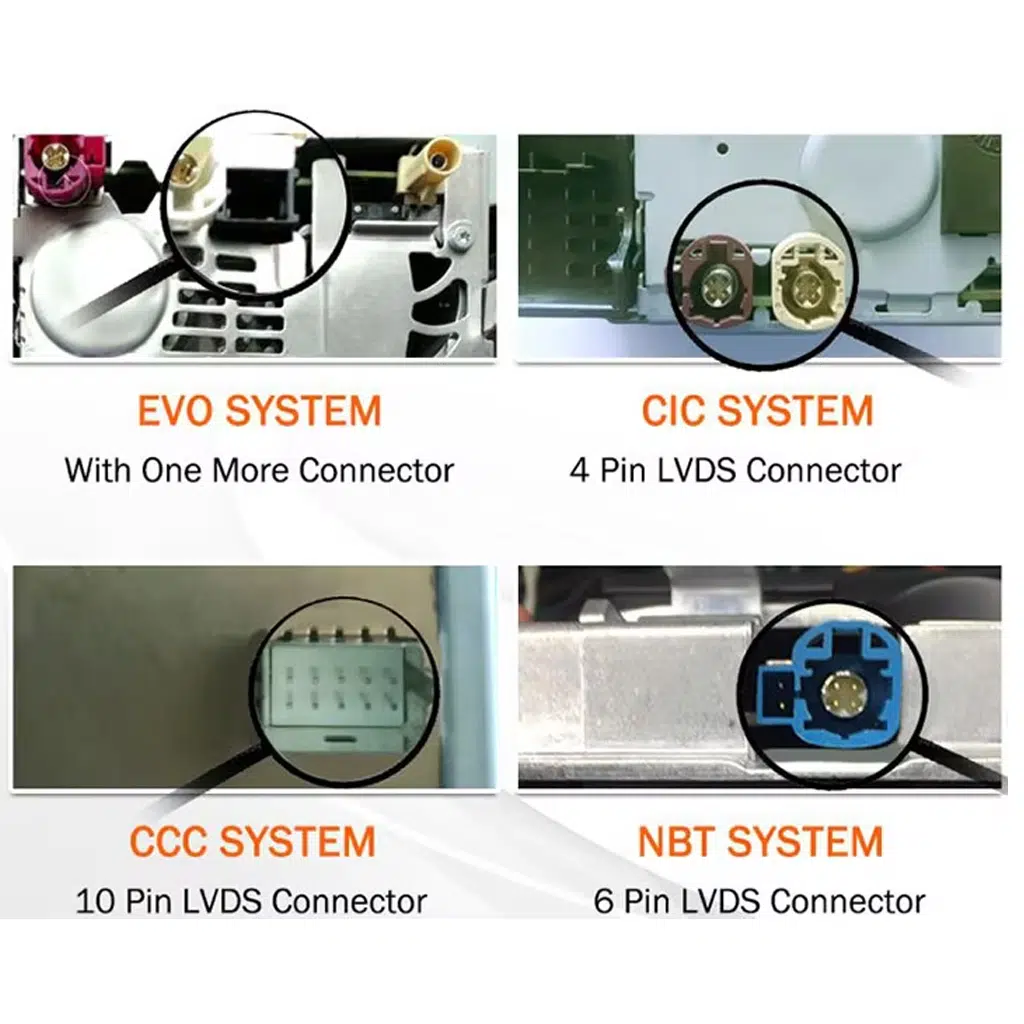
CIC and NBT identify BMW infotainment-system generations that can affect which Android-screen version your vehicle requires. Clear original dashboard and screen photos give iKAGOO a practical basis for checking the correct route.
BMW X3 F25 Upgrade Guide: Should I buy the screen and digital cluster together?
Consider both when you plan to keep the F25 and both the center display and driver's instrument area already feel dated. If only one area bothers you, upgrade that one first rather than replacing a part you still like.
BMW X3 F25 Upgrade Guide: Can I upgrade in stages?
Đúng vậy. You can begin with the screen or digital cluster and add the second upgrade later. Starting with the part you interact with most makes the first purchase easier to justify.
BMW X3 F25 Upgrade Guide: Will I have to pay customs duties after delivery?
If an eligible DDP tax-included shipping option is offered and you select it at checkout, the supported import duties and applicable taxes included in that confirmed DDP route are handled as part of the shipping arrangement. If DDP is not selected or confirmed, normal import charges may remain the buyer's responsibility.
BMW X3 F25 Upgrade Guide: Is DDP available for US and European buyers?
iKAGOO currently offers DDP / tax-included routes for eligible United States orders and supported European Union destinations when the option is available and selected. Availability can depend on product, package, destination and current logistics route.
BMW X3 F25 Upgrade Guide: What happens if the product fails after one year?
The end of the 12-month commercial hardware warranty does not automatically end the support relationship. Eligible original purchasers remain connected to the applicable 3-year remote software and 5-year parts / upgrade support routes. Out-of-warranty parts, shipping and physical repair may be chargeable.
BMW X3 F25 Upgrade Guide: Does the five-year support mean a five-year free warranty?
Không. The hardware warranty, software-support period and parts / upgrade support period are separate commitments. Five-year parts and upgrade support does not mean five years of free replacement hardware.
BMW X3 F25 Upgrade Guide: What if a replacement part is discontinued years later?
iKAGOO can assess a compatible part, repair route or newer compatible product where a practical solution remains available. Long-term support does not guarantee that every discontinued component will remain permanently in stock.
BMW X3 F25 Upgrade Guide: Can a local BMW or car-audio installer fit these products?
An experienced automotive-electronics installer is an appropriate route when professional installation is preferred. Supported controls, audio, cameras and vehicle information should be checked before the dashboard is completely refitted.
BMW X3 F25 Upgrade Guide: What should I send iKAGOO if I am not sure which version I need?
Send the exact vehicle year and clear photos of the original dashboard, screen or cluster. Include steering position and any relevant factory audio, camera or previous aftermarket modifications you know about.
BMW X3 F25 Upgrade Guide: Why buy from iKAGOO instead of the cheapest seller?
Because the lowest product price is not necessarily the lowest ownership cost when fitment, customs, installation and future support are still unknown. iKAGOO combines vehicle review, optional eligible DDP shipping, order-linked technical support and a defined long-term ownership-support route.
BMW X3 F25 Upgrade Guide: Keep the X3 You Still Like and Modernize What Now Feels Old
If your 2011–2017 BMW X3 F25 still gives you the driving position, practicality and ownership experience you want, an outdated display is not a reason by itself to replace the whole vehicle.
Choose the Android head unit when the center screen, navigation and phone experience are what bother you. Choose the digital cluster when the analog driver's view is what dates the cabin. Choose both when you plan to keep the BMW and want the front cockpit to feel consistent again.
Then look beyond the installation day: confirm the vehicle before shipment, choose DDP where available if you want a clearer import-cost route, and buy from a supplier that can still identify the product if you need software, parts or technical help years later.
One BMW. One vehicle history. One support route.








Add comment
Bạn phải đăng nhập để gửi bình luận.