



Khoang lái Porsche hiện đại hơn
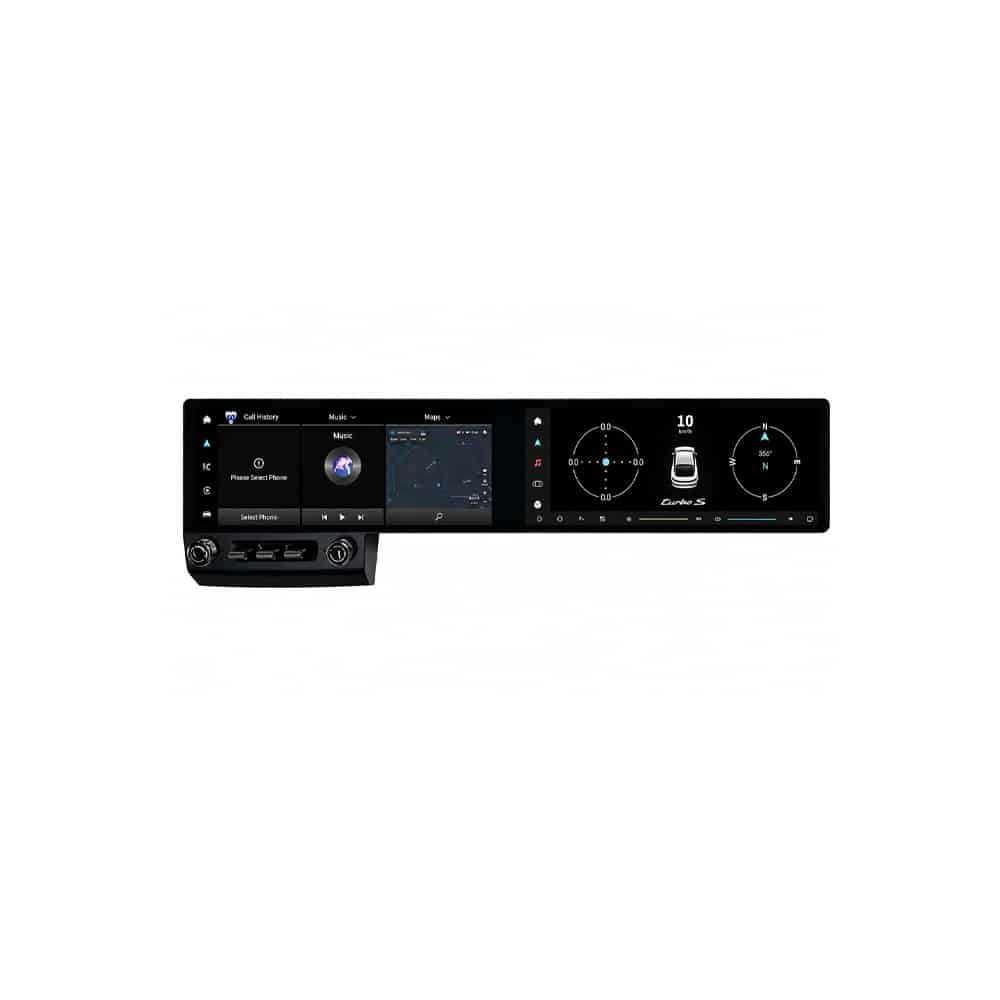
Bố cục hai màn hình rộng làm mới trung tâm thị giác của cabin và cho điều hướng, giải trí và các chức năng Android thêm không gian để hiển thị rõ ràng.

| Cân nặng | 8.5 kg |
|---|---|
| Kích thước | 48 × 38 × 28 cm |
| Xe hỗ trợ | porsche 718 cayman android head unit |
| Khả năng tương thích của sản phẩm | Cắm là chạy |
| Nguồn gốc sản phẩm | Không phải sản phẩm chính hãng |
| Màu sắc: | Màu đen/bánh lái bên trái, Màu đen/bánh lái bên phải |
| Bộ nhớ | 12+256GB 8 nhân CP/AA/ASP/4G, 6+128GB 8 nhân CP/AA/ASP/4G |



 Chi tiết
Thanh toán theo thời gian với Klarna, nếu có sẵn. Các gói và phê duyệt được Klarna quyết định khi thanh toán.
Chọn Vận chuyển DDP khi thanh toán. iKAGOO chi trả thuế nhập khẩu và thuế áp dụng được bao gồm trong dịch vụ vận chuyển DDP của bạn. Không cần thanh toán riêng các khoản phí được chi trả này khi giao hàng. Vận chuyển Tiêu chuẩn không bao gồm thuế nhập khẩu.
DDP là tùy chọn. Phí vận chuyển và các phương thức khả dụng phụ thuộc vào địa chỉ giao hàng của bạn. Khu vực xa xôi có thể cần xác nhận.
Hướng dẫn vận chuyển theo điều kiện DDP →iKAGOO xem xét khả năng lắp đặt và cung cấp bảo vệ tương thích được xác định, bảo hành phần cứng 1 năm, hỗ trợ phần mềm 3 năm và hỗ trợ phụ tùng 5 năm cho các sản phẩm đủ điều kiện.
 Bảo vệ lắp đặt 7 ngày
Bảo vệ chống lỗi tương thích
Nếu phê duyệt lắp đặt bằng văn bản của chúng tôi sai và không có cách khắc phục nào hiệu quả, sẽ áp dụng hoàn tiền theo giá thiết bị đủ điều kiện.
→
Bảo vệ lắp đặt 7 ngày
Bảo vệ chống lỗi tương thích
Nếu phê duyệt lắp đặt bằng văn bản của chúng tôi sai và không có cách khắc phục nào hiệu quả, sẽ áp dụng hoàn tiền theo giá thiết bị đủ điều kiện.
→
 12-Month Bảo hành phần cứng
iKAGOO bảo hành các lỗi sản xuất đủ điều kiện trong 12 tháng kể từ ngày giao hàng.
→
Phần mềm 3 năm · Phụ tùng 5 năm
iKAGOO cung cấp hỗ trợ phần mềm từ xa miễn phí và lộ trình hỗ trợ phụ tùng và nâng cấp cho các sản phẩm đủ điều kiện.
→
12-Month Bảo hành phần cứng
iKAGOO bảo hành các lỗi sản xuất đủ điều kiện trong 12 tháng kể từ ngày giao hàng.
→
Phần mềm 3 năm · Phụ tùng 5 năm
iKAGOO cung cấp hỗ trợ phần mềm từ xa miễn phí và lộ trình hỗ trợ phụ tùng và nâng cấp cho các sản phẩm đủ điều kiện.
→
Mục tiêu của chúng tôi là đảm bảo đơn hàng của bạn chính xác trước khi rời khỏi chúng tôi. Chúng tôi kiểm tra tính tương thích, chuẩn bị cấu hình chính xác và chỉ liên hệ với bạn nếu có điều gì cần xác nhận.
Porsche 718 Cayman 2016–2023 · Nâng cấp buồng lái kép 12.3 inch
Cái Đầu đĩa Android cho Porsche 718 Cayman nâng cấp các xe đã chọn 2016–2023 với màn hình QLED cán màng hoàn toàn kép 12.3 inch, Android 15, Apple CarPlay không dây, Android Auto, định vị GPS, 4G và Wi-Fi.
Sản phẩm được thiết kế cho những chủ xe muốn có giao diện lái lớn hơn, sạch sẽ hơn và tiên tiến hơn mà không phải chấp nhận màn hình ngoài nhỏ hoặc module chỉ có CarPlay cơ bản.
Video giới thiệu sản phẩm
Hãy xem sự biến đổi của khoang xe và xem cách bố trí màn hình kép rộng hơn mang lại trải nghiệm điều hướng, giải trí và điều khiển điện thoại thông minh hiện đại hơn cho chiếc Porsche 718 Cayman.
Trả lời nhanh
Có, đặc biệt nếu bạn định giữ chiếc Porsche 718 Cayman của mình và thường xuyên sử dụng định vị, nghe nhạc, gọi điện hoặc các ứng dụng kết nối.
Hệ thống màn hình kép cập nhật một trong những khu vực dễ thấy và thường được sử dụng nhất của khoang cabin. Nó mang đến cho bạn môi trường hiển thị lớn hơn, tích hợp điện thoại không dây và nền tảng đa phương tiện Android hoàn chỉnh trong một lần nâng cấp.
Những lợi ích bạn nhận được
Bố cục hai màn hình rộng làm mới trung tâm thị giác của cabin và cho điều hướng, giải trí và các chức năng Android thêm không gian để hiển thị rõ ràng.
Sử dụng bản đồ, cuộc gọi, tin nhắn và nhạc tương thích qua Apple CarPlay không dây hoặc Android Auto mà không cần kết nối cáp mỗi khi vào xe.
Android 15 cho phép bạn truy cập các ứng dụng điều hướng, giải trí và kết nối được hỗ trợ thay vì chỉ giới hạn nâng cấp ở tính năng phản chiếu điện thoại.
Sản phẩm sử dụng cụm màn hình dành riêng cho xe để lắp vừa khít hơn so với máy tính bảng đa năng hoặc màn hình ngoài gắn trên bảng điều khiển.
Giá trị khi lái xe hàng ngày
Sử dụng CarPlay không dây hoặc Android Auto cho bản đồ, nhạc và cuộc gọi trên màn hình lớn hơn, dễ nhìn hơn khi lái xe thường ngày.
Bố cục rộng hơn cho phép điều hướng và phương tiện có nhiều không gian hơn, giảm nhu cầu chuyển đổi liên tục giữa các menu nhỏ gọn.
Nếu bạn định giữ chiếc xe, việc nâng cấp màn hình và kết nối sẽ cải thiện một bộ phận của xe mà bạn tương tác gần như trong mọi chuyến đi.
iKAGOO Đánh Giá Ba Bước
Ba kết quả này giúp bạn đánh giá liệu việc nâng cấp có đáng giá hay không, mức độ tích hợp tốt như thế nào với xe nguyên bản của bạn và mức độ hỗ trợ lắp đặt mà bạn nên chuẩn bị.
Điểm số này cao nhất đối với những chủ xe muốn có khoang lái trông mới hơn rõ rệt, thường xuyên sử dụng chức năng dẫn đường và điện thoại, và có kế hoạch giữ xe lâu dài.
Giá trị sẽ thấp hơn khi hệ thống nguyên bản đã đáp ứng nhu cầu của bạn hoặc một mô-đun CarPlay đơn giản là đủ để giải quyết hoàn toàn mối quan tâm chính của bạn.
Hệ thống hỗ trợ các chức năng nâng cấp chính, bao gồm CarPlay không dây, Android Auto, chuyển đổi hệ thống nguyên bản khi tương thích và các điều khiển trên vô-lăng được hỗ trợ.
Hệ thống âm thanh, camera, bộ điều khiển và cài đặt xe nguyên bản của bạn phải được xác nhận trước khi giao hàng để có thể chuẩn bị đúng phiên bản và tuyến kết nối.
Lắp đặt bao gồm tháo bảng táp-lô, kết nối dây điện, đi dây cáp, cấu hình hệ thống và kiểm tra đầy đủ chức năng trước khi lắp ráp lại lần cuối.
Lắp đặt chuyên nghiệp bảo vệ các chi tiết ốp, giảm lỗi thiết lập và giúp đảm bảo màn hình, âm thanh, điều khiển và hoạt động nguồn được kiểm tra đúng cách.
Điều đó không có nghĩa là 20% các chức năng nguyên bản của bạn sẽ bị mất. Điểm số cũng xem xét sự khác biệt về menu Android, cấu trúc màn hình, hành vi điều khiển và thiết kế lắp đặt so với hệ thống Porsche nguyên bản.
Các phím điều khiển gốc
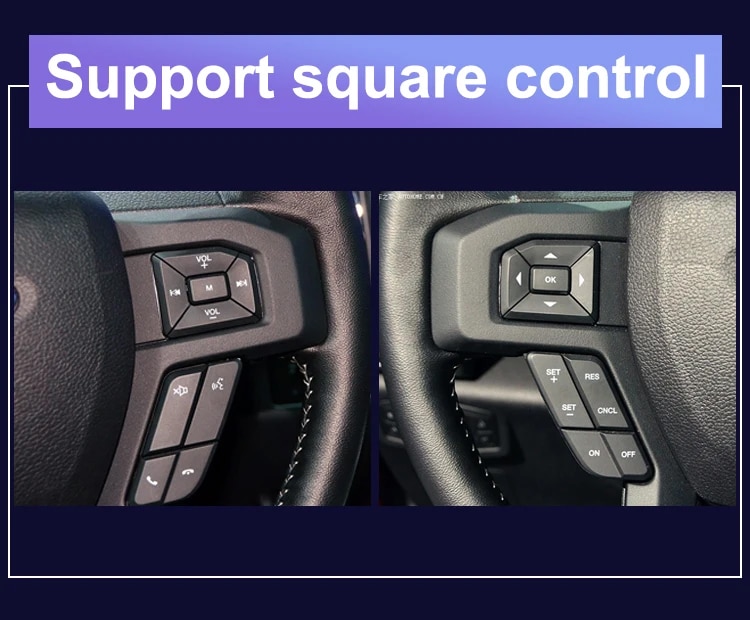
Tiếp tục sử dụng các nút trên vô-lăng nguyên bản cho các chức năng thông dụng như điều chỉnh âm lượng, chọn bài và các điều khiển cuộc gọi được hỗ trợ sau khi hệ thống được lắp đặt và cấu hình đúng cách.
Các điều khiển trên vô-lăng nguyên bản được hỗ trợ. Điều này cho phép bạn quản lý các chức năng chính mà không cần với tay tới màn hình cảm ứng trong khi lái xe bình thường.
Hình Ảnh Sản Phẩm và Lắp Đặt Thực Tế
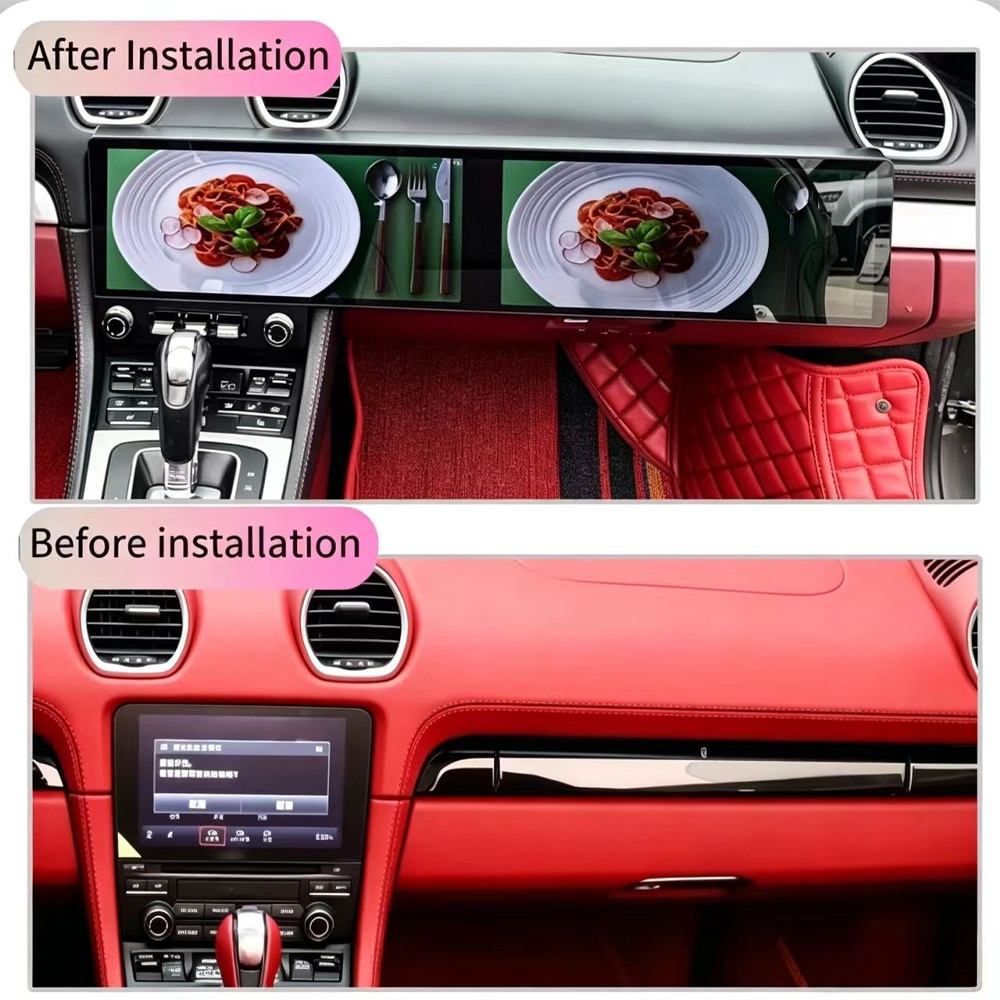
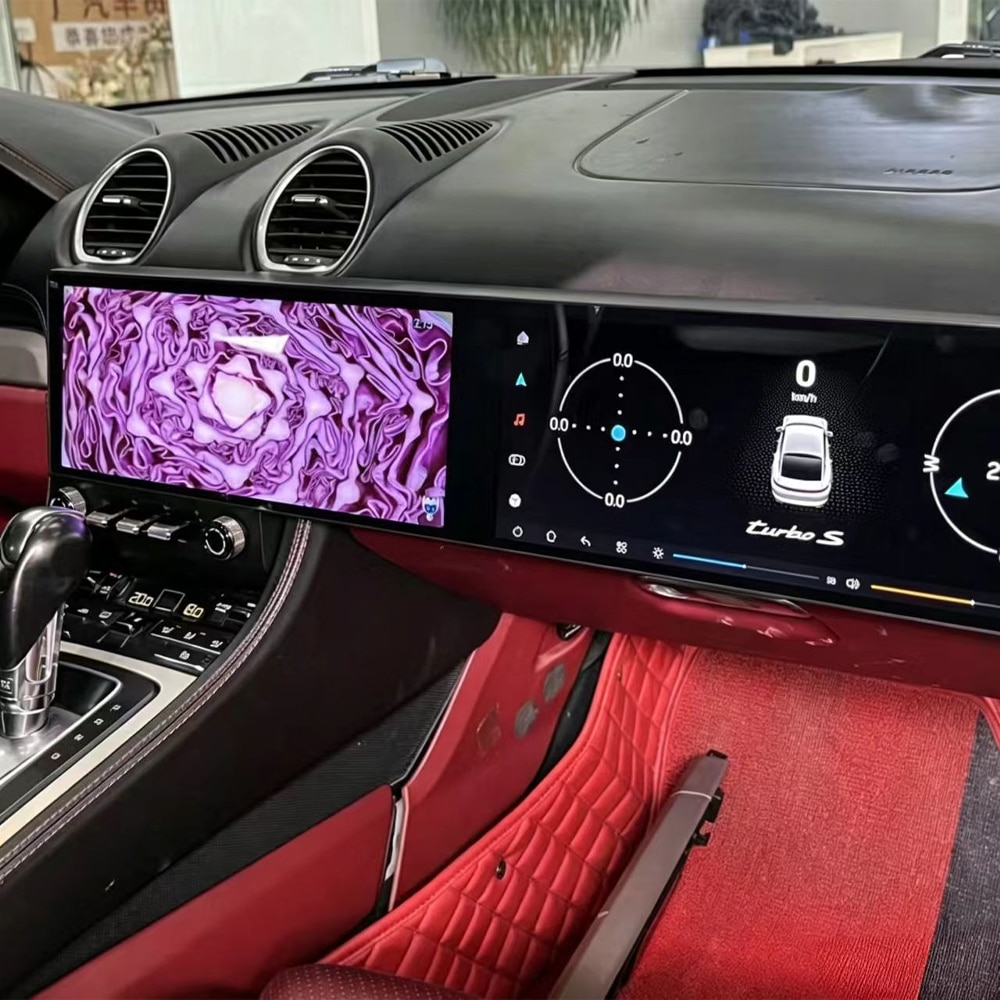
Hình ảnh mặt trước cho thấy bố cục hiển thị đầy đủ và thiết kế bảng táp-lô tích hợp mà bạn nhận được khi nâng cấp.
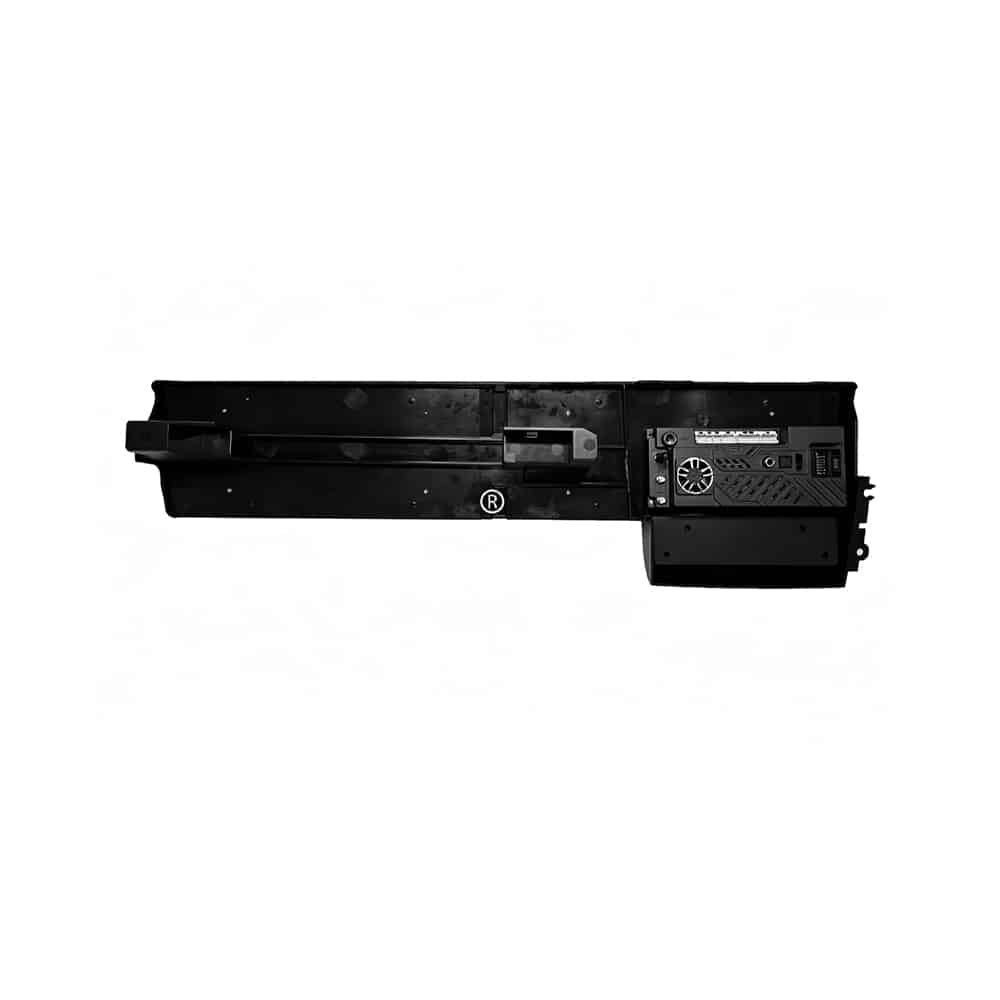
Cấu trúc phía sau cho thấy đây là một hệ thống gắn trong bảng táp-lô hoàn chỉnh chứ không phải một màn hình đơn giản gắn vào bảng táp-lô nguyên bản.
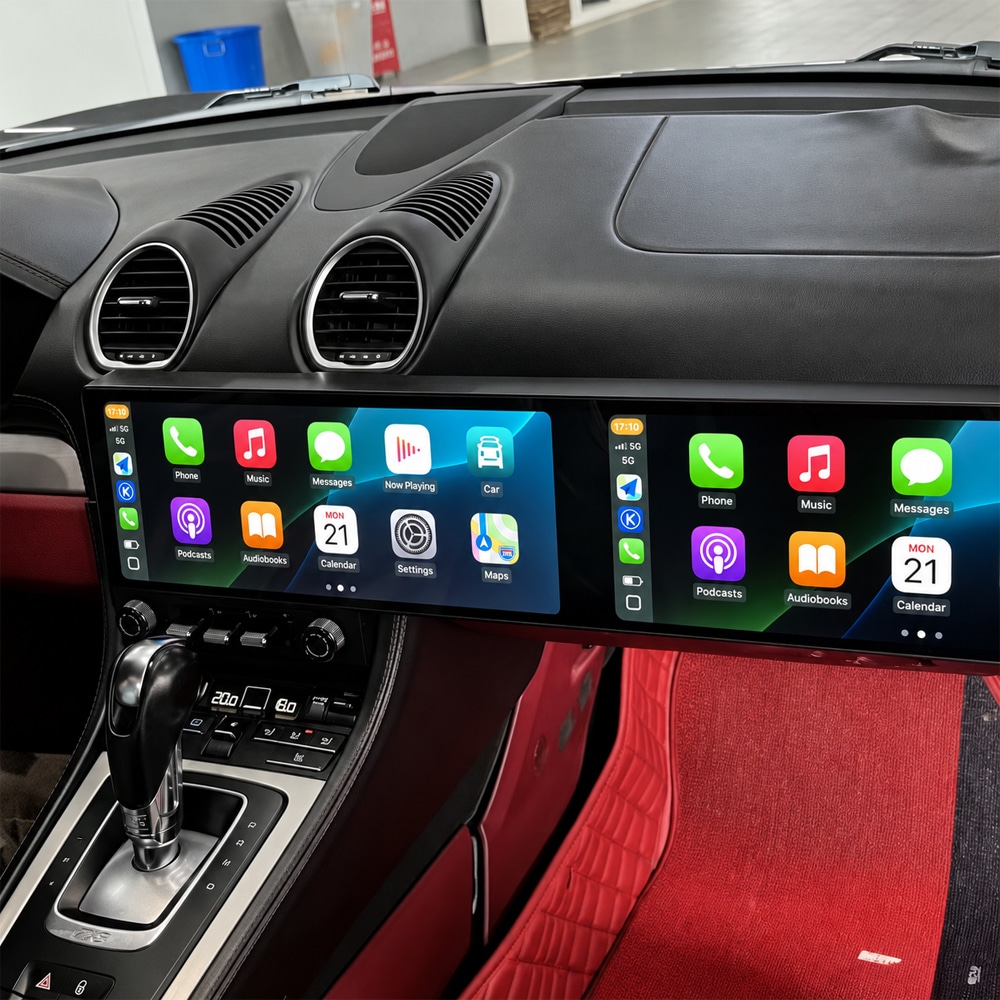
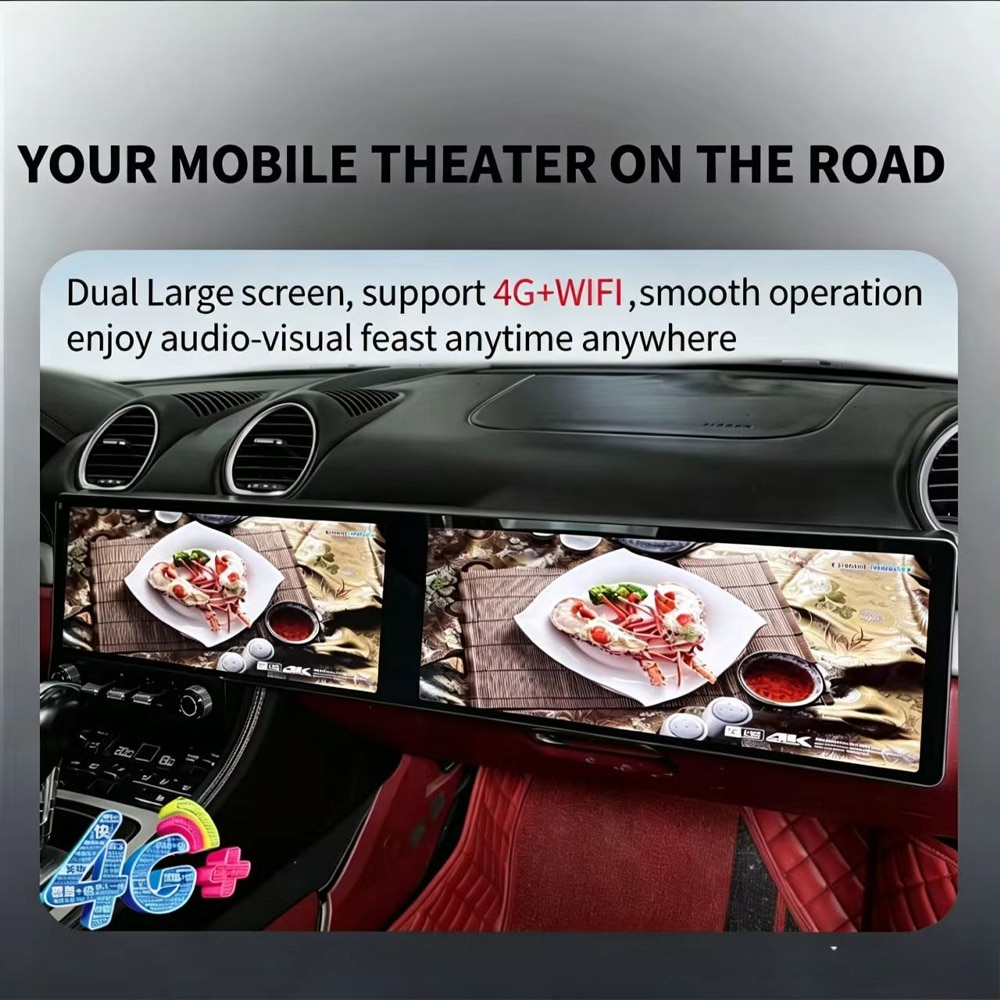
Sử dụng các ứng dụng Android tương thích, dẫn đường trực tuyến và chức năng đa phương tiện thông qua kết nối 4G hoặc Wi-Fi.
Khoang lái trở nên rộng hơn, gọn gàng hơn và hiện đại hơn trong khi vẫn giữ màn hình ở vị trí tự nhiên trong bảng táp-lô.
Định dạng màn hình rộng cung cấp thông tin xe, phương tiện và các chức năng hệ thống nhiều không gian hơn so với môi trường màn hình nhỏ gọn ban đầu.
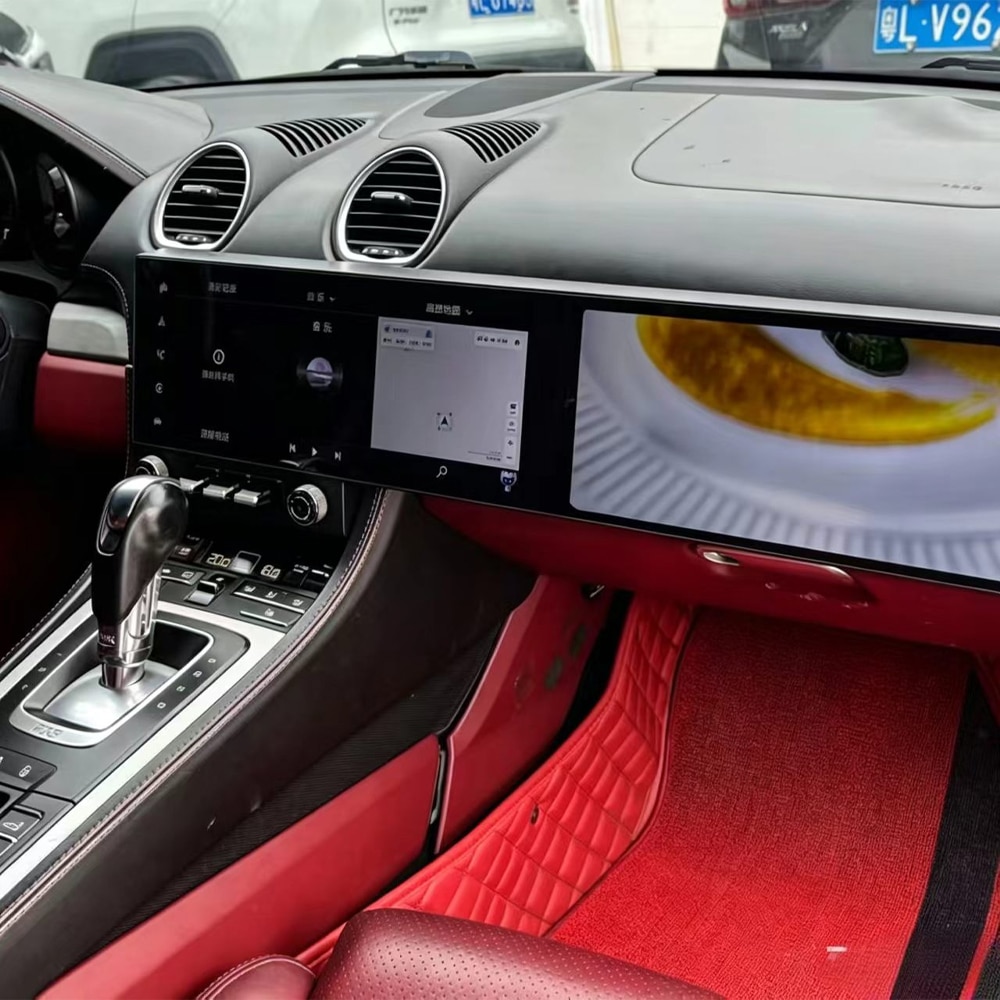
Khu vực hiển thị lớn giúp dễ dàng xem hướng dẫn tuyến đường và thông tin phương tiện trong quá trình lái xe hàng ngày và các chuyến đi dài hơn.
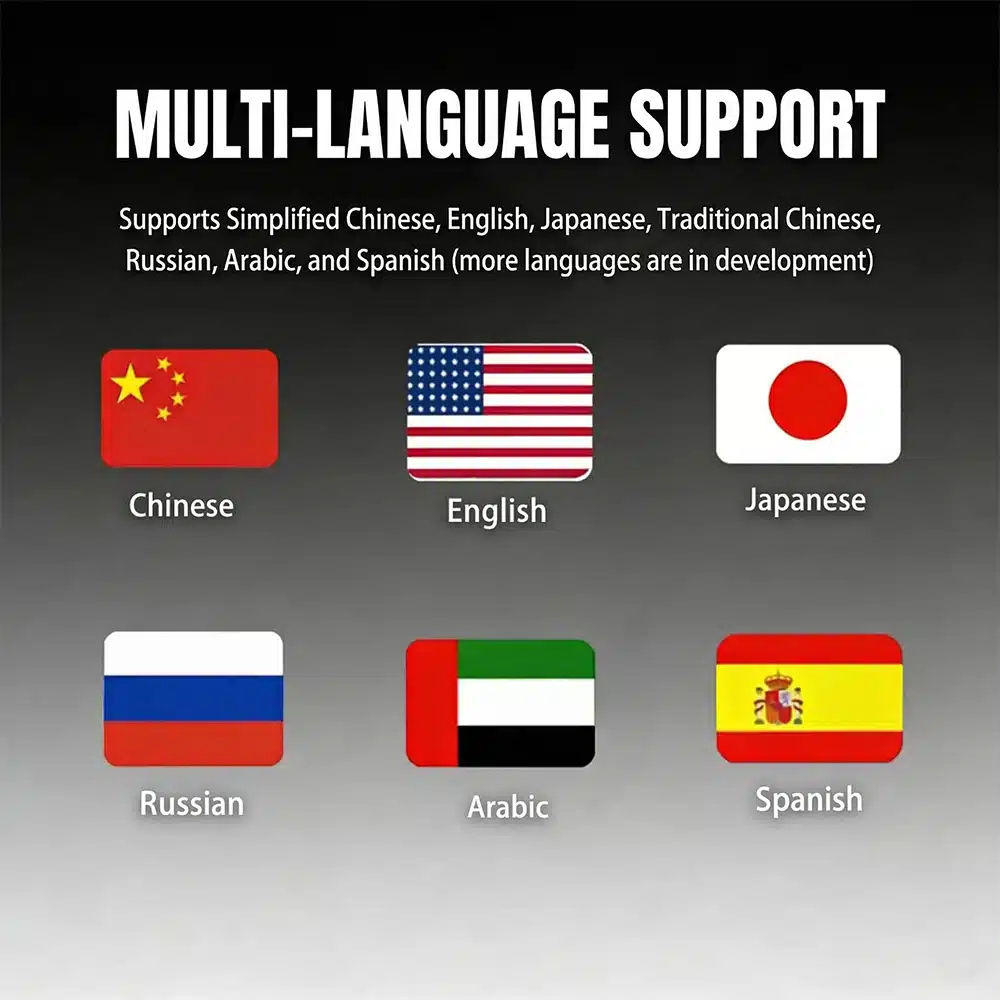
Hệ thống cung cấp các tùy chọn giao diện đa ngôn ngữ cho người mua ở các quốc gia và khu vực khác nhau.
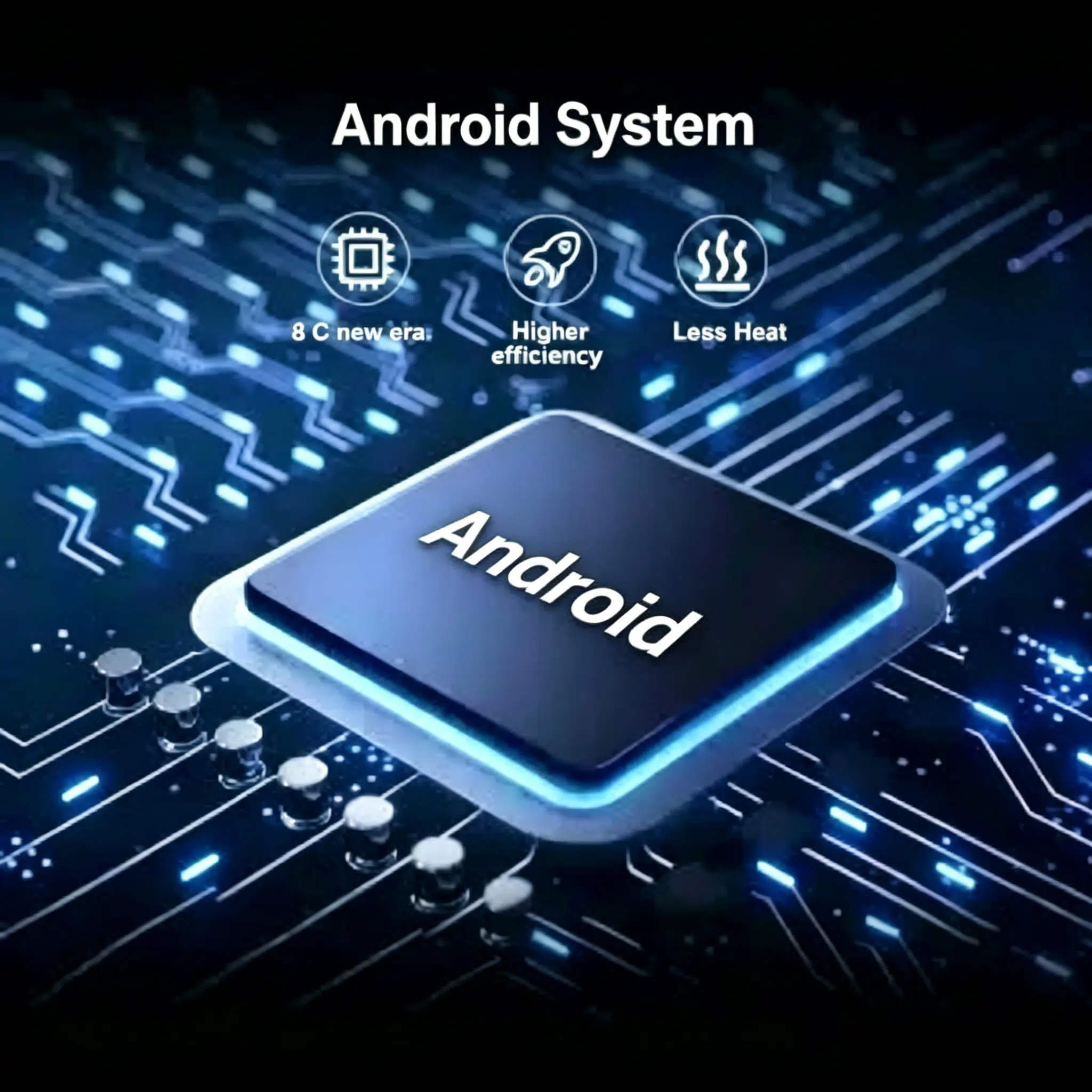
Hệ thống hiện tại sử dụng Android 15 với bộ xử lý tám nhân UIS7870SC cho điều hướng, phương tiện và sử dụng ứng dụng được hỗ trợ.
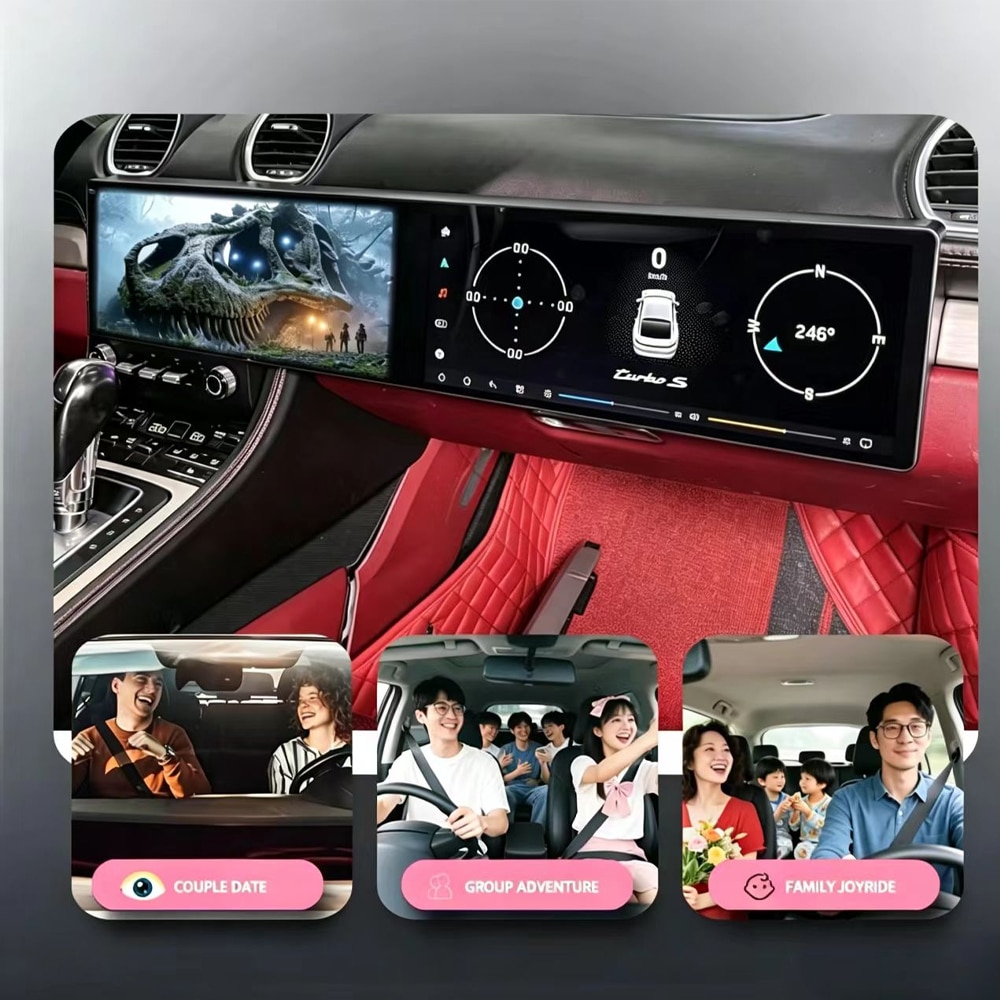
Bản nâng cấp được thiết kế để giúp điều hướng, cuộc gọi, nhạc và các chức năng kết nối dễ sử dụng hơn trong quá trình đi làm, du lịch gia đình và lái xe công tác.
Chọn lộ trình nâng cấp phù hợp
| Thời điểm quyết định | Nâng cấp màn hình kép | Mô-đun CarPlay | Sửa chữa hệ thống gốc | Màn hình phổ thông |
|---|---|---|---|---|
| Diện mạo buồng lái | Nâng cấp hình ảnh lớn | Giữ nguyên diện mạo ban đầu | Khôi phục diện mạo ban đầu | Thường trông như được thêm vào bảng điều khiển |
| Kết nối điện thoại | CarPlay và Android Auto không dây | Thường là lợi ích chính | Phụ thuộc vào thiết bị gốc | Phụ thuộc vào sản phẩm |
| Ứng dụng Android | Nền tảng Android 15 đầy đủ | Thường không có hệ thống Android độc lập | Không có nền tảng Android bổ sung | Có thể hỗ trợ ứng dụng với ít tích hợp hơn |
| Khớp bảng táp lô | Lắp ráp dành riêng cho xe | Giữ màn hình nhà máy | Lắp đặt nhà máy vẫn không thay đổi | Thường ít tích hợp nhất |
| Phù hợp nhất với | Chủ sở hữu muốn chuyển đổi buồng lái hoàn toàn | Chủ sở hữu hài lòng với màn hình gốc | Chủ xe ưu tiên tính nguyên bản của nhà máy | Sử dụng tạm thời hoặc tập trung vào ngân sách |
Thông số kỹ thuật sản phẩm
Chọn cấu hình của bạn
Lựa chọn thiết thực cho CarPlay không dây, Android Auto, điều hướng, nhạc và sử dụng ứng dụng Android thông thường.
Chọn phiên bản này khi ưu tiên chính của bạn là sự tiện lợi khi lái xe hàng ngày thay vì lưu trữ nhiều ứng dụng hoặc tệp media ngoại tuyến.
Cung cấp thêm bộ nhớ và dung lượng lưu trữ cho những chủ xe dự kiến sử dụng nhiều ứng dụng Android hơn, bản đồ ngoại tuyến lớn hơn hoặc nhiều media cục bộ hơn.
Chọn phiên bản này khi bạn muốn linh hoạt lưu trữ lâu dài hơn và khả năng vận hành dư dả hơn.
Cả hai tùy chọn hiện tại đều sử dụng cùng thiết kế hai màn hình như đã liệt kê, nền tảng Android, bộ xử lý và phương thức kết nối điện thoại. Khác biệt chính là bộ nhớ và dung lượng lưu trữ.
Các chức năng được hỗ trợ
Kết nối không dây với iPhone tương thích để sử dụng điều hướng, cuộc gọi, tin nhắn, nhạc và các chức năng trợ lý giọng nói được hỗ trợ.
Kết nối điện thoại Android tương thích và sử dụng bản đồ, nhạc và các chức năng điện thoại được hỗ trợ thông qua màn hình xe.
Tiếp tục sử dụng các nút trên vô lăng nguyên bản được hỗ trợ cho các chức năng âm lượng, chuyển bài và cuộc gọi thông dụng sau khi thiết lập đúng.
Chuyển đổi giữa giao diện xe nguyên bản và hệ thống Android khi cấu hình nguyên bản và giao diện tương thích hỗ trợ chức năng này.
Sử dụng điều hướng GPS và kết nối các ứng dụng được hỗ trợ qua Wi-Fi hoặc tuyến mạng 4G tương thích.
Hãy cho iKAGOO biết xe của bạn có camera lùi nguyên bản, amply cao cấp, sợi quang MOST hay bộ điều khiển đặc biệt hay không để có thể chuẩn bị đúng phương án tích hợp.
Gói phần cứng tương thích
Hãy gửi thông tin bảng táp-lô, âm thanh và camera của bạn trước khi vận chuyển. iKAGOO sẽ sử dụng những thông tin này để xác nhận đúng bộ dây, mô-đun giao tiếp và các bộ chuyển đổi cần thiết cho cấu hình xe đã được phê duyệt.
Trước khi đặt hàng
Cung cấp chính xác năm sản xuất hoặc năm đăng ký của chiếc Porsche 718 Cayman của bạn.
Gửi một ảnh toàn cảnh bảng táp-lô và một ảnh cận cảnh rõ nét của hệ thống trung tâm nguyên bản.
Xác nhận vị trí vô lăng và chọn phiên bản Black/LHD hoặc Black/RHD tương ứng.
Cho chúng tôi biết xe có âm thanh tiêu chuẩn, âm thanh cao cấp hay camera nguyên bản.
Cài đặt
Tuyến dây tương thích được thiết kế để giảm việc sửa đổi không cần thiết, nhưng việc lắp đặt hoàn chỉnh vẫn cần thao tác bảng táp-lô cẩn thận, đi dây cáp, cấu hình và kiểm tra chức năng.
Chụp ảnh màn hình, âm thanh, camera, điều khiển vô lăng và cài đặt nguyên bản trước khi tháo.
Bảo vệ bề mặt bảng táp-lô và tháo cẩn thận các ốp trang trí cần thiết cùng các linh kiện nguyên bản.
Kết nối bộ dây đã được phê duyệt, mô-đun giao tiếp, ăng-ten, cáp USB và các bộ chuyển đổi cần thiết.
Chọn đúng giao thức và kiểm tra Android, âm thanh, điều khiển, camera và việc chuyển đổi hệ thống nguyên bản.
Kiểm tra khởi động, tắt máy, hành vi ngủ, căn chỉnh ốp trang trí và tất cả chức năng được hỗ trợ trước khi đóng bảng táp-lô.
Một buổi lắp đặt chuyên nghiệp thường mất khoảng 2,5–5 giờ khi có đúng phần cứng và đầy đủ thông tin xe cần thiết.
Bảo vệ xe của bạn
Vận chuyển, Bảo hành và Hỗ trợ
Hầu hết các đơn hàng có sẵn được chuẩn bị trong vòng 1–3 ngày làm việc sau khi nhận được thanh toán và thông tin tương thích.
Thời gian giao hàng ước tính sau khi gửi hàng thường là 5–9 ngày làm việc đối với Hoa Kỳ và Canada, 7–15 đối với Liên minh Châu Âu, 7–10 đối với Vương quốc Anh và Úc, và 7–20 đối với các khu vực được hỗ trợ khác.
Phần cứng đủ điều kiện được bảo hành 12 tháng kể từ ngày giao hàng được xác nhận theo các điều khoản bảo hành iKAGOO hiện hành.
Nếu iKAGOO đã phê duyệt xe trước khi mua và cấu hình đã được phê duyệt không thể tương thích sau khi khắc phục sự cố hợp lý, trường hợp này sẽ được xử lý theo chính sách đổi trả và hoàn tiền hiện hành.
Vận chuyển DDP hoặc thuế trả trước có thể có sẵn cho các điểm đến và tuyến đường đủ điều kiện. Thuế nhập khẩu và VAT chỉ được bao gồm khi dịch vụ này được chọn hoặc xác nhận trước khi gửi hàng.
Câu hỏi thường gặp
Sản phẩm được thiết kế cho các xe được chọn trong khoảng năm này. Gửi thông tin bảng điều khiển, hệ thống nguyên bản, âm thanh và camera của bạn để iKAGOO có thể xác nhận phiên bản chính xác trước khi gửi hàng.
Có. Apple CarPlay không dây và Android Auto được bao gồm cho các điện thoại tương thích và ứng dụng được hỗ trợ.
Có. Điều khiển trên vô lăng nguyên bản được hỗ trợ. Các chức năng thông thường như âm lượng, chọn bài và điều khiển cuộc gọi được hỗ trợ vẫn khả dụng sau khi lắp đặt và thiết lập đúng cách.
Việc chuyển đổi giữa hệ thống xe nguyên bản và hệ thống Android được hỗ trợ khi cấu hình nguyên bản và giao diện tương thích khớp nhau.
Các chức năng này phụ thuộc vào cấu hình xe chính xác. Cho iKAGOO biết xe của bạn có camera và hệ thống âm thanh nào để có thể xác nhận bộ chuyển đổi và phương thức tích hợp chính xác.
Chọn 6GB+128GB cho CarPlay, Android Auto, dẫn đường và sử dụng ứng dụng hàng ngày thông thường. Chọn 12GB+256GB khi bạn muốn nhiều dung lượng lưu trữ hơn và dư địa vận hành nhiều hơn cho ứng dụng Android hoặc thư viện media lớn hơn.
Nên lắp đặt chuyên nghiệp. Công việc bao gồm tháo bảng điều khiển, kết nối dây điện, đi dây cáp, cấu hình và kiểm tra chức năng hoàn chỉnh.
Gửi năm sản xuất xe, ảnh toàn bộ bảng điều khiển, ảnh hệ thống trung tâm nguyên bản, vị trí LHD/RHD, thông tin hệ thống âm thanh, thông tin camera nguyên xưởng và chi tiết về bất kỳ sửa đổi trước đó.
Hướng dẫn cho Người mua iKAGOO
Chọn nâng cấp của bạn
Chọn đúng phiên bản LHD hoặc RHD và tùy chọn bộ nhớ, sau đó gửi thông tin chi tiết xe của bạn để iKAGOO có thể xác nhận cấu hình chính xác trước khi vận chuyển.


Thông tin rõ ràng về khả năng tương thích của xe, chuẩn bị đơn hàng, giao hàng quốc tế, bảo hành, đổi trả và hỗ trợ sau bán hàng.
Thiết bị điện tử dành riêng cho xe yêu cầu đúng phiên bản, hệ thống dây điện và cấu hình. Quy trình của chúng tôi được thiết kế để giảm các vấn đề tương thích và lắp đặt có thể tránh được.
Mẫu xe, năm sản xuất, hệ thống nguyên bản và thông tin cấu hình liên quan có thể được xem xét trước khi mua để giảm rủi ro chọn sai phiên bản.
Sau khi thanh toán, hãy gửi thông tin xe cần thiết và ảnh liên quan qua biểu mẫu bảo mật được liên kết trên trang xác nhận đơn hàng, email xác nhận hoặc Tài khoản của tôi. Chúng tôi xem xét các chi tiết này trước khi chuẩn bị đúng phiên bản và linh kiện để gửi đi.
Mục tiêu của chúng tôi là đảm bảo đơn hàng của bạn chính xác trước khi rời khỏi chúng tôi. Vui lòng gửi thông tin chi tiết xe và ảnh cần thiết sau khi thanh toán. Chúng tôi xem xét chúng trước khi gửi hàng và liên hệ với bạn nếu cần làm rõ.
Tóm tắt thực tế về các điều khoản chính áp dụng cho đơn hàng iKAGOO dành riêng cho xe.
Hầu hết các đơn hàng iKAGOO được gửi từ địa điểm thực hiện của chúng tôi tại Trung Quốc sau khi cấu hình sản phẩm và thông tin xe đã được kiểm tra.
Thời gian xử lý đơn hàng bình thường khoảng 1–3 ngày làm việc. Thời gian giao hàng ước tính sau khi gửi hàng thường là:
Thủ tục hải quan, ngày lễ, thời tiết, sự chậm trễ của hãng vận chuyển và giao hàng đến khu vực xa xôi có thể ảnh hưởng đến các ước tính này.
Chọn Vận chuyển DDP khi thanh toán: iKAGOO chi trả thuế nhập khẩu và thuế áp dụng được bao gồm trong dịch vụ DDP đã chọn. Không cần thanh toán thêm các khoản phí được chi trả đó khi giao hàng.
Vận chuyển tiêu chuẩn: Thuế nhập khẩu, VAT và phí hải quan không được bao gồm và có thể được thu riêng.
Điểm đến DDP — Tùy thuộc vào Tình trạng Sẵn có khi Thanh toán
Hoa Kỳ: 48 tiểu bang liền kề.
Liên minh Châu Âu (27): Áo, Bỉ, Bulgaria, Croatia, Síp, Séc, Đan Mạch, Estonia, Phần Lan, Pháp, Đức, Hy Lạp, Hungary, Ireland, Ý, Latvia, Litva, Luxembourg, Malta, Hà Lan, Ba Lan, Bồ Đào Nha, Romania, Slovakia, Slovenia, Tây Ban Nha, Thụy Điển.
Các điểm đến bổ sung (14): Canada, Vương quốc Anh, Úc, Các Tiểu vương quốc Ả Rập Thống nhất, Singapore, Malaysia, Thái Lan, Việt Nam, Indonesia, Philippines, Brunei, Myanmar, Campuchia, Lào.
Các phương thức vận chuyển và chi phí khả dụng được hiển thị sau khi bạn nhập địa chỉ giao hàng. Phí khu vực xa xôi có thể được áp dụng.
Vận chuyển nhanh hoặc hỏa tốc có thể khả dụng cho một số sản phẩm và điểm đến được chọn. Tình trạng khả dụng, đơn vị vận chuyển và bất kỳ chi phí bổ sung nào sẽ được xác nhận trước khi gửi hàng.
Tùy thuộc vào tuyến đường và loại sản phẩm, iKAGOO có thể sử dụng DHL, FedEx, UPS, EMS, 4PX hoặc một nhà cung cấp dịch vụ logistics có theo dõi khác.
Sau khi gửi hàng, số theo dõi hoặc liên kết theo dõi thường được gửi đến địa chỉ email được sử dụng cho đơn hàng. Các cập nhật theo dõi có thể mất vài ngày làm việc để xuất hiện trong quá trình chuyển tiếp giữa các hãng vận chuyển quốc tế.
Điều kiện đủ để trả hàng phụ thuộc vào lý do trả hàng, tình trạng sản phẩm, trạng thái lắp đặt, bằng chứng hỗ trợ và việc trả hàng đã được iKAGOO chấp thuận hay chưa.
Đối với trả hàng không lỗi đã được chấp thuận, sản phẩm thông thường phải còn chưa qua sử dụng, chưa lắp đặt, đầy đủ và phù hợp để bán lại. Khách hàng thường chịu trách nhiệm về chi phí vận chuyển trả hàng đã được chấp thuận.
Chi phí vận chuyển ban đầu, DDP, VAT, thuế hải quan và các chi phí logistics khác thường không được hoàn lại trừ khi pháp luật yêu cầu hoặc iKAGOO xác nhận khác.
Không gửi sản phẩm trả lại trước khi nhận được địa chỉ trả hàng được chấp thuận và hướng dẫn trả hàng từ iKAGOO.
Bảo vệ bổ sung có thể được áp dụng khi iKAGOO đã xem xét khả năng tương thích của xe, khách hàng đã cung cấp thông tin xe chính xác và các bước lắp đặt và chẩn đoán hợp lý đã được hoàn thành.
Nếu iKAGOO xác nhận rằng không có giải pháp kỹ thuật hợp lý nào khả dụng và vấn đề được báo cáo trong vòng 7 ngày kể từ ngày giao hàng, khách hàng có thể đủ điều kiện được hoàn lại giá sản phẩm mà không cần phải trả lại sản phẩm.
Chi phí vận chuyển ban đầu, DDP, VAT, thuế hải quan và các khoản phí bên thứ ba khác không được bao gồm trong khoản hoàn lại giá sản phẩm này.
Các sản phẩm đủ điều kiện bao gồm một Bảo hành phần cứng có thời hạn 12 tháng bao gồm các lỗi sản xuất đã được xác minh và các hỏng hóc phần cứng đủ điều kiện trong điều kiện sử dụng bình thường.
Tùy thuộc vào vấn đề đã được xác minh, hỗ trợ có thể bao gồm chẩn đoán từ xa, hỗ trợ cấu hình, linh kiện thay thế, sửa chữa, thay thế, hoàn tiền một phần hoặc hoàn tiền toàn bộ.
Việc kiểm tra hoặc giám định bởi bên thứ ba không tự động hủy bỏ toàn bộ bảo hành. Tuy nhiên, hư hỏng do sửa chữa trái phép, sửa đổi không đúng cách, đứt mạch, lắp ráp lại không đúng, đấu dây không đúng, va đập, nước vào hoặc sử dụng sai cách thường không được bảo hành.
Liên hệ với iKAGOO trước khi tháo dỡ, sửa đổi hoặc sửa chữa sản phẩm để có thể được cung cấp quy trình chẩn đoán đúng.
Liên hệ với iKAGOO trong vòng 7 ngày kể từ ngày giao hàng và giữ lại bao bì gốc, nhãn vận chuyển, phụ kiện và sản phẩm.
Vui lòng cung cấp các bức ảnh hoặc video rõ nét thể hiện:
Sau khi xác minh, iKAGOO có thể sắp xếp gửi bộ phận còn thiếu, thay thế, sửa chữa, hoàn tiền hoặc một giải pháp hợp lý khác.
Liên hệ với iKAGOO càng sớm càng tốt và trước khi lắp đặt. Đối với các thay đổi về địa chỉ, cấu hình xe hoặc sản phẩm, vui lòng liên hệ với chúng tôi tốt nhất trong vòng 12 giờ sau khi đặt hàng.
Việc đổi hoặc trả hàng có thể được chấp thuận khi sản phẩm được chọn không đúng vẫn chưa qua sử dụng, chưa lắp đặt, đầy đủ và phù hợp để bán lại. Khách hàng thường chịu trách nhiệm về chi phí vận chuyển liên quan và chênh lệch giá.
Các sản phẩm dành riêng cho xe có thể bắt đầu được thu mua, lập trình, kiểm tra hoặc cấu hình ngay sau khi thanh toán. Khi quá trình chuẩn bị hoặc gửi hàng đã bắt đầu, việc hủy có thể không còn khả thi, hoặc các chi phí hợp lý đã phát sinh có thể bị khấu trừ.
Nội dung gói hàng thay đổi tùy theo sản phẩm, mẫu xe, hệ thống nguyên bản và cấu hình được chọn.
Tùy thuộc vào sản phẩm, gói hàng có thể bao gồm thiết bị chính, dây điện dành riêng cho xe, giao diện CANBUS, bộ chuyển đổi, cáp USB, ăng-ten, micrô, phụ kiện lắp đặt hoặc các phụ kiện lắp đặt cần thiết khác.
Vui lòng tham khảo ảnh sản phẩm liên quan, thông số kỹ thuật và xác nhận đơn hàng để biết nội dung chính xác của đơn hàng.
Bạn có thể liên hệ iKAGOO qua biểu mẫu liên hệ trên trang web, WhatsApp hoặc các kênh hỗ trợ khác hiện có. Thời gian phản hồi thông thường trong vòng 24 giờ làm việc.
Để chẩn đoán kỹ thuật nhanh hơn, hãy bao gồm số đơn hàng, mẫu xe và năm sản xuất, ảnh hệ thống gốc của xe, ảnh sản phẩm và video rõ ràng thể hiện sự cố.
Thanh toán được xử lý thông qua các phương thức thanh toán an toàn được hiển thị khi thanh toán.
Các tùy chọn thẻ, ví và trả góp hiện có thể khác nhau tùy theo quốc gia, loại tiền tệ, nhà cung cấp dịch vụ thanh toán và điều kiện của khách hàng.
Dịch vụ trả góp, bao gồm các tùy chọn do PayPal hoặc nhà cung cấp dịch vụ thanh toán khác cung cấp, vẫn phụ thuộc vào tính khả dụng theo khu vực và yêu cầu phê duyệt của nhà cung cấp đó.
Phần này là hướng dẫn đơn giản dành cho khách hàng. Các trang chính sách đầy đủ đã công bố, xác nhận đơn hàng và luật tiêu dùng hiện hành sẽ được ưu tiên nếu có bất kỳ nội dung nào khác biệt.
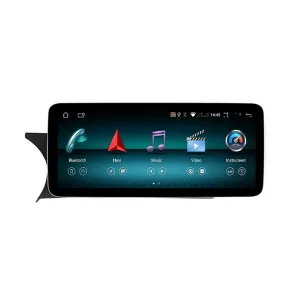
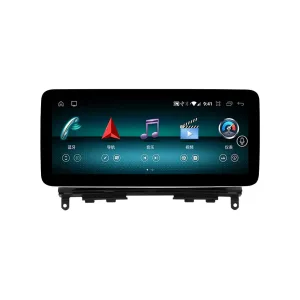
Nâng cấp đầu đĩa Android cho xe Mercedes GLK X204 đời 2009-2015 với CarPlay, Android Auto...
Nâng cấp 2011-2014 Mercedes C-Class W204 của bạn với đầu Android NTG4.5, CarPlay...
Từ: $1,080.00

Chọn những gì bạn dự định mua. Chúng tôi chỉ hiển thị thông tin cần thiết cho sản phẩm đó.
Chúng tôi sẽ xem xét thông tin và gửi phiên bản sản phẩm được đề xuất đến email của bạn.
Chúng tôi sử dụng cookie thiết yếu để giữ cho trang web an toàn và hoạt động bình thường. Với sự đồng ý của bạn, chúng tôi cũng có thể sử dụng cookie phân tích để cải thiện trải nghiệm duyệt web. Xem Chính sách bảo mật.



Mitchell Harris –
Bố cục hai màn hình lớn hơn đặc biệt hữu ích cho việc định vị và giải trí trong quá trình lái xe hàng ngày. Màn hình hiển thị rõ ràng, các menu được tổ chức tốt, và việc tích hợp điện thoại cho đến nay vẫn đáng tin cậy. Các nút điều khiển trên vô lăng nguyên bản vẫn cung cấp quyền truy cập thuận tiện đến các chức năng chính. Việc thiết lập ban đầu mất một chút thời gian, nhưng hệ thống đã hoạt động tốt sau khi cấu hình.
Bố cục màn hình kép lớn hơn đặc biệt hữu ích cho việc điều hướng và giải trí trong quá trình lái xe hàng ngày.
Thiết lập ban đầu mất một chút thời gian
Nigel Harrington –
Khớp hoàn hảo với chiếc 718 Cayman bản RHD dành cho thị trường Anh, trông giống hệt OEM nhà máy. Độ phân giải màn hình HD là một bước nhảy vọt lớn so với màn hình gốc nhỏ xíu. Ra lệnh bằng giọng nói Siri hoạt động hoàn hảo ngay cả khi hạ kính xuống và van ống xả thể thao mở hết cỡ—micro ngoài đi kèm có khả năng khử tiếng ồn tuyệt vời. Chuyển từ menu PCM cũ sang giao diện Android mới thật dễ dàng. Sản phẩm xuất sắc.
Ryan Mitchell –
Thiết lập màn hình kép thay đổi hoàn toàn nội thất. Wireless CarPlay kết nối nhanh chóng và chế độ xem bản đồ lớn hơn dễ sử dụng hơn nhiều.
Antoine Morel –
L’intégration est vraiment réussie. L’écran est large mais reste cohérent avec l’intérieur sportif du 718.