


Dữ liệu lái xe rõ ràng hơn
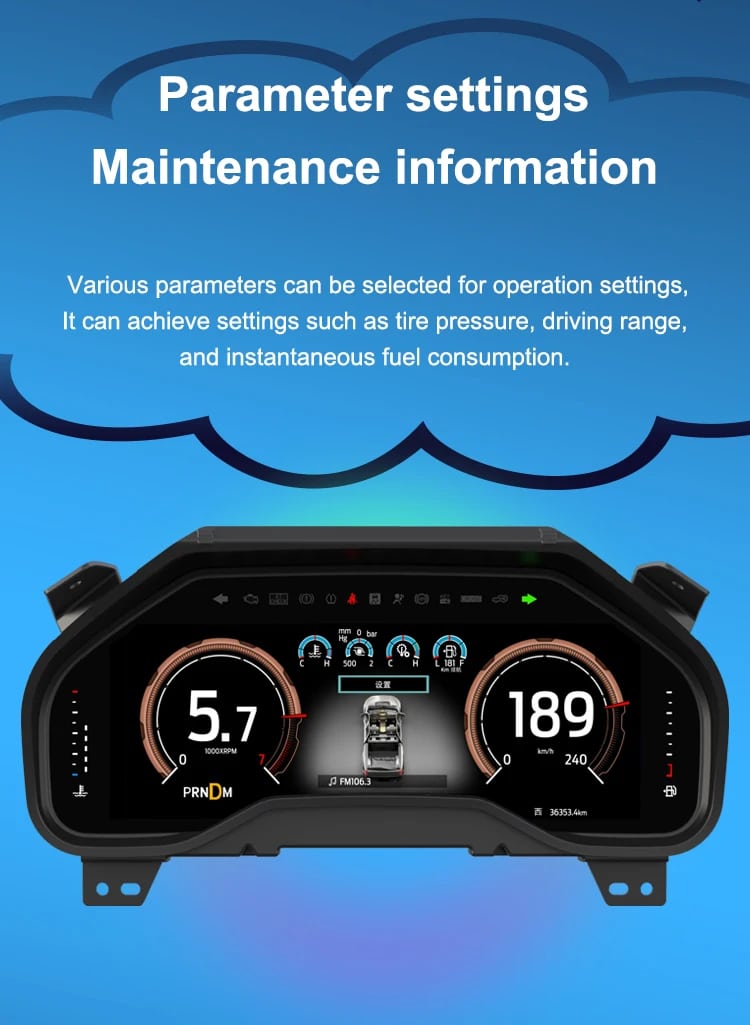
Tốc độ, vòng tua, vị trí số, quãng đường nhiên liệu, thông tin dầu, nhiệt độ nước, TPMS và các cảnh báo được hỗ trợ đều dễ đọc hơn so với bố cục analog nguyên bản.

| Cân nặng | 4.5 kg |
|---|---|
| Kích thước | 45 × 35 × 25 cm |
| Xe hỗ trợ | 2009-2012, 2013-2014 |
| Khả năng tương thích của sản phẩm | Cắm là chạy |
| Nguồn gốc sản phẩm | Không phải sản phẩm chính hãng |



Từ: $1.380,00

Chúng tôi sẽ chịu trách nhiệm thanh toán thuế GTGT và thuế nhập khẩu áp dụng đối với các đơn hàng đủ điều kiện từ EU và Hoa Kỳ. Số tiền tiết kiệm ước tính: $120–$280 .
Phí vận chuyển được tính riêng. Chi phí vận chuyển chính xác được tính dựa trên địa điểm nhận hàng và sẽ được hiển thị trong giỏ hàng của bạn trước khi thanh toán.
Phí vận chuyển cuối cùng được xác nhận dựa trên địa chỉ giao hàng của bạn tại bước thanh toán.
Kiểm tra khả năng tương thích, bảo vệ khả năng tương thích toàn diện, bảo hành phần cứng 12 tháng và hỗ trợ liên tục sau khi cài đặt.
 Chính sách bảo vệ hoàn tiền đầy đủ
Đảm bảo tính tương thích
Đã xác nhận là không tương thích với xe của bạn? Bạn sẽ được hoàn lại toàn bộ số tiền.
→
Chính sách bảo vệ hoàn tiền đầy đủ
Đảm bảo tính tương thích
Đã xác nhận là không tương thích với xe của bạn? Bạn sẽ được hoàn lại toàn bộ số tiền.
→
 12-Month Bảo hành phần cứng
Sản phẩm được bảo hành phần cứng trong 12 tháng đầu tiên.
→
Dịch vụ hỗ trợ sau bán hàng dài hạn
Hướng dẫn sử dụng phần mềm, hỗ trợ linh kiện và điều phối việc sửa chữa luôn được liên kết với đơn hàng ban đầu của quý khách.
→
12-Month Bảo hành phần cứng
Sản phẩm được bảo hành phần cứng trong 12 tháng đầu tiên.
→
Dịch vụ hỗ trợ sau bán hàng dài hạn
Hướng dẫn sử dụng phần mềm, hỗ trợ linh kiện và điều phối việc sửa chữa luôn được liên kết với đơn hàng ban đầu của quý khách.
→
Mục tiêu của chúng tôi là đảm bảo đơn hàng của bạn chính xác trước khi rời khỏi chúng tôi. Chúng tôi kiểm tra tính tương thích, chuẩn bị cấu hình chính xác và chỉ liên hệ với bạn nếu có điều gì cần xác nhận.
2009–2014 F-150 · 2010–2014 SVT Raptor
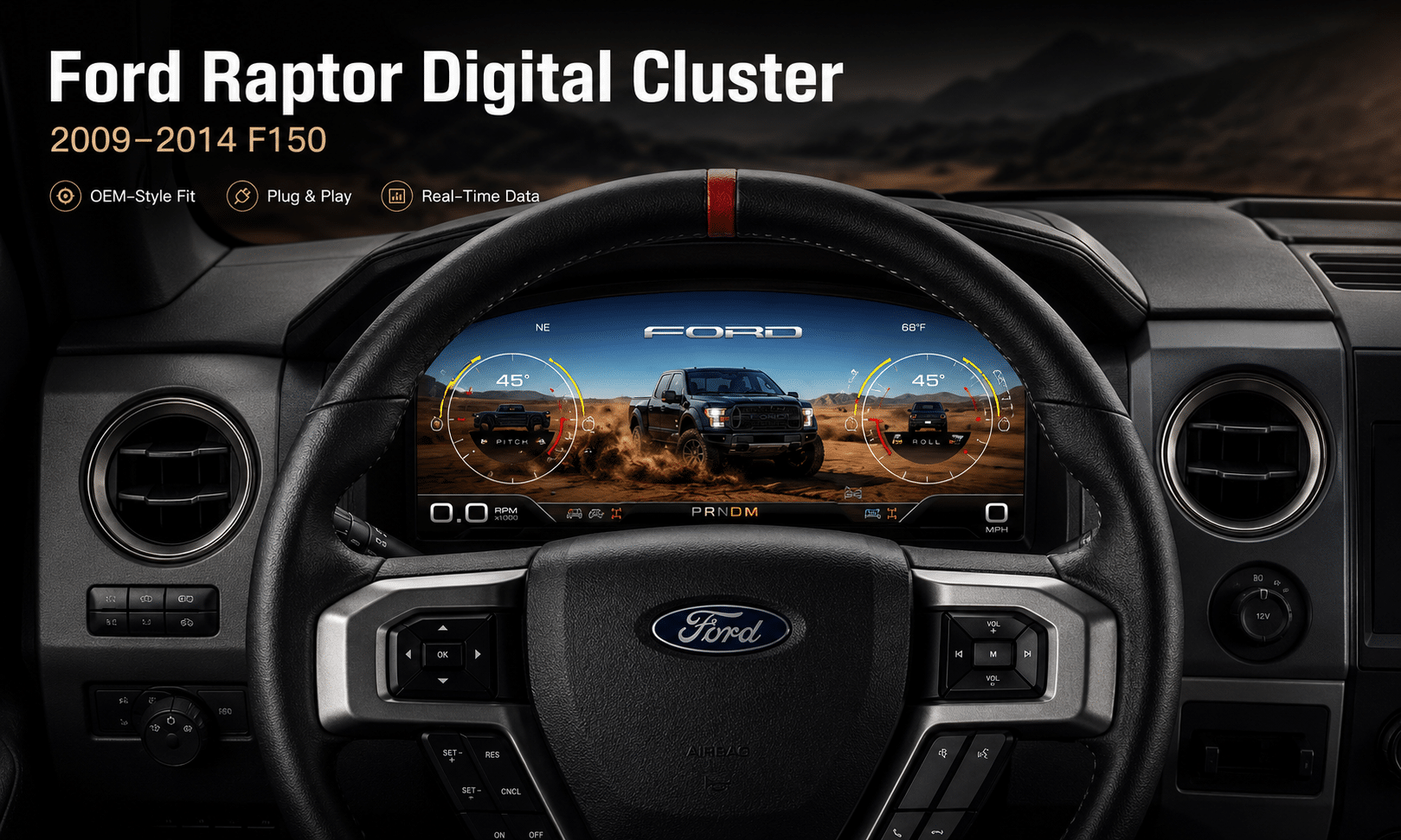
Điều này Cụm đồng hồ kỹ thuật số Ford F150 2009-2014 nâng cấp khu vực đồng hồ analog nguyên bản thành buồng lái ảo Linux 13.1 inch. Nó giữ thông tin quan trọng của xe nguyên bản luôn hiển thị, bổ sung nhiều chủ đề giao diện phong cách Raptor, hỗ trợ điều khiển trên vô lăng nguyên xưởng và mang đến cho người lái bố cục đồng hồ hiện đại hơn nhiều.
iKAGOO chuẩn bị đúng phiên bản Cụm Đồng Hồ Kỹ Thuật Số Ford F150 Raptor 2009–2012 hoặc 2013–2014, giải pháp kết nối tương thích và hướng dẫn lắp đặt dựa trên thông tin xe của bạn.
Cải thiện khi sử dụng hàng ngày
Giá trị mạnh nhất không chỉ nằm ở kích thước màn hình. Việc nâng cấp thay đổi cách bạn đọc tốc độ, vòng tua, áp suất lốp, thông tin dầu, dữ liệu nhiên liệu, cảnh báo và trạng thái off-road trong quá trình lái thông thường.
Tốc độ, vòng tua, vị trí số, quãng đường nhiên liệu, thông tin dầu, nhiệt độ nước, TPMS và các cảnh báo được hỗ trợ đều dễ đọc hơn so với bố cục analog nguyên bản.
Bố cục kỹ thuật số rộng hơn đưa thông tin được hỗ trợ về nhiên liệu, nhiệt độ, áp suất lốp, cảnh báo và hệ truyền động vào màn hình hiển thị rõ ràng hơn, tập trung cho người lái.
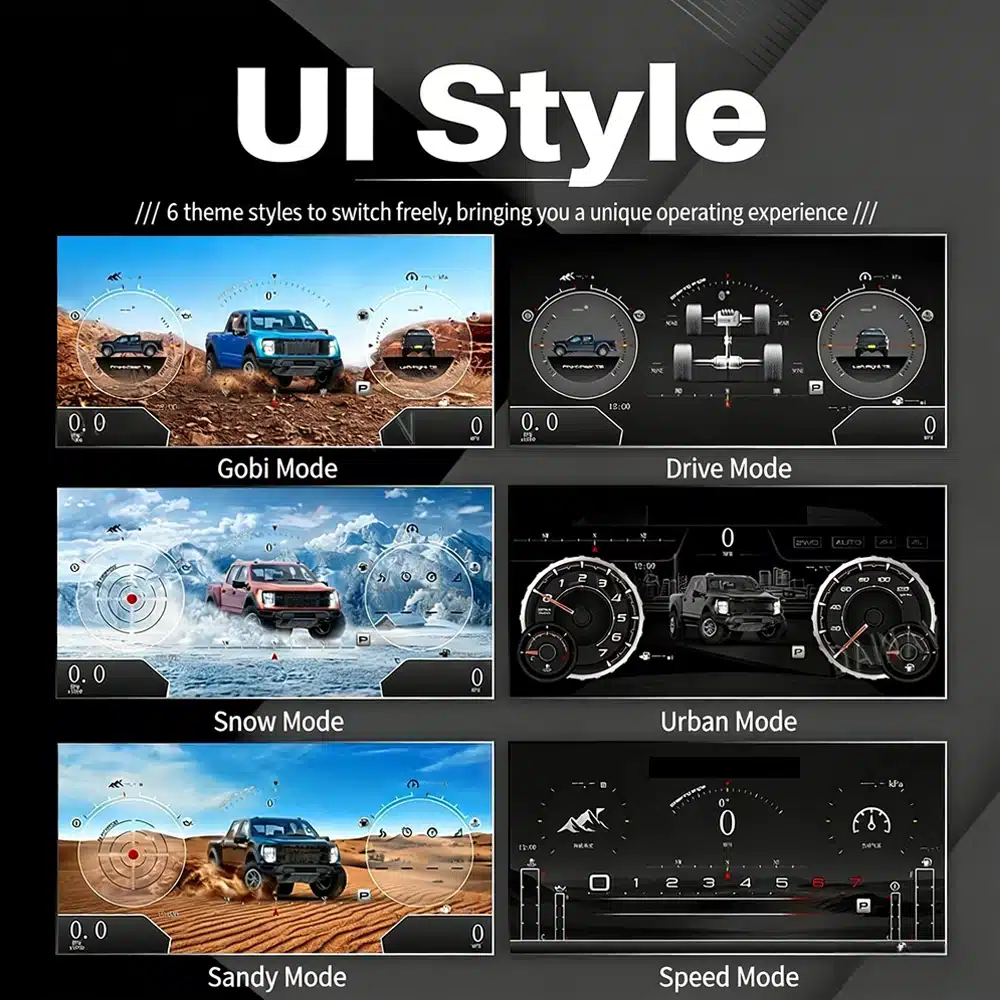
Giao diện bao gồm nhiều chủ đề hình ảnh cho lái xe trong thành phố, lái tập trung vào tốc độ, tuyết, cát, sa mạc và các chế độ xem tập trung vào hệ truyền động, khiến việc nâng cấp mang cảm giác gần hơn với buồng lái Raptor hiện đại.
Các hàm mặc định được giữ nguyên
Với đúng phiên bản theo năm, giữ lại thiết bị điện tử đồng hồ nguyên bản và lắp đặt đúng cách, cụm đồng hồ tiếp tục hiển thị những thông tin lái xe quan trọng mà F-150 của bạn cung cấp.
Được chuẩn bị cho chiếc xe tải của bạn
Chúng tôi phân tách các phiên bản bảng táp-lô Cụm Đồng Hồ Kỹ Thuật Số Ford F150 Raptor 2009–2012 và 2013–2014 thay vì coi mọi F-150 thế hệ thứ 12 là giống hệt nhau.
Chúng tôi xác nhận năm sản xuất mẫu xe, bố cục cụm đồng hồ nguyên bản, điều khiển trên vô lăng và cấu hình đồng hồ cần thiết trước khi chuẩn bị đúng phiên bản.
Quy trình lắp đặt giữ lại thiết bị điện tử đồng hồ nguyên bản cần thiết để dữ liệu dành riêng cho xe không bị coi như một cụm đồng hồ thay thế chung chung.
Chúng tôi giúp bạn kiểm tra tốc độ, vòng tua, số, cảnh báo, TPMS, điều khiển vô lăng, đơn vị và hành vi ngủ trước khi lắp ráp lại lần cuối.
Việc lắp đặt tương thích được thiết kế để kết nối mà không cố ý cắt dây điện chính nguyên xưởng được hỗ trợ.
Bạn nhận được hỗ trợ lắp đặt và cấu hình cùng bảo hành phần cứng giới hạn 12 tháng cho các lỗi sản xuất đủ điều kiện.
Phần cứng dành riêng cho từng dòng xe
Vỏ đúc theo đúng khe đồng hồ nguyên bản để thành phẩm trông như một nâng cấp buồng lái có chủ đích thay vì một chiếc máy tính bảng gắn thêm lên bảng táp-lô.

Lựa Chọn Năm Chính Xác
Các bố cục nguyên xưởng 2009–2012 và 2013–2014 không giống hệt nhau. Hãy chọn tùy chọn năm tương thích và gửi ảnh cụm đồng hồ nguyên bản của bạn. Cụm đồng hồ có thể giữ dữ liệu xe nguyên bản được hỗ trợ khi phiên bản đúng năm và thiết bị điện tử đồng hồ được giữ lại được lắp đặt đúng cách.

Kiểu Giao Diện Độ Nét Cao
Hình ảnh giao diện rõ ràng này thay thế hình ảnh công tắc xoay độ phân giải thấp. Các kiểu có sẵn bao gồm Chế độ Gobi, Chế độ Lái, Chế độ Tuyết, Chế độ Đô thị, Chế độ Cát và Chế độ Tốc độ, mang đến cho F-150 hoặc Raptor của bạn một buồng lái kỹ thuật số phong cách nguyên xưởng hiện đại hơn.
Các chủ đề buồng lái có thể lựa chọn
Màn hình có thể ưu tiên các thông tin khác nhau tùy thuộc vào cách bạn sử dụng xe tải: lái xe trong thành phố, tốc độ đường cao tốc, lái xe trên sa mạc, tuyết, cát, trạng thái hệ truyền động hoặc thông tin xe hàng ngày.

Giao diện đa ngôn ngữ.
Giao diện Linux hỗ trợ nhiều ngôn ngữ, bao gồm tiếng Anh, tiếng Tây Ban Nha, tiếng Pháp, tiếng Đức, tiếng Nga, tiếng Bồ Đào Nha, tiếng Thổ Nhĩ Kỳ, tiếng Hàn, tiếng Trung và tiếng Ả Rập. Hãy hỏi iKAGOO về ngôn ngữ bạn muốn khi đặt hàng.

Cảnh báo và Bảo dưỡng
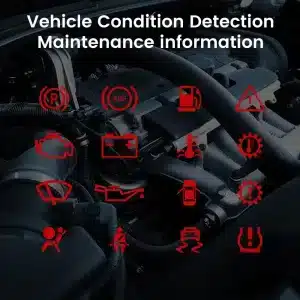
Các chỉ báo cảnh báo được hỗ trợ, thông tin bảo dưỡng và thông báo tình trạng xe vẫn là một phần của trải nghiệm lái xe, giúp bạn nhận ra các vấn đề mà không cần quay lại màn hình gốc hạn chế.

Khởi động Linux Nhanh
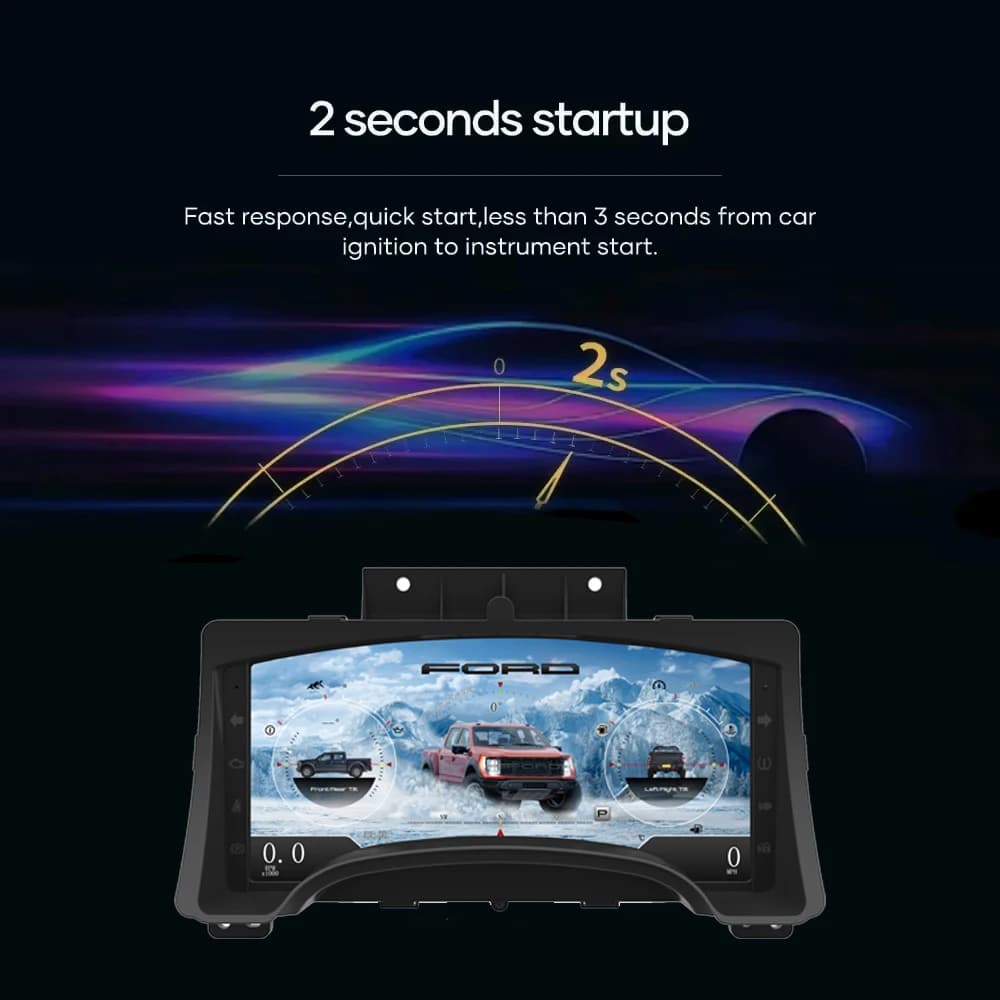
Nền tảng Linux chuyên dụng giữ cho quá trình khởi động tập trung vào thông tin lái xe. Thời gian khởi động được chỉ định là dưới hai giây sau khi đánh lửa.
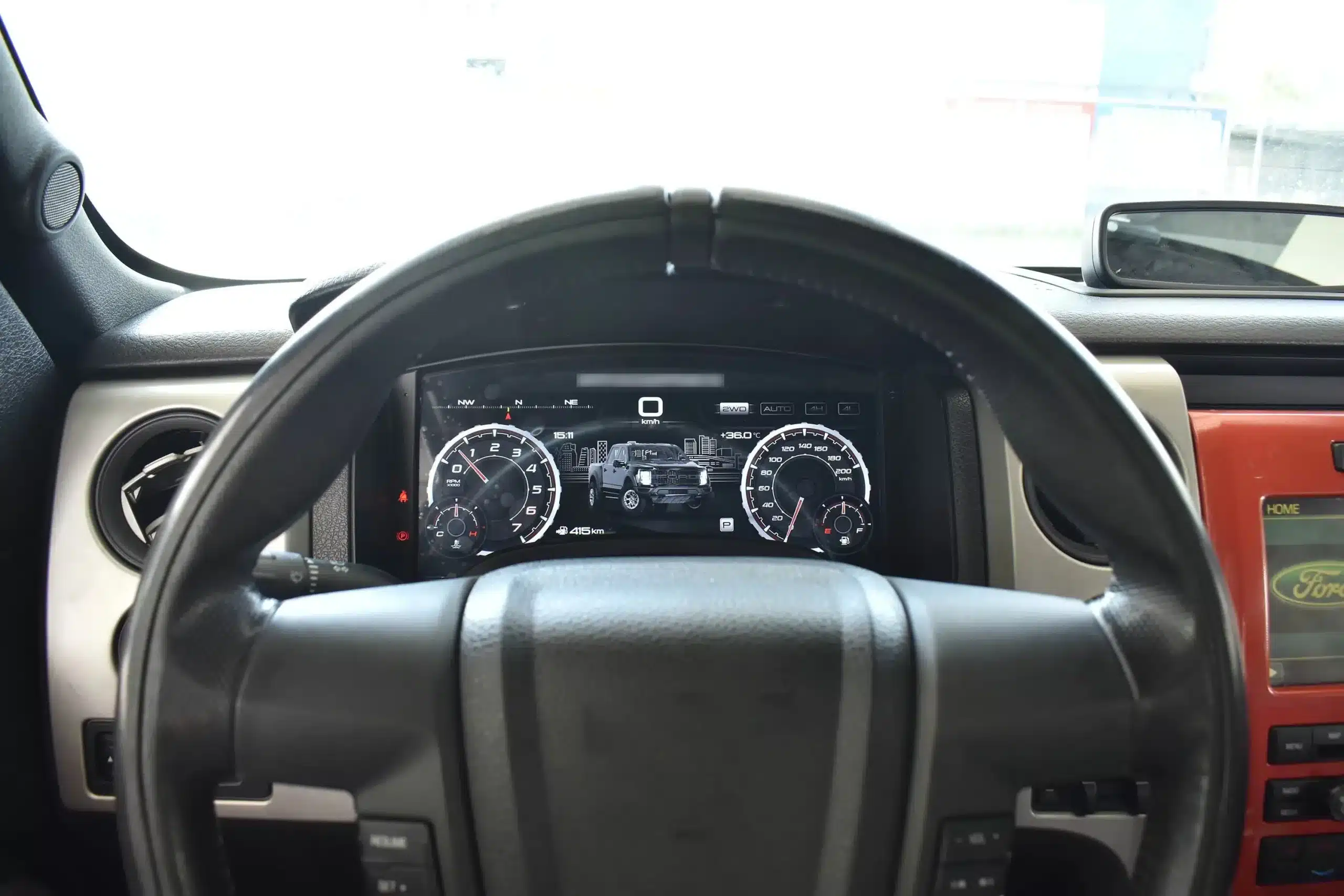
Góc nhìn Lái xe Đã Cài đặt
Màn hình rộng nằm phía sau vô lăng nguyên bản và trong kiến trúc bảng điều khiển hiện có, tạo ra nâng cấp hình ảnh lớn hơn trong khi vẫn giữ nguyên cụm trung tâm và nội thất xung quanh.
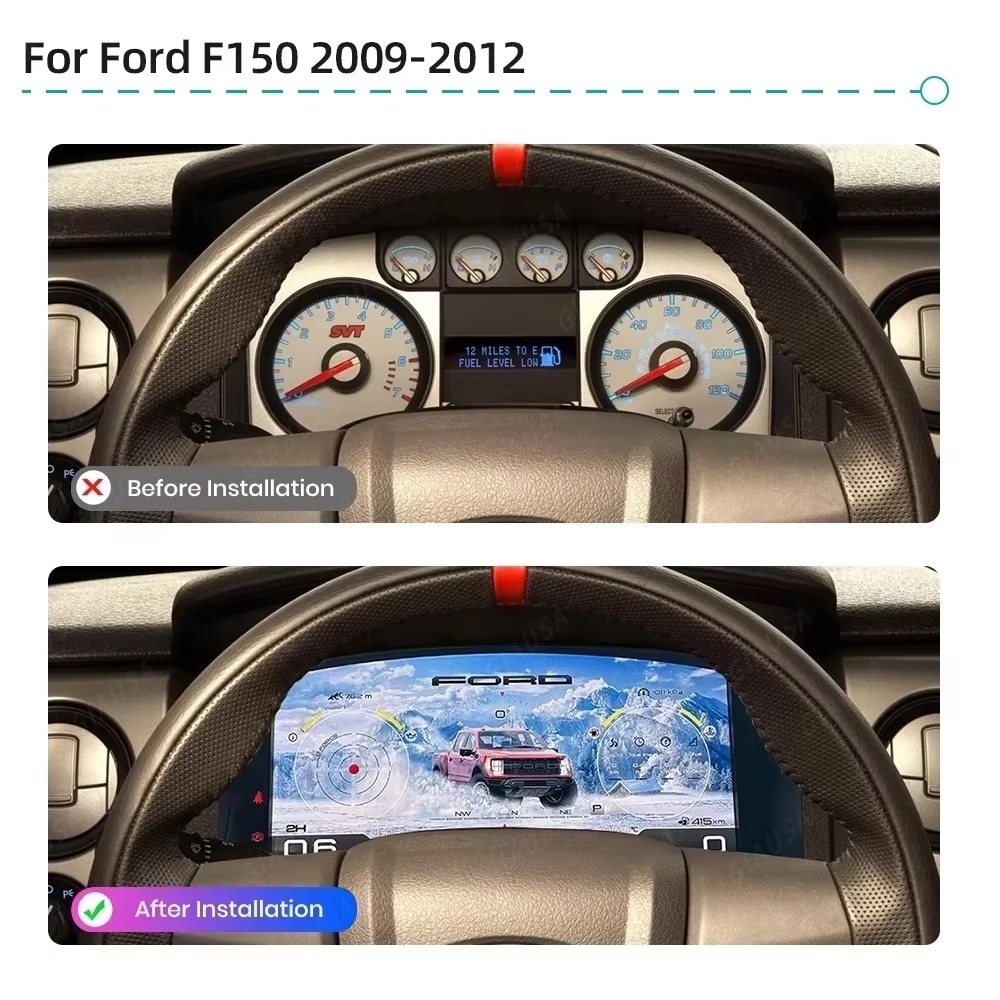
Trước và sau
Cụm đồng hồ analog nguyên bản cung cấp thông tin cơ bản, trong khi bộ thay thế kỹ thuật số tạo ra góc nhìn rộng hơn, sáng hơn và có thể cấu hình nhiều hơn ngay trong tầm nhìn thông thường của người lái.
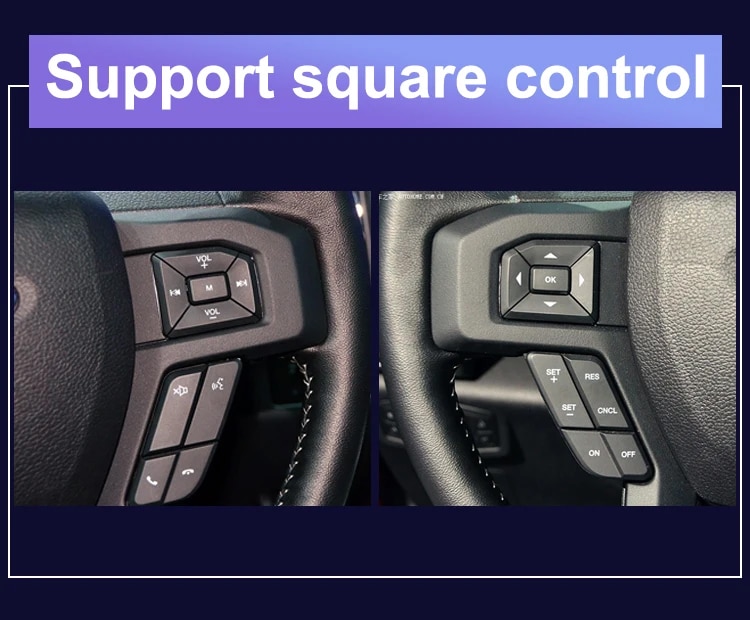
Hệ thống điều khiển nhà máy
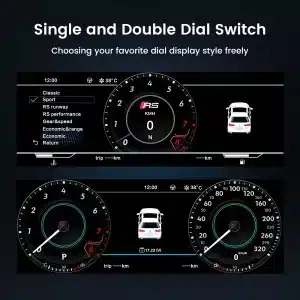
Các nút mũi tên và OK nguyên bản được hỗ trợ cho phép bạn di chuyển qua các trang cụm đồng hồ, cài đặt và chế độ giao diện mà không cần thêm bộ điều khiển không liên quan vào bảng điều khiển.
Dữ liệu xe
Bố cục màn hình có thể thay đổi theo phiên bản năm và chủ đề được chọn, nhưng mục đích là nhất quán: giúp thông tin xe, bảo dưỡng và off-road được hỗ trợ dễ tìm hơn trong quá trình sử dụng hàng ngày.
Tổng quan Tính năng
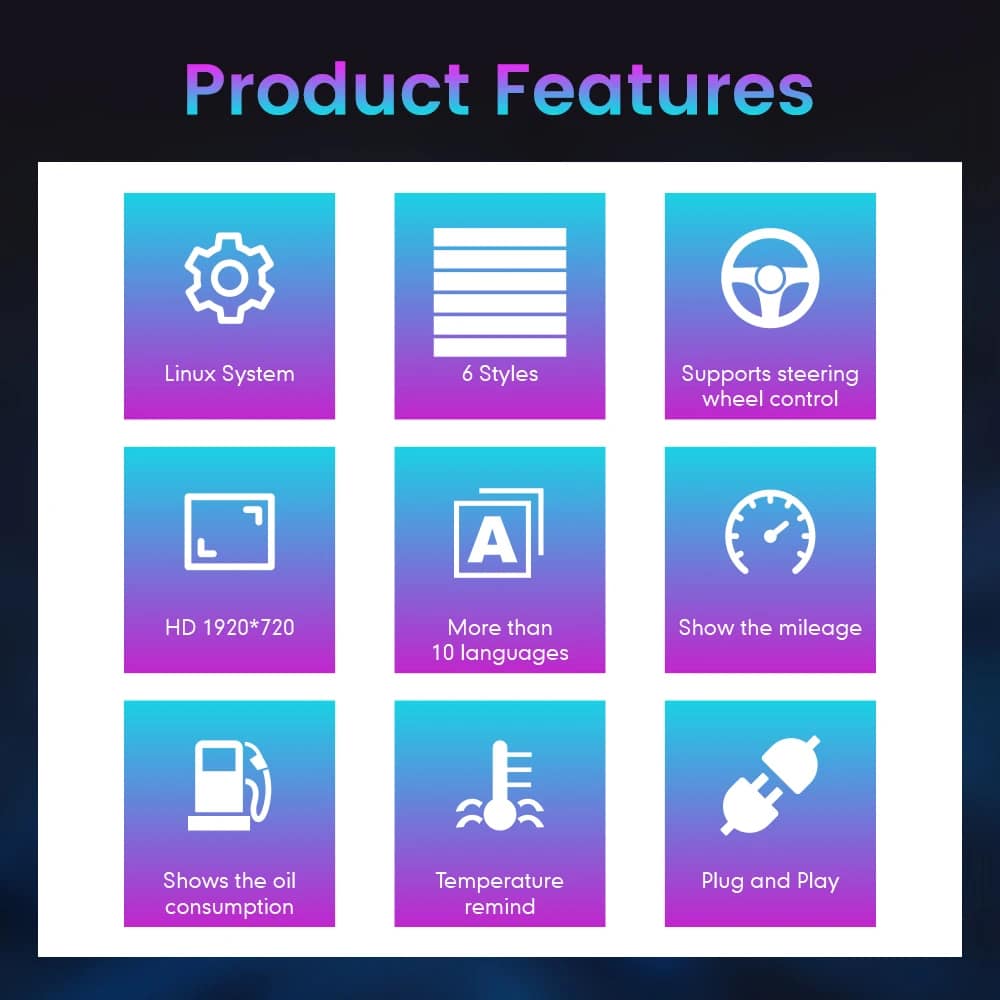
Cụm đồng hồ được xây dựng trên Linux, bố cục có thể chọn, điều khiển bằng vô lăng, hiển thị số dặm và thông tin tình trạng xe được hỗ trợ. Đối với đơn hàng của bạn, iKAGOO chuẩn bị cấu hình 13.1 inch, 1920 × 932 như đã nêu trong thông số mua hàng.
Hướng dẫn Tên Xe và Khu vực
Cụm đồng hồ này được xây dựng dựa trên kiến trúc bảng điều khiển F-150 thế hệ thứ 12. Khu vực mua hàng hiện cung cấp hai nhóm phần cứng vì cấu trúc cụm đồng hồ nguyên bản thay đổi qua các đợt sản xuất.
Chọn tùy chọn Cụm đồng hồ Kỹ thuật số Ford F150 Raptor 2009–2012 và cung cấp ảnh rõ ràng về cụm đồng hồ nguyên bản. Điều này bao gồm các xe tương ứng với bố cục đồng hồ đo trước đó.
Chọn tùy chọn 2013–2014 và cung cấp ảnh cụm đồng hồ nguyên bản sau này để có thể chuẩn bị đúng phiên bản vật lý.
Raptor thế hệ đầu tiên thuộc thế hệ F-150 này. Khớp theo năm mô hình và ngoại hình cụm đồng hồ nguyên bản; không có SVT Raptor năm mô hình 2009.
Tên huy hiệu tại thị trường Mexico có thể đề cập đến cùng một thế hệ, nhưng bảng điều khiển, cụm đồng hồ nguyên bản và cấu hình đầu nối phải khớp trước khi đặt hàng.
This product is prepared around the North American left-hand-drive dashboard shown. For an aftermarket RHD conversion, send full dashboard and steering-control photos before purchase.
Do not choose this 2009–2014 version. Use the separate 2015–2020 F-150 digital cluster page .
Thông số kỹ thuật sản phẩm
Chuẩn bị đơn hàng
Provide the model year, trim, engine/fuel type and market.
Send the original cluster and a full driver-side dashboard photo.
We match the 2009–2012 or 2013–2014 hardware configuration.
Confirm the original steering-wheel controls and instrument layout before shipment.
After delivery, use the provided guidance and contact iKAGOO if the display, controls or vehicle-data behavior differs.
iKAGOO Purchase Evaluations
A score of 92/100 does not mean that 8% of factory functions are lost. The score also reflects that the new Linux interface and menu structure differ from the original Ford analog cluster.
Suitable for an experienced DIY installer or an automotive electronics installer. The level describes the work required; it does not indicate lower product quality or lower upgrade value.
Compare the Real Outcomes
Cài đặt
This is not a simple USB accessory. Correct work requires careful trim removal, cluster removal, original-component handling, matched connection, vehicle-setting configuration and complete function testing.
Vận chuyển và Hỗ trợ
Normally 1–3 business days before dispatch, with additional time when vehicle information or configuration needs clarification.
Typical delivery after dispatch: USA/Canada 5–9 business days, EU 7–15, UK/Australia 7–10, other supported regions 7–20.
Eligible manufacturing defects and hardware failures under normal use are covered by the current limited hardware warranty.
When iKAGOO confirmed compatibility from accurate pre-purchase information but no reasonable solution works, the current published refund policy applies.
Câu hỏi của người mua
Sẵn sàng nâng cấp
Choose the correct year version, send the requested vehicle photos and let iKAGOO prepare the matched digital cluster configuration, UI setup and installation guidance for your truck.


Thông tin rõ ràng về khả năng tương thích xe, chuẩn bị đơn hàng, giao hàng quốc tế, bảo hành, trả hàng và hỗ trợ sau bán hàng.
Điện tử đặc thù cho xe yêu cầu đúng phiên bản, hệ thống dây điện và cấu hình. Quy trình của chúng tôi được thiết kế để giảm các vấn đề tương thích và lắp đặt có thể tránh được.
Thông tin về mẫu xe, năm sản xuất, hệ thống gốc và cấu hình liên quan có thể được xem xét trước khi mua để giảm rủi ro chọn sai phiên bản.
Trước khi giao hàng, đơn hàng được kiểm tra với thông tin xe đã xác nhận để chuẩn bị phiên bản, cấu hình và các thành phần cụ thể cho xe cần thiết.
Mục tiêu của chúng tôi là đảm bảo đơn hàng của bạn chính xác trước khi rời khỏi chúng tôi. Chúng tôi xác minh tính tương thích, chuẩn bị cấu hình chính xác và liên hệ với bạn chỉ khi có điều gì đó vẫn cần xác nhận.
Tóm tắt thực tế về các điều khoản chính áp dụng cho các đơn hàng iKAGOO dành riêng cho xe.
Hầu hết các đơn hàng iKAGOO được gửi từ kho hàng của chúng tôi tại Trung Quốc sau khi cấu hình sản phẩm và thông tin xe đã được kiểm tra.
Thời gian xử lý đơn hàng bình thường khoảng 1–3 ngày làm việc. Thời gian giao hàng dự kiến sau khi gửi hàng thường là:
Việc thông quan, ngày lễ, thời tiết, sự chậm trễ của hãng vận chuyển và giao hàng đến khu vực xa có thể ảnh hưởng đến các ước tính này.
Vận chuyển quốc tế tiêu chuẩn thường không bao gồm VAT của nước đến, thuế nhập khẩu, phí môi giới hoặc phí thông quan.
Đối với các điểm đến đủ điều kiện trong Liên minh Châu Âu, Vận chuyển DDP có thể khả dụng. Các khoản phí liên quan đến nhập khẩu chỉ được bao gồm khi DDP được chọn tại bước thanh toán hoặc được iKAGOO xác nhận bằng văn bản trước khi gửi hàng.
Khi DDP không được chọn, các khoản phí do hải quan địa phương hoặc đơn vị vận chuyển thu thường là trách nhiệm của người nhận.
Vận chuyển nhanh hoặc giao nhanh có thể khả dụng cho các sản phẩm và điểm đến được chọn. Tình trạng sẵn có, đơn vị vận chuyển và mọi chi phí bổ sung được xác nhận trước khi gửi hàng.
Tùy thuộc vào tuyến đường và loại sản phẩm, iKAGOO có thể sử dụng DHL, FedEx, UPS, EMS, 4PX hoặc một nhà cung cấp dịch vụ logistics có theo dõi khác.
Sau khi gửi hàng, mã theo dõi hoặc liên kết theo dõi thường được gửi đến địa chỉ email được sử dụng cho đơn hàng. Các cập nhật theo dõi có thể mất vài ngày làm việc để xuất hiện trong quá trình chuyển giao giữa các đơn vị vận chuyển quốc tế.
Khả năng được trả hàng phụ thuộc vào lý do trả hàng, tình trạng sản phẩm, trạng thái lắp đặt, bằng chứng hỗ trợ và liệu việc trả hàng đã được iKAGOO phê duyệt hay chưa.
Đối với trường hợp trả hàng không do lỗi được phê duyệt, sản phẩm thường phải còn chưa sử dụng, chưa lắp đặt, đầy đủ và có thể bán lại. Khách hàng thường chịu phí vận chuyển trả hàng đã được phê duyệt.
Phí vận chuyển gốc, DDP, VAT, thuế hải quan và các chi phí logistics khác thường không được hoàn lại trừ khi pháp luật yêu cầu hoặc được iKAGOO xác nhận khác.
Không gửi trả sản phẩm trước khi nhận được địa chỉ trả hàng đã được phê duyệt và hướng dẫn trả hàng từ iKAGOO.
Có thể có thêm biện pháp bảo vệ khi iKAGOO đã xem xét tính tương thích của xe, khách hàng cung cấp thông tin xe chính xác và đã hoàn thành các bước lắp đặt và chẩn đoán hợp lý.
Nếu iKAGOO xác nhận rằng không có giải pháp kỹ thuật hợp lý nào và sự cố được báo cáo trong vòng 7 ngày kể từ ngày giao hàng, khách hàng có thể đủ điều kiện được hoàn lại giá sản phẩm mà không cần phải trả lại sản phẩm.
Phí vận chuyển ban đầu, DDP, VAT, thuế hải quan và các khoản phí của bên thứ ba khác không được bao gồm trong khoản hoàn lại giá sản phẩm này.
Các sản phẩm đủ điều kiện bao gồm một Bảo hành phần cứng có thời hạn 12 tháng bao gồm các lỗi sản xuất đã được xác minh và các hư hỏng phần cứng đủ điều kiện trong điều kiện sử dụng bình thường.
Tùy thuộc vào vấn đề đã được xác minh, hỗ trợ có thể bao gồm chẩn đoán từ xa, trợ giúp cấu hình, phụ tùng thay thế, sửa chữa, thay thế, hoàn tiền một phần hoặc hoàn tiền toàn bộ.
Việc kiểm tra hoặc kiểm định bởi bên thứ ba không tự động hủy bỏ toàn bộ bảo hành. Tuy nhiên, hư hỏng do sửa chữa trái phép, thay đổi sai quy cách, đứt mạch, lắp ráp không đúng cách, đấu dây sai, va đập, nước xâm nhập hoặc sử dụng sai mục đích thường không được bảo hành.
Liên hệ iKAGOO trước khi tháo rời, sửa đổi hoặc sửa chữa sản phẩm để có thể cung cấp quy trình chẩn đoán chính xác.
Liên hệ với iKAGOO trong vòng 7 ngày kể từ ngày giao hàng và giữ nguyên bao bì gốc, nhãn vận chuyển, phụ kiện và sản phẩm.
Vui lòng cung cấp các bức ảnh hoặc video rõ nét thể hiện:
Sau khi xác minh, iKAGOO có thể sắp xếp gửi bổ sung phần còn thiếu, thay thế, sửa chữa, hoàn tiền hoặc một giải pháp hợp lý khác.
Hãy liên hệ với iKAGOO càng sớm càng tốt và trước khi lắp đặt. Để thay đổi địa chỉ, cấu hình xe hoặc sản phẩm, vui lòng liên hệ với chúng tôi trong thời gian tốt nhất là trong vòng 12 giờ sau khi đặt hàng.
Việc đổi hoặc trả hàng có thể được chấp thuận khi sản phẩm chọn sai vẫn chưa qua sử dụng, chưa lắp đặt, còn nguyên vẹn và phù hợp để bán lại. Khách hàng thường chịu trách nhiệm về chi phí vận chuyển liên quan và chênh lệch giá.
Các sản phẩm dành riêng cho xe có thể bắt đầu quá trình mua sắm, lập trình, kiểm tra hoặc cấu hình ngay sau khi thanh toán. Khi việc chuẩn bị hoặc vận chuyển đã bắt đầu, việc hủy đơn có thể không còn khả thi, hoặc các chi phí hợp lý đã phát sinh có thể bị khấu trừ.
Nội dung gói sản phẩm thay đổi tùy theo sản phẩm, mẫu xe, hệ thống nguyên bản và cấu hình đã chọn.
Tùy thuộc vào sản phẩm, gói sản phẩm có thể bao gồm thiết bị chính dây điện chuyên dụng cho xe, giao diện CANBUS, bộ chuyển đổi, cáp USB, ăng-ten, micro, phần cứng lắp đặt hoặc các phụ kiện lắp đặt cần thiết khác.
Vui lòng tham khảo hình ảnh sản phẩm, thông số kỹ thuật và xác nhận đơn hàng để biết nội dung chính xác của đơn hàng.
Bạn có thể liên hệ với iKAGOO qua biểu mẫu liên hệ trên trang web, WhatsApp hoặc các kênh hỗ trợ khả dụng khác. Thời gian phản hồi thông thường là trong vòng 24 giờ làm việc.
Để chẩn đoán kỹ thuật nhanh hơn, hãy cung cấp số đơn hàng, mẫu xe và năm sản xuất, hình ảnh hệ thống nguyên bản liên quan, hình ảnh sản phẩm và video rõ ràng cho thấy sự cố.
Thanh toán được xử lý thông qua các phương thức thanh toán an toàn hiển thị khi thanh toán.
Các tùy chọn thẻ, ví và trả góp hiện có có thể thay đổi tùy theo quốc gia, loại tiền tệ, nhà cung cấp thanh toán và điều kiện của khách hàng.
Các dịch vụ trả góp, bao gồm các tùy chọn do PayPal hoặc nhà cung cấp thanh toán khác cung cấp, vẫn phụ thuộc vào tính khả dụng theo khu vực và các yêu cầu phê duyệt của nhà cung cấp đó.
Phần này là hướng dẫn khách hàng đơn giản hóa. Các trang chính sách được công bố đầy đủ, xác nhận đơn hàng và luật bảo vệ người tiêu dùng hiện hành sẽ được ưu tiên nếu có bất kỳ sự khác biệt nào về từ ngữ.
Bảng đồng hồ kỹ thuật số Volkswagen VW T6 dành cho các mẫu Transporter, Multivan và Caravelle đời 2015-2019, với...
Bộ đồng hồ kỹ thuật số VW Scirocco Eos này giúp nâng cấp mẫu xe Volkswagen Scirocco Mk3 Type 13 sản xuất từ năm 2009 đến năm 20...
Từ: $1.380,00
Phí vận chuyển cuối cùng được xác nhận dựa trên địa chỉ giao hàng của bạn tại bước thanh toán.

Chọn sản phẩm bạn định mua. Chúng tôi chỉ hiển thị các thông tin cần thiết cho sản phẩm đó.
Chúng tôi sẽ xem xét các chi tiết và gửi phiên bản sản phẩm được đề xuất đến email của quý khách.
Chúng tôi sử dụng cookie thiết yếu để giữ cho trang web an toàn và hoạt động bình thường. Với sự đồng ý của bạn, chúng tôi cũng có thể sử dụng cookie phân tích để cải thiện trải nghiệm duyệt web. Xem Chính sách bảo mật.




Michael Brown –
I installed this on my 2009 Raptor. The ‘Off-road Mode’ is absolutely amazing—seeing the real-time pitch, roll angles, and tire pressure on the 13.1-inch HD screen makes the stock analog gauges look like they’re from the Stone Age. The installation was truly plug-and-play
The installation was plug-and-play, the menu is lag-free, the visual effects are stunning, and the resolution is extremely high